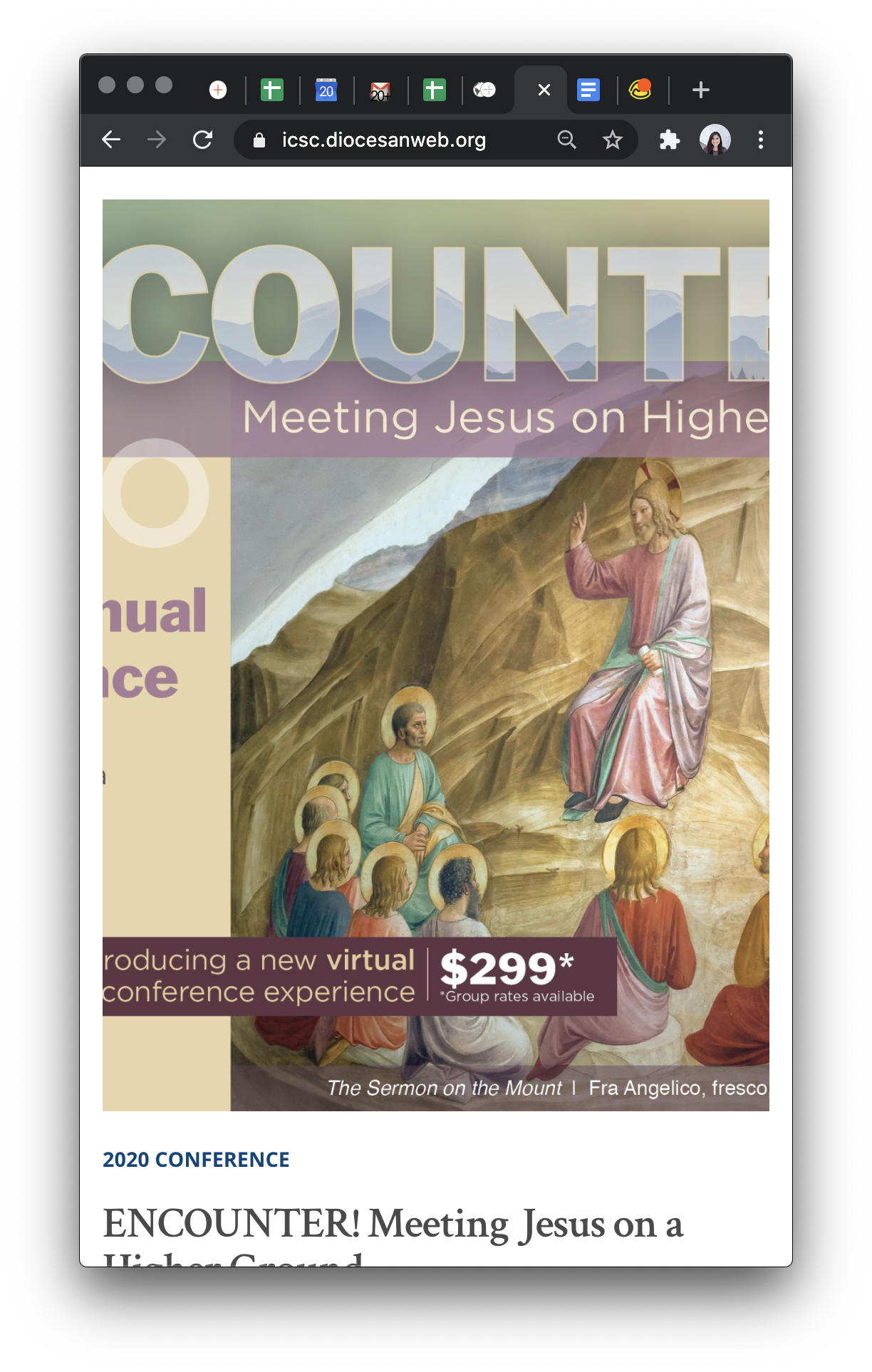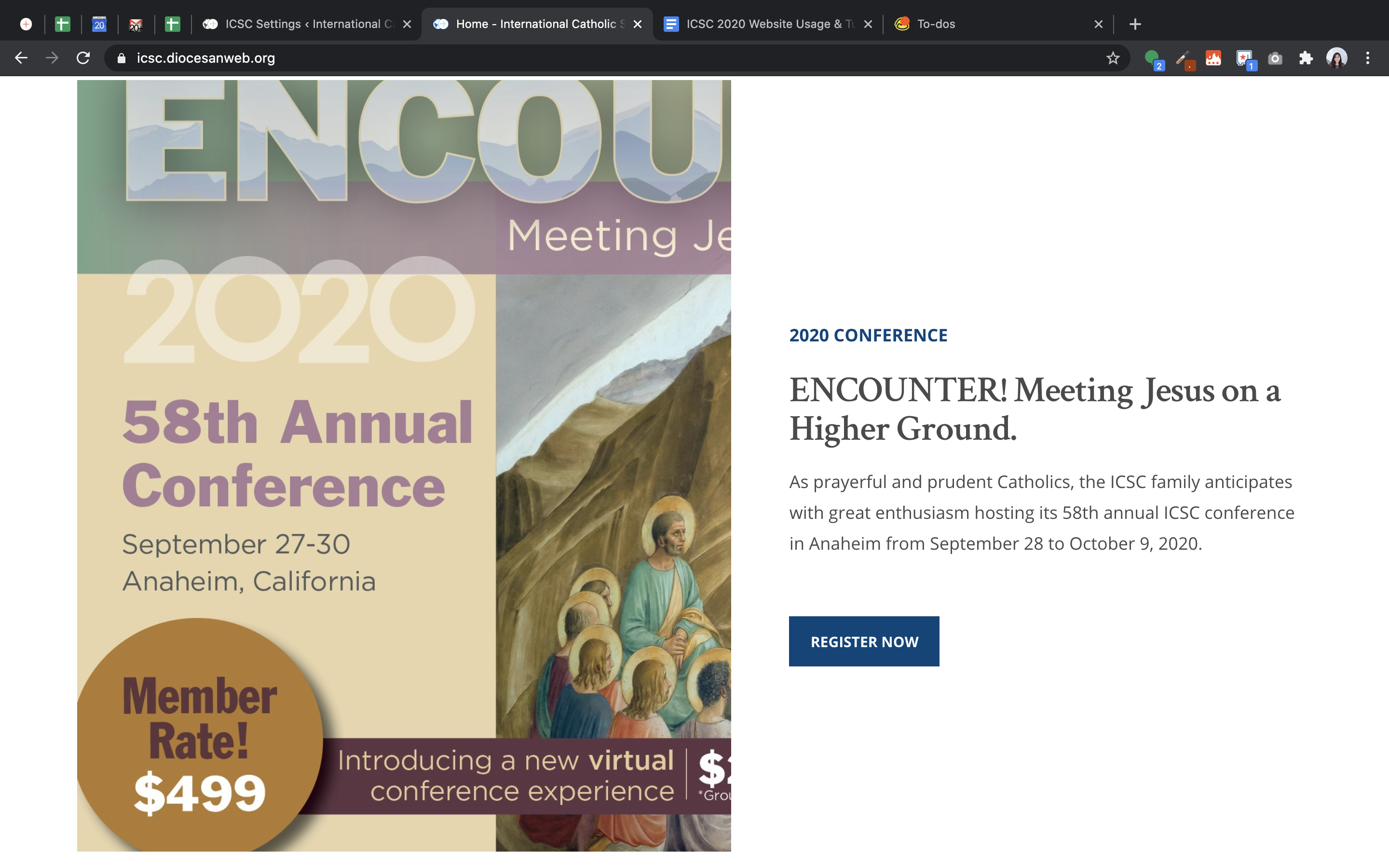





The mockup called for an image roughly 1280x800. On desktop however, the design only uses the left half of the image, so effectively 640x800 worth of image.
On tablet/mobile, we switch to a stack, and the portion of the image becomes semi-responsive. To keep things simple we put a fixed height on it, so that it looks and behaves similarly to the desktop size. The most obvious issue was that the image was centered on tablet/mobile, so I left-justified it.
I believe this adjustment will closer reflect the objective here, without trying to convert it to something pure responsive ratio.
The alternative would be to straight up crop the original 1280x800 image to left half 640x800, and use that as a "full" image. The only reason I didn't go that route to begin with was due to the vertical centering of the text on the right half. I needed a way to provide ample height without it being a function of browser width and image ratio. If the image was responsive instead, the desktop version wouldn't work as well, in my opinion.
Notified 1 person
Veronica Alvarado,Project Manager
Blake
Let's go over this after this morning's meeting.
Ryan, I'll let you know what we come up with!
Notified 2 people
Veronica Alvarado,Project Manager
Since this is their conference poster area and is the most important spot for at least half of the year, they will be wanting a ratio image.
Larger than Tablet
Image is 600x800px (portrait)
centered in left half
text on right half is middle aligned with image height
Tablet & Smaller
Image is 600 x 800 px (portrait) or ratio 3:4 size
Image stacked above text
Image is left aligned
Notified 2 people
Ryan Ross,Developer
I rebuilt the Conference Promo section using a 600x800 image (cropped from left| center-
This way it'll be fully responsive and proportional throughout. I can honestly say this route was not as bad as I thought. Works quite well.
The situations described here were pretty straight forward. I did take a little liberty and with padding/widths/font-sizes just to fit things together a little smoother.
The situation not listed I did the following:
Larger than Tablet - With Sign-up Form Showing
text on right half is middle aligned with available visible space (image height less overap from sign-up form)
The mockup called for an image roughly 1280x800. On desktop however, the design only uses the left half of the image, so effectively 640x800 worth of image.
On tablet/mobile, we switch to a stack, and the portion of the image becomes semi-responsive. To keep things simple we put a fixed height on it, so that it looks and behaves similarly to the desktop size. The most obvious issue was that the image was centered on tablet/mobile, so I left-justified it.
I believe this adjustment will closer reflect the objective here, without trying to convert it to something pure responsive ratio.
The alternative would be to straight up crop the original 1280x800 image to left half 640x800, and use that as a "full" image. The only reason I didn't go that route to begin with was due to the vertical centering of the text on the right half. I needed a way to provide ample height without it being a function of browser width and image ratio. If the image was responsive instead, the desktop version wouldn't work as well, in my opinion.
Ryan, I'll let you know what we come up with!
Larger than Tablet
Tablet & Smaller
Actual image being used - Keep in mind the original image is the full spread and then cropped to 600x800 after scaling.
This way it'll be fully responsive and proportional throughout. I can honestly say this route was not as bad as I thought. Works quite well.
The situations described here were pretty straight forward. I did take a little liberty and with padding/widths/font-sizes just to fit things together a little smoother.
The situation not listed I did the following:
Larger than Tablet - With Sign-up Form Showing