












✔ Example of line spacing issues
Completed by Kyle B.
- Assigned to
-
 Kyle B.
 Veronica A.
- Notes
-
Not sure what can be done, but seeing weird spacing issues.
The 2-col block of text - tried to get the right side to match the left. No spacing showing between the contact line and the next ministry name, even though I added a space. So the left side looks good, the right col is all compressed.
https://hsparish.diocesanweb.org/ministries/worship-ministries/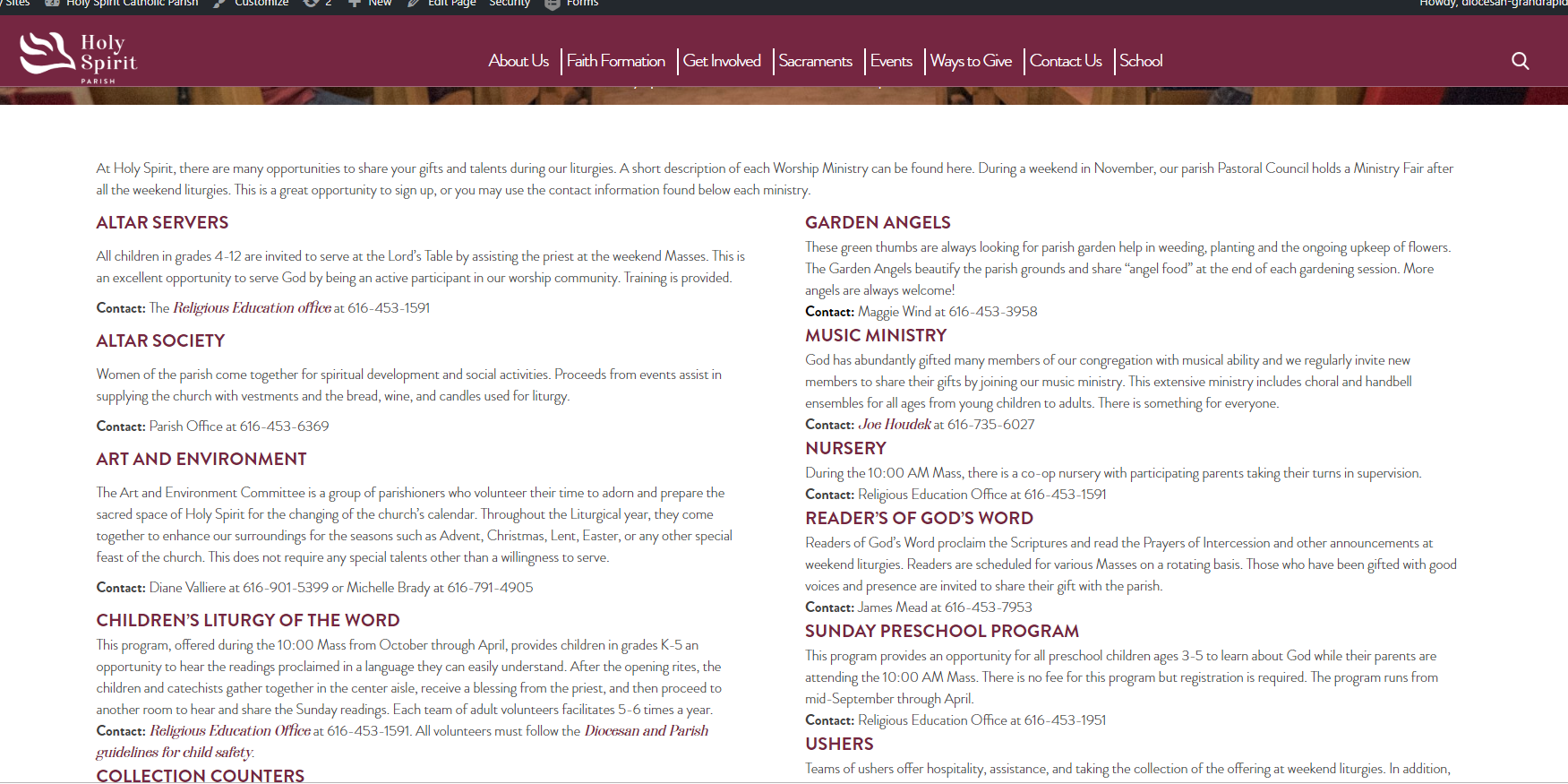
In the left column, the first contact line is wrapped in a <p> tag. This comes with built in margins on the top and bottom.
In the right column, the first contact line is wrapped in a <div> tag. This has no built in margins.
My guess is that this is carried over from wherever the content is copied from. The way to fix it is by going into the text and changing the tags to match one another. Change them all to <p> tags or all to <div> tags, and everything will look consistent!