"I experimented with the last item on this list regarding linking small images to larger images. The medium looked too small on the page so when I used a custom size and enlarged it, I had the same issue with the other blocks creeping up into this block. As an alternative, I tried putting the custom sized image into a table and that seemed to work ok." - Nichol
Notified 1 person
Veronica Alvarado,Project Manager
DO NOT COMPLETE YET. I tried replicating the issue and it's working fine. Not sure what she's doing or hwo she's putting it in...
Notified 1 person
Veronica Alvarado,Project Manager
Not sure how it's being done though because I can't recreate it. Here is her screenshot and she IS using the "Add Media" button.
Added overflow: hidden to every column container, so the container fits around the content.
Now the only issue is that the images aren't aligned up, since the align left and right classes have an opposite margin. I could remove the margin, however maybe a better way to resolve that is to shrink the images slightly?
 Sam P.
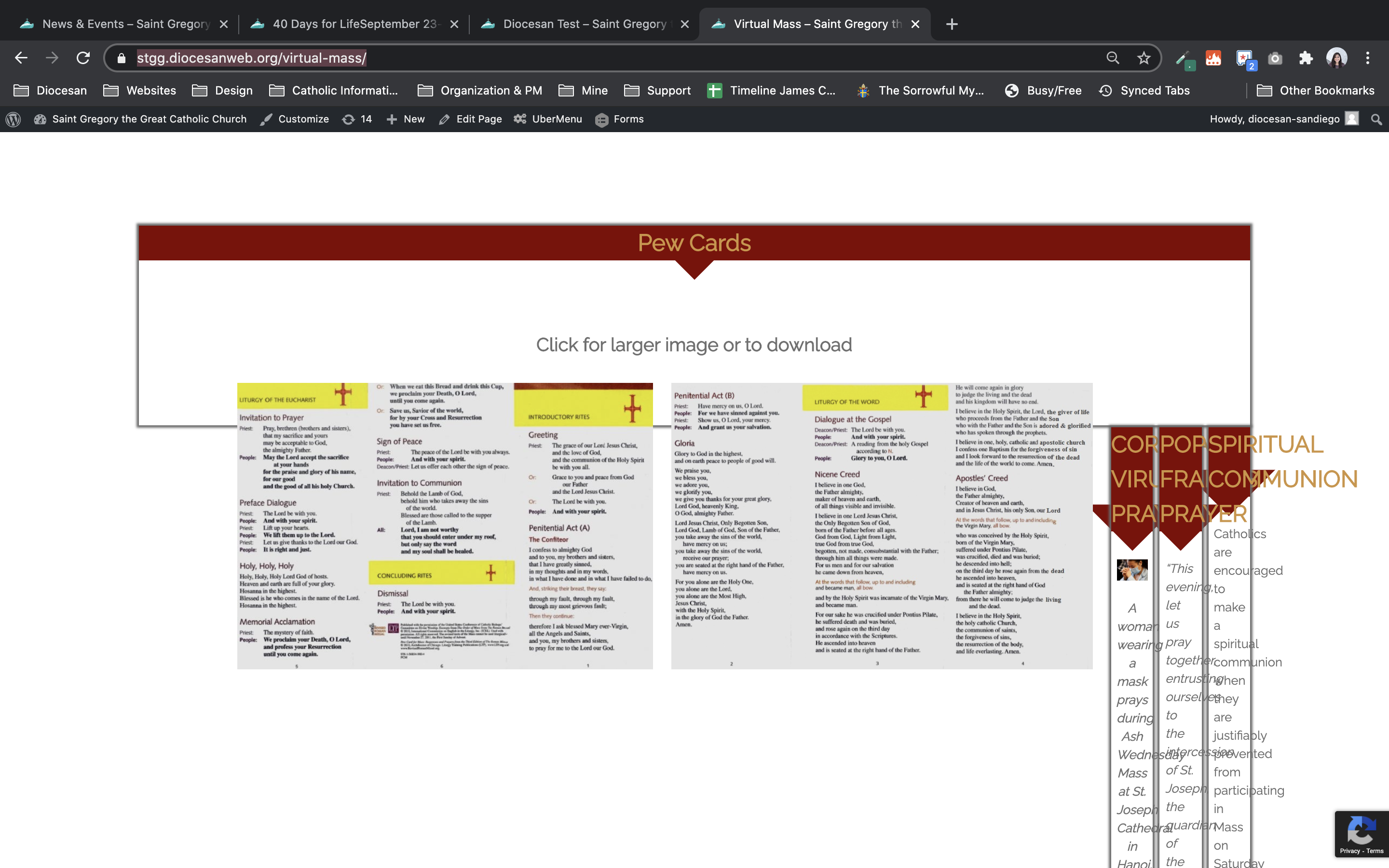














Issue found while working on page: https://stgg.diocesanweb.org/virtual-mass/
Test on page: https://stgg.diocesanweb.org/diocesan-test/
I tried replicating the issue and it's working fine. Not sure what she's doing or hwo she's putting it in...
Now the only issue is that the images aren't aligned up, since the align left and right classes have an opposite margin. I could remove the margin, however maybe a better way to resolve that is to shrink the images slightly?
If this items is completed, please mark as complete.