













✔ Mobile - Posts - Update spacing between featured image and content
Completed by Kyle S.
- Assigned to
-
 Kyle S.
- Due on
- Notes
-
They want the space to be the same amount of space that is between paragraphs, as seen here:
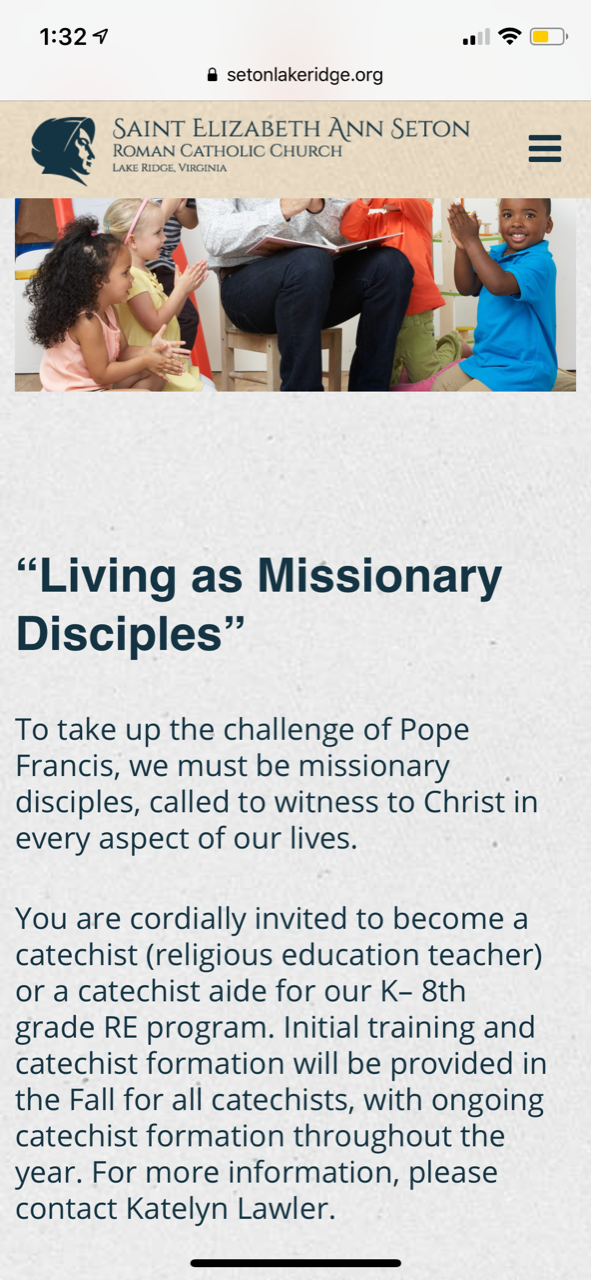
I removed the margin on this media query, as it was only adding unnecessary space.
@media (max-width: 768px){
  .single .content-area .site-main .entry-content img {
    width: 100%;
  }
}
I also removed the margin-top for the first heading in the body with the following code (this includes <p> because there were some posts where they used the WYSIWYG to make custom titles).
.post-content {
  width: 65%;
  h1, h2, h3, h4, h5, h6, p {
    &:first-child {
      margin-top: 0;
    }
  }
}