












Elizabeth Ann Seton - Lake Ridge, VA

Hover features for inner page buttons

Assigned to
Kyle Sullivan, Web Development at Diocesan Kyle S.
Notes
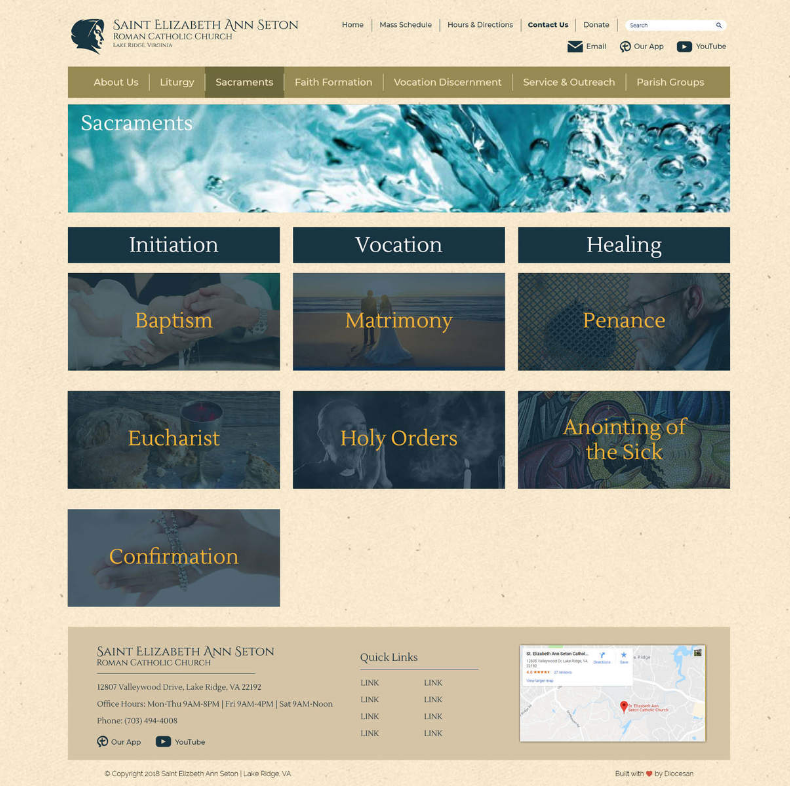
Boxes should be styled the same way as the Sacraments page
Comments & Events

Kyle Sullivan, Web Development at Diocesan
I fixed this with the following CSS (which should work for all buttons created in the way you did for "Kyle's page").

/* pageContentButtons */
.pageContent .buttons .pageContentButton {
  position: relative;
  cursor: pointer;
  height: 200px;
  margin: 1em 0; }

.pageContent .buttons .pageContentButton img {
  object-fit: cover;
  width: 100%;
  height: 200px;
  position: relative; }

.pageContent .buttons .pageContentButton h3 {
  background: none;
  border: none;
  color: #EFB635;
  font-family: "Lustria", "Newzald", serif;
  margin: 0 auto;
  left: 0;
  right: 0;
  text-align: center;
  z-index: 1; }

.pageContent .buttons .pageContentButton:after {
  position: absolute;
  content: "";
  top: 0;
  left: 0;
  width: 100%;
  height: 100%;
  background-color: #153443;
  opacity: 0.7; }

.pageContent .buttons .pageContentButton:hover img {
  filter: brightness(90%);
  transition: .3s ease-in-out; }

.pageContent .buttons .pageContentButton:hover h3 {
  color: #FFF; }

.pageContent .buttons .pageContentButton:hover:after {
  background: transparent;
  transition: .3s ease-in-out;
  opacity: 0; }
Kyle Sullivan, Web Development at Diocesan
Kyle Sullivan completed this to-do.
