













✔ Individual Programs page not updating
Completed by Ryan R.
- Assigned to
-
 Ryan R.
- Notes
-
So it works on Offices and Programs, but when you click on the individual program's Details & Directions button, the individual page does not reflect the changes.
https://scranton.diocesanweb.org/css/find-a-helping-hand/programs/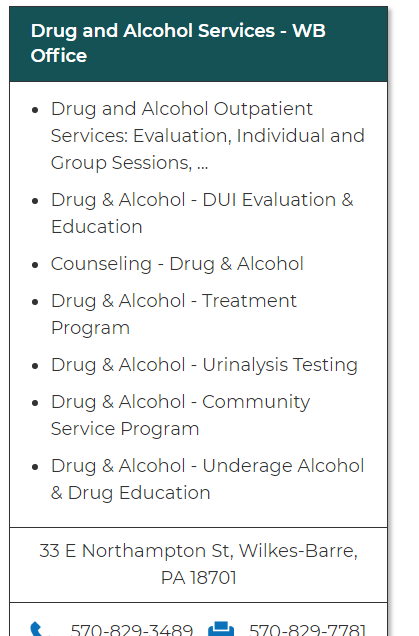
(Not displaying changes:)
https://scranton.diocesanweb.org/css/find-a-helping-hand/programs/drug-and-alcohol-services-wb-office/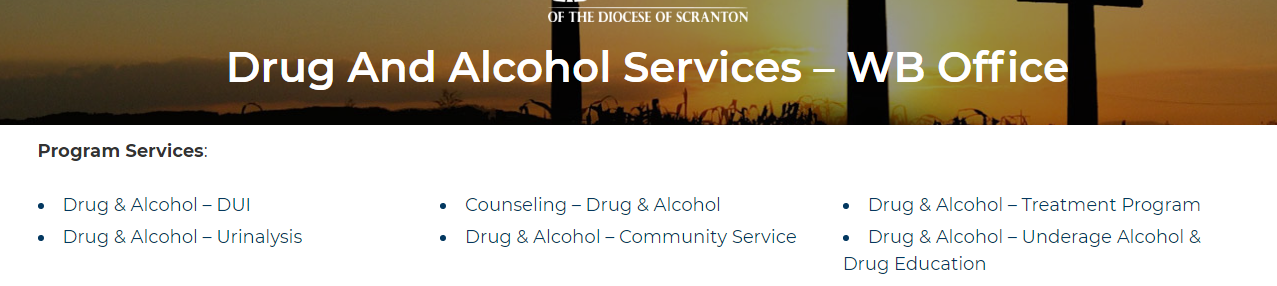
 Brent
We updated a couple of the CSS services (DPI Module --> metadata). They are appearing correctly in the search menu and on the CSS Offices page. However, if you select an office with the "Details & Directions" link, the change does not show in the service listing.
Brent
We updated a couple of the CSS services (DPI Module --> metadata). They are appearing correctly in the search menu and on the CSS Offices page. However, if you select an office with the "Details & Directions" link, the change does not show in the service listing.
Changed services: Drug & Alcohol - DUI Evaluation & Education
Drug & Alcohol - Urinalysis Testing
Drug & Alcohol - Community Service Program
Long story short, the Programs and Offices are static pages for search ability purposes. Those pages will update/sync when the Program or Office is updated.
So the solution is to simply click Update on a program or office to trigger the page update. That's a bit unrealistic to do one-by-one, so I'll create a button like I did for Parishes to sweep through and update them all.
I could sweep through all modules automatically any time metadata is changed or edited, but I feel that would be overkill and unnecessary.
It looks like the update button didn't fully work. If you take a look at this page: https://scranton.diocesanweb.org/css/directory/milford-office/ you'll see that the listed programs don't show the updated names.
We have tried clicking the "update" button you created and have done a hard-refresh in the browser, but still aren't seeing a change.
Thanks.
I'm not sure how you are seeing the Update all button, as I removed that one for Offices before I left yesterday. I ran into a bug that wasn't worth fixing.
Since there are only 12 offices, I just went in an re-saved each one.
The office pages should be up to date now.