













✔ Eventon Icons not displaying correctly
Completed by Ryan R.
- Assigned to
-
 Ryan R.
- Notes
-
Icons not displaying on single events
https://scranton.diocesanweb.org/events/new-years-day-party
There is the option to turn off Font Awesome Icons (myEventOn>Settings>General Settings), but that doesn't remove all icons anyways.
Icons are set in myEventOn>Settings>Icons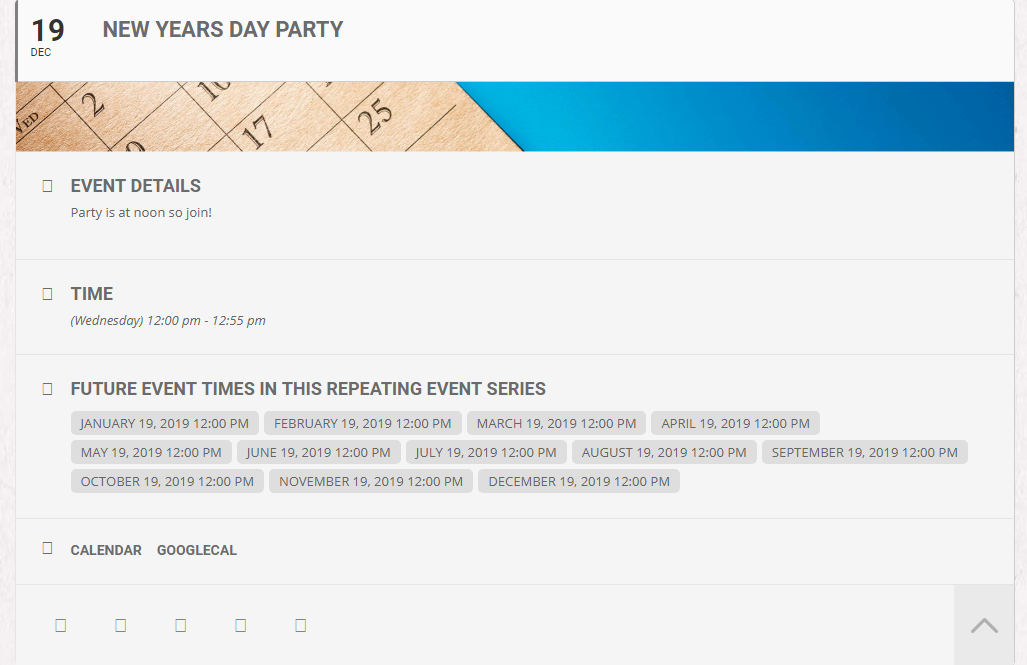
I've added a CSS rule to patch Font Awesome icons for EventOn pages.
/*** EventOn FontAwesome Fix ***/
.evo_page_body .fa {
font-family: evo_FontAwesome !important;
}