













✔ EventOn Full Calendar
Completed by Ryan R.
- Assigned to
-
 Ryan R.
- Notes
-
Larger font size (maybe not their default <p> size, but something bigger than it is now)
Dark Grey on hover box
- Color styles should be pulling in from settings, but it's not
https://scranton.diocesanweb.org/wp-admin/admin.php?page=eventon#evcal_002
myEventOn>Settings>Appearance>FullCal Styles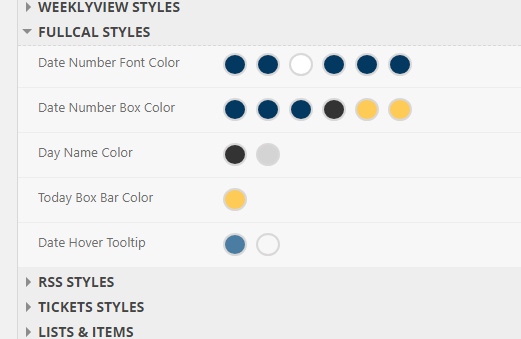
I went ahead and applied the #333 dark gray to the Custom Styles (Styles tab). I venture to guess there's going to be a few more tweaks to the calendars, so just let me know what you need.
Thanks, Ryan.
I updated the rest of the font colors to be the correct ones that we had discussed.