Once the complete design is officially approved, we will be sending out a suggested sitemap along with our questions and annotated notes. Here is a quick overview of the process from sitemap review to launch:
Diocesan rearranges current sitemap to ensure logical page/information flow to create suggested sitemaps. Client (Anastasia team) adds/removes any pages/content that Diocesan should/should not bring into the new website.
Design officially approved. Any changes to the design after the approval may incur additional costs.
Diocesan takes pre-design, suggested sitemap and creates a new, official suggested sitemap that includes any questions and annotated notes of which design mockup layout we would suggest for each page.
Client is sent another live link to Google Document so they can go over the official suggested sitemap, answer questions in real time, and add/remove any more pages/content, as necessary.
Diocesan moves content into the new website, using the official suggested sitemap as a guide of how to set up page flow and navigation menu, which page layout to use when migrating content, and to mark which pages have/have not been moved.
Diocesan sends the client a link to the development site and schedules the first training session.
First training session. Diocesan creates user accounts for the client so that they may begin accessing & editing the website.
Second training session (questions + more training).
Launch.
Let me know if you have any questions and/or when you've completed updating the suggested sitemap,
Veronica Alvarado
Web Department, Diocesan 877-923-0777
FROM THE CLIENTBrenda
Hi Veronica!
Thank you!
I have today off - and will pass this by other staff members when I get back in the office.
Meanwhile, I do have a few questions maybe you can answer.
I see the 'Contact Us' section is the last section on the page. Does the order on the site map indicate the order one would see it on our page? If so - that would need to be moved way up to almost the top...
Also a note. Under the drop down of Parish Life, there is "In the Gym". That is a calendar that is separate from the Parish Calendar - which I actually don't actually see on the revised site map? I also don't see the bulletin?
Under the 'Where to serve", with the exception of 'St. Anastasia', could the list be alphabetized or is that something we need to do?
Those are my initial questions. I will follow up with our other departments as well!
Also, as soon as I see our pastor again - I will get a few times for a design meeting!
Thanks so much :)
God bless,
Brenda Kozlowski
Director of Evangelization and Parish Life
St. Anastasia Roman Catholic Church
(248) 689-8380 Ext. 103
To: Cody Armock and Veronica Alvarado
TO THE CLIENTVeronica Alvarado,Project Manager
Hello Brenda,
Feel free to take your time. The layout of your website is very important to the site flow and design.
The sitemap is a vertical layout of everything in the menu and page flow, not any kind of representation of the homepage/inner page layout. To eliminate confusion, I have added a "Main Menu Items" area that allows you to quickly see the 8 main menu items that would go along the top of your screen.
Bulletins and In the Gym are both under Parish Life. If you prefer bulletins or any other links to go in your footer, be sure to mention this to Danae. Your website's design should work to fit your content, not the other way around, so be sure to mention other items that you'd like to be displayed prominently to Danae during the beginning of design discussions.
You can highlight text and right-click to add comments. I made a comment for all the ministries so that we remember to alphabetize them as we put them into the new website.
Let me know if you have any other questions,
Veronica Alvarado
Web Department, Diocesan 877-923-0777
To:
Brenda
CC our team:
Cody Armock
TO THE CLIENTVeronica Alvarado,Project Manager
Hello Brenda,
Danae let me know that you asked a question regarding content. I have broken down your questions into a few sections below:
Sharing Content Please use the following Google Drive folder to upload any files or create new documents of information you would like us to add in addition to current content on your website. (Diocesan will only move the content you note in the suggested sitemap sent June 20.) Your Google Drive Folder:https://drive.google.com/drive/folders/1Af-spmOBD-YXkk3lTGRY6jOHanCZHz4E?usp=sharing Please keep in mind that only after migration of your site's current content will Diocesan begin using the remaining content migration hours to add new content.
Documents If you are looking to share content with Diocesan, we require any text to be in either a Microsoft Word document or a Google Document (you can create one within the folder linked above).
Photos In regards to photos, please upload them to the Google Drive folder I have linked above.
Videos Diocesan suggests that videos be uploaded to YouTube or Vimeo and then embedded via link in the web page's content for the sake of the website's load times and storage space. Once you have uploaded the video, simply copy and paste the URL into the area you wish Diocesan to embed the video.
Please let me know if you have any questions,
Veronica Alvarado
Web Department, Diocesan 877-923-0777
Original Message
8/5/2019 in "Other Design Examples" Hi Danae,
We are hoping to go over things later this week.
A question though – if someone were going to create a new content page for the new site (that will not be added to our old site) what format do you recommend and what can be included (pictures, backgrounds, video, etc.)?
Thanks!
God bless,
Brenda Kozlowski Director of Evangelization and Parish Life/Stewardship
Be sure to follow us on: Instagram @ stanastasiatroy Facebook @ St. Anastasia Catholic Church Twitter - St. Anastasia@AnastasiaTroy Visit our website at www.stanastasia.org
To:
Brenda
CC our team:
Cody Armock
FROM THE CLIENTBrenda
Thanks for the info Veronica.
Just a note – the site map I sent was just to help the staff in helping make recommendations to us on the site design. There may still be changes based on recommendations once we understand more what you can and can’t do – and what makes sense. So as I indicated in the email – it is just a draft at this point.
Thanks again!
God bless,
Brenda Kozlowski Director of Evangelization and Parish Life/Stewardship
Be sure to follow us on: Instagram @ stanastasiatroy Facebook @ St. Anastasia Catholic Church Twitter - St. Anastasia@AnastasiaTroy Visit our website at www.stanastasia.org
To: Cody Armock and Veronica Alvarado
TO THE CLIENTVeronica Alvarado,Project Manager
Sure thing. I'll talk to Danae and see if I can sit in on your next meeting so we can discuss your questions and the new website's functionality.
Thank you,
Veronica Alvarado
Web Department, Diocesan 877-923-0777
To:
Brenda
FROM THE CLIENTBrenda
That would be super Veronica!
We don't have a date yet.
God bless,
Brenda Kozlowski
Director of Evangelization and Parish Life
St. Anastasia Roman Catholic Church
(248) 689-8380 Ext. 103
To: Veronica Alvarado
TO THE CLIENTVeronica Alvarado,Project Manager
Hi Brenda,
I know that Father needs some time to go over design so I was wondering if you'd like to have the content meeting in the meantime. Of course, Father could join and I can answer any questions he has about the process. Primarily, I just want to go over all of your content questions in terms of how creating/editing pages goes, when you'll be able to begin editing, what kinds of content you'd like on your website, functionalities you're expecting, and any other questions you may have.
If you'd like to wait and have it at the end of your design meeting, that works. I just wanted to give you the option. Just let me know.
Veronica Alvarado
Web Department, Diocesan 877-923-0777
To:
Brenda
TO THE CLIENTVeronica Alvarado,Project Manager
Good afternoon Brenda,
Now that the design is approved and you are in the development queue, I wanted to check in on content. I started over with your suggested sitemap so that it followed the document you sent over to Blake. Please review the suggested sitemap and make any edits needed.
Once you have reviewed and approved the website, we will mark it as ready for content migration once the development site is ready.
Sharing Content Please use the following Google Drive folder to upload any files or create new documents of information you would like us to add in addition to current content on your website.
Be sure to follow us on: Instagram @ stanastasiatroy Facebook @ St. Anastasia Catholic Church Twitter - St. Anastasia@AnastasiaTroy Visit our website at www.stanastasia.org
Be sure to follow us on: Instagram @ stanastasiatroy Facebook @ St. Anastasia Catholic Church Twitter - St. Anastasia@AnastasiaTroy Visit our website at www.stanastasia.org
I've also put Friday, February 28, on our calendars to reach out to you and Father to revisit the homepage layout and finalize the design. Unlike the rest of your website pages, the homepage is a pre-designed template of sections with editable content, so we definitely want to make sure you have all the available sections that you need for now and in the upcoming future.
Let me know if another day works better for you and I will relay the message to Blake.
Thank you,
Veronica Alvarado
Web Department, Diocesan 877-923-0777
To:
Brenda
CC our team:
Cody Armock
FROM THE CLIENTBrenda
Hi!
Thanks.
The 28th doesn’t work for me at all. As Fr. Steve is out of the country, unfortunately, I cannot speak for him.
I am going to do my best to catch him (I have it in my calendar a few times) and request the needed info for the home page! I will let you know as soon as I get something nailed down!
God bless,
Brenda
To: Cody Armock and Veronica Alvarado
TO THE CLIENTVeronica Alvarado,Project Manager
Sure thing!
Veronica Alvarado
Web Department, Diocesan 877-923-0777
To:
Brenda
CC our team:
Cody Armock
TO THE CLIENTVeronica Alvarado,Project Manager
Hi Brenda,
Again, I just wanted to apologize for all of the mishap with the domain transfer. I hope the access to Basecamp messages and the emails Mary will be forwarding over to you will help. I have also made a note so that all correspondence regarding the project will include you.
Also, thank you for your feedback regarding the domain transfer process. I know this has been frustrating and we have done all we can on our end, but it has pointed out some ways that we can work to provide even better customer service and guidelines before the process even begins and communication throughout the process. That said, your feedback is greatly appreciated and will help us better communicate the process and ensure much smoother transfers in the future.
Here are some notes on the things we mentioned during our call:
Missing Posts This website will randomly create archived versions of sites and their page content. While the homepage's most recent archive is December 30, 2019, the Funeral's most recent archive'd page is from October 2017: https://web.archive.org/web/20171005221152/http://www.stanastasia.org/category/funerals/ We've never run into an issue where the hosting server's files (posts) are lost due to a domain transfer or even updated IP address. The domain and hosting are entirely separate. The domain has to do with the web address, so emails that use stanastasia.org, website that uses stanastasia.org, etc. The hosting is all of the actual development code, files, etc. Unfortunately, this hosted content is something that is out of Diocesan's hands. Once you switch to Diocesan's hosted server (your new website design,site,content, etc), it is something that we will be able to see. All websites on Diocesan's servers have daily, weekly, and monthly backups to ensure this will not happen.
Suggested Sitemap Here is the sitemap that you have reviewed. Suggested Sitemap If there are going to be any new pages, or pages that will have content replaced by a document, please leave a comment with a note of it on the sitemap. That way, Diocesan will know to check in the Google Drive Folder for new page content. See how to add comments on Google document by clicking here.
When to Migrate Content Once the site is ready for content migration, either Cody or I will reach out to you to let you know. It is at this point that we can determine which pages can be migrated or which should wait until we are closer to training (at which point your staff will have access to update pages).
Let me know if you have any other questions,
Veronica Alvarado
Web Department, Diocesan 877-923-0777
To:
Brenda
CC our team:
Cody Armock and Mary Goeldel
TO THE CLIENTVeronica Alvarado,Project Manager
Hello Brenda,
Here is where we are in terms of content:
Suggested Sitemap Here is the sitemap that you have reviewed. Suggested Sitemap If there are going to be any new pages, or pages that will have content replaced by a document, please leave a comment with a note of it on the sitemap. That way, Diocesan will know to check in the Google Drive Folder for new page content. See how to add comments on Google document by clicking here.
When to Migrate Content Once the site is ready for content migration, either Cody or I will reach out to you to let you know. It is at this point that we can determine which pages can be migrated or which should wait until we are closer to training (at which point your staff will have access to update pages).
Let me know if you have any other questions,
Veronica Alvarado
Web Department, Diocesan 877-923-0777
To:
Brenda
CC our team:
Cody Armock
FROM THE CLIENTBrenda
Good Morning Veronica!
Question regarding content and new pages.
Could you please refresh my memory?
*Are we to stop adding pages on the old website? *Or is it just if we add new pages - we need to duplicate the information and put it in google folder listed below? * Or is that just if we want to add new pages to the new website - other than the site map (hopefully you saw updates I put in there on Monday) - those new pages need to go in the folder? *Or - none of the above! lol
My cell is 586-246-1251
Thanks so much!
God bless,
Brenda Kozlowski
Director of Evangelization and Parish Life
St. Anastasia Roman Catholic Church
(248) 689-8380 Ext. 103
To: Cody Armock and Veronica Alvarado
TO THE CLIENTCody Armock,Web Content Specialist
Good Afternoon Brenda,
Sorry about the late response!
I would say that if once we start migrating the content any new pages that you make that are not in the sitemap have the potential to not be brought over in the process. The same thing goes for any changes to a page during the process. When we start the process and complete migration for the page, we will cross that page off in the sitemap. If a change is made to that page after it is crossed off, you will be able to bring over the new changes after the first training process.
If there is not a page on the site, but want us to add it from the Google Drive Folder, please put a note next to it on the sitemap saying something to the effect of "Google Drive". That way we know where to find it.
I don't know if that exactly fits one of the options above except the last one, but I hope that clarifies things.
Thank you,
Cody Armock
Web Department, Diocesan
877-923-0777
To:
Brenda
CC our team:
Veronica Alvarado
FROM THE CLIENTBrenda
No worries Cody!
Thank you. A couple things - as we enter the next steps: 1-will you please let me know when you start migrating so I can warn the staff? 2-on general communications with Fr. Steve, will you please make sure to cc me? He is a very busy priest - even in covid times.
Thanks so much!
God bless,
Brenda
To: Cody Armock and Veronica Alvarado
TO THE CLIENTCody Armock,Web Content Specialist
Hello Brenda,
I have made a to-do so that we remember to email you before beginning content migration and we will CC you on any emails that go to Fr. Steve.
Thank you,
Cody Armock
Web Department, Diocesan
877-923-0777
To:
Brenda
CC our team:
Veronica Alvarado
FROM THE CLIENTBrenda
Thanks so much!
God bless,
Brenda
🌷☀️😎
To: Cody Armock and Veronica Alvarado
FROM THE CLIENTBrenda
Hi Cody,
I realize one of the tools is the site map.
Attached is a little different format that I have submitted before and is what the site map is based off of.
Will you please make sure it’s saved/referenced/whatever you would do with it? It is the most updated copy.
Thanks so much!
God bless,
Brenda Kozlowski Director of Evangelization and Parish Life/Stewardship
Be sure to follow us on: Instagram @ stanastasiatroy Facebook @ St. Anastasia Catholic Church Twitter - St. Anastasia@AnastasiaTroy Visit our website at www.stanastasia.org
Be sure to follow us on: Instagram @ stanastasiatroy Facebook @ St. Anastasia Catholic Church Twitter - St. Anastasia@AnastasiaTroy Visit our website at www.stanastasia.org
To: Cody Armock and Veronica Alvarado
FROM THE CLIENTBrenda
Sorry – disregard. I found a way …
God bless,
Brenda
To: Cody Armock and Veronica Alvarado
TO THE CLIENTVeronica Alvarado,Project Manager
Hi Brenda,
If you did need the image versions of the XD proofs, let us know and Blake (the designer) can export the proofs as images for your use.
Be sure to follow us on: Instagram @ stanastasiatroy Facebook @ St. Anastasia Catholic Church Twitter - St. Anastasia@AnastasiaTroy Visit our website at www.stanastasia.org
To: Cody Armock and Veronica Alvarado
FROM THE CLIENTBrenda
Hi Cody!
To get to our existing website admin part, what name and email?
God bless,
Brenda
To: Cody Armock and Veronica Alvarado
TO THE CLIENTCody Armock,Web Content Specialist
Hello Brenda,
For the exisiting website admin part, you can do Cody Armock and webdepartment@diocesan.com. I will be sending out the user accounts shortly for the new site shortly.
Thank you,
Cody Armock
Web Department, Diocesan
877-923-0777
To:
Brenda
CC our team:
Veronica Alvarado
FROM THE CLIENTBrenda
Good morning!
Got it. You should have received an email from us to get set up.
Thanks ☺
God bless,
Brenda
To: Cody Armock and Veronica Alvarado
FROM THE CLIENTBrenda
Good Morning!
Did this info go to each authorized person on the list I sent in?
God bless,
Brenda Kozlowski Director of Evangelization and Parish Life/Stewardship
Be sure to follow us on: Instagram @ stanastasiatroy Facebook @ St. Anastasia Catholic Church Twitter - St. Anastasia@AnastasiaTroy Visit our website at www.stanastasia.org
To: Cody Armock and Veronica Alvarado
TO THE CLIENTCody Armock,Web Content Specialist
Hello Brenda,
Each person got their own user account and I sent it to them separately, you may have to talk with them to see if they were able to log into the site.
I have not received access yet to the current site in order to export the posts, so I am not sure if there was an issue with that or something, but we have not received username, password, link to login into the current website.
I was tweaking a page and wanted to swap out an image for this updated one - and I can't get it to even give me the opportunity to switch. (which I've done before in a different area) I don't know if I accidently hit something wrong ... anyway, will you please look at it and swap it for this pic?
That was an interesting problem. For some reason, it was a gallery block instead of just a straight image. I have switched it to an image block and replaced the image. It should now be easier to change in the future.
Cody Armock
Web Department, Diocesan
877-923-0777
To:
Brenda
CC our team:
Veronica Alvarado
FROM THE CLIENTBrenda
Hi!
You'll probably go over this next week - but can you remove Evelyn's name and contact info at the top of all the different ministries?
Wondering if we could schedule a time to go over the site map vs what is actually on the website?
I think when I email items, it is not as effective to get the needed changes done. So I would like to try verbally working together - which I felt went very well last time?
Thanks for your consideration!
My cell is 586-246-1251.
God bless,
Brenda Kozlowski
Director of Evangelization and Parish Life
St. Anastasia Roman Catholic Church
(248) 689-8380 Ext. 103
To: Cody Armock and Veronica Alvarado
TO THE CLIENTCody Armock,Web Content Specialist
Hello Brenda,
I am still working on making the changes to the menu and content, so the changes that you sent last are not quite done. I working on those remaining items today so they will be done by the end of today or completed tomorrow by the latest. If there is anything that is not done by our training session on Thursday, we could go over it then. Make sure to Hard-refresh to have the most current version of the website. Does that work?
Cody Armock
Web Department, Diocesan
877-923-0777
To:
Brenda
CC our team:
Veronica Alvarado
FROM THE CLIENTBrenda
Well, not really. I have other staff people and the pastor scheduled to attend the training meeting.
I don't feel it would be a good use of their time to listen to you and I go back and forth about placement.
The session is a training - or a how to - you show - we learn - and have everyone be able to ask some questions about their areas and things that may not be clear to them (or me). Or specific forms they would like help on - or questions on things they may have already tried to edit and need help with.
Not something that could be done with just you and me.
Yes - I do know about hard refreshes - thanks for asking - thanks for mentioning you're still working on it! Maybe shoot me an email when you're done and I'll take another look and see if we need the phone conversation?
God bless,
Brenda
To: Cody Armock and Veronica Alvarado
TO THE CLIENTCody Armock,Web Content Specialist
Hello Brenda,
I will send you an email when I have completed the content/sitemap and we can go from there.
Thank you,
Cody Armock
Web Department, Diocesan
877-923-0777
To:
Brenda
CC our team:
Veronica Alvarado
TO THE CLIENTCody Armock,Web Content Specialist
Good Afternoon Brenda,
I believe everything should be in accord with the Excel Spreadsheet sitemap. Please let me know if I missed something. Thank you for your patience with this process. There were a couple of pages that I could not find content for such as Pics/Links for Parish life, but for the most part, I was able to find the content for the pages.
We can briefly go over the Ministry templates on Thursday in training since I don't recall going over those much in the first training and those templates are used in a couple of places, plus it would be good for everyone to know in case they want to use it in the future.
Thank you,
Cody Armock
Web Department, Diocesan
877-923-0777
To:
Brenda
CC our team:
Veronica Alvarado
FROM THE CLIENTBrenda
Hi Cody!
Thanks for your email.
I am part way through double-checking everything, but thought I would send you this list so far:
Column: About us - Becoming Catholic - I switched the picture of the baptismal candle, but can't figure out how to make the pic smaller. I tried just grabbing one of the sides and adjusting it - but it doesn't reflect the change when I save and even hard refresh. -please delete Our Parish App at this time. It is on the backburner until we get the website up. On the drop down and on the landing page. Note: It's also on under the "Resources" column. -Under 'Directions' ... the map covers the bottom bar of the site. Is that supposed to happen or can it be adjusted? - Mass Times ..... We had changed the title to include /Confessions (not indicated on the excel sheet (sorry) so ... Mass Times/Confessions. I cannot figure out how to switch this. It's in multiple spots.
Column: Parish Calendar needs a landing page for both calendar options
Column: Worship -Mass Times Please add "/Confessions" is missing a landing page that would include Mass Times and Daily Readings *I tried to add an mp4 to this page and was blocked due to size. It's an hour long Mass. Is there any way to fix this or enlarge the capabilities? - Daily Readings Is there a way that it could automatically look forward instead of backward? So maybe "today's" readings and the upcoming Sunday's reading? - Funeral Masses There is no landing page the content on the two pages is mixed up. The Obits should be the upcoming funerals ... and we will have new content for the Gen Inf/FAQ page. - Sacraments Baptism has no landing page needs two pages: Basic Information (add to list) and Request a Cert... Confession has no landing page Matrimony has no landing page Please move content that is currently on the "Matrimony" page to We just got engaged page. Then, we will work on tweaking it to our new options! - Music Ministry - I don't think the page is long enough to need the format where the ministries are also included above the descriptions. I don't want to screw anything up - as I see it's formatted, so will you please delete that list?
Thought I would send these along - more to come, I'm sure.
Thanks so much for all your work!
God bless,
Brenda Kozlowski
Director of Evangelization and Parish Life
St. Anastasia Roman Catholic Church
(248) 689-8380 Ext. 103
To: Cody Armock and Veronica Alvarado
FROM THE CLIENTBrenda
Hi!
Here's the rest of what I saw:
Spiritual Growth Column: -Religious Education needs a landing page please -move information that is currently there to the Intro/welcome -add the Teen Ministry and Spanish Classes to menu drop down (and add pages)
-Add landing page for Adult Faith
- Young Adults needs a landing page and 2nd page (Young Catholic Professionals)
- Young Families needs a landing page and items added to menu
Get Involved Column: -the button on the home page is not linked -Evangelization can you please add a page? So now a landing page and 2 pages - Unleash the Gospel and Evangelization Committee. (menu too) Also - I tried to switch the pics and am having trouble - just a heads up
Resources Column: - delete Our parish app - #11 - I'm confused here. We have "other ways to volunteer outside of SA." You have "Other Places to Serve" which I think is actually ok. However, when you get there, the title is different? I was just going to change it myself from "Ministries of Commun. S. Opp" to "Other Places to Serve" but I couldn't change the "Ministries of" ... so I left it for you 😉 https://stanastasia.diocesanweb.org/get-involved/where-to-serve/
-Ministry Schedules needs a landing page and add the three areas (to the menu too please)
That's it for now!
Thanks so much!
God bless,
Brenda
To: Cody Armock and Veronica Alvarado
FROM THE CLIENTBrenda
Me again!
I just realized on the homepage, the button "About Us" doesn't go to the landing page.
Thanks!
God bless,
Brenda
To: Cody Armock and Veronica Alvarado
TO THE CLIENTCody Armock,Web Content Specialist
Hello Brenda,
I will be going through and making these changes before the training today! Just to give you a heads up.
Cody Armock
Web Department, Diocesan
877-923-0777
To:
Brenda
CC our team:
Veronica Alvarado
FROM THE CLIENTBrenda
Good Morning Cody!
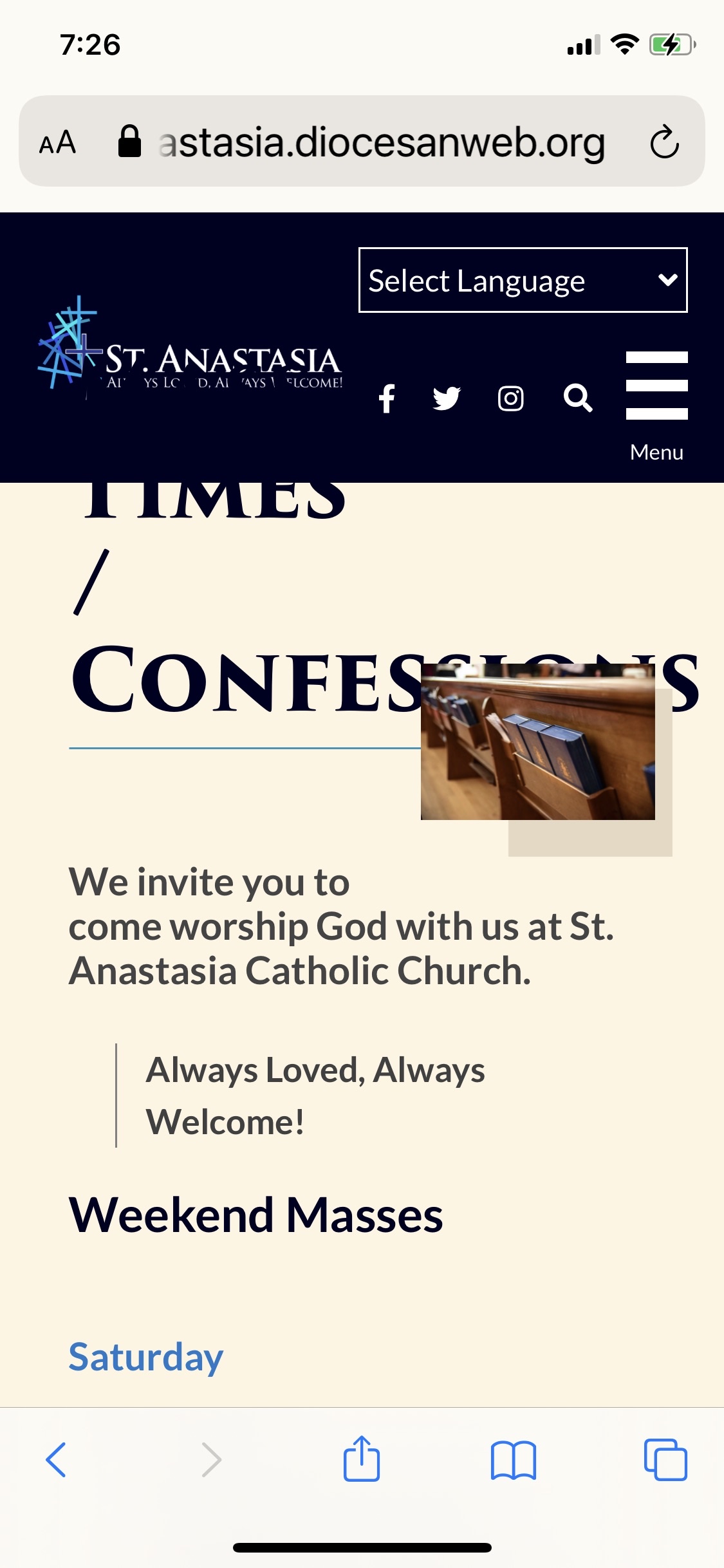
As we get closer to getting 🙂the desktop version in place, I was looking at the mobile site this am.
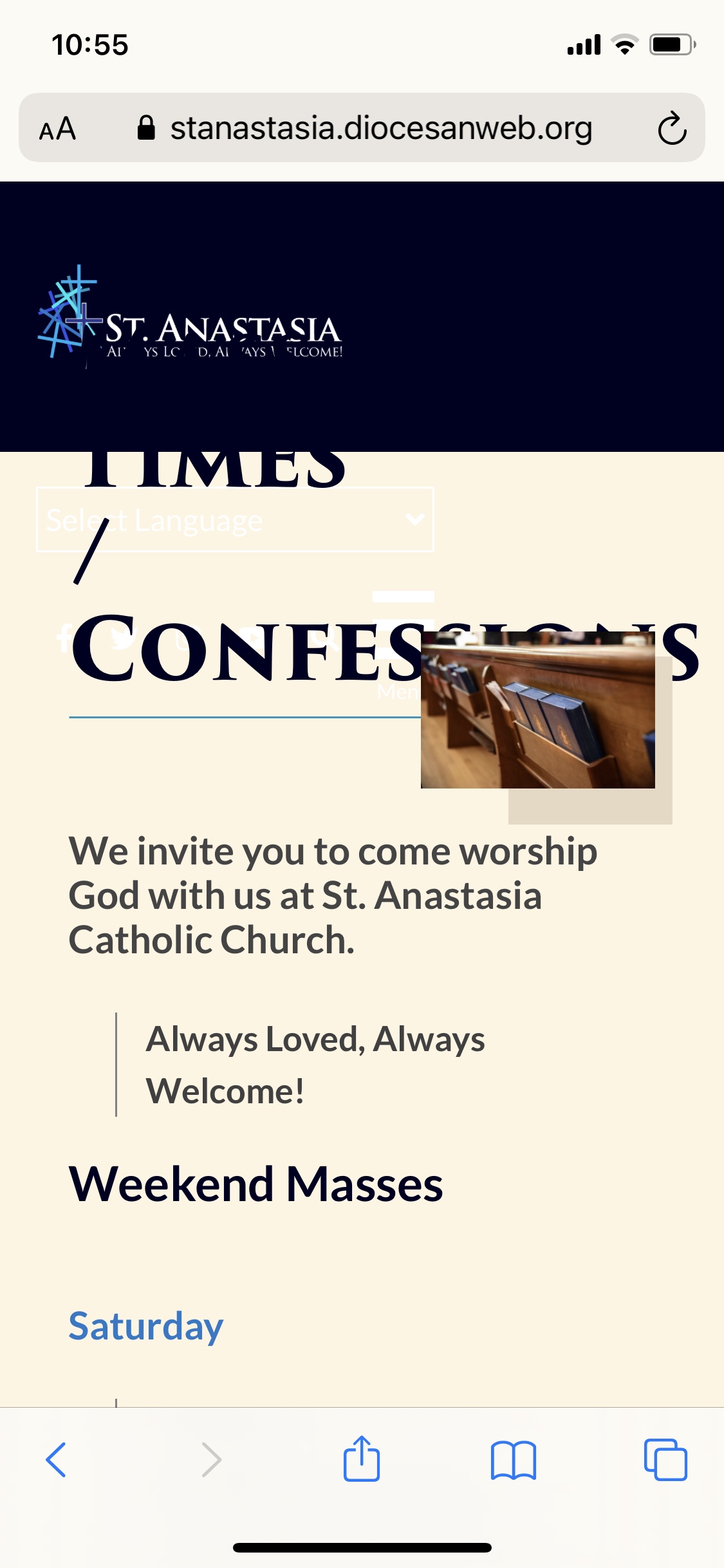
Something I've noticed is: When there is no landing page for a page, and you click on the buttons, the picture partially covers the titles.
Examples:
About Us Mass Times - also name doesn't fit at all on the mobile part
When I went to the Happenings, there is the picture and then the title. Is it possible to move the title of the section up closer to the picture it belongs to? And then leave a little space between the different happenings?
Thanks!
God bless,
Brenda Kozlowski
Director of Evangelization and Parish Life
St. Anastasia Roman Catholic Church
(248) 689-8380 Ext. 103
To: Cody Armock and Veronica Alvarado
FROM THE CLIENTBrenda
Hi!
I just realized when you click on the button for Family of Parishes, it goes nowhere - and it's not on the menu drop down list either.
Thanks!
God bless,
Brenda Kozlowski
Director of Evangelization and Parish Life
St. Anastasia Roman Catholic Church
(248) 689-8380 Ext. 103
To: Cody Armock and Veronica Alvarado
TO THE CLIENTCody Armock,Web Content Specialist
Good Morning Brenda,
I have made to-dos for the items you mentioned on Mobile. The second one with the Happenings Archive may be a little challenging as the titles make room for the box shadows, but we will do our best. The developer will probably be getting to these changes later in the week.
As for the Family of Parishes, I didn't know what content was supposed to go there, but you can make a page and add it to the menu and then Edit the Homepage and add the link to that page in the button. I didn't know what content was going there, so I did not make the page. I believe adding it to the menu and linking it from the homepage are well within your realm of capability and would be good practice.
Let me know if you have any questions!
Cody Armock
Web Department, Diocesan
877-923-0777
To:
Brenda
CC our team:
Veronica Alvarado
FROM THE CLIENTBrenda
Hi,
Ok – so here’s the thing. I did create a page. Now it’s saved as a pending page.
The snafu … maybe cause I’m still a rookie … you said: add it to the menu and then Edit the Homepage and add the link to that page in the button.
The thing is: I saved it as pending review … idk where to save it to …
I went to “add new page” – which I did. Then I went back to put it in the line up, but there’s no where to put it under …. as the buttons don’t show up as a parent page.
You can only add pages to the menu if they have been published. You could make the page Password Protected for now or even Public and add it to the menu and the homepage. Adding it to the menu would just be putting it just above the Contact Us Page and make sure that it is as far left as possible for it to be a Main Menu item.
If it is Pending Review, it is basically still a draft right now and not an accessible page on the website. Once you add it to both places, i.e. the menu and the homepage, you can make it a Private page, so only those that are logged into the website can see it until you are ready for it to be visible. But it needs to be Published Publicly first to add it to the menu and homepage.
Let me know if I need to clarify anything there!
Cody Armock
Web Department, Diocesan
877-923-0777
To:
Brenda
CC our team:
Veronica Alvarado
FROM THE CLIENTBrenda
Ok - I'll start off with an - "I'm sorry". Maybe I should have caught this. Feel free to call me after 9.
I made it public. I went to appearance and added it to menu
I have reread your emails. I have looked at some of the how tos.
I have now, inadvertantly, because it's still on the main page, and I cannot move it "the family of parishes" ... the entire menu is now on the homepage! lol!
so .... You'll have to go back to a previously saved version or undo what I did.
yeesh.
God bless,
Brenda
To: Cody Armock and Veronica Alvarado
TO THE CLIENTCody Armock,Web Content Specialist
Hello Brenda,
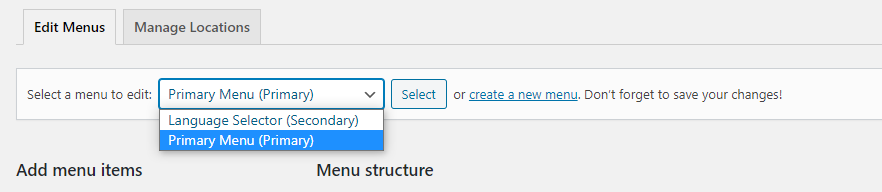
Not a big deal! It is fixed. I forgot that there were actually two menus under Appearances. Primary is the big one and then the language selector. Turns out that they were just in the wrong locations. You can toggle between them here by clicking on the one you want, in this case, it will always be "Primary Menu" and then click the Select button (1st image below). I have added Family of Parishes to the menu too.
The reason for the menu being on the homepage was that it was set to the wrong display location, but that has been fixed too. Primary Menu should stay in the Primary location (2nd image below) and Language Selector as the secondary, otherwise what you saw will happen. It did not take long to fix and everything should be good to go now. Great learning experience, right?!
I wanted to add something about funerals - and add our staff persons contact info. but I don't see how to do that.
"At the death of a Christian, whose life of faith was begun in the waters of Baptism and strengthened at the Eucharistic table, the Church intercedes on behalf of the deceased because of its confident belief that death is not the end, nor does it break the bonds forged in life. The Church also ministers to the sorrowing and consoles them in the funeral rites with the comforting Word of God and the Sacrament of the Eucharist." United States Conference of Catholic Bishops (Order of Christian Funerals, no. 4)
If you are planning a funeral of a loved one and would like more information, please contact Holly Michelcavage, our Sacrament Coordinator. Know also of the prayerful support of our clergy, staff, and entire parish for your family and friends and for your loved one. You are not alone.
Thanks Cody for helping us understand better this awesome tool of communication!
God bless,
Brenda Kozlowski
Director of Evangelization and Parish Life
St. Anastasia Roman Catholic Church
(248) 689-8380 Ext. 103
To: Cody Armock and Veronica Alvarado
TO THE CLIENTCody Armock,Web Content Specialist
Hello Brenda,
There is a landing page in the menu for Funeral Masses, you could put the info on the page above or below the image buttons that act as jump-off points to the other pages.
Additionally, there is the General Information & FAQ page as the first jump-off point from that landing page where you can put that information. That is a normal page, just without any content right now, if you want to put the information there. You could also make another page specifically for this information and add a button on that Funeral landing page for it.
Unfortunately, because Funerals is a category page we can't any custom content there, but with one of the options above it should work still.
Thank you,
Cody Armock
Web Department, Diocesan
877-923-0777
To:
Brenda
CC our team:
Veronica Alvarado
FROM THE CLIENTBrenda
Hi!
Hope you're doing well!
On these 'groups to join' pages - when You click on children, teens or adults -
It says "Ministries of children...." Etc.
Is there a way to delete the Ministries of part? (I don't want to screw up the tables! Lol)
Also - just checking - the mobile part is being worked on - I think you said the end of this week?
Thanks!
God bless,
Brenda
To: Cody Armock and Veronica Alvarado
TO THE CLIENTCody Armock,Web Content Specialist
Hello Brenda,
I have a made a to-do for the developer to get rid of the page title "'Ministries of' [page title]".
The developer has been making fixes to the mobile responsiveness site. You may have to clear your cache for your mobile browser to see some changes. Let me know if something is not right and I will let the developer know.
Cody Armock
Web Department, Diocesan
877-923-0777
To:
Brenda
CC our team:
Veronica Alvarado
FROM THE CLIENTBrenda
Hi!
When I am on the mobile site, if I hold my phone landscape… It’s fine. If I hold it portrait style, it is not.
As far as the holiday schedule, what is it like it diocesan?
Was your last email suggesting we not launch until after the new year??
I would also be interested in having a conversation about perhaps some other challenges that you have had in launching other websites. What to expect… That kind of thing.
I am attaching a couple pics from my phone. [Image.jpeg][Image.jpeg] God bless,
I have made a note for the developer based on those images, I know the developer was still working on that yesterday, and I know he is working with Blake on the layout of it. I think he is still working on it, but I will check.
As for the launching date, I would say as long as you don't plan to launch between December 24th and the new year, it should be absolutely fine! So, just that week was more what I was getting at. Anytime before then should be absolutely fine though!
On the whole with the launch, this should be relatively straightforward since we have the domain and so it will just be switching things there. When we get closer to launch, we will send instructions for the day of the launch and basically, that will be refraining from editing the site while the site is launching as that will quite often not save your changes. We will send an email when the site is launched and then you will be able to edit the site again.
Cody Armock
Web Department, Diocesan
877-923-0777
To:
Brenda
CC our team:
Veronica Alvarado
FROM THE CLIENTBrenda
Got it!
Note – I have never been on the technical end of a ‘launching’ of a new website – so any tips or past experiences you have on our end would be appreciated. I like being prepared ;)
Be sure to follow us on: Instagram @ stanastasiatroy Facebook @ St. Anastasia Catholic Church Twitter - St. Anastasia@AnastasiaTroy Visit our website at www.stanastasia.org
To: Cody Armock and Veronica Alvarado
TO THE CLIENTCody Armock,Web Content Specialist
Hello Brenda,
I have added that button in the Theme Settings > Social Media Tab! It is done though.
Cody Armock
Web Department, Diocesan
877-923-0777
To:
Brenda
CC our team:
Veronica Alvarado
FROM THE CLIENTBrenda
Hi Cody!
So here's a weird thing.
The Music page. When I go to the page, I cannot see all the music groups pics. (Maybe when I edited words or something I screwed it up 😕) But ... when I go to 'edit' the page ... the music group pics are all there!
Another thing I must have screwed up. For the groups to join. I think I inadvertently deleted the landing page! Yeesh. So - you can go to get involved.... you can see the groups to join - but when you click on it.....nada. https://stanastasia.diocesanweb.org/get-involved/
I looked in the trash to see if I could just restore it, but didn't see it.
When I search 'groups' I see the childrens, teens and adults pages all there. whew.
Sorry! Believe it or not - I have been able to figure out a bunch of stuff! lol
God bless,
Brenda
To: Cody Armock and Veronica Alvarado
FROM THE CLIENTBrenda
Hi again!
Speaking of groups .... the other thing. I know in the 'groups to join', I know you were working on getting the "Ministries of" off of the 3 pages (kids, teens, adults) I see one page is done -the other 2 pending.
_______________________
The other thing I noticed. When, particularly prevalent on adults and children's pages.... when you click on a group ... it takes you to the group info below.
The problem is ... when you click on it, it takes you to the line below the title of the group. In other words, it passes by "K of C" and goes to the volunteer's name instead. (on the children's groups too)
The teen page is ok - as there's only a couple offerings.
Also - it had been recommended to us a while ago - not to have everyone's emails listed so prevalent on the page - but to have them 'linked' to other names. Something with saving everyone from potential ... idk ... robots searching sites I think? Is there a way to link the email addresses in forms instead of having them listed separately?
So I guess I spoke to soon about feeling more comfortable.
So here's the thing. Please don't hate me.
This was the initial problem that I had tried to solve. Obviously, I should have sent it your way .... cause now you have more work because, not only was I unable to fix what I saw ....
Here's what happened in case it's helpful. On the get involved page - I saw that page buttons were duplicated.
So - I went to the edit that landing page. The buttons I saw on the landing page were not in the edit part. (Which I have done before)
So .... I went to the pages - and 'trashed' them which is how i realized in my earlier email that two were still there and not in the edit.
NOW - whatever catestrophic move that was, the menu drop down - instead of having like the original category headers - now has about 35! UGGGGGGGHHHH!!!
See why I prefaced with a don't hate me? What I really meant was 'don't kill me'! lol
I'm so very sorry. I figured I better send it your way before I do more harm than good 😕
Be sure to follow us on: Instagram @ stanastasiatroy Facebook @ St. Anastasia Catholic Church Twitter - St. Anastasia@AnastasiaTroy Visit our website at www.stanastasia.org
To: Cody Armock and Veronica Alvarado
TO THE CLIENTCody Armock,Web Content Specialist
Hello Brenda,
I tried to go in order of your emails, so I hope all of this makes sense.
For some reason, the Music Gallery was in the trash. I restored it and now the pictures are available on the music page.
The Groups To Join page was in the trash, I just restored it and now it works.
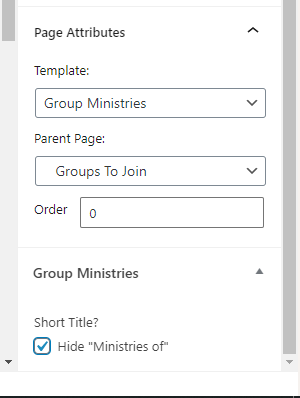
The developer added a checkbox for the "Group Ministries template on the Document pane under the "Page Attributes" dropdown to turn off the "Ministries of" bit. See the screenshot below.
When you click on a group it goes to the line below, the volunteer's name, it is actually going to the correct line, but because of the Wordpress Admin bar (Black bar with the Edit Page link on it), it is covering up that part. You can try on a different browser or log out (as long as the Admin Bar is not there it should work) and you will see it go to the correct line.
As for the emails on the site, we have a way of obfuscating/hiding the emails from bots searching the site, but if it does happen. You can make a Ministry interest form that you could make a separate page for and link that page on all of the ministry pages. In the form, you could have several different checkbox fields with different ministries. From there, in the Form Notifications, you could use the Configure Routing option to send to a specific email if they choose a certain ministry. (We covered this in the second training).
I just restored the pages that you deleted and that brought back the menu items and fixed the menu. The buttons were duplicated on the Get Involved page because it had the image buttons and the page was set to "All Ministries" which brings in all children of that page and sets them to look like the Image Buttons. I just changed the template of the Get Involved page to a "Default Template" so it got rid of the duplication and restored the deleted pages and that fixed the menu.
Thank you for figuring that out! Did I mention I panicked? Lol
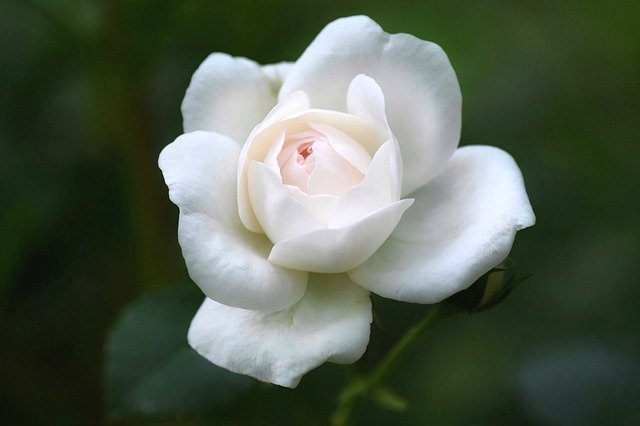
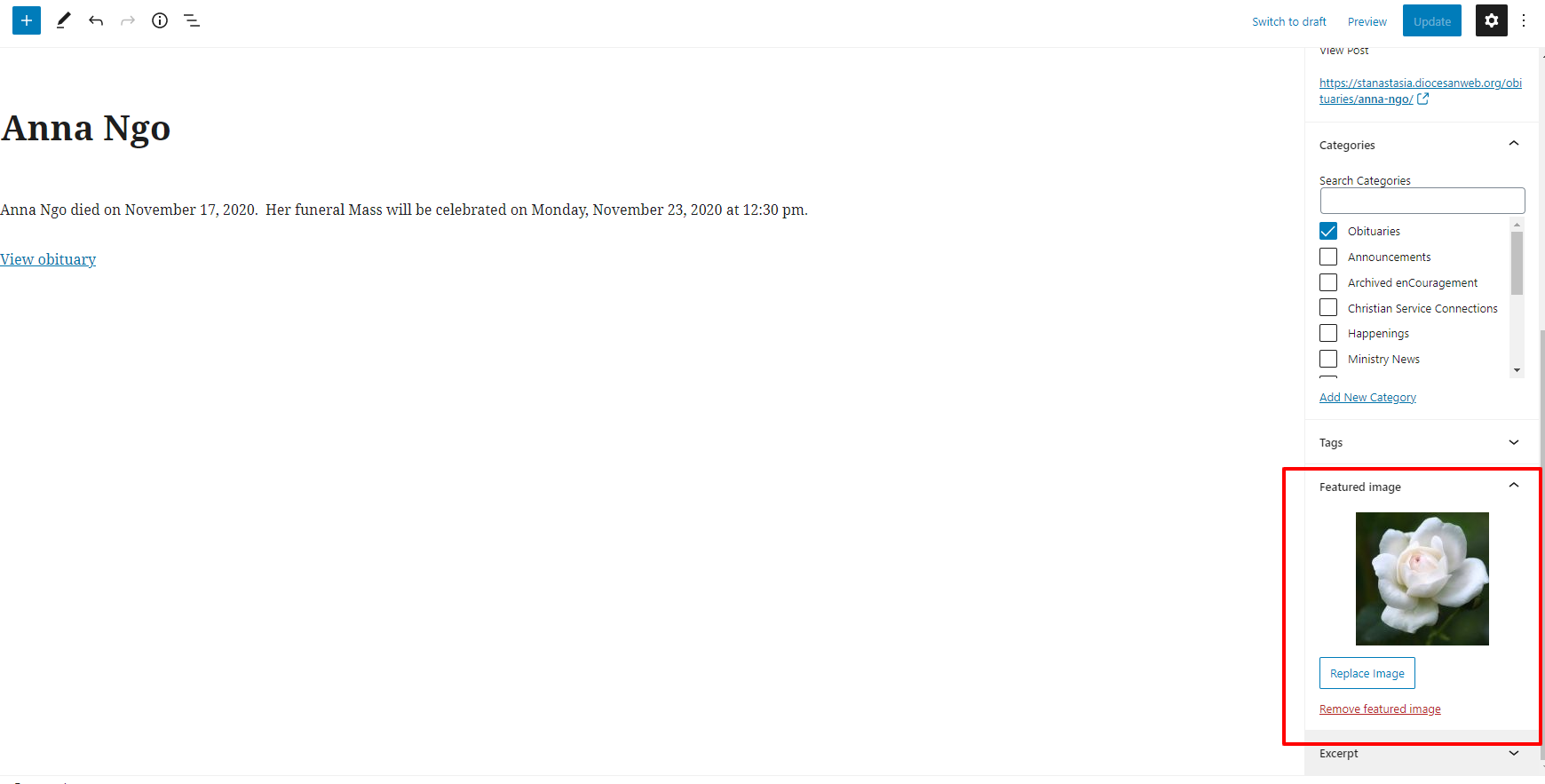
On the obit page – how do you change the category pic? I attached the one I was thinking of using.
Also – do you have an idea when the mobile part will be fixed?
Right now – the menu isn’t even in the top right. It’s On the left of the screen.
When I go to subpages I think you call them - In other words – click the blue button Mass times – the page still isn’t correct – on any browser on my phone. The titles do not seem to adjust to the screen size. The pics are off (And it’s the same for all the pages)
We will be getting a launch date to you soon!
Thanks Cody!
God bless,
Brenda
To: Cody Armock and Veronica Alvarado
FROM THE CLIENTBrenda
Hi!
Did you say there was a way to link email addresses on a form?
For instance, if I removed Kims email address from the form, can i add another sentence onto one of the description paragraphs and link it to her email?
Thanks!
God bless,
Brenda Kozlowski
Director of Evangelization and Parish Life
St. Anastasia Roman Catholic Church
(248) 689-8380 Ext. 103
To: Cody Armock and Veronica Alvarado
TO THE CLIENTCody Armock,Web Content Specialist
Good Morning Brenda,
For the Obit page, the pictures can be changed by changing that post's featured image.
I will add those as to-dos for the developer to fix this week and make sure that it is tested.
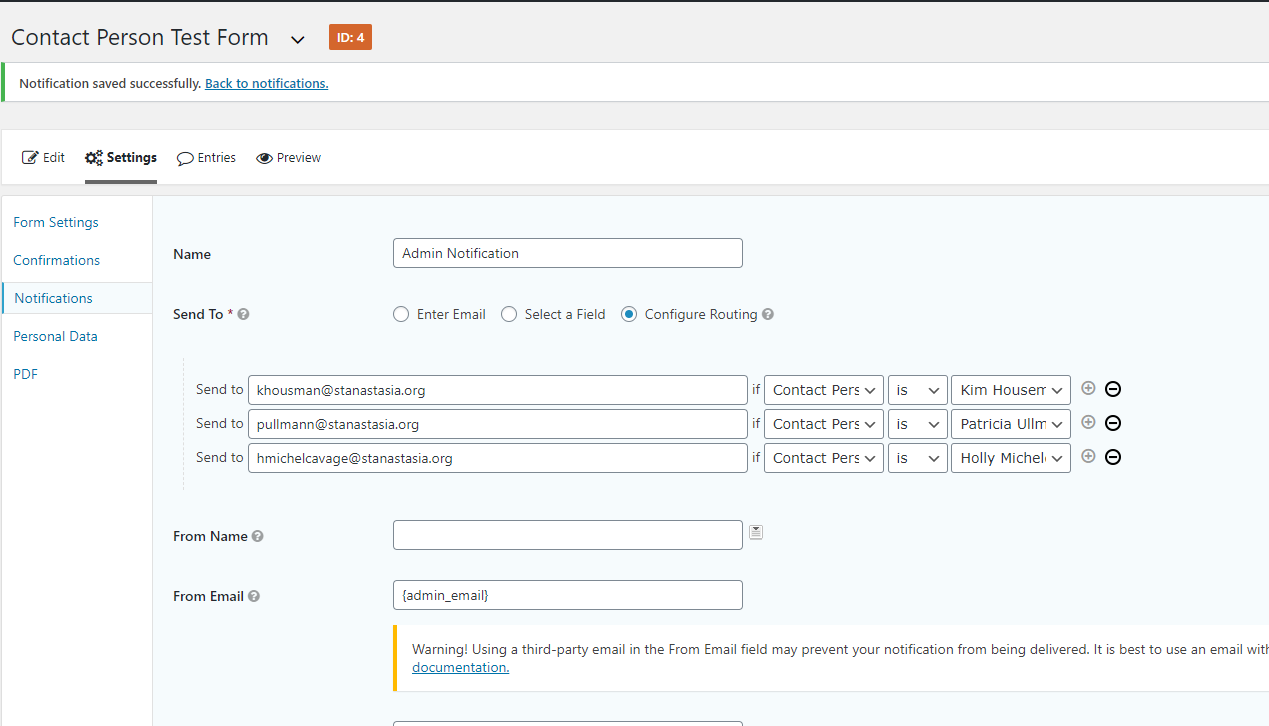
By form, I mean the Gravity Forms where we made one in the second training. You could have a contact person dropdown and then in the Notifications of the form, if they pick a certain dropdown it would go to that email. It wouldn't make anything more secure by removing it from that bar, where the Email is blue and moving it to the description and linking it, which require writing HTML in every description box. I made a quick test form on the site called "Contact Person Test Form" with just a dropdown of three people and then set up the notification for it, so you can see what would happen. The dropdown field contains three people: Kim, Patricia, and Holly. It someone chooses Kim, then it will send Kim a notification, if Holly, Holly gets an email, etc. (Screenshot Below)
The reason that you wouldn't find it in the support for adding pages to the menu is that the In The Gym Activities item you added is actually a post. I am not sure if you wanted to make it a page or if you wanted to keep it as a post. If you want to keep it as a post, you can add it to the menu by clicking the posts dropdown and finding it there. If you don't see the Post dropdown under Pages in the Menu area, you may need to select it from the Screen Options tab in the top right corner of the screen.
Cody Armock
Web Department, Diocesan
877-923-0777
To:
Brenda
CC our team:
Veronica Alvarado
FROM THE CLIENTBrenda
Good morning!
So - I guess I thought I was making a page when I added it.
Can you please make it a page?
So on the dropdown list - it would be: Parish Calendar In the Gym Activities Catholic Youth Organization (CYO)
Thanks!
God bless,
Brenda
To: Cody Armock and Veronica Alvarado
TO THE CLIENTCody Armock,Web Content Specialist
Hello Brenda,
The page has been made and added to the menu!
Cody Armock
Web Department, Diocesan
877-923-0777
To:
Brenda
CC our team:
Veronica Alvarado
FROM THE CLIENTBrenda
Hi Cody!
When we are on a page like: https://stanastasia.diocesanweb.org/worship/mass-times/ all the titles and the line underneath it seem pretty far away from each other. Can they be moved closer to each other (on ALL the pages - not just this example)? Like instead of double-spacing after every heading, can it be all single spacing after headings?
How do I indent the next line if I want to? It indents if I'm adding a list .... but not if I just insert spaces to indent.
Launch - when I give you a date, what is the process on our end? Are we still able to continue editing pages or is there a time frame prior to that we are not able to?
Thanks!
God bless,
Brenda Kozlowski Director of Evangelization and Parish Life/Stewardship
Be sure to follow us on: Instagram @ stanastasiatroy Facebook @ St. Anastasia Catholic Church Twitter - St. Anastasia@AnastasiaTroy Visit our website at www.stanastasia.org
To: Cody Armock and Veronica Alvarado
TO THE CLIENTCody Armock,Web Content Specialist
Hello Brenda,
Heading Margins I have made a to-do for the developer to decrease the spacing above and below the headings for all pages.
Indenting Paragraphs As for indenting of paragraphs, you can either edit the html for the paragraph block and add some padding-left: 10px; or so using inline styling, or you can use the Classic ("/classic" in a new paragraph block) block and then write your paragraph and use the Increase Indent Button (image below). Indents for paragraphs on websites are pretty rare.
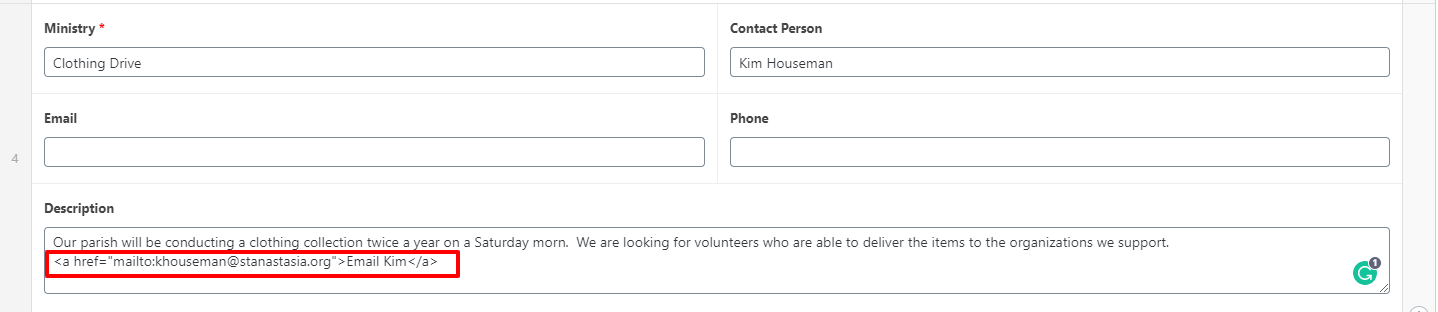
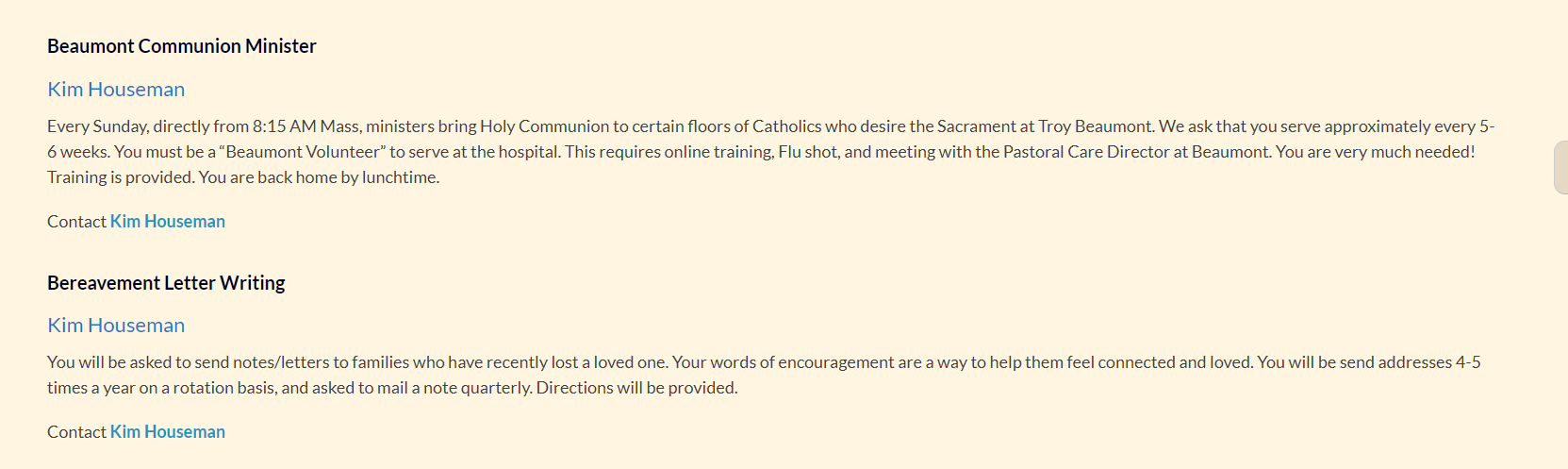
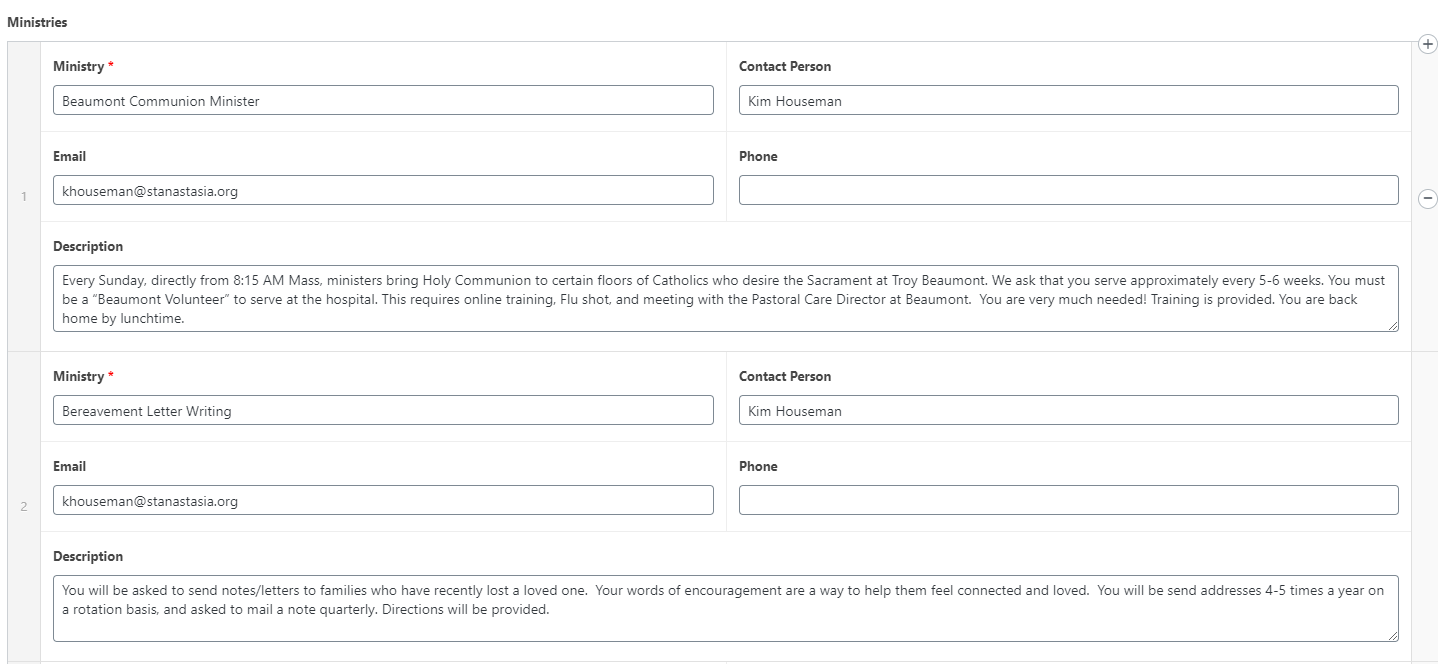
Ministry Emails To remove the emails, go to the page in question and delete the email from the field. Then in the description copy the code and replace the bracketed parts. More Instructions on this page with an example.
<a href=”mailto:[insert email here]”>[Text you want displayed here]</a>
Launch The only time that we ask that you refrain from editing the site is the day of the launch until you get an email from us saying that the site is launched. Anytime between now and then, you can edit the site. Usually what happens when people edit the site while it is launching is that their changes do not save to the launched version, but it has also caused issues with forcing logouts and things like that. We will send an email reminder the day of the launch asking to stay off the site during the launch though.
Let me know if you have any further questions!
Cody Armock
Web Department, Diocesan
877-923-0777
To:
Brenda
CC our team:
Veronica Alvarado
FROM THE CLIENTBrenda
Hi! Can we launch Monday, November 30 so it’s all done by midnight?
God bless,
Brenda 🍂🌻🍁
To: Cody Armock and Veronica Alvarado
TO THE CLIENTCody Armock,Web Content Specialist
Good Afternoon Brenda,
Monday, November 30th works for us! We have the domain information, so it should be a pretty quick and straightforward process.
I will reach out next Monday to confirm it with you and make sure that everything is good to go on your end!
Thank you,
Cody Armock
Web Department, Diocesan
877-923-0777
To:
Brenda
CC our team:
Veronica Alvarado
FROM THE CLIENTBrenda
Hiya!
Hope you're doing well!
2 things:
1. I just glanced and realized I don't remember an answer to this:
Can the readings look ahead a little? Like having the upcoming Sunday Gospel listed?
I still have an issue with my form on Mercy / Encouragement form will not let insert a normal email link. Can you please ask Cody. It works on happenings just fine. like normal
Thanks!
God bless,
Brenda Kozlowski
Director of Evangelization and Parish Life
St. Anastasia Roman Catholic Church
(248) 689-8380 Ext. 103
To: Cody Armock and Veronica Alvarado
FROM THE CLIENTBrenda
Wondering if the forms could even just include a ‘paperclip’ or icon to link stuff?
God bless,
Brenda 🍂🌻🍁
To: Cody Armock and Veronica Alvarado
TO THE CLIENTCody Armock,Web Content Specialist
Good Afternoon Brenda,
There is no way for me to pull in future readings, but I included a button by the RSS Feed for users to find upcoming readings on that page. You can adjust that Button block and move it below or above the Readings Feed.
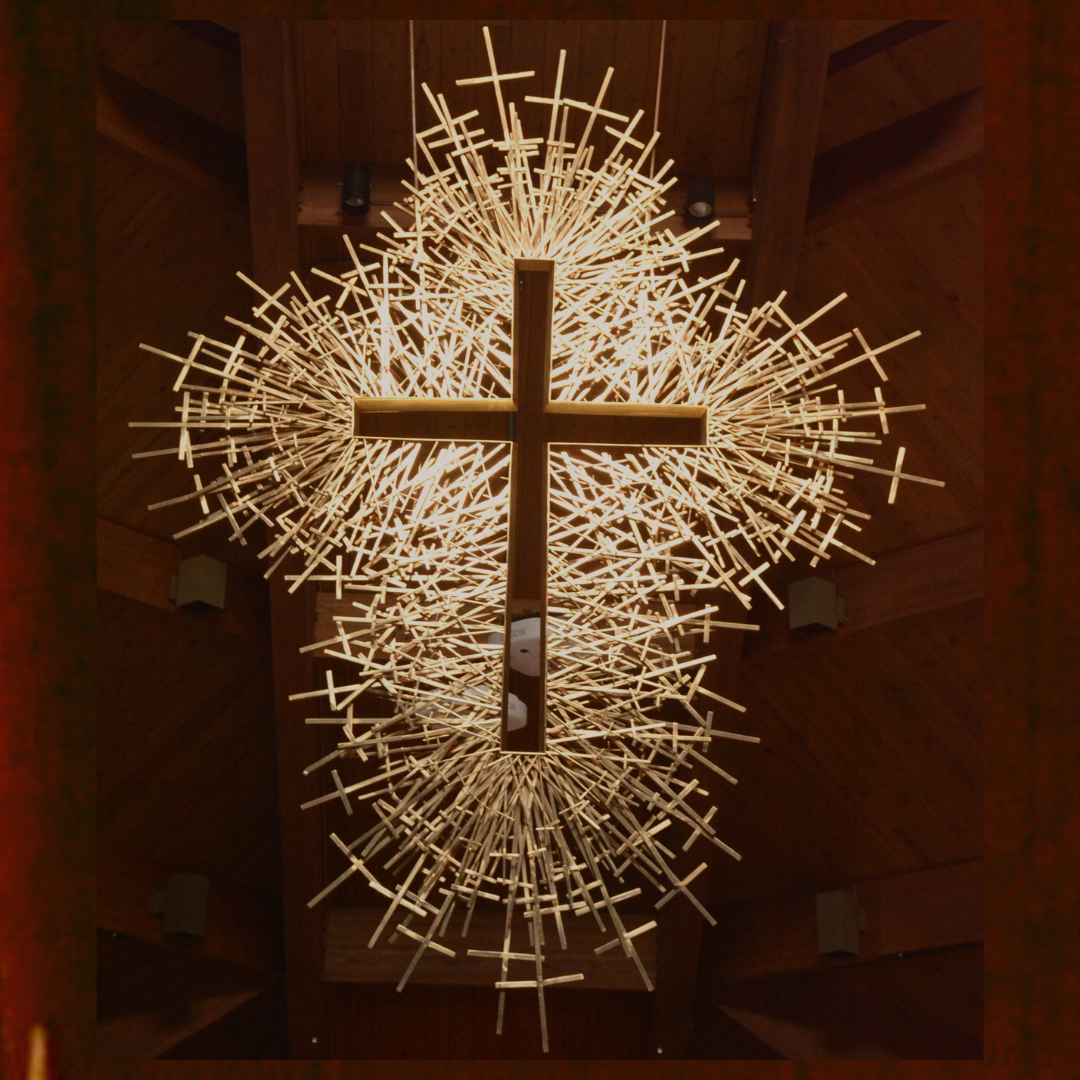
Without a featured image set for those posts in the Obit category, it will pull in and display the default featured image in the Theme Settings (the image of the Church). The way to change this is to change the featured image for the post in the Obit category like I did for Anna. (Pic Below) You could just click Remove Image then Set Featured Image and set the Cross one there too. This would just be done when making each post. You can see what it will look like on the Obit page.
As for the Mercy / Encouragement page Emails in the descriptions, I updated the instructions to make them more clear of what to do. As for the paperclip or icon to link, there is already the Email field that can be filled in to match the proof. I see that someone tried it for Blood Drives, but they forgot the HTML to make it work and it just came out as an email address. It needs the full statement below. More Instructions at the top of this page or on the Styles Page here. Also, screenshot below shows example before Updating the page.
It works on Happenings just fine because that is normal Gutenberg. However, these are Custom Fields, so they are a little more specific in what can be inputted.
I added the instructions on the Styles page too, so you can find them there and remove the instructions from the Mercy / Encouragement page, so people won't see that if they go to that page when we launch.
<a href="mailto:[insert email here]">[Text you want displayed here]</a>
Is there a way to add a paperclip to the top of the ministry pages? I realize there's an alternate way - but the paperclip is what everyone looks for and is easier to remember than the formula.
God bless,
Brenda
To: Cody Armock and Veronica Alvarado
TO THE CLIENTCody Armock,Web Content Specialist
Hello Brenda,
By paperclip, you mean a button to add a link at the end of the description? Would it always be at the end of the description? The Approved proofs had it where the email would be up by the Ministry Contact's name.
We could add a way for that email to be tacked onto the end of the description as a link and you would basically just add context leading up to it such as "Contact Kim by Email here: [Website automatically inserts email link here from the Email field]" or something else. I am just trying to get more clarification, so I can get a better estimate from the developer for time.
Thank you,
Cody Armock
Web Department, Diocesan
877-923-0777
To:
Brenda
CC our team:
Veronica Alvarado
FROM THE CLIENTBrenda
Hi Cody,
At the time of the proof, there was no way to try it out - and we never had that form on the old site.
They are simply trying to figure out an easier way to 'insert a link' into the description part.
Please let me know what the charge would be for us to reevaluate 'need'.
Thanks!
God bless,
Brenda
To: Cody Armock and Veronica Alvarado
TO THE CLIENTCody Armock,Web Content Specialist
Hello Brenda,
I think we figured out a way to make it simple, but also not have to rebuild anything and have a very quick fix.
Right now, it will take the Contact Person Field and the Email field and render a link for that person in the code using both of the fields without you having to do anything. If you would like us to move the "Contact Kim Houseman" to the end of the description, we can do that very quickly too, but I think it calls more attention to it as a separate item.
Let me know what you think. This makes it a lot easier for you to add these without having to use any HTML.
We can change the speed of the slider, it has to be done in the code, but just let us know if you want it faster or slower and by how much and we can do that.
As for the fonts and the stylings, I checked out the fonts and they are rendering as Trajan Pro 3 for the Page Titles and most of the headings, and the double-spacing has been fixed. You might need to do a hard-refresh (Instructions Here) to bring in the updated code.
Lastly, are we confirmed to launch today?
Cody Armock
Web Department, Diocesan
877-923-0777
To:
Brenda
CC our team:
Veronica Alvarado
FROM THE CLIENTBrenda
Thanks Cody - we are all set to launch!
As far as pic timings? What are they currently set at?
God bless,
Brenda Kozlowski
Director of Evangelization and Parish Life
St. Anastasia Roman Catholic Church
(248) 689-8380 Ext. 103
To: Cody Armock and Veronica Alvarado
FROM THE CLIENTBrenda
Hi Cody!
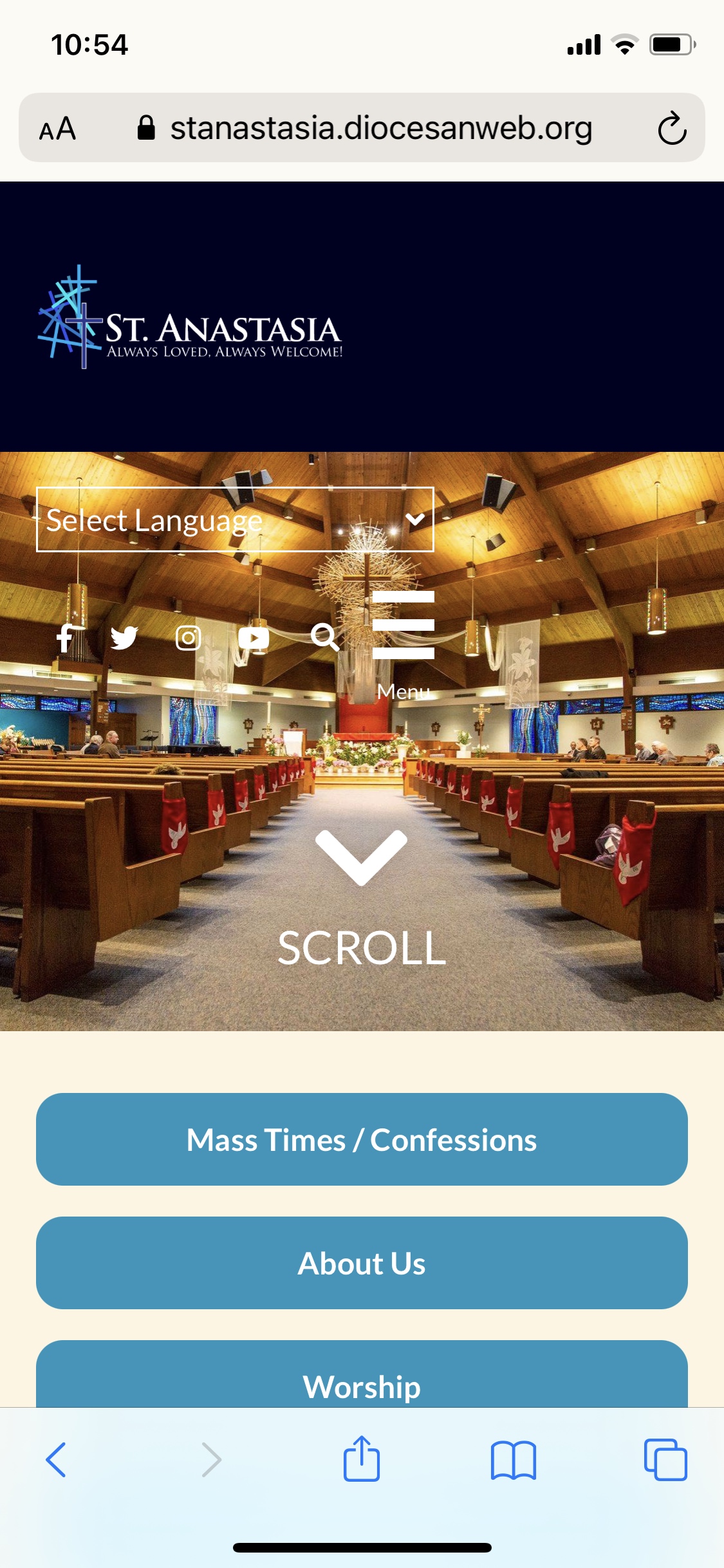
Is it still possible - on the mobile device, to make the arrow and the word scroll a little smaller? It takes a lot of space over the pic.
God bless,
Brenda Kozlowski Director of Evangelization and Parish Life/Stewardship
Be sure to follow us on: Instagram @ stanastasiatroy Facebook @ St. Anastasia Catholic Church Twitter - St. Anastasia@AnastasiaTroy Visit our website at www.stanastasia.org
To: Cody Armock and Veronica Alvarado
TO THE CLIENTCody Armock,Web Content Specialist
Hello Brenda,
We can do that! I will have the developer fix that soon.
Cody Armock
Web Department, Diocesan
877-923-0777
To:
Brenda
CC our team:
Veronica Alvarado
FROM THE CLIENTBrenda
Hi Cody!
There is an immediate concern with a link difference for our Giving Tree!
On our old site, this was the link (which is no longer active)
As people are trying to buy gifts/donate to our Giving Tree, they cannot connect!
They already took the tags that have the old site listed.
Can you please help us figure out the solution? I know how to edit a permalink - but this one is different.
Ideally - we'd like it to match the old link which matches the tags that were already distributed. Is there a way to do that?
Thanks so much!
God bless,
Brenda
To: Cody Armock and Veronica Alvarado
TO THE CLIENTCody Armock,Web Content Specialist
Good Afternoon Brenda,
I am checking with the developer to see if there is an easy way to remedy this. I will get back to you when I know more!
Thank you,
Cody Armock
Web Department, Diocesan
877-923-0777
To:
Brenda
CC our team:
Veronica Alvarado
FROM THE CLIENTBrenda
Thanks!
God bless,
Brenda
To: Cody Armock and Veronica Alvarado
FROM THE CLIENTBrenda
Hi Cody,
Maryann lost her password to log into the site.
How would I send her a link to sign up again?
Thanks!
God bless,
Brenda Kozlowski
Director of Evangelization and Parish Life
St. Anastasia Roman Catholic Church
(248) 689-8380 Ext. 103
To: Cody Armock and Veronica Alvarado
TO THE CLIENTCody Armock,Web Content Specialist
Hello Brenda,
Good News! The developer is working on fixing the URL for the giving tree link.
I have also reset Maryann's password and sent her an email with the new one as well as instructions on how to change it.
Thank you,
Cody Armock
Web Department, Diocesan
877-923-0777
To:
Brenda
CC our team:
Veronica Alvarado
FROM THE CLIENTBrenda
Thanks Cody!
God bless,
Brenda Kozlowski
Director of Evangelization and Parish Life
St. Anastasia Roman Catholic Church
(248) 689-8380 Ext. 103
To: Cody Armock and Veronica Alvarado
TO THE CLIENTCody Armock,Web Content Specialist
Hello Brenda,
While the developer looks into a better way of doing it, I just made a page and copied all the content from the post onto it, so that it has the right URL as the link on the Tags. That way it will work for now as the developer works on a better, more permanent solution for it!
I have since removed that page because the developer was able to set up a redirect for that URL now to go to the post, so it would be updated in one place and only one place. Sorry about the confusion! I just wanted something to be there in the (very) short term.
Cody Armock
Web Department, Diocesan
877-923-0777
To:
Brenda
CC our team:
Veronica Alvarado
FROM THE CLIENTBrenda
Oh! That works!
Thanks so much!
God bless,
Brenda
To: Cody Armock and Veronica Alvarado
FROM THE CLIENTBrenda
Hi Cody!
Hope you're doing well!
2 things:
Groupings .... How to? This is what I want: St. Anastasia Parish, Troy Christ Our Light Parish, Troy Guardian Angels Parish, Clawson St. Elizabeth Ann Seton Parish, Troy St. Lucy (Croatian) Parish, Troy
But when I go to do it, St. Anastasia and Christ our Light is on the same line, or, if I go to 'enter' so Christ our light goes to the next line, it separates the two lines and they are no longer in the same group. Can you tell me the trick?
Also, on the home page, can there be just a little space between the social media logos on the top and the search bar?
Thanks!
God bless,
Brenda
To: Cody Armock and Veronica Alvarado
TO THE CLIENTCody Armock,Web Content Specialist
Hello Brenda,
For the groupings, I am assuming that when you hit enter, it makes it a separate paragraph, but you want to keep them all in the same paragraph block, just add new lines in between. The way you can do that is instead of pressing Enter, you press Shift+Enter. This will keep the text in the same block but create a line-break between the two.
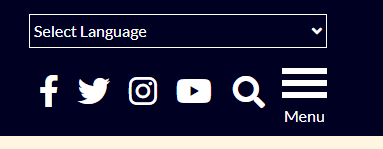
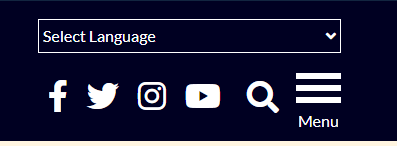
As for the spacing between the social media icons and the search icon, how space do you want there? This gets tricky with mobile responsiveness, we could add 5 more pixels between the social icons and the search icon, but anything more would most likely cause mobile issues.
You can see the difference between the original (1st image) and it with 5px added (2nd image). Is this good with you?
Let me know and I can schedule it for the developer to change it!
Cody Armock
Web Department, Diocesan
877-923-0777
To:
Brenda
CC our team:
Veronica Alvarado
FROM THE CLIENTBrenda
Thanks Cody- Spacing – this might help:
My objective, based on a few people’s feedback, was that they didn’t notice the search option and thought it was all social media.
So it was to just increase a bit the space between the search bar and, in this case, the youtube logo (only).
Does that make sense?
So I’m thinking the 2nd one might be closer to achieving that?
God bless,
Brenda
To: Cody Armock and Veronica Alvarado
TO THE CLIENTCody Armock,Web Content Specialist
Hello Brenda,
That makes sense. I will have the developer work on that, remember to do a hard refresh to see the changes!
Thank you,
Cody Armock
Web Department, Diocesan
877-923-0777
To:
Brenda
CC our team:
Veronica Alvarado
TO THE CLIENTCody Armock,Web Content Specialist
Hello Brenda,
Instead of adding space, the developer came up with possibly changing the color of the icon to the lighter blue so it is more noticeable, would this be better or just stick with the spacing?
Different Color Search
Cody Armock
Web Department, Diocesan
877-923-0777
To:
Brenda
CC our team:
Veronica Alvarado
FROM THE CLIENTBrenda
Thanks for the suggestion.
Is it possible to keep the same colors, increase the space between the two, but still maintain it all under that ‘select language’ space?
God bless,
Brenda
To: Cody Armock and Veronica Alvarado
TO THE CLIENTCody Armock,Web Content Specialist
Yeah,
We can keep all of them as white, increase the space and all of them will still be under the language selector! I will have the developer change that, just thought I would offer that option.
Cody Armock
Web Department, Diocesan
877-923-0777
To:
Brenda
CC our team:
Veronica Alvarado
FROM THE CLIENTBrenda
I appreciate the suggestion and the offer ☺
God bless,
Brenda
To: Cody Armock and Veronica Alvarado
FROM THE CLIENTBrenda
Hi Cody!
I had tried to insert a pdf (letter) from Fr. Steve on the website and couldn't get it to work correctly? Can you tell me where I went wrong? Lol
I have fixed the links. For whatever reason, they were invalid image blocks. There are any number of ways that you can link PDFs.
One way is to use the 'File' block and either upload the PDF there or find it in the Media Library and just changed what the text says
Another is that you can add the PDF to the Media Library, click on it, and copy the link by using the 'Copy URL' button, sometimes doesn't work, or by selecting and copying the link text above the button (Screenshot below). Then take this URL and create a link the usual way, which is what I did on this page.
A third option is a hybrid by copying the URL from the file block and linking it through regular text. This will give you more control over how the text appears through the paragraph block.
Be sure to follow us on: Instagram @ stanastasiatroy Facebook @ St. Anastasia Catholic Church Twitter - St. Anastasia@AnastasiaTroy Visit our website at www.stanastasia.org
To: Cody Armock and Veronica Alvarado
TO THE CLIENTCody Armock,Web Content Specialist
Hello Brenda,
You can change that link in the "Theme Settings" under the Social Media tab then click the edit pencil and paste that youtube link in there in the URL field and click the blue Update button for the link and click the Update in the top right of the theme settings.
Cody Armock
Web Department, Diocesan
877-923-0777
To:
Brenda
CC our team:
Veronica Alvarado
FROM THE CLIENTBrenda
Hi Cody!
Hope you're doing well!
I know I inquired before, but I can't find the email with directions - or if you just did it. I also tried searching the 'knowledge base' in the dashboard, but that link is down.
Like with the Families of Parishes, I need a 'group' under a title. Maybe that's not the right word ... but not a 'list' as an option here that has 1,2,3, or dots ... but just sentences with no spaces between them.
How do I do that?
Thanks!
God bless,
Brenda Kozlowski
Director of Evangelization and Parish Life
St. Anastasia Roman Catholic Church
(248) 689-8380 Ext. 103
To: Cody Armock and Veronica Alvarado
TO THE CLIENTCody Armock,Web Content Specialist
Hello Brenda,
Yeah, the knowledgebase is being worked on. Sorry about that!
To add a newline to a paragraph without making a new paragraph block, you can use Shift+Enter keys. Just hold Shift and hit enter and that will give you a new line without making a new paragraph block and therefore will not add a lot of space between them.
Cody Armock
Web Department, Diocesan
877-923-0777
To:
Brenda
CC our team:
Veronica Alvarado
FROM THE CLIENTBrenda
OK! Thanks!
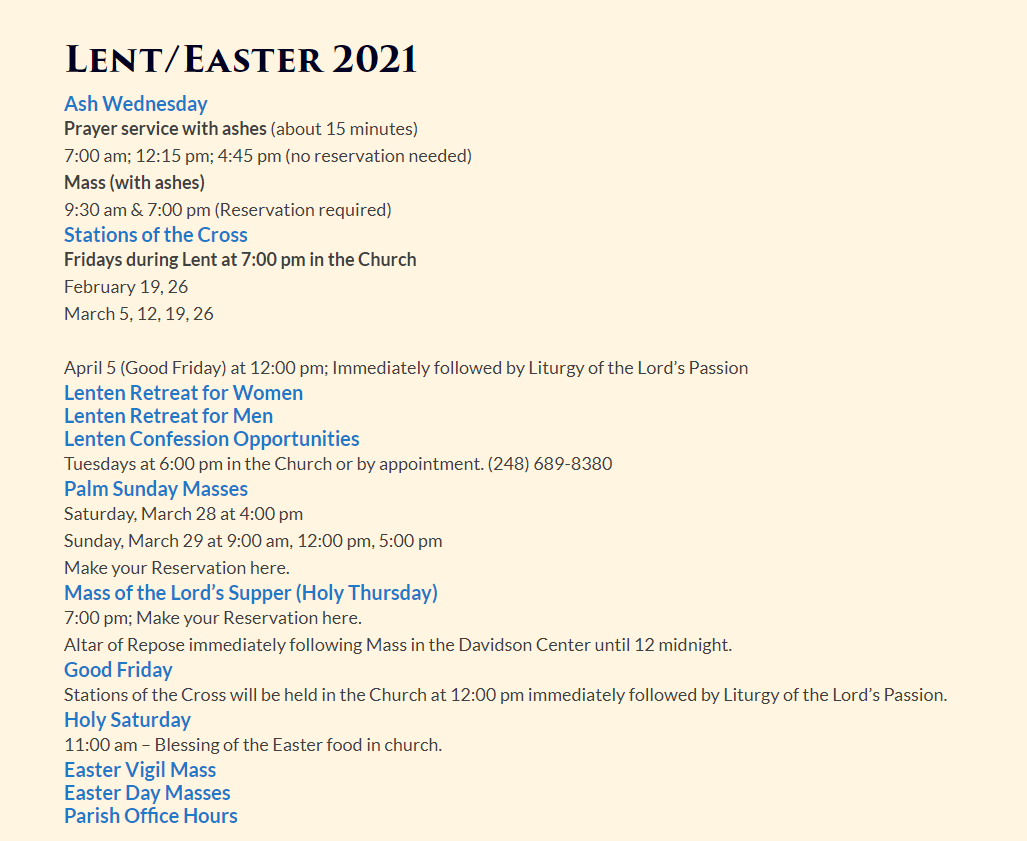
There is still the problem of a space between the header and the content which we had asked a while ago to be eliminated.
An example would be on the Lent/Easter page I am working on (in pending).
On all pages, we would like the headers we do to not have that space between the content.
So, example, if I do the shift enter ... I can't blend the size header 4, go to the very next line (no space) and have it be paragraph style - because the block wants to make it all one size.
It might be easier to see on the page what I'm trying to explain 😉
Thanks Cody!
God bless,
Brenda
To: Cody Armock and Veronica Alvarado
TO THE CLIENTCody Armock,Web Content Specialist
Hello Brenda,
I got sidetracked while looking into this, so thank you for your patience. What is it that you want to accomplish by reducing the spacing between the heading and the paragraphs? There may be a better option for it that keeps the functionality and readability presented with headings.
Headings are used to direct attention to content while there is spacing around it to improve readability and accessibility. Removing the spacing around it and have it "grouped" with the paragraph text defeats the purpose of the heading that is used to break up content and that includes spaces. If you wanted, you could possibly get away with Bolding the first line of the paragraph, highlighting it and changing the text color of it in the paragraph toolbar, then Shift+Enter and type the rest of the paragraph. You can see what I mean on this preview of a post.
Thank you,
Cody Armock
Web Department, Diocesan
877-923-0777
To:
Brenda
CC our team:
Veronica Alvarado
FROM THE CLIENTBrenda
Good morning Cody,
Thanks for that alternate idea Cody.
Fr. Steve indicated he would prefer no space.
We can always manually add the space if we like, but we cannot make the font larger without using the heading feature which includes the space.
God bless,
Brenda
To: Cody Armock and Veronica Alvarado
TO THE CLIENTCody Armock,Web Content Specialist
Good Morning Brenda,
I just wanted to make sure this is what you would want before we go in and change it. I have attached a screenshot with what it would look like without the spaces between the headings and the paragraphs. The space between "March 5..." and "April 5..." is because there was a line-break between them added in the paragraph block. Cody Armock
Web Department, Diocesan
877-923-0777
To:
Brenda
CC our team:
Veronica Alvarado
FROM THE CLIENTBrenda
Hi,
Sorry- I can't see the image on my pc or phone. (I tried downloading the image too)
Then I would certainly work on reorganizing the page.
And you can make that across the board, correct?
God bless,
Brenda Kozlowski
Director of Evangelization and Parish Life
St. Anastasia Roman Catholic Church
(248) 689-8380 Ext. 103
To: Cody Armock and Veronica Alvarado
TO THE CLIENTCody Armock,Web Content Specialist
Hello Brenda,
Yes, we can change the headings and paragraphs across the posts and pages (save the homepage). In my professional opinion, I would not recommend this change for the reasons mentioned previously, but I will make the to-do for it to be changed.
In Christ,
Cody Armock
Web Department, Diocesan
877-923-0777
To:
Brenda
CC our team:
Veronica Alvarado
FROM THE CLIENTBrenda
Good morning!
Sooooo .....when the spaces were changed, there's a casualty that wasn't predicted on our end.
On the pages of Happenings (and probably Parish Events when we have more to list) ... the writing 'below' the pic actually is too far up and the type is covering the bottoms of the pictures.
Note - I am working from home today, my cell is 586-246-1251.
God bless,
Brenda Kozlowski
Director of Evangelization and Parish Life
St. Anastasia Roman Catholic Church
(248) 689-8380 Ext. 103
To: Cody Armock and Veronica Alvarado
TO THE CLIENTCody Armock,Web Content Specialist
Good Morning Brenda,
For all website issues, you can send emails to webdepartment@diocesan.com. This basecamp project will be archived soon and that can often interrupt, delay, or not send emails. But the web department email will work.
We are working on the solution for the website. Thank you for letting us know!
Cody Armock
Web Department, Diocesan
877-923-0777
To:
Brenda
CC our team:
Veronica Alvarado
FROM THE CLIENTBrenda
Thanks Cody!
Do you know, will they reach out to me directly via email or phone?
One other question, I seem to remember some sort of hours they work? Is that better discussed with them directly?
Thanks again!
God Bless,
Brenda Kozlowski
Director of Evangelization and Parish Life
St. Anastasia Roman Catholic Church
(248) 689-8380 Ext. 103
To: Cody Armock and Veronica Alvarado
TO THE CLIENTCody Armock,Web Content Specialist
Hello Brenda,
It should be back up now!
I am not sure what hours they did or what it was about, so I am not sure whom the best person to contact would be for that! Did those hours worked go through the webdepartment email or was it through here?
Cody Armock
Web Department, Diocesan
877-923-0777
To:
Brenda
CC our team:
Veronica Alvarado
FROM THE CLIENTBrenda
Oh sorry, no!
I thought the web dept was only available for help if there was a web problem (not a novice 'how do you do this').
Maybe it was a dif. company I interviewed that I'm thinking of...
God bless,
Brenda Kozlowski
Director of Evangelization and Parish Life
St. Anastasia Roman Catholic Church
(248) 689-8380 Ext. 103
To: Cody Armock and Veronica Alvarado
TO THE CLIENTCody Armock,Web Content Specialist
Hello Brenda,
I am not sure what you mean. Were you asking what their schedule was or about the hours they worked on a particular part of the site?
Everybody involved in the website process is part of the Web Department, but once the site is launched instead of going through Basecamp, emails should go to webdepartment@diocesan.com.
Cody Armock
Web Department, Diocesan
877-923-0777
To:
Brenda
CC our team:
Veronica Alvarado
FROM THE CLIENTBrenda
Good morning Cody!
I am working on trying to create picture albums for a page.
I actually do NOT want it the way I have it, as once I add more pics for different events, it would be waaaay to cumbersome.
It would be easier for a user to click on something like the name of the album (it can certainly have a few pics to get pp interested, but not the whole thing visible as I have it now).
Do you have any ideas what options would be?
Thanks!
God bless,
Brenda Kozlowski
Director of Evangelization and Parish Life
St. Anastasia Roman Catholic Church
(248) 689-8380 Ext. 103
To: Cody Armock and Veronica Alvarado
TO THE CLIENTCody Armock,Web Content Specialist
Good Morning Brenda,
You could add that Gallery to an Envira Album or split the Gallery into multiple different galleries and add those into the Album. The album will display the first image of the gallery unless you change it with the Edit Pencil. You can refer back to the second training for more instructions. Make sure to use 2 or 3 columns for the Number of Columns in the Album.
This will keep the images in the gallery, but only display one image for each gallery on that page. You then put the shortcode for the album on that page rather than the Envira Gallery shortcode or block.
Any subsequent events or pictures could be made into another gallery and then that gallery could be added to the album and it will update the page.
Cody Armock
Web Department, Diocesan
877-923-0777
To:
Brenda
CC our team:
Veronica Alvarado
FROM THE CLIENTBrenda
Hi Cody!
We kind of have a dilemma with what people see on the mobile device and I'm wondering if you can help!
When we go to our website, on our phones, the pics that come up under Events and Happenings get changed - to a square image - which cuts off parts of the pics and/or messaging and makes us look unprofessional.
We do not notice that pic adjustment on other church or non-church sites. You go on a mobile, and we are never just seeing 'part of the pic' - you see it in it's entirety as it is intended.
If, we changed the images on our pc - to square instead of landscape - then the pc part would look off.
Do you have any way to fix this?
Thanks!
God bless,
Brenda Kozlowski Director of Evangelization and Parish Life/Stewardship
Be sure to follow us on: Instagram @ stanastasiatroy Facebook @ St. Anastasia Catholic Church Twitter - St. Anastasia@AnastasiaTroy Visit our website at www.stanastasia.org
To: Cody Armock and Veronica Alvarado
TO THE CLIENTCody Armock,Web Content Specialist
Hello Brenda,
It should now be fixed on mobile! Please do a hard refresh or clear the browser's cache on mobile and see if it looks better.
Our website is down! It's so important THIS week as people are encouraged to come back to Mass after the general dispensation has ended!!
Please help!!
God bless,
Brenda Kozlowski
Director of Evangelization and Parish Life
St. Anastasia Roman Catholic Church
(248) 689-8380 Ext. 103
To: Cody Armock and Veronica Alvarado
TO THE CLIENTVeronica Alvarado,Project Manager
Brenda,
That was on our end. There was an issue with the server, it is resolved now. Very sorry about that.
To:
Brenda
CC our team:
Cody Armock
FROM THE CLIENTBrenda
Thank you! We were quite concerned about the site being down ... weekends .... church ... now reservations ... HUGE deal.
Thanks for letting me know!
God bless,
Brenda Kozlowski
Director of Evangelization and Parish Life
St. Anastasia Roman Catholic Church
(248) 689-8380 Ext. 103
To: Cody Armock and Veronica Alvarado
FROM THE CLIENTBrenda
Thanks so much!
Website down... weekend ... church ... add Mass reservations ... a BIG deal!
Thanks so much for getting it fixed and letting me know!
God bless,
Brenda Kozlowski
Director of Evangelization and Parish Life
St. Anastasia Roman Catholic Church
(248) 689-8380 Ext. 103
To: Cody Armock and Veronica Alvarado
TO THE CLIENTCody Armock,Web Content Specialist
Good Morning Brenda,
In the future, please send all issues and/or questions to webdepartment@diocesan.com. That email is checked much more frequently than Basecamp, especially on the weekends.












 Brenda
 Veronica Alvarado
 Cody Armock