












Zoom Call Follow Up
Hello Monsignor,
Here is more information on the things mentioned in our call:
Google Calendar
Once you send us the updated calendar ID, we can update this item for you.
How to Set Calendar to Public
How to Find ID
Other Items We Discussed
- News posts displaying in posted-on date order
- Not all posts having event date
- Button color styling - default set with option to update
Let me know if you have any other questions and I will let you know what the developer says about the other open task items.
Thank you,
Veronica Alvarado
Project Manager, Web Department
877-923-0777
 Monsignor Hurley
Hi Veronica,
Thank you for the call this morning.
The new calendar ID is:
rectory301@gmail.com <mailto:rectory301@gmail.com>
It has been set to public.
I think we have covered everything for now.
Thanks,
Msgr. Hurley
Thank you for the call this morning.
The new calendar ID is:
rectory301@gmail.com <mailto:rectory301@gmail.com>
It has been set to public.
I think we have covered everything for now.
Thanks,
Msgr. Hurley
 Veronica Alvarado
Good morning Monsignor,
I have updated the Calendar page: https://sainttom.org/calendar/
Also, our developer was able to correct the button block styling yesterday:
https://sainttom.org/977-2/
Today he is working on updating the posts to display dates only if you select one, as well as ordering the posts by most recently posted at the top of the list.
Thank you,
Veronica Alvarado
Project Manager, Web Department
877-923-0777
Monsignor Hurley
Good morning, Veronica.
That’s wonderful. Thank you so much. Have a great weekend.
Monsignor Hurley
That’s wonderful. Thank you so much. Have a great weekend.
Monsignor Hurley
Veronica Alvarado
Thank you, Monsignor.
As an update, the developer has reset the posts so that by default, when you create a new post, there will be no event date. At the bottom of the post, you now have the option to add an event date.
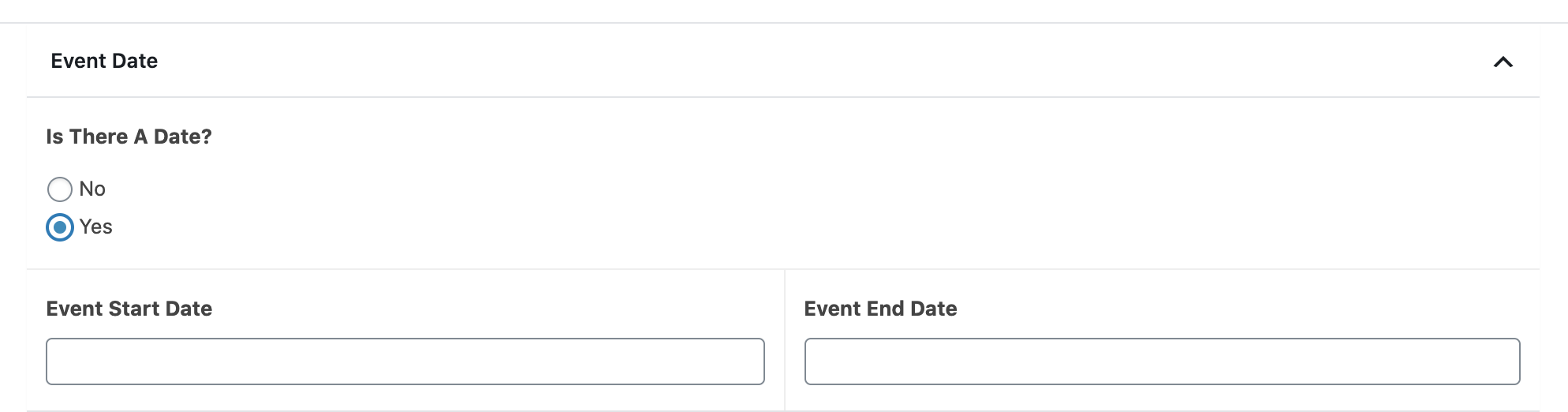
If you choose yes, you can scroll down and select a date.
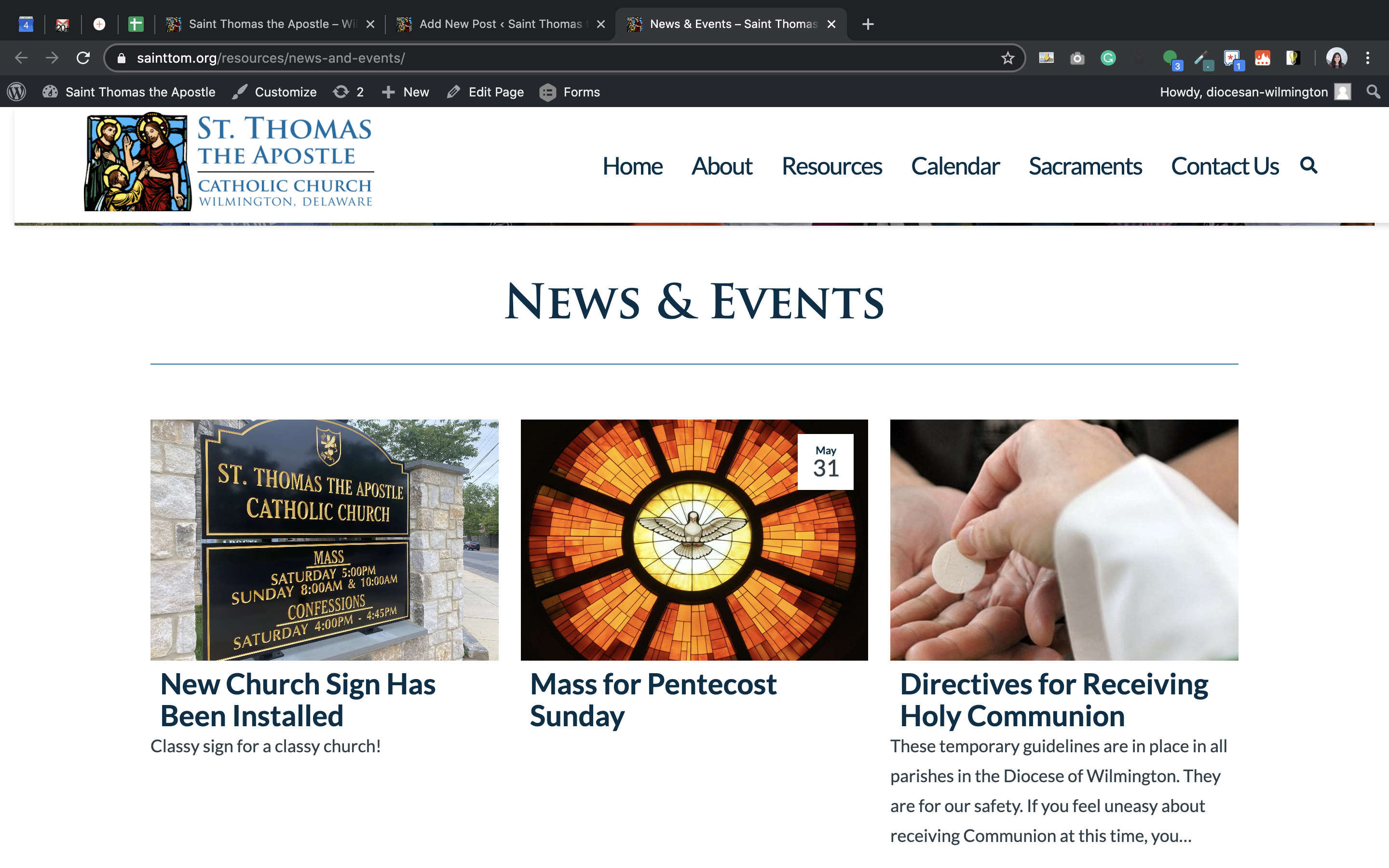
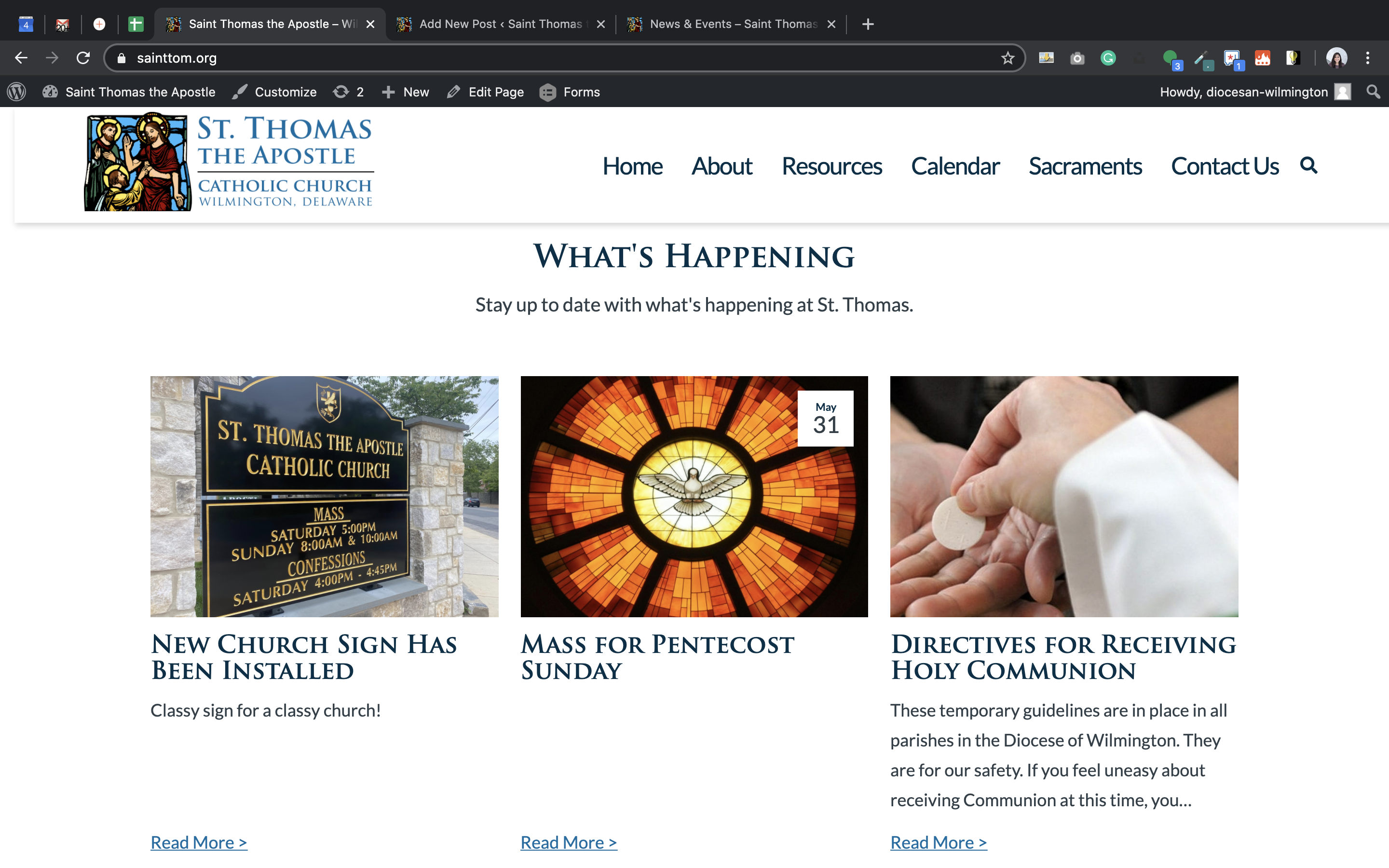
If the event has a date, it will appear like this:
As an update, the developer has reset the posts so that by default, when you create a new post, there will be no event date. At the bottom of the post, you now have the option to add an event date.
If you choose yes, you can scroll down and select a date.
If the event has a date, it will appear like this:
Let me know if you have any questions or concerns. Otherwise, may you have a blessed weekend as well!
Veronica Alvarado
Project Manager, Web Department
877-923-0777
Monsignor Hurley
Good morning, Veronica,
Our new website is getting great reviews from our parishioners, so thank you for all of your help. Just one more hiccup though. The following error message appears at the top of the screen on the parish history page.
Notice: Undefined variable: html in /home/sainttom/public_html/wp-content/plugins/envira-albums/src/Frontend/Shortcode.php on line 632
If someone could take a look at that, I would appreciate it.
Thanks, again.
Msgr. Hurley

Our new website is getting great reviews from our parishioners, so thank you for all of your help. Just one more hiccup though. The following error message appears at the top of the screen on the parish history page.
Notice: Undefined variable: html in /home/sainttom/public_html/wp-content/plugins/envira-albums/src/Frontend/Shortcode.php on line 632
If someone could take a look at that, I would appreciate it.
Thanks, again.
Msgr. Hurley
Veronica Alvarado
Good morning Monsignor,
I'm happy to hear people are responding positively to the new website!
As for the Envira issue, I'll have a developer take a look at it today.
Thank you,
Veronica Alvarado
Project Manager, Web Department
877-923-0777
Veronica Alvarado
Good afternoon Monsignor,
We have solved this error issue so you should be all set!
Since we are now past the two-week period of free development support (new/additional items) we ask that in the future, please send any issues to webdepartment@diocesan.com or call 877-923-0777 to speak to our support specialist, Mary. She handles support for all launched projects.
Thank you and have a blessed weekend!
Veronica Alvarado
Project Manager, Web Department
877-923-0777