














Template Site Setup
Something I learned when going through content with this site is that there was an issue with the theme and child theme. The site wasn't pulling in the themes correctly, so things looked incredibly different and it affected not only how the homepage looked, but custom fields, theme settings, page templates, etc.
The Issue:
DPI Child Theme was 'broken' because it needed to be connected to the right parent theme.
The Solution:
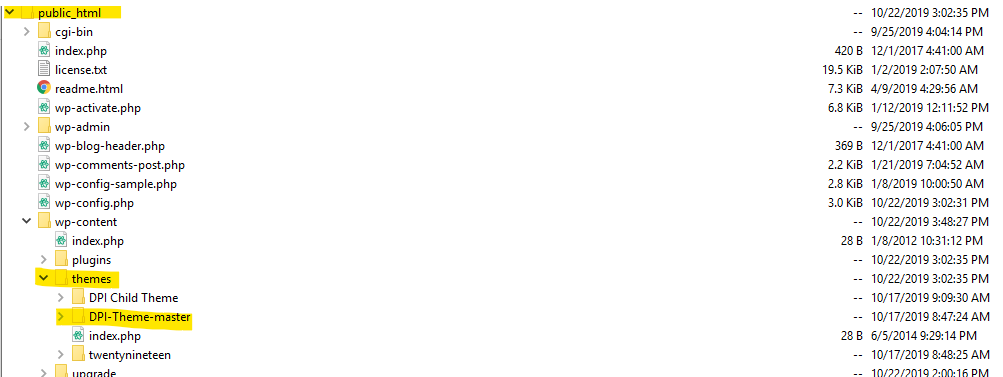
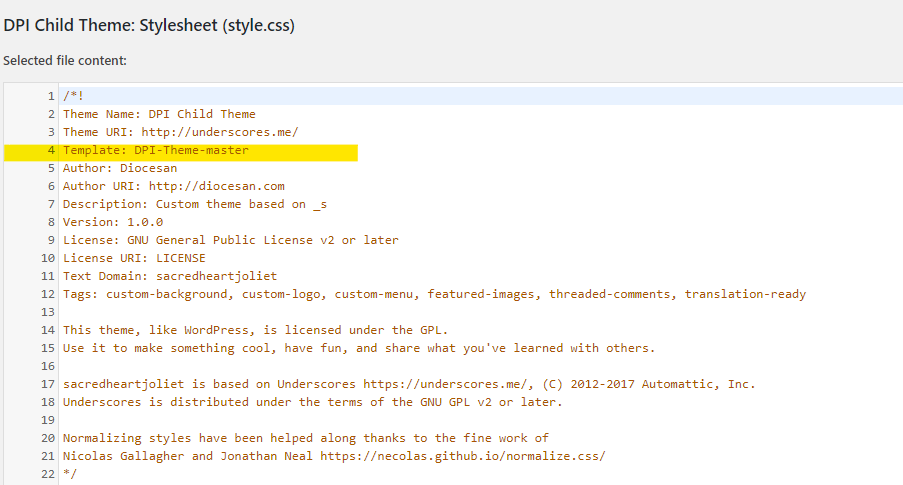
In Theme Editor, go to Child Theme > style.css and the template in the comments at the start of the document need to match the DPI Theme folder in the public_html folder (see Image 1 below). In this case, it took logging into the server to find out it was called "DPI-Theme-master". It needs to match the name exactly. Save the DPI Child Theme once the template is updated (Image 2 below).
The Issue:
DPI Child Theme was 'broken' because it needed to be connected to the right parent theme.
The Solution:
In Theme Editor, go to Child Theme > style.css and the template in the comments at the start of the document need to match the DPI Theme folder in the public_html folder (see Image 1 below). In this case, it took logging into the server to find out it was called "DPI-Theme-master". It needs to match the name exactly. Save the DPI Child Theme once the template is updated (Image 2 below).
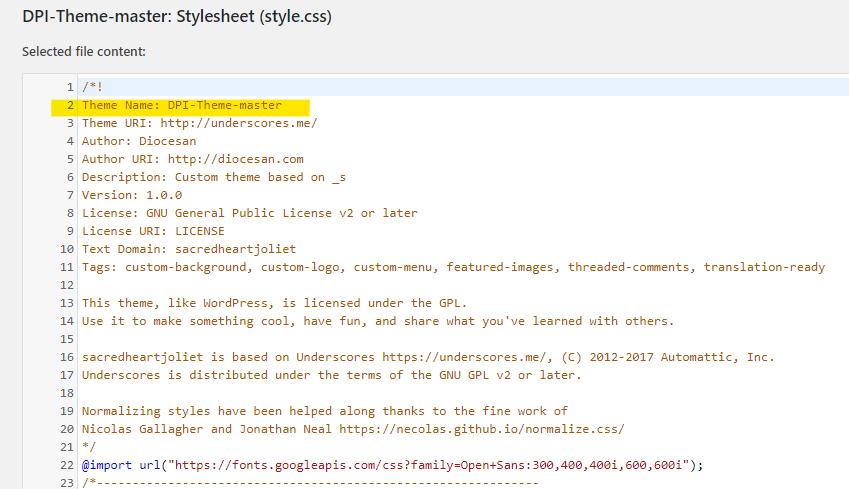
Next, go to the Parent Theme (DPI Theme), change the Theme Name to what it was called in the Child Theme, in this case, "DPI-Theme-master" (See Image 3). Save the Document.
Once both of those style.css files are correct, go to Appearance > Themes and activate the child theme. Hard Refresh the homepage and make sure the changes have been made.
That's all part of why we need to have a discussion on Template Sites and who does what part of them...
On this site I uploaded the master Theme file from GitHub - and yes, it would need to be connected. On Rita, I pulled the Theme and child from the site the template is based on, so they'll be linked.
There needs to be a process figured out for this.