











Gmail/Calendar Set Up
Username: stlouischurchmphs@gmail.com
PW: St.Louis
Birthday: April 25, 1958 (St. Louis' Dedication Date)
I have already logged in and set up the calendar. I am now adding events.
PW: St.Louis
Birthday: April 25, 1958 (St. Louis' Dedication Date)
I have already logged in and set up the calendar. I am now adding events.
Veronica Alvarado
Web Department, Diocesan
877-923-0777
877-923-0777
 Veronica Alvarado
Username: stlouischurchmphs@gmail.com
PW: St.Louis
Birthday: April 25, 1958 (St. Louis' Dedication Date)
I have already logged in and set up the calendar. I am now adding events.
PW: St.Louis
Birthday: April 25, 1958 (St. Louis' Dedication Date)
I have already logged in and set up the calendar. I am now adding events.
Veronica Alvarado
Web Department, Diocesan
877-923-0777
877-923-0777
 Jan O'Donnell
Veronica,
I already have a couple of questions!
How do I delete a page?
How do I edit a team member’s info? I need to correct an email address.
Thank you,
Jan O’Donnell
St. Louis Catholic Church
(901) 255-1954
I already have a couple of questions!
How do I delete a page?
How do I edit a team member’s info? I need to correct an email address.
Thank you,
Jan O’Donnell
St. Louis Catholic Church
(901) 255-1954
Veronica Alvarado
Good Morning Jan,
How to delete a page:
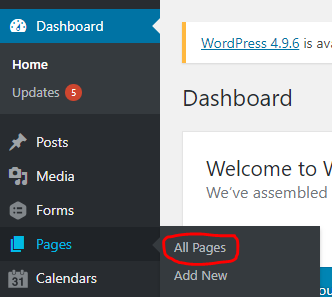
- Hover over Pages and click on All Pages
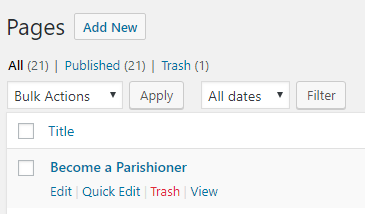
- Hover over the page you wish to delete and click Trash
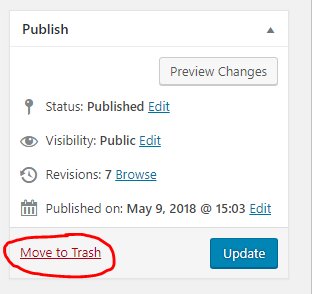
Another way to delete a page
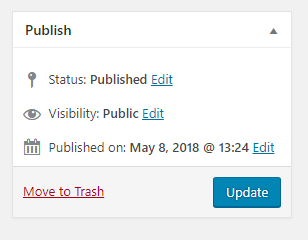
When editing the page, click Move to Trash on the left of the Publish/Update button.
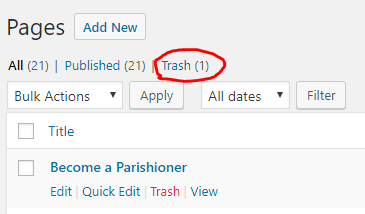
If you ever need to restore a trashed page, you can go to your Trash under Pages, hover on the name of the page and click Restore.
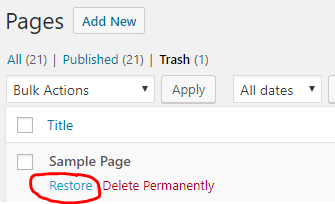
If you ever need to restore a trashed page, you can go to your Trash under Pages, hover on the name of the page and click Restore.
Editing team member information
- In the dashboard, go to Teams

- Click on the team you wish to edit
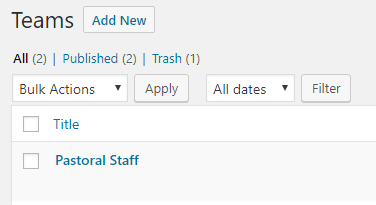
- Edit the details as needed
- First Name
- Last Name
- Title/Job
- Description/Biography
- Social Links (Email/Facebook/Instagram/etc.)
- Photo
- Order (use the up and down arrows near the top of each member's details

- Add new members as needed by clicking the Add A Member button located at the bottom of the page
- Save your changes by clicking Update.
Veronica Alvarado
Web Department, Diocesan
877-923-0777
877-923-0777
Veronica Alvarado
Jan,
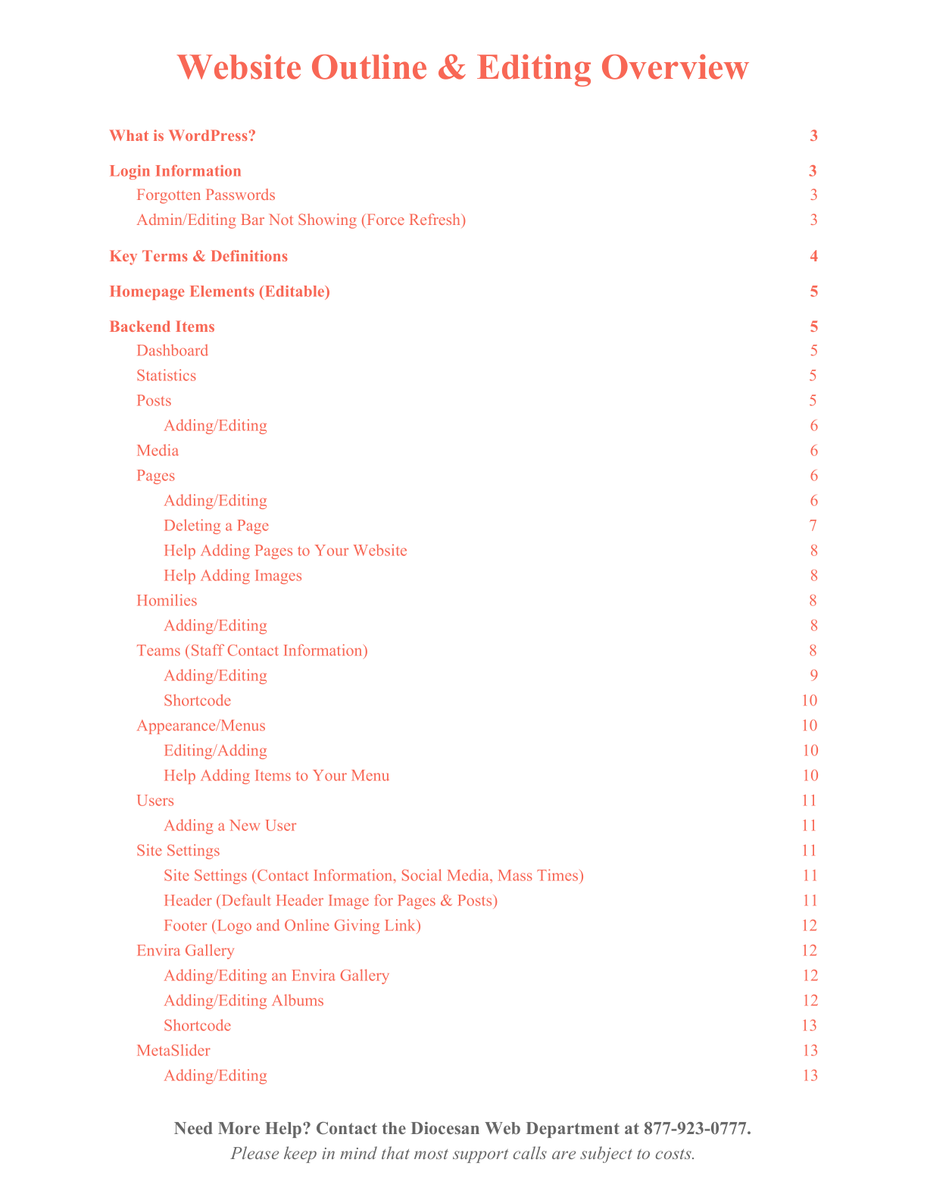
Here is your personalized written copy of how to edit the website. While it does not answer ALL the questions, it should help with most things.
Thank you and happy editing!
Veronica Alvarado
Web Department, Diocesan
877-923-0777
877-923-0777
Jan O'Donnell
Veronica,
Here is what I see when I hover over the page I wish to delete:
[cid:image005.jpg@01D3EE84.0CC1D640]
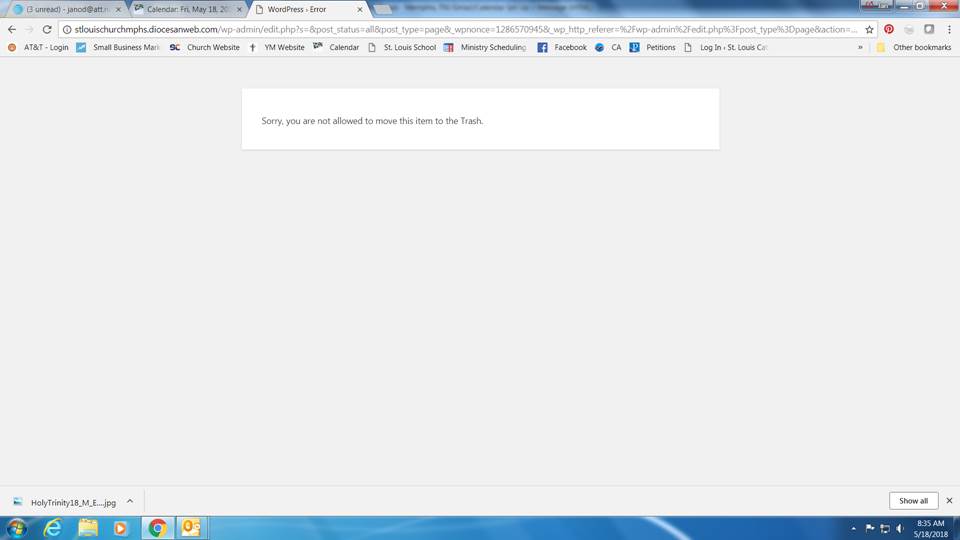
When I try the doing it as a bulk action, I get this error message:
[cid:image006.jpg@01D3EE84.0CC1D640]
I was able to edit the email address in the Description/Biography section. For some reason, I thought I was supposed to do that in another place.
Thank you,
Jan O’Donnell
St. Louis Catholic Church
(901) 255-1954
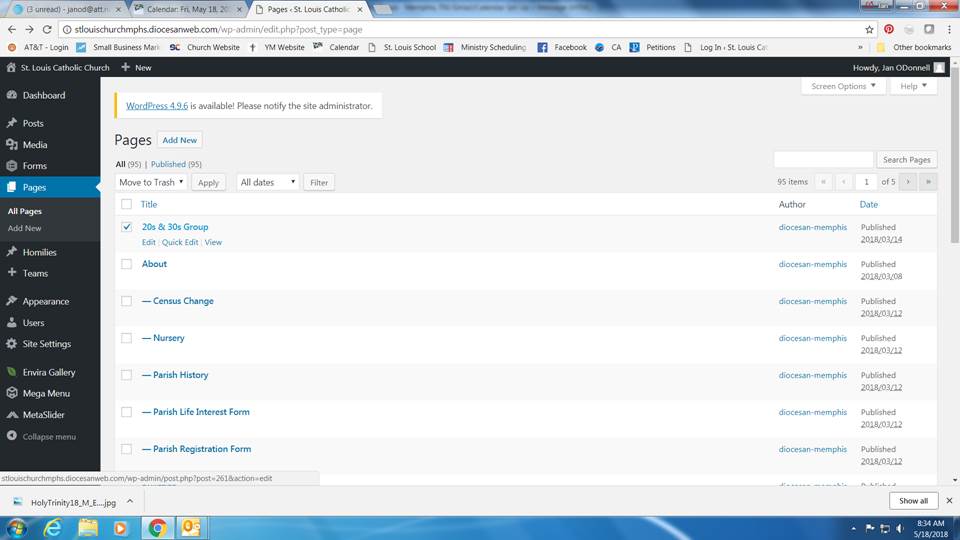
Here is what I see when I hover over the page I wish to delete:
[cid:image005.jpg@01D3EE84.0CC1D640]
When I try the doing it as a bulk action, I get this error message:
[cid:image006.jpg@01D3EE84.0CC1D640]
I was able to edit the email address in the Description/Biography section. For some reason, I thought I was supposed to do that in another place.
Thank you,
Jan O’Donnell
St. Louis Catholic Church
(901) 255-1954
Veronica Alvarado
Jan,
For some reason, your privileges did not include the ability to delete other's pages.
I have updated your privileges and you should be able to delete pages now.
Please test this out and let me know if it works.
Thank you!
Veronica Alvarado
Web Department, Diocesan
877-923-0777
877-923-0777
Jan O'Donnell
It worked! I thought I was going crazy—I knew I was doing it right and it just wouldn’t work. Thanks for your help!
Thank you,
Jan O’Donnell
St. Louis Catholic Church
(901) 255-1954
Thank you,
Jan O’Donnell
St. Louis Catholic Church
(901) 255-1954
Veronica Alvarado
No problem!
I'm glad we could get it all figured out. Plus, I'm super excited that you have taken the initiative to begin editing the website right away. This is the kind of enthusiasm parishes need more of, haha!
I'm glad we could get it all figured out. Plus, I'm super excited that you have taken the initiative to begin editing the website right away. This is the kind of enthusiasm parishes need more of, haha!
Veronica Alvarado
Web Department, Diocesan
877-923-0777
877-923-0777