












Email wrapping issues
Good afternoon, Maha -
I spoke with Veronica and we can certainly schedule a training for any Monday that you are available - if you want to plan on this coming Monday, the 4th, just let us know the time you are available and we'll get that scheduled, or if another day would work better for you, let me know!
Also, I've asked the developer to take a look at the issues with the emails not wrapping/shrinking/mobile unresponsive and we'll have him work on improving that.
The site should begin to show in Google searches shortly, as well. Definitely let me know if you come across any other issues as you work on the website and we'll address them!
Thank you
Mary
Web Department
877-923-0777
I spoke with Veronica and we can certainly schedule a training for any Monday that you are available - if you want to plan on this coming Monday, the 4th, just let us know the time you are available and we'll get that scheduled, or if another day would work better for you, let me know!
Also, I've asked the developer to take a look at the issues with the emails not wrapping/shrinking/mobile unresponsive and we'll have him work on improving that.
The site should begin to show in Google searches shortly, as well. Definitely let me know if you come across any other issues as you work on the website and we'll address them!
Thank you
Mary
Web Department
877-923-0777
 Maja
Maja
Yes. Please schedule a training session for Monday
 Mary Goeldel
What time would work best for you? We are typically available between 9 am and 2 pm for trainings, and we usually allow for about two hours of time needed.
Maja
Let’s do 11-1
Mary Goeldel
That sounds fine - I'll add it to the calendar!
Maja
Thank you, do they do a visit or over the phone?
Mary Goeldel
We will connect by telephone, and then we have software that we can use to connect so that I can see your computer screen. So you'll want to be at your computer when we talk.
Let me know if you have any questions about it, and let me know which phone number to call you at on Monday - thank you!
--Mary
Let me know if you have any questions about it, and let me know which phone number to call you at on Monday - thank you!
--Mary
Mary Goeldel
Good morning, Maha -
I'm planning on the training at 11 am today.
Would you like for me to call you at 11, or do you prefer to call the web department? I'd be happy to call - just let me know the phone number where you can be reached. You'll just need access to a computer that we can open the website on while we talk.
We'll use connection software available at churchremote.com.
Thank you!
Mary
I'm planning on the training at 11 am today.
Would you like for me to call you at 11, or do you prefer to call the web department? I'd be happy to call - just let me know the phone number where you can be reached. You'll just need access to a computer that we can open the website on while we talk.
We'll use connection software available at churchremote.com.
Thank you!
Mary
Maja
Good morning mary,
Please call me 561-504-6860, my schedule is packed today, but 11-1 I’m all yours.
Please call me 561-504-6860, my schedule is packed today, but 11-1 I’m all yours.
Mary Goeldel
OK! Sounds good.
If you get overwhelmed with things and find that another day works better, just let me know - my schedule is very open all week. :)
Thank you!
Mary
If you get overwhelmed with things and find that another day works better, just let me know - my schedule is very open all week. :)
Thank you!
Mary
Mary Goeldel
Maha,
Following our training, here are a few of the resources I mentioned to you:
www.pexels.com
www.unsplash.com
Both of these sites have nice royalty-free images you can use and we've already credited them in the code as they request.
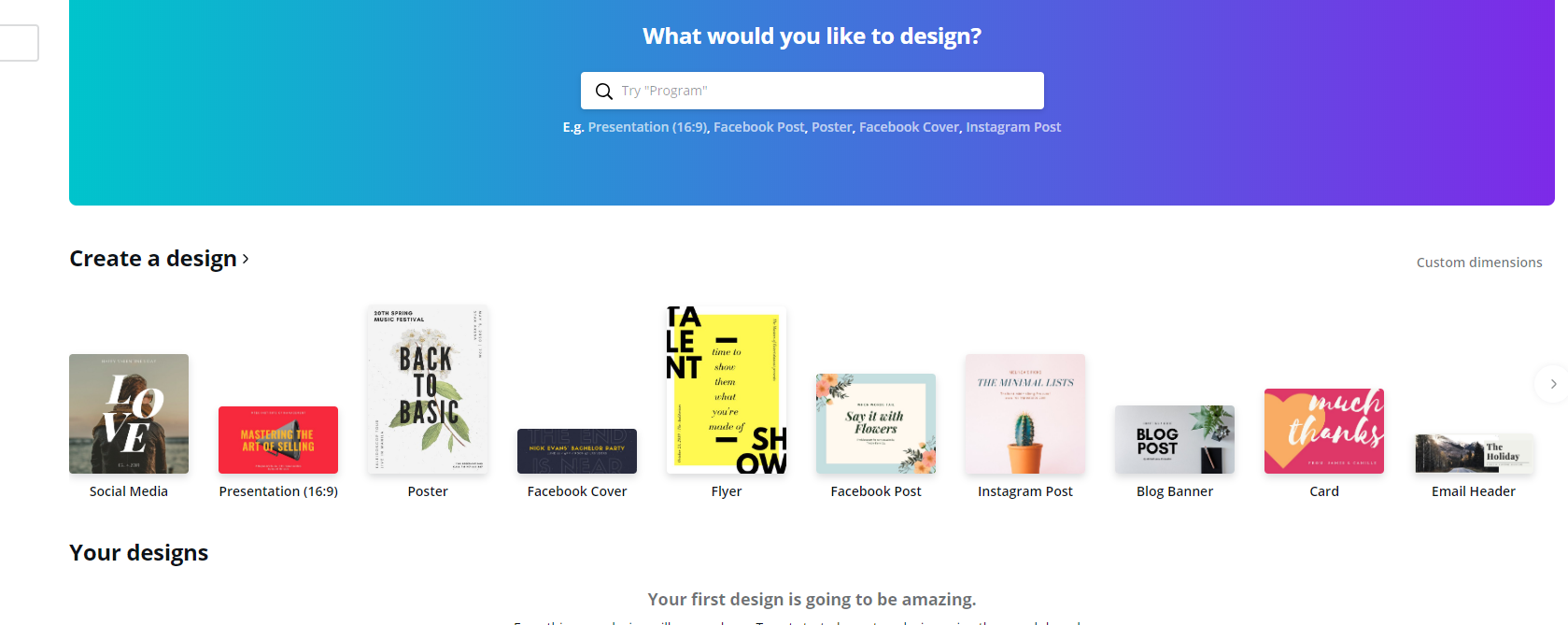
www.canva.com - this is a site where you can create an account and then make images with text on them very easily, even on a mobile device. Definitely check this one out! You can create a template to match the pixel size of your slider images (set over on the right side in MetaSlider) without worrying about losing text to cropping issues.
Screenshot from Canva - the "custom dimensions" is on the right, under the blue rectangle:
Just a few resources for you to add to your list!
--Mary
Following our training, here are a few of the resources I mentioned to you:
www.pexels.com
www.unsplash.com
Both of these sites have nice royalty-free images you can use and we've already credited them in the code as they request.
www.canva.com - this is a site where you can create an account and then make images with text on them very easily, even on a mobile device. Definitely check this one out! You can create a template to match the pixel size of your slider images (set over on the right side in MetaSlider) without worrying about losing text to cropping issues.
Screenshot from Canva - the "custom dimensions" is on the right, under the blue rectangle:
Just a few resources for you to add to your list!
--Mary
Maja
Thank you Mary, you helped the blind to see :)
I need help with the page that says “parish calendar” no idea how to access it.
I need help with the page that says “parish calendar” no idea how to access it.
Maja
I also can’t seem to find a way to edit the home page by adding the mass times for Ash Wednesday
Mary Goeldel
Hi, Maha -
Mass Times is found under the "Options" part of the side list (the black bar) on the dashboard. It looks like this:

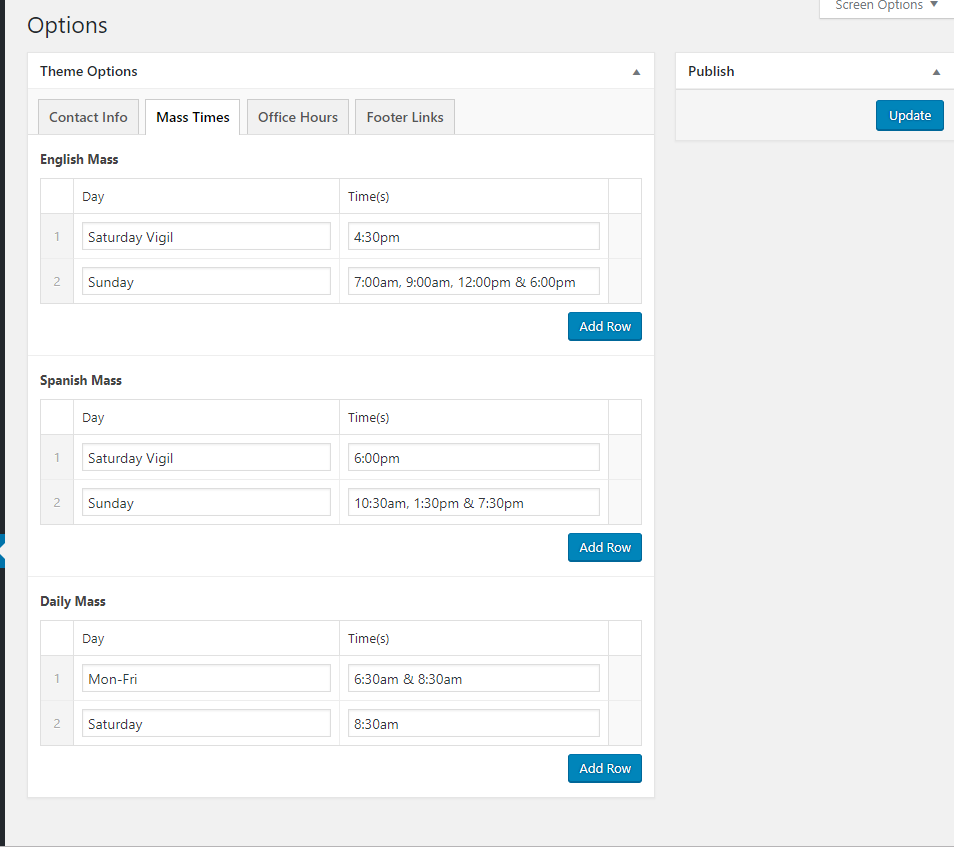
Mass Times is found under the "Options" part of the side list (the black bar) on the dashboard. It looks like this:
Mary Goeldel
If you need any assistance adding the Ash Wednesday times, just let me know. We could also add it as text on the image of the ashes that is on your slider, if you want, to make it more prominent.
Also, the calendar is fed from your Google calendar - was there anything you wanted to add to the page directly, either top or bottom of the calendar? You can do that by adding above or below the "shortcode" that is on the page. The shortcode looks like this:
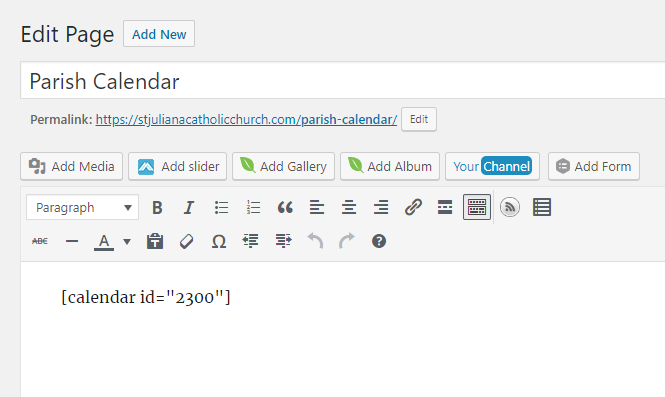
So you can add text, images, etc., either above or below that shortcode, but if we remove the shortcode, our calendar will no longer show up.
If you need to add something to the calendar itself, you'll want to do that through the Google calendar login directly.
Also, the calendar is fed from your Google calendar - was there anything you wanted to add to the page directly, either top or bottom of the calendar? You can do that by adding above or below the "shortcode" that is on the page. The shortcode looks like this:
So you can add text, images, etc., either above or below that shortcode, but if we remove the shortcode, our calendar will no longer show up.
If you need to add something to the calendar itself, you'll want to do that through the Google calendar login directly.