













Screenshots of Staff Pages
That is because Safari has a cached version of the page. I just had to clear my cache on my iPhone (note: it will close all your open tabs!) and this is what I see:
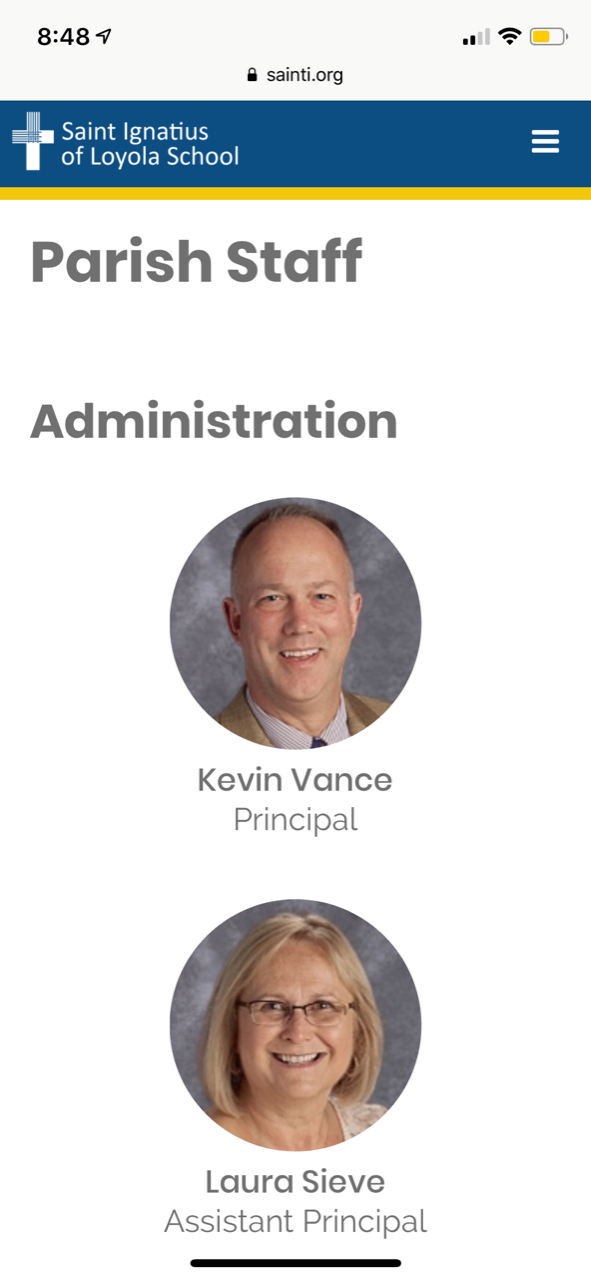
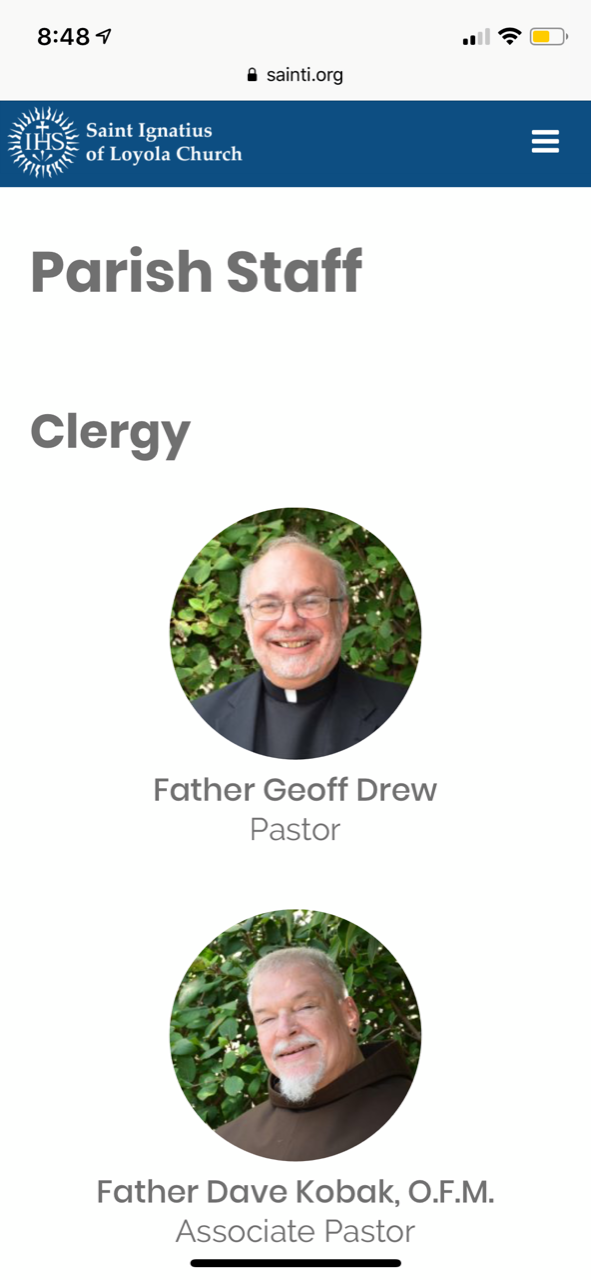
In order to clear your cache on your iPhone, follow these instructions:
- Go to Settings
- Scroll down to Safari and click.
- Near the bottom, you'll see Clear History and Website Data. Click.
- Open Safari again and visit the sainti.org school and church staff pages.
In order to clear your cache on an Android, follow these instructions:
- Go to Settings
- Find Apps (or Applications) and select your internet browser.
- Tap on Storage and the buttons for clearing the cache will appear.
- Clear the cache.
- Open your internet browser and visit the sainti.org school and church staff pages.
For some Androids, you have to follow these instructions (click here).
Unfortunately, we cannot force refresh the page for anyone that has already visited these staff pages, but anyone visiting the staff page for the first time after Monday morning will be able to see the correct one.
Homepage Slider
I'm seeing now that I should not have allowed the ability to change heading size for the sliders, because now the limitations will entirely depend on what heading is used for the title, how long the title is, and depending on the heading and length of the title, then we know the limitations of the heading and length of the text.
Before it was editable, it was already set to be a maximum number of characters that was unbreakable because it was always the same Headings for the title and text.
I am still working on getting the instructions right, though I am not sure if I will be able to because it depends on the length of each word when placed next to each other (so if one word is short, the second can be x number of characters long, etc). So I am going to talk to the developer about how we can find limitations and re-style the slider text to have actual limitations that are unbreakable.
Before it was editable, it was already set to be a maximum number of characters that was unbreakable because it was always the same Headings for the title and text.
I am still working on getting the instructions right, though I am not sure if I will be able to because it depends on the length of each word when placed next to each other (so if one word is short, the second can be x number of characters long, etc). So I am going to talk to the developer about how we can find limitations and re-style the slider text to have actual limitations that are unbreakable.
Calendar All Day Events
We were able to contact the creator of the plugin used to display your calendar and they have a hidden, but built in, way to have all day events display as "All Day"! We will be working on this today.
Web Support While I Am Gone
While I am gone, feel free to call the same number (you will be directed towards our support specialist, Mary, or one of our developers) OR email webdepartment@dicesan.com
Thank you,
Veronica Alvarado
Web Department, Diocesan
877-923-0777
Hey Veronica,
See she the attached.
Staff pages - circles and copy issues
It seems like the Church works in safari on my iPhone 8+ however school does not, and church and school didn’t work on chrome or safari ..
Thanks
Amy
Sent from my iPhone
 Veronica Alvarado
Good morning Amy,
I just spoke with the developer and he said that we are going to set up so that the title and text will fill spaced then cut off with "..." after them. This will be automatically done, so it is dependent on the number of lines that fit on a person's screen, rather than the number of characters or word length.
The same will go with the title. Of course, if the title is using paragraph text, then it will display more of the text before being cut off.
The button will always be at the bottom when it is on mobile, so that it is never pushed off the screen as it is now.
This way, even if we do not know the phone's screen size it will display as much as possible, cut off the rest, and ALWAYS display the button (because the action item is the most important).
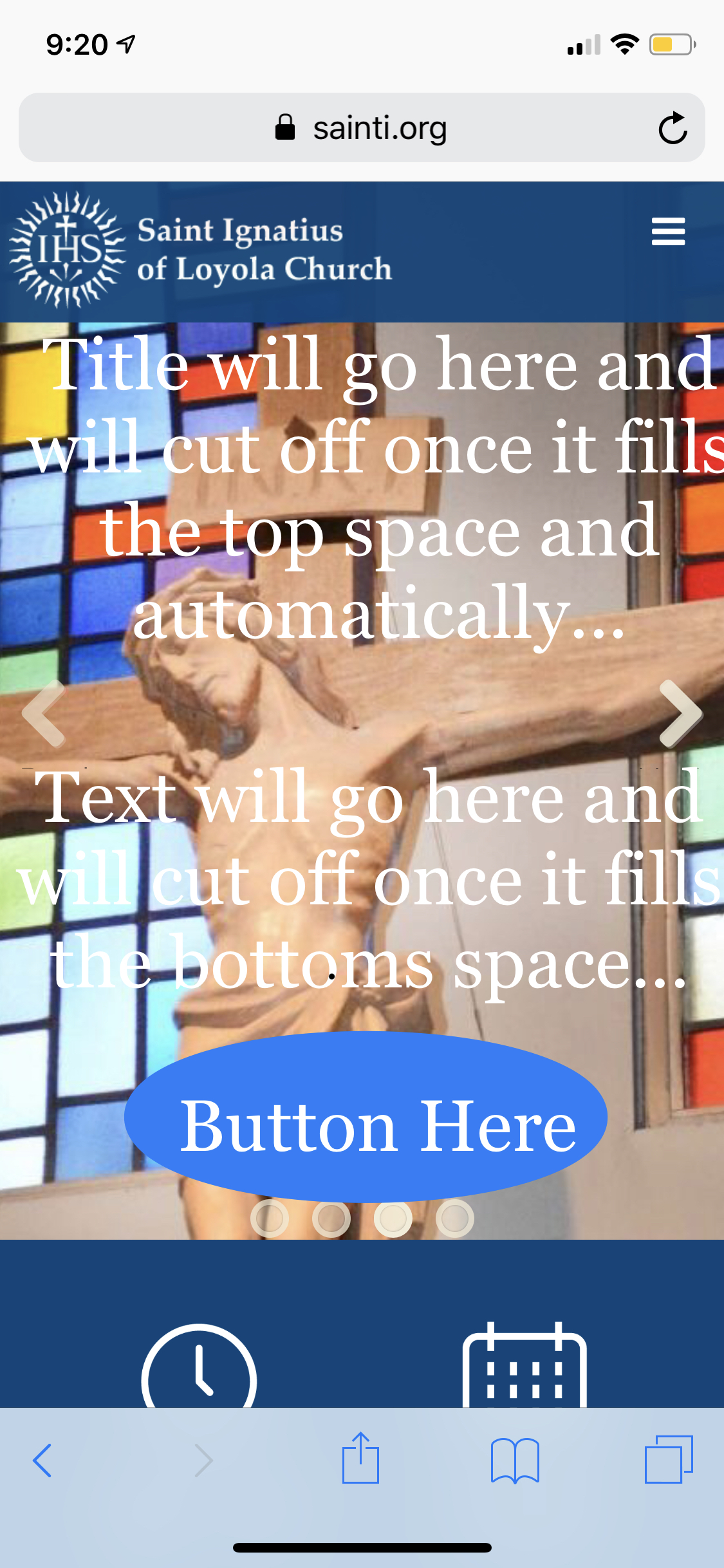
I think this is truly our best solution to this issue because it allows you to change the title and text as needed, but does not have a million conditionals as to what number of characters depending on the length of words, depending on the heading size.
Of course, if you'd like, we can still try to send you recommendations for our estimates of characters, but there is no guarantee that it will fit every single mobile device's screen.
Our developer is going to work on these items this morning.
Thank you,
Veronica Alvarado
Web Department, Diocesan
877-923-0777
877-923-0777