











Scheduled Launch
Good morning Ed,
I was wondering if John over at Computer Spectrum had planned on making that DNS change today.
When he does make the change, please let us know and we will complete our portion of the site launch.
I will be in meetings throughout the day, but please feel free to call and speak to either Kyle Brown (developer) or me. You can reach both of us at 877-923-0777.
Thank you,
Veronica Alvarado
Web Department, Diocesan
877-923-0777
877-923-0777
 Ed Scotts
Veronica,
We will be pushing the DNS change to tomorrow.
Thanks,
Ed
We will be pushing the DNS change to tomorrow.
Thanks,
Ed
 Veronica Alvarado
Sounds good. Once John makes the changes, if you could please send us a quick email or give us a call, we will know to complete the launch and send y'all an email with follow up information.
Thank you,
Thank you,
Veronica Alvarado
Web Department, Diocesan
877-923-0777
877-923-0777
Ed Scotts
FYI... The certificate for sfxmw.diocesanweb.org (http://sfxmw.diocesanweb.org) seems to be invalid. Its showing as Not Secure. I don't remember seeing this before. Has the certificate expired or is there some other issue?
Veronica Alvarado
That is correct, there is no security certificate for the development site right now. This is a part of our process for setting up for launch, so we started this yesterday morning.
To get past this screen, click Show Advanced then Proceed to http://sfxmw.diocesanweb.org.
We have already set up the launch URL with a security certificate (SSL) that will go into effect once you change the DNS tomorrow.
To get past this screen, click Show Advanced then Proceed to http://sfxmw.diocesanweb.org.
We have already set up the launch URL with a security certificate (SSL) that will go into effect once you change the DNS tomorrow.
Veronica Alvarado
Web Department, Diocesan
877-923-0777
877-923-0777
Ed Scotts
Veronica,
I've been working on updating the site today, and I've noticed a couple of issues.
1. The image size for news and event images on the home page looks good. However, we expected the same size on the actual "news" page. The images there are more square and will clip, causing the site to look less professional. Can we use the same size images on the "news" page?
2. The Footer font sizes still look too large (both the headings and the text/links). They actually look larger than the main body text in the home page. It looks like the size is responsive - the relative size gets smaller when I decrease the size of my window. If I make the window really narrow (like a mobile device), the font size looks good - just a little smaller than the main font size in the body of the home page. However, when my window size is wide, the footer text size gets too big.
3. The font size for the main menu items (About us, News, Ministries, ...) should be a little larger. They look smaller than the main body text and they should be at least the same size if not a littler larger.
4. Can the links from the new Daily Readings section be configured to open in a new tab?
Thanks,
Ed.
I've been working on updating the site today, and I've noticed a couple of issues.
1. The image size for news and event images on the home page looks good. However, we expected the same size on the actual "news" page. The images there are more square and will clip, causing the site to look less professional. Can we use the same size images on the "news" page?
2. The Footer font sizes still look too large (both the headings and the text/links). They actually look larger than the main body text in the home page. It looks like the size is responsive - the relative size gets smaller when I decrease the size of my window. If I make the window really narrow (like a mobile device), the font size looks good - just a little smaller than the main font size in the body of the home page. However, when my window size is wide, the footer text size gets too big.
3. The font size for the main menu items (About us, News, Ministries, ...) should be a little larger. They look smaller than the main body text and they should be at least the same size if not a littler larger.
4. Can the links from the new Daily Readings section be configured to open in a new tab?
Thanks,
Ed.
Veronica Alvarado
Ed,
I have asked the developer to update the images on archive pages to match the homepage, the main menu font size to be larger, and make sure Daily Readings links open in new tabs. He is working on those items now.
Before we make changes to the footer, I do want to ask if you are you looking at the computer zoomed in or at 100%. We've run into the situation where someone is viewing the site zoomed in and did not know it, so I just like to make sure.
For the footer headings, we will reduce the size down from 35px to 30px
Currently, 35 px
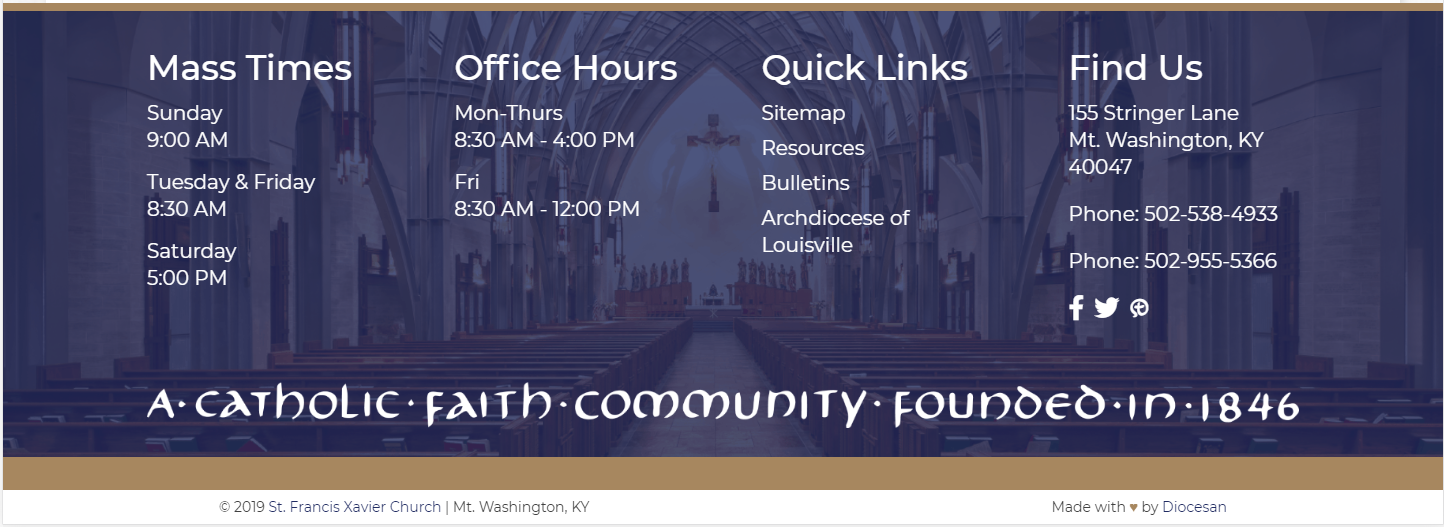
30 px
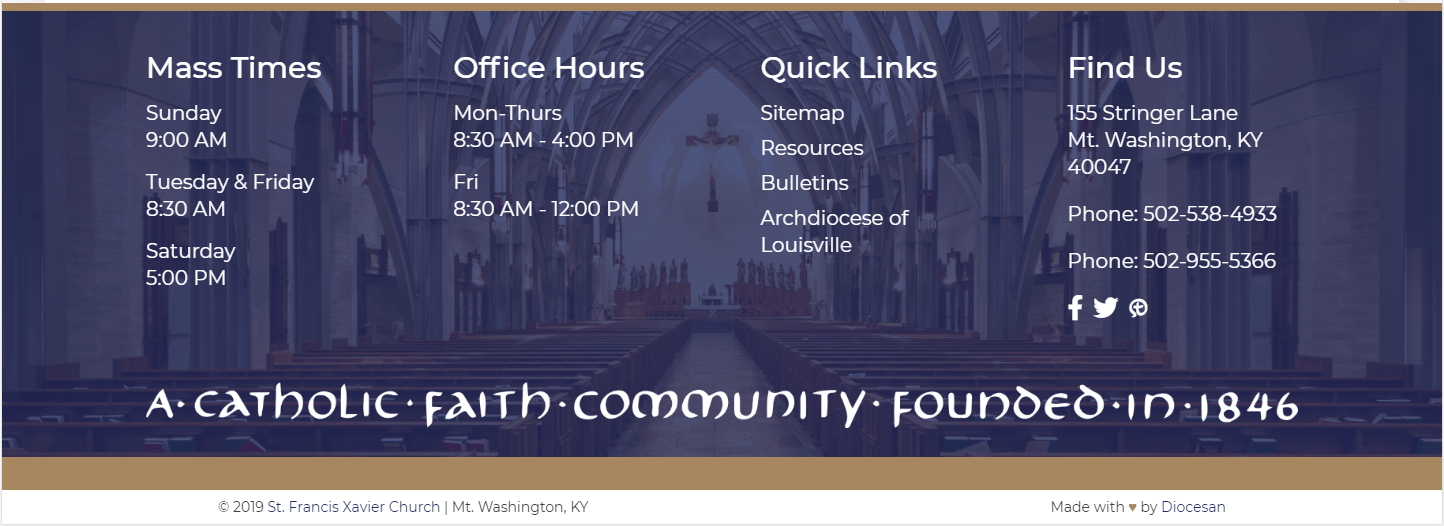
25px
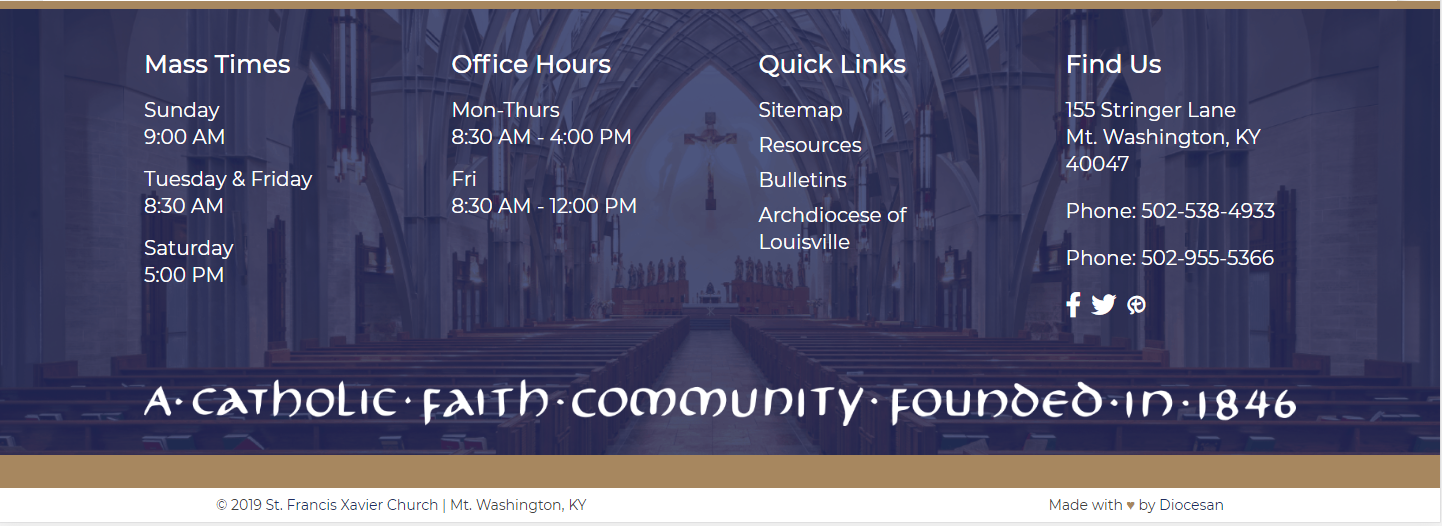
Also, the footer font size for text/links is currently 20 px, while the paragraph font size on pages is 18 px (see image below for comparison. The mobile font size is 14 px, which we DO NOT recommend for larger screens.
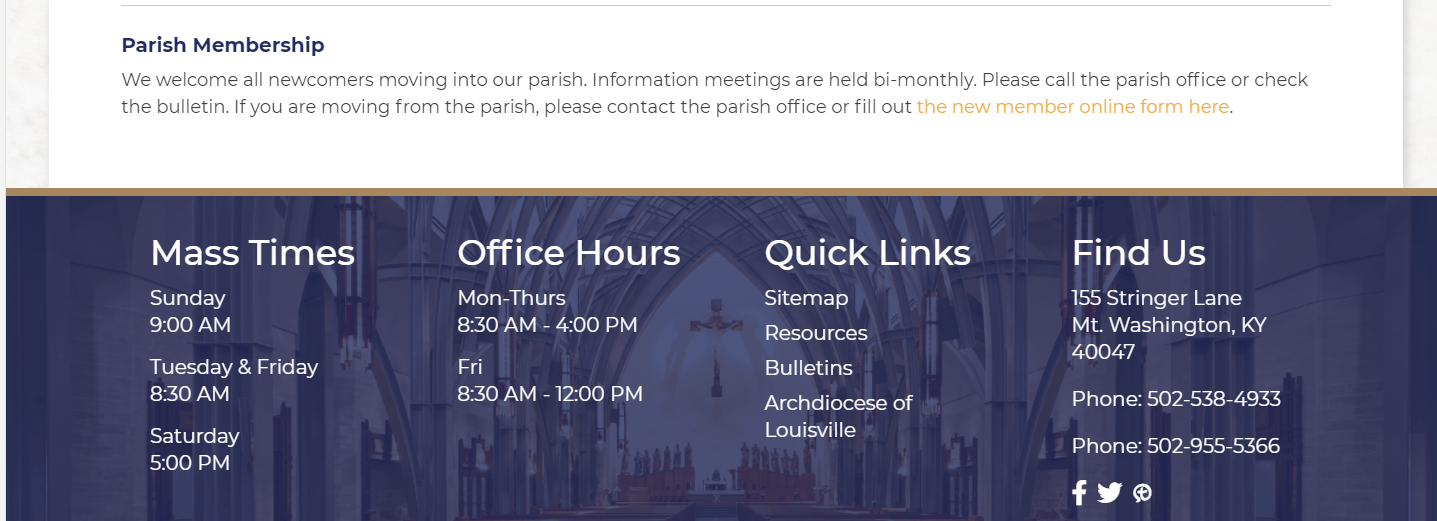
Please let me know what size you'd like us to change the footer headings and paragraph font sizes to.
Thank you,
Veronica Alvarado
Web Department, Diocesan
877-923-0777
877-923-0777
Ed Scotts
Veronica,
I double checked and I was not zoomed in - I was viewing at 100%.
I'd would prefer for the footer text to not be larger than the main body text. I'm thinking the footer headers 25px and the footer text 18px - do you think that would work okay?
Thanks,
Ed.
I double checked and I was not zoomed in - I was viewing at 100%.
I'd would prefer for the footer text to not be larger than the main body text. I'm thinking the footer headers 25px and the footer text 18px - do you think that would work okay?
Thanks,
Ed.
Ed Scotts
Veronica,
The images on the news page look much better, as well as the footer - thanks for getting these changes turned around so quickly.
One final question:
I modified the home page to use the slider (to display multiple images). The slide text for the slider is put in the bottom left corner as opposed to being centered like it is with the single image home page. I decided to just not use the slide text and imbed the text I wanted directly into the images. However, when I did that, the first page of the slider still showed a black box in the bottom left corner - even though no text was put into the Slide Title and Slide Text fields in the editor. Is there a way to eliminate the black box if there is no text? Alternatively, is there a way to have the text centered like it is for the single image mode?
Thanks,
Ed.
The images on the news page look much better, as well as the footer - thanks for getting these changes turned around so quickly.
One final question:
I modified the home page to use the slider (to display multiple images). The slide text for the slider is put in the bottom left corner as opposed to being centered like it is with the single image home page. I decided to just not use the slide text and imbed the text I wanted directly into the images. However, when I did that, the first page of the slider still showed a black box in the bottom left corner - even though no text was put into the Slide Title and Slide Text fields in the editor. Is there a way to eliminate the black box if there is no text? Alternatively, is there a way to have the text centered like it is for the single image mode?
Thanks,
Ed.
Ed Scotts
Veronica,
I was working on the site tonight, and about 1am I was kicked out of the editor. I have not been able to get back in. It takes me to the site and I can see my recent changes, but I'm not logged in and can not edit. By some chance is there maintenance that happens at night? If so, what is the normal maintenance time? If not, what do I need to do to get logged back in?
I've tried both of the following URLs:
https://sfxmw.diocesanweb.org/mtwashington
https://sfxmw.diocesanweb.org
Thanks,
Ed.
I was working on the site tonight, and about 1am I was kicked out of the editor. I have not been able to get back in. It takes me to the site and I can see my recent changes, but I'm not logged in and can not edit. By some chance is there maintenance that happens at night? If so, what is the normal maintenance time? If not, what do I need to do to get logged back in?
I've tried both of the following URLs:
https://sfxmw.diocesanweb.org/mtwashington
https://sfxmw.diocesanweb.org
Thanks,
Ed.
 Kyle Brown
Hi Ed,
My name is Kyle, I am developer on your site!
As a security precaution, we have the website set to log everybody out between the hours of 1am and 6am. You should be able to get logged in now.
I am currently going through and making the changes to your slider so that it displays the way you would like!
Let me know if you have any other changes!
My name is Kyle, I am developer on your site!
As a security precaution, we have the website set to log everybody out between the hours of 1am and 6am. You should be able to get logged in now.
I am currently going through and making the changes to your slider so that it displays the way you would like!
Let me know if you have any other changes!
Kyle Brown
Web Department, Diocesan
877-923-0777
877-923-0777
Ed Scotts
Kyle,
Thanks for the update. Is the 1am to 6am lockout only temporary? I'm frequently catching up on things late at night and need to know if editing after 1am will always be unavailable.
As for the site, things are looking much better now - one last thing was the size of the main menu font - it still looks a little small relative to the rest of the page.
Thanks,
Ed.
Thanks for the update. Is the 1am to 6am lockout only temporary? I'm frequently catching up on things late at night and need to know if editing after 1am will always be unavailable.
As for the site, things are looking much better now - one last thing was the size of the main menu font - it still looks a little small relative to the rest of the page.
Thanks,
Ed.
Kyle Brown
Hello Ed,
I've bumped up the font size on the main menu for you!
The lockout is one of the standard security precautions that we put on your site, but we can disable it if you are regularly making edits late at night.
Let me know if you have any questions.
I've bumped up the font size on the main menu for you!
The lockout is one of the standard security precautions that we put on your site, but we can disable it if you are regularly making edits late at night.
Let me know if you have any questions.
Kyle Brown
Web Department, Diocesan
877-923-0777
877-923-0777
Veronica Alvarado
Hi Ed,
The site lockout is every night from 1-6 am. We can turn this feature off, or update the times if you'd like.
Veronica Alvarado
Web Department, Diocesan
877-923-0777
877-923-0777
Ed Scotts
Veronica & Kyle,
Please turn the safety feature off so that I can edit at anytime during the night.
Also, the main menu items on the primary navigation still seem to be the same size - or maybe they were made larger, but still seem proportionally small compared to the rest of the text on the screen, including the sub-menus. Can you make them a little larger? (I'm referring to About Us, News, Ministries, ....).
Thanks,
Ed.
Please turn the safety feature off so that I can edit at anytime during the night.
Also, the main menu items on the primary navigation still seem to be the same size - or maybe they were made larger, but still seem proportionally small compared to the rest of the text on the screen, including the sub-menus. Can you make them a little larger? (I'm referring to About Us, News, Ministries, ....).
Thanks,
Ed.
Veronica Alvarado
Hi Ed,
We have turned this security feature off so you will be able to log into the site to edit at any time.
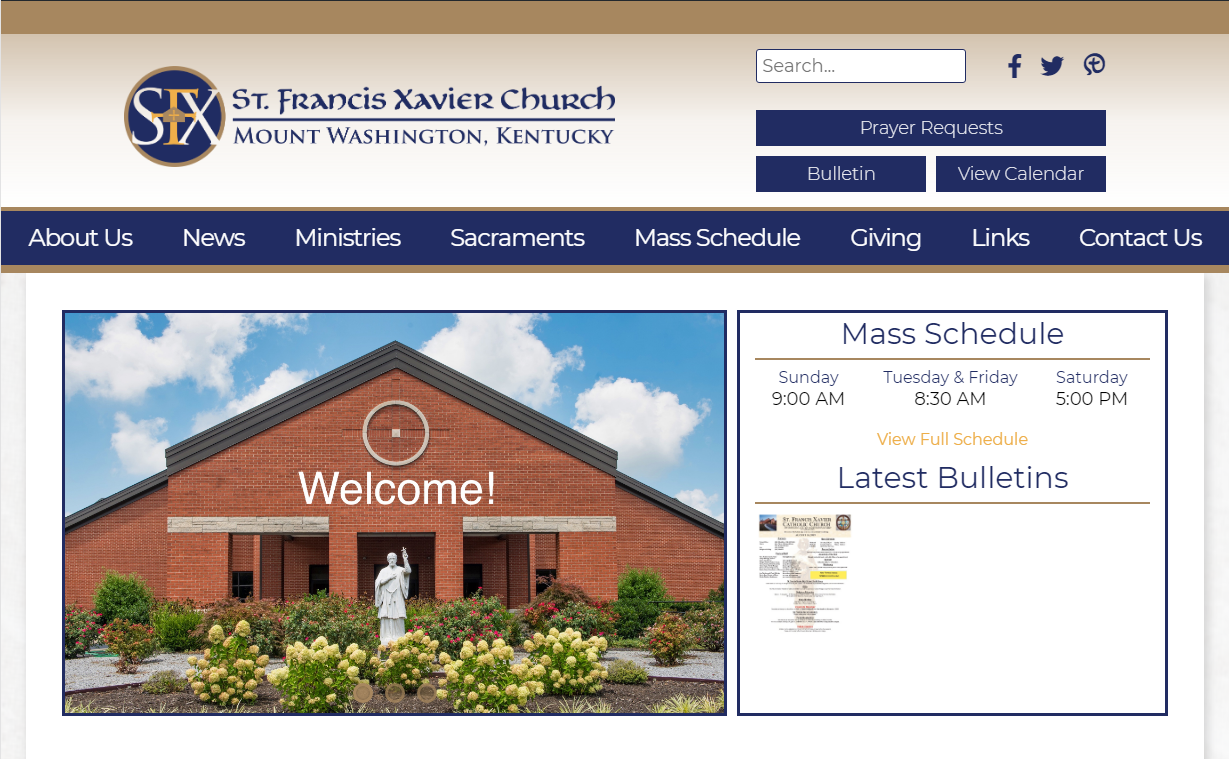
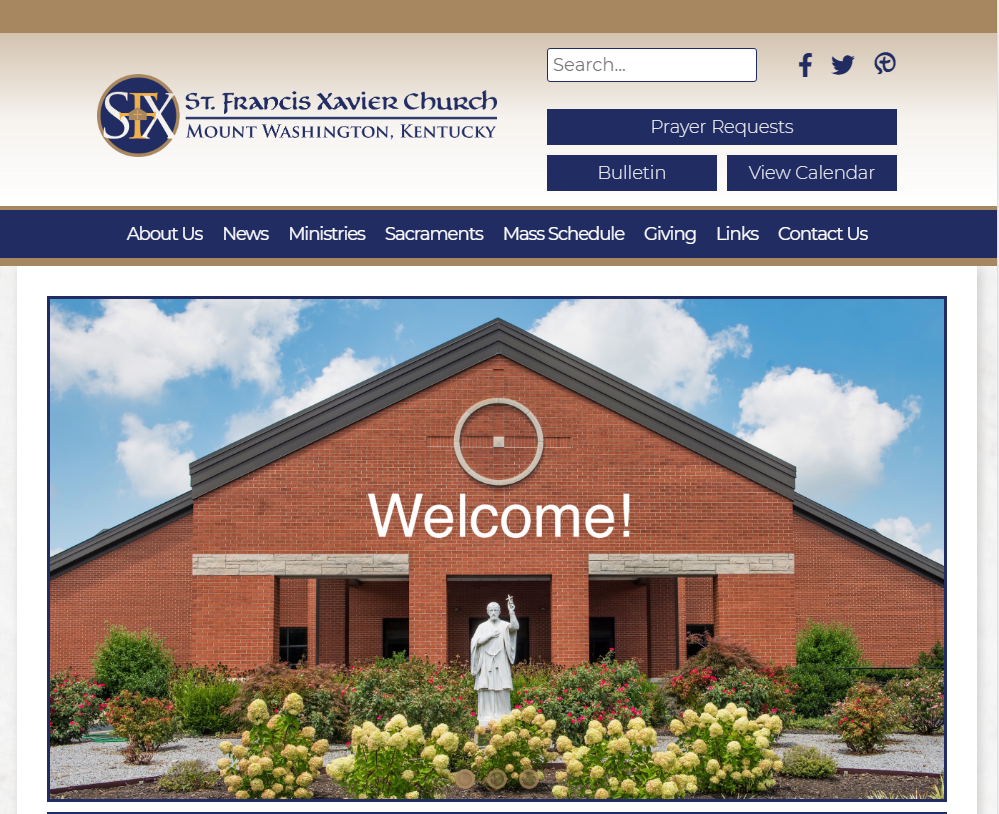
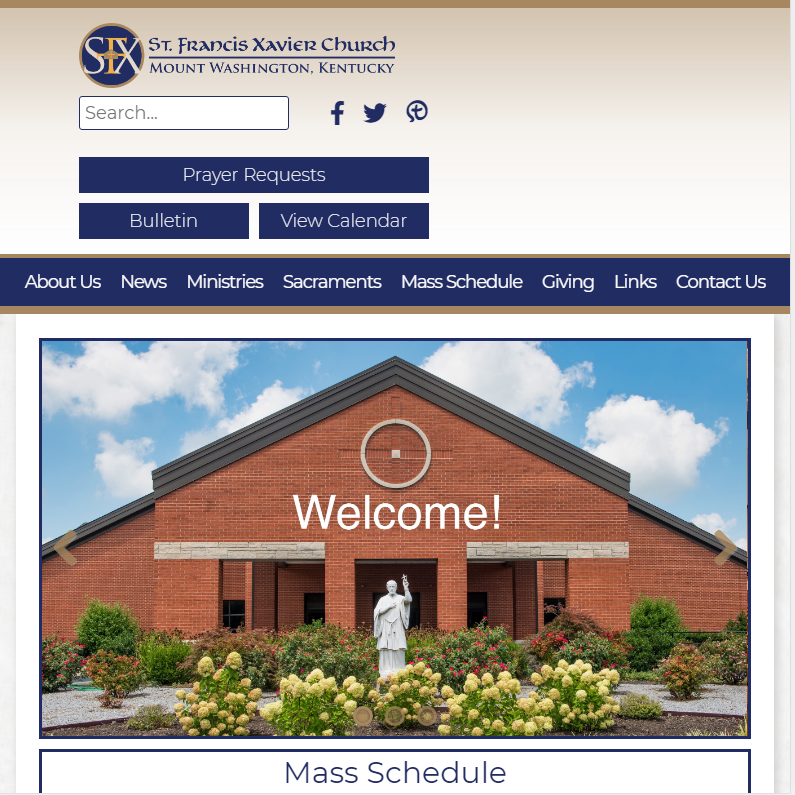
As for the main menu items in the primary navigation, we have made it so that screens from 1230px wide and larger, the font size is the same as "Mass Schedule" and "Latest Bulletins", but cannot do the same for smaller screen sizes because there would not be enough spacing between the words to differentiate them.
If there were less menu items, then we would feel comfortable upping the font at a less-wide breakpoint. Unfortunately, with the amount of text in the menu, making the font larger would push the words together.
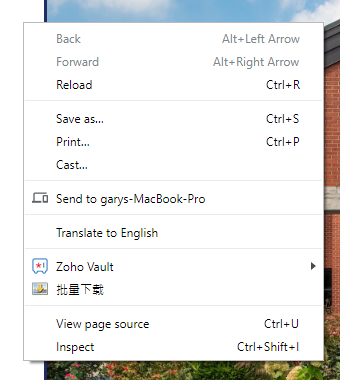
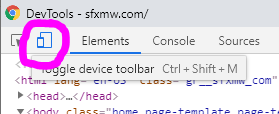
To see additional breakpoints, try inspecting your homepage and viewing the Toggle Device Toolbar where you can select various device sizes.
Thank you,
Veronica Alvarado
Web Department, Diocesan
877-923-0777
877-923-0777
Views on Various Screens
1230 px (desktop, large laptop):
1000 px (small laptop):
800 px (landscape tablet):
 Ed Scotts
This will work fine - Thanks.