










User Roles
Hi Violet and Donna,
Here is the link to the spreadsheet I mentioned that laid out the different user roles and their access.
https://docs.google.com/spreadsheets/d/148M6IEsmfdlKqpvsVps8xdHJfCVlPvgGtP9m_VuaPSQ/edit?usp=sharing
Also, here is the link to the working sitemap:
https://docs.google.com/document/d/1NGMBt-49GeXjFq_Yqe8_oRYDn2X2jyjrJgzMom0OMTI/edit?usp=sharing
Thank you,
Veronica Alvarado
Web Department, Diocesan
877-923-777
877-923-777
 Violet LaVille
Thanks Veronica,
Just waiting for our user login and password so we can review what we learned during training. Also, can we please get the training user name and password as well so our staff can use that account to become familiar with wordpress too.
Thanks,
Violet
Just waiting for our user login and password so we can review what we learned during training. Also, can we please get the training user name and password as well so our staff can use that account to become familiar with wordpress too.
Thanks,
Violet
 Veronica Alvarado
Hello Violet,
Both you and Donna should have received your login information, in addition to the Limited Author role login (training account). The emails were sent from the Diocesan Web Department email, so they may have ended up in your spam or junk mail folder.
If you need me to send them again, please let me know.
Veronica Alvarado
Web Department, Diocesan
877-923-777
877-923-777
Violet LaVille
Thank you Veronica! I found it.
 Donna Engborg
Violet, let me know where you found it, I don’t see it. Not in Junk email either.
Thanks.
Thanks.
Veronica Alvarado
The title of the emails was New User Account for Elizabeth Ann Seton (Lake Ridge, VA).
Again, please let me know if you'd like me to send it again.
Again, please let me know if you'd like me to send it again.
Veronica Alvarado
Web Department, Diocesan
877-923-777
877-923-777
Veronica Alvarado
Violet,
It seems as though I was mistaken. For whatever reason, WordPress allows a user role to submit for review POSTS only, but not pages.
So the limited user role would still be able to update their own pages, unless they submit a page for review.
Here are instructions on how to do this.
https://www.ostraining.com/blog/wordpress/pending-review/
I am still trying to find a work around this, but have come up with nothing thus far.
Thank you,
Veronica Alvarado
Web Department, Diocesan
877-923-777
877-923-777
Violet LaVille
Veronica,
Thank you for sending the tutorial. I will take a look at it and let you know if I have any questions.
Thanks again,
Violet
Thank you for sending the tutorial. I will take a look at it and let you know if I have any questions.
Thanks again,
Violet
Violet LaVille
Veronica,
Happy New Year! Hope you had a wonderful celebration. Just following up on all the updates we discussed during the training.
Can you please also check on the ‘About Us’ navigation item. When you hover over it, the whole box turns sage.
Additionally, we are hoping to launch our new website the 1st weekend of February, perhaps we can have our next training on the week of the 16-18th of January. Please let me know when you are available.
Lastly, I read the instructions below. Did you have any luck with the ‘user’ role?
Thanks,
Violet LaVille
Database Manager & Financial Assistant
St. Elizabeth Ann Seton Catholic Church
12807 Valleywood Drive
Lake Ridge, VA 22192
Tel: 703-494-4008 ext. 133
Fax: 703-494-1995
Happy New Year! Hope you had a wonderful celebration. Just following up on all the updates we discussed during the training.
Can you please also check on the ‘About Us’ navigation item. When you hover over it, the whole box turns sage.
Additionally, we are hoping to launch our new website the 1st weekend of February, perhaps we can have our next training on the week of the 16-18th of January. Please let me know when you are available.
Lastly, I read the instructions below. Did you have any luck with the ‘user’ role?
Thanks,
Violet LaVille
Database Manager & Financial Assistant
St. Elizabeth Ann Seton Catholic Church
12807 Valleywood Drive
Lake Ridge, VA 22192
Tel: 703-494-4008 ext. 133
Fax: 703-494-1995
Veronica Alvarado
Hello Violet,
The developer is working on the bulk of the to-dos now, but I was able to fix the About Us menu item.
As for the timeline of the site, I believe that it is most definitely doable.
Here are the dates that I will be available for the followup training:
The developer is working on the bulk of the to-dos now, but I was able to fix the About Us menu item.
As for the timeline of the site, I believe that it is most definitely doable.
Here are the dates that I will be available for the followup training:
- Wednesday (16th) from 12:30-3:00 pm
- Thursday (17th) All Day
- Friday (18th) from 8:00 am - noon
I do also want to let you know that I will be out of the office from January 21-28, but will be back in time for your launch. If you have any residual questions after the second training, Mary (our other content and support specialist) will be in the office and reachable at the same number. I trained her, but she probably knows more than I do, haha, so you'd be in good hands.
So I am still looking into the user role and trying it out on a different development site, but so far have not been able to find a way to have people only submit pages for review.
I'll keep you posted on that and look forward to setting a date for the second training!
Thank you and happy new year!
Veronica Alvarado
Web Department, Diocesan
877-923-777
877-923-777
Violet LaVille
Veronica and Mary,
Merry Christmas and a very Happy New Year to you both! Looking forward to seeing all the new updates.
With regards to the training, Thursday the 17th at 10am looks good, if that still works with your schedule.
I was just on the website again, and wanted to note a few updates below.
For the Home Page:
1. For the parish registration form, please use the EXACT same layout and content information as the one used by Holy Spirit. I’ve included their link. https://www.hsparish.org/about-us/join-our-parish/ The only exception is rather than, “Add a Child” at the bottom of the form use “Add another family member”. Also, please add the another field, “Relationship to you/Head of the Family”. Please call me if you have questions.
2. For the Main Navigation Items (About US, Liturgy, etc), the spacing looks great; however, we would like the ENTIRE RECTANGLE highlighted. For example, when you put your mouse above the “About Us” item, we don’t want to see any sage to the left and we want the highlight to go all the way to the line of the next rectangle. Hope this make sense. Please reference Holy Spirit. https://www.hsparish.org/
3. “Upcoming Events” needs to be “SEAS SPOTLIGHTS”
4. Also, as discussed, we would like ‘posts’ with photos to go in this section instead of the events pulled from the google calendar.
5. At the section, with myparish app, can we change the last sage box (on the right) so we can add an image instead…something like a post or button or the option for either.
6. At the very bottom, can you make the social media icons similar to the ones at the top. Please remove the underline.
For the “NEWS AND EVENTS”, when you click on an event, we discussed changing the back and previous buttons to that similar to that of St. Brigid’s ( the one you are working on). But, no need to add the text ‘next message’ or ‘previous message’. Do add the middle box which links back to the “news & events” section. And rather than “Archive, Explore all our Messages of the Week”, use “Explore all our News and Events”.
Lastly, I have a question on “POSTS”, can you please call me when your available? Will be in the office till 3pm today.
Thank you,
Violet LaVille
Database Manager & Financial Assistant
St. Elizabeth Ann Seton Catholic Church
12807 Valleywood Drive
Lake Ridge, VA 22192
Tel: 703-494-4008 ext. 133
Fax: 703-494-1995
Merry Christmas and a very Happy New Year to you both! Looking forward to seeing all the new updates.
With regards to the training, Thursday the 17th at 10am looks good, if that still works with your schedule.
I was just on the website again, and wanted to note a few updates below.
For the Home Page:
1. For the parish registration form, please use the EXACT same layout and content information as the one used by Holy Spirit. I’ve included their link. https://www.hsparish.org/about-us/join-our-parish/ The only exception is rather than, “Add a Child” at the bottom of the form use “Add another family member”. Also, please add the another field, “Relationship to you/Head of the Family”. Please call me if you have questions.
2. For the Main Navigation Items (About US, Liturgy, etc), the spacing looks great; however, we would like the ENTIRE RECTANGLE highlighted. For example, when you put your mouse above the “About Us” item, we don’t want to see any sage to the left and we want the highlight to go all the way to the line of the next rectangle. Hope this make sense. Please reference Holy Spirit. https://www.hsparish.org/
3. “Upcoming Events” needs to be “SEAS SPOTLIGHTS”
4. Also, as discussed, we would like ‘posts’ with photos to go in this section instead of the events pulled from the google calendar.
5. At the section, with myparish app, can we change the last sage box (on the right) so we can add an image instead…something like a post or button or the option for either.
6. At the very bottom, can you make the social media icons similar to the ones at the top. Please remove the underline.
For the “NEWS AND EVENTS”, when you click on an event, we discussed changing the back and previous buttons to that similar to that of St. Brigid’s ( the one you are working on). But, no need to add the text ‘next message’ or ‘previous message’. Do add the middle box which links back to the “news & events” section. And rather than “Archive, Explore all our Messages of the Week”, use “Explore all our News and Events”.
Lastly, I have a question on “POSTS”, can you please call me when your available? Will be in the office till 3pm today.
Thank you,
Violet LaVille
Database Manager & Financial Assistant
St. Elizabeth Ann Seton Catholic Church
12807 Valleywood Drive
Lake Ridge, VA 22192
Tel: 703-494-4008 ext. 133
Fax: 703-494-1995
Veronica Alvarado
Hi Violet,
I am about to call you, but I wanted to re-send the link to our to-do list. I added the items mentioned above, so it is up to date.
As we complete things, we are checking them off.
https://public.3.basecamp.com/p/JZK5HKJdhx28Kb9yJgjioxCH
Veronica Alvarado
Web Department, Diocesan
877-923-777
877-923-777
Violet LaVille
Thank you again Veronica for all your help and patience.
Have a great weekend,
Violet
Have a great weekend,
Violet
Veronica Alvarado
Of course!
You have a wonderful weekend as well, Violet.
You have a wonderful weekend as well, Violet.
Veronica Alvarado
Web Department, Diocesan
877-923-777
877-923-777
Violet LaVille
Veronica,
You got it to work?! I was just logged in under the ‘training’ user id and the publish button is replaced with a ‘submit for review’ button. Tested it out and it’s exactly what we wanted it to do.
Excellent job!
Thanks,
Violet
You got it to work?! I was just logged in under the ‘training’ user id and the publish button is replaced with a ‘submit for review’ button. Tested it out and it’s exactly what we wanted it to do.
Excellent job!
Thanks,
Violet
Veronica Alvarado
Violet,
Unfortunately, I tehcnically did not. When editing a page, any user can change the status to: Pending Review and then any changes will need to be approved by another user. This helps, but does not give us a way to make it so certain users can't publish at all.
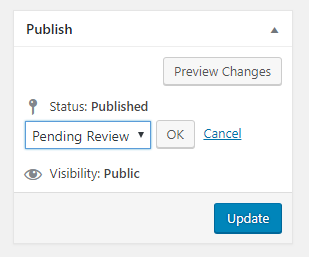
So far, no one here has been able to do it nor find a solution online.
Unfortunately, I tehcnically did not. When editing a page, any user can change the status to: Pending Review and then any changes will need to be approved by another user. This helps, but does not give us a way to make it so certain users can't publish at all.
So far, no one here has been able to do it nor find a solution online.
Veronica Alvarado
Web Department, Diocesan
877-923-777
877-923-777
Violet LaVille
Veronica,
Great speaking with you earlier. Appreciate the clarification.
When Patrick and I were looking at the site, we noticed that when you hover over “Young Adult” under “Parish Groups”, the menu items are cut off. In order to see EVENTS or COLLEGE, you need to slide the bar at the bottom to the right. Is there a way to view these menu items without sliding the bar?
Can you create a template, that allows widgets?
We will need instructions on where to go to make changes such as our office hours, etc. A map, if you will, of where everything is.
Can you add an “Archive” folder by month and year for past bulletins in the BULLETINS PAGE?
Lastly, we would like to have the capability to change the text font, size, etc. Can you check with the developers on this please?
Thank you,
Violet
Great speaking with you earlier. Appreciate the clarification.
When Patrick and I were looking at the site, we noticed that when you hover over “Young Adult” under “Parish Groups”, the menu items are cut off. In order to see EVENTS or COLLEGE, you need to slide the bar at the bottom to the right. Is there a way to view these menu items without sliding the bar?
Can you create a template, that allows widgets?
We will need instructions on where to go to make changes such as our office hours, etc. A map, if you will, of where everything is.
Can you add an “Archive” folder by month and year for past bulletins in the BULLETINS PAGE?
Lastly, we would like to have the capability to change the text font, size, etc. Can you check with the developers on this please?
Thank you,
Violet
Veronica Alvarado
I have to take a look at your email in more detail, but the developer wants to double check that for the homepage slider, we are removing the button for the slider link and replacing it with the ability to click anywhere on the slide to access the link.
Is that correct?
Thank you
Is that correct?
Thank you
 Patrick Suess
Veronica, I'm not sure of the terminology when you say "slider" and "slide." The problem is with the menu.
On the menu items, the sub-menu options pop up as you hover and appear to the right of the drop-down menu. Therefore, the farthest right sub-menu items are not visible in the browser window unless you scroll to the right where white space is visible. It could have been a zoom issue on Violet's browser at the time we were looking at it. I'm not sure. Still, I'd think the menus would normally adjust for any zooming.
Patrick
On the menu items, the sub-menu options pop up as you hover and appear to the right of the drop-down menu. Therefore, the farthest right sub-menu items are not visible in the browser window unless you scroll to the right where white space is visible. It could have been a zoom issue on Violet's browser at the time we were looking at it. I'm not sure. Still, I'd think the menus would normally adjust for any zooming.
Patrick
Violet LaVille
Veronica,
When you say slider, are you referring to the scrolling pictures/video on the home page? If this is the case, we would like to have the capability of clicking anywhere on the photo rather than a text box in the center of the picture. And this will link to a page, post, etc.
Violet
When you say slider, are you referring to the scrolling pictures/video on the home page? If this is the case, we would like to have the capability of clicking anywhere on the photo rather than a text box in the center of the picture. And this will link to a page, post, etc.
Violet
Violet LaVille
Veronica,
When you say slider, are you referring to the scrolling pictures/video on the home page? If this is the case, we would like to have the capability of clicking anywhere on the photo rather than a text box in the center of the picture. And this will link to a page, post, etc.
Violet
When you say slider, are you referring to the scrolling pictures/video on the home page? If this is the case, we would like to have the capability of clicking anywhere on the photo rather than a text box in the center of the picture. And this will link to a page, post, etc.
Violet
Veronica Alvarado
Hi Violet,
I broke this email down into the individual topics we had discussed:
Faith Formation Pages
I also tried creating a new post type for Faith Formation pages (to limit users to only submit for review), but this did not work since if we wanted the Faith Formation to have templates (columns, buttons, headers, etc), they became pages and were then publishable by limited users.
I think at this point, we may want to consider having either you or Donna be the website's editing "funnel".
I think at this point, we may want to consider having either you or Donna be the website's editing "funnel".
Further Development
It has also come to my attention that the project budget has been reached. While we will not charge you for the design that you approved, we do have to get cost approval before developing items that are outside the scope of your original approved design.
Here are those items:

Prices are at discounted rate of $50/hr as opposed to the $70/hr initial build rate. These numbers are estimates and may change depending on the client's further specifications. Diocesan will let the client know before going over the estimate.
Here are those items:
Prices are at discounted rate of $50/hr as opposed to the $70/hr initial build rate. These numbers are estimates and may change depending on the client's further specifications. Diocesan will let the client know before going over the estimate.
Items From Your Last Email
- I see what you mean about the menu items going off screen. I have let the developer know and he will look into it.
- What do you mean by "allows widgets"? What kind(s) of widgets do you plan on using? I'm curious as to what you are trying to accomplish so that we can help or point you in the right direction.
- Here is the link to the Google Doc that I am currently working on that tells you where to edit various parts of the website. Remind me and when you launch, I can export it as a PDF and give you a more permanent copy.
https://docs.google.com/document/d/1-nnCNX0sk8sdIuIhQ5S5KQLtPP26Nfmb3D4OPEbkbwI/edit?usp=sharing - Actually, you can add more categories to the media library by going to Media Library > Media Categories, then clicking "Add New". As for displaying previous bulletins by month and year, it looks like we will have to display them as you are doing it now (uploading bulletin to page). We looked at doing it with bulletin categories, but there is no way to display sub-categories within a category listing. Here is an example of what the page looks like. We can make it so it doesn't duplicate, but we cannot change the order they are displayed. Instead, they come through as the order they are uploaded and can't be broken down into months.
http://setonlakeridge.diocesanweb.org/media_category/bulletins/ - I have added the capability to change the fonts/sizes/colors BUT I want to warn you against doing this. I know Father was an architect, so he knows the importance of keeping things looking unified and clear. Using many different fonts, sizes, or colors confuse visitors in that they cannot quickly figure out the most important information (usually headers, bold & italics) or how information is broken up (usually using headers).
Other Completed Items
- Posts on homepage instead of calendar events
- 4th myParish App box is editable (edit Homepage)
- All links will be bold upon hover (still working on inner pages)
- Changed slider buttons (now like Diocese of Arlington)
Other than t hat, I will keep you updated on our remaining changes.
Let me know if you have any questions about anything, Violet.
Let me know if you have any questions about anything, Violet.
Veronica Alvarado
Web Department, Diocesan
877-923-777
877-923-777
Violet LaVille
Good Morning Veronica,
Limited Users - Since “limited Users” will have the capability to publish, we will create a process/procedure on our end. However, if you find something new, please let us know. And thanks for looking into this.
Further Development – I don’t’ think we should be charged extra for the sticky navigation. That was discussed and agreed in the design phase.
With regards to restyling the staff page, as soon as I hear back from Father, I will let you know.
Widgets – Patrick and I were looking at the site and noticed that we did not have that capability. We were thinking more long term and the possibility of using it in the future.
Bulletins - Let’s discuss further.
Font, Size, and color – Thanks for adding this. I understand your concern. We’d like this ONLY for Donna and I; but NOT for ‘limited’ users. Is this possible?
Sliders – Thanks for making the update. Love the fact that I can click anywhere on the photo. Great job! Could you also please remove the ‘arrows’ located to the left and right of the pictures?
Thanks for all your hard work.
Violet
Limited Users - Since “limited Users” will have the capability to publish, we will create a process/procedure on our end. However, if you find something new, please let us know. And thanks for looking into this.
Further Development – I don’t’ think we should be charged extra for the sticky navigation. That was discussed and agreed in the design phase.
With regards to restyling the staff page, as soon as I hear back from Father, I will let you know.
Widgets – Patrick and I were looking at the site and noticed that we did not have that capability. We were thinking more long term and the possibility of using it in the future.
Bulletins - Let’s discuss further.
Font, Size, and color – Thanks for adding this. I understand your concern. We’d like this ONLY for Donna and I; but NOT for ‘limited’ users. Is this possible?
Sliders – Thanks for making the update. Love the fact that I can click anywhere on the photo. Great job! Could you also please remove the ‘arrows’ located to the left and right of the pictures?
Thanks for all your hard work.
Violet
Veronica Alvarado
Limited Users
I will definitely let you know if we learn anything new.
Further Development
I see now that it was mentioned to Sam over the phone during the design phase and never passed along to the developer. Now that we've got that squared away, we will begin to create the sticky menu today, going off your approved design for it, seen here: https://xd.adobe.com/view/899d5a7a-e32d-4b97-5c92-c93394aa42a0-ffac/
(I know it loads kind of slow, but it does open!)
As for the staff page, I look forward to hearing back from you/Father.
Bulletins
Let me know when you are available and we can talk it all out.
Font, Size, & Color
Unfortunately, it is not possible to add them for you and not for others. It is not user/user role specific, but instead adds the options to the entire site.
Sliders
I'm so glad you like it! I think it will be perfect for what you need. As for the arrows, I have let the developer know to remove them.
As I mentioned above, just let me know what time works best for you and I can add it to my calendar.
Thank you for being so patient with us, Violet,
I will definitely let you know if we learn anything new.
Further Development
I see now that it was mentioned to Sam over the phone during the design phase and never passed along to the developer. Now that we've got that squared away, we will begin to create the sticky menu today, going off your approved design for it, seen here: https://xd.adobe.com/view/899d5a7a-e32d-4b97-5c92-c93394aa42a0-ffac/
(I know it loads kind of slow, but it does open!)
As for the staff page, I look forward to hearing back from you/Father.
Bulletins
Let me know when you are available and we can talk it all out.
Font, Size, & Color
Unfortunately, it is not possible to add them for you and not for others. It is not user/user role specific, but instead adds the options to the entire site.
Sliders
I'm so glad you like it! I think it will be perfect for what you need. As for the arrows, I have let the developer know to remove them.
As I mentioned above, just let me know what time works best for you and I can add it to my calendar.
Thank you for being so patient with us, Violet,
Veronica Alvarado
Web Department, Diocesan
877-923-777
877-923-777
Violet LaVille
Veronica,
Wanted to catch you before you started working on the sticky nav. Went over a few things with Sam. Let me know when you are available so we can go over them.
Thanks,
Violet
Wanted to catch you before you started working on the sticky nav. Went over a few things with Sam. Let me know when you are available so we can go over them.
Thanks,
Violet
Veronica Alvarado
The developer is still working on styling the single posts, so thank you for letting me know!
You can call me now if that works: 877-923-0777
You can call me now if that works: 877-923-0777
Veronica Alvarado
Web Department, Diocesan
877-923-777
877-923-777
Veronica Alvarado
Hi Violet,
When was your IT committee meeting again? I wanted to add it to the project's calendar so we're all aware of the date.
Thanks!
Veronica Alvarado
Web Department, Diocesan
877-923-777
877-923-777
Violet LaVille
January 19th.
Veronica Alvarado
Thanks so much!
Veronica Alvarado
Web Department, Diocesan
877-923-777
877-923-777
Donna Engborg
Hi Veronica,
We were wondering if we can get the actual pixel sizes of the different boxes for images on our new website for easy cropping.
Ie: My Parish App section: the last box we want to put in a photo….. it would save us a lot of time to create the image accordingly or when uploading scale it down exactly – without guess work and toggling back in forth to get it right.
Thanks.
Donna Engborg
Communications Manager
St. Elizabeth Ann Seton Catholic Church
703.494.4008 ext 140
**** THIS EMAIL HAS BEEN FLAGGED AS A POSSIBLY SPOOFED EMAIL.
The message originated outside of the organization but claims to be from inside the organization. *****
________________________________
We were wondering if we can get the actual pixel sizes of the different boxes for images on our new website for easy cropping.
Ie: My Parish App section: the last box we want to put in a photo….. it would save us a lot of time to create the image accordingly or when uploading scale it down exactly – without guess work and toggling back in forth to get it right.
Thanks.
Donna Engborg
Communications Manager
St. Elizabeth Ann Seton Catholic Church
703.494.4008 ext 140
**** THIS EMAIL HAS BEEN FLAGGED AS A POSSIBLY SPOOFED EMAIL.
The message originated outside of the organization but claims to be from inside the organization. *****
________________________________
Violet LaVille
Veronica,
We had discussed earlier that you were going to fix the spacing with the two columns. The spacing between the image header and the text is different for the single columns.
Thanks,
Violet LaVille
Database Manager & Financial Assistant
St. Elizabeth Ann Seton Catholic Church
12807 Valleywood Drive
Lake Ridge, VA 22192
Tel: 703-494-4008 ext. 133
Fax: 703-494-1995
We had discussed earlier that you were going to fix the spacing with the two columns. The spacing between the image header and the text is different for the single columns.
Thanks,
Violet LaVille
Database Manager & Financial Assistant
St. Elizabeth Ann Seton Catholic Church
12807 Valleywood Drive
Lake Ridge, VA 22192
Tel: 703-494-4008 ext. 133
Fax: 703-494-1995
Donna Engborg
Hi Veronica,
Two things....
1. Under my Parish App, the two posts are not our posts.
Our last My Parish Post reads:
Publish Date
Text
Category
Scope
Edit
Delete
Wed Jan 30 2019 @ 9:05AM
Reminder: Please return God's Gifts Baby Bottles AND Bags of Food for the NEW SEAS Food Pantry this weekend. We appreciate all your donations!
1. The photo in the last box on the right under My Parish App is not showing on Violets Computer as it does on mine. I cropped and made it fit and it looks perfect on my computer, but it does not show on hers.
Not sure what I might be doing wrong.
Thanks.
Donna Engborg
Communications Manager
St. Elizabeth Ann Seton Catholic Church
703.494.4008
d.engborg@seas1.org
Two things....
1. Under my Parish App, the two posts are not our posts.
Our last My Parish Post reads:
Publish Date
Text
Category
Scope
Edit
Delete
Wed Jan 30 2019 @ 9:05AM
Reminder: Please return God's Gifts Baby Bottles AND Bags of Food for the NEW SEAS Food Pantry this weekend. We appreciate all your donations!
1. The photo in the last box on the right under My Parish App is not showing on Violets Computer as it does on mine. I cropped and made it fit and it looks perfect on my computer, but it does not show on hers.
Not sure what I might be doing wrong.
Thanks.
Donna Engborg
Communications Manager
St. Elizabeth Ann Seton Catholic Church
703.494.4008
d.engborg@seas1.org
Donna Engborg
Hey Veronica,
Still waiting for answers to these two items....
Please email or we can talk about them on Monday.
Thanks!
Have a great weekend.
Donna
Still waiting for answers to these two items....
Please email or we can talk about them on Monday.
Thanks!
Have a great weekend.
Donna
Veronica Alvarado
Hello Donna,
- Spacing between header and single column issue: We can fix this, but do you know what page the issue is on? That way we can see exactly what the error is and test the correction.
- The myParish App section is now displaying the correct messages.
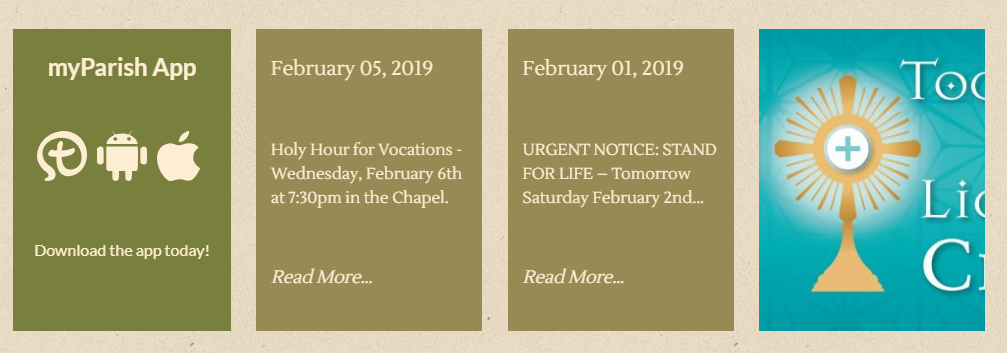
- The last box in the myParish App section is intended for a background image, but not a main image. This is because the box size is mobile responsive (meaning it changes to fit any screen size from widescreen desktops to small laptops to phones, entirely based on a screen's width). Since we knew you may want to use it with text, we created the "Content" section in which you can put text in. That way, you could put a dark background image in and the text on top of it.
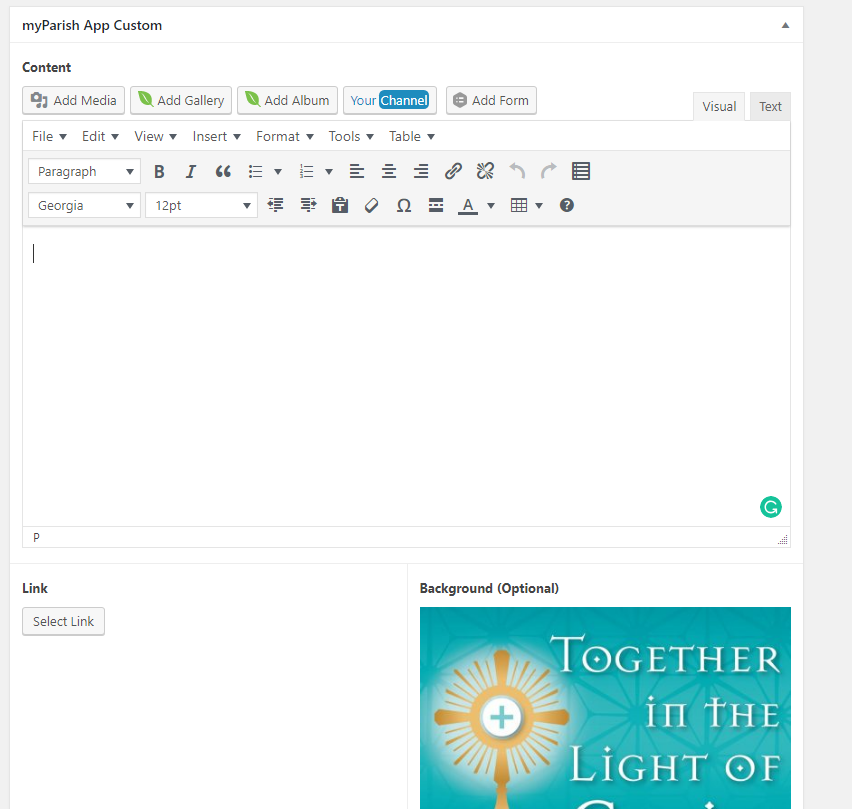
Widescreen Computers:

Large Laptop/Small Desktop
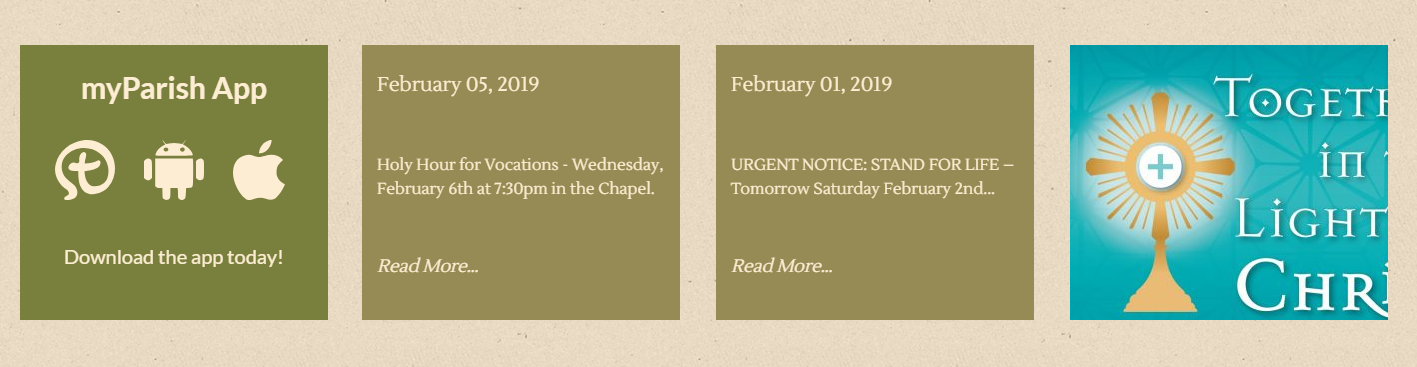
Small Laptop
Tablet
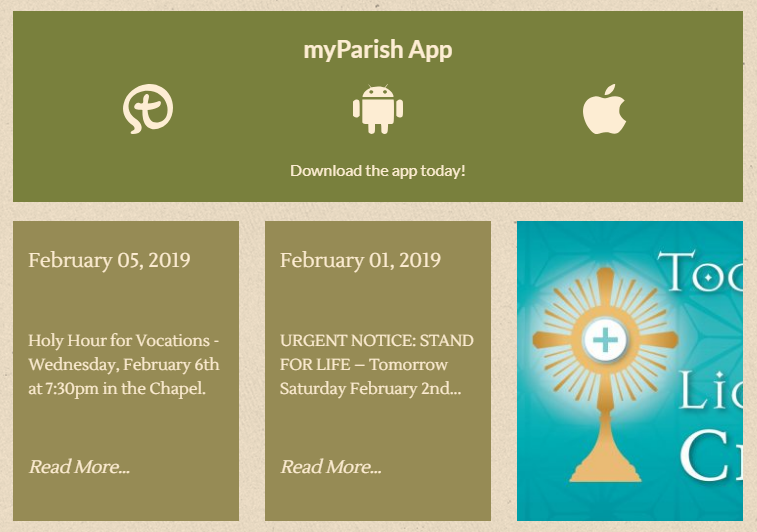
Mobile Phone
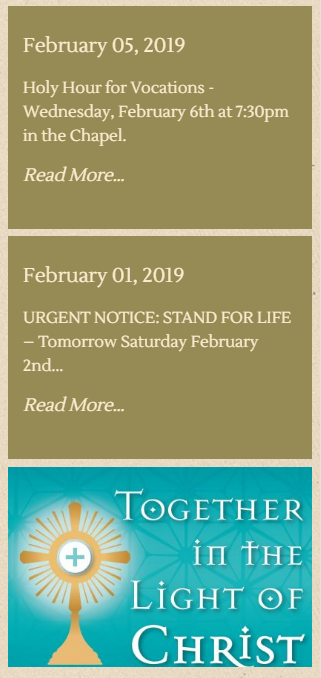
Thank you for your patience,
Veronica Alvarado
Web Department, Diocesan
877-923-0777
877-923-0777
Donna Engborg
Hi Veronica,
Here are the images I received from the Arlington Diocese. These are the images Father Bashita would like me to put into the last box on the My Parish section.
Thanks.
Donna
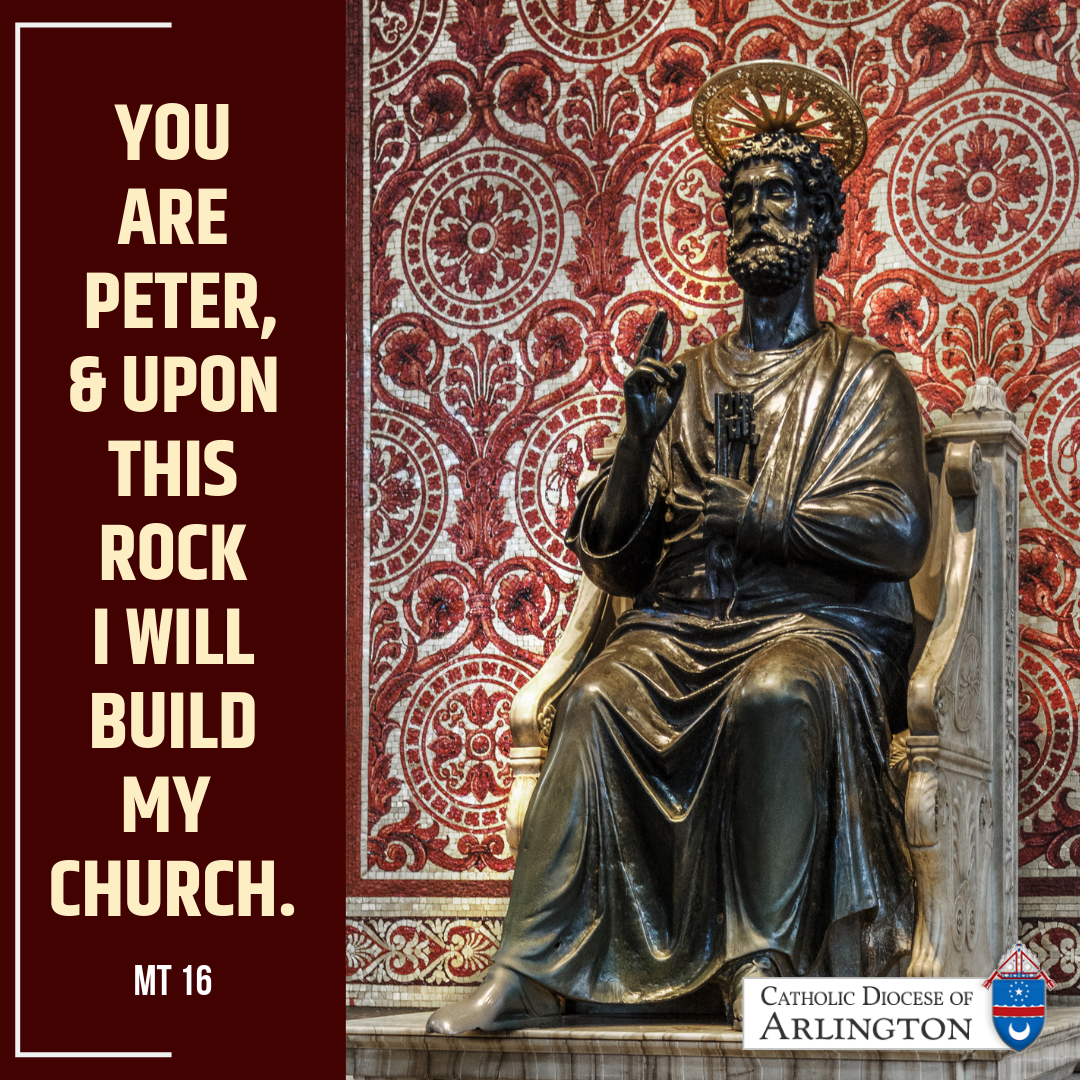
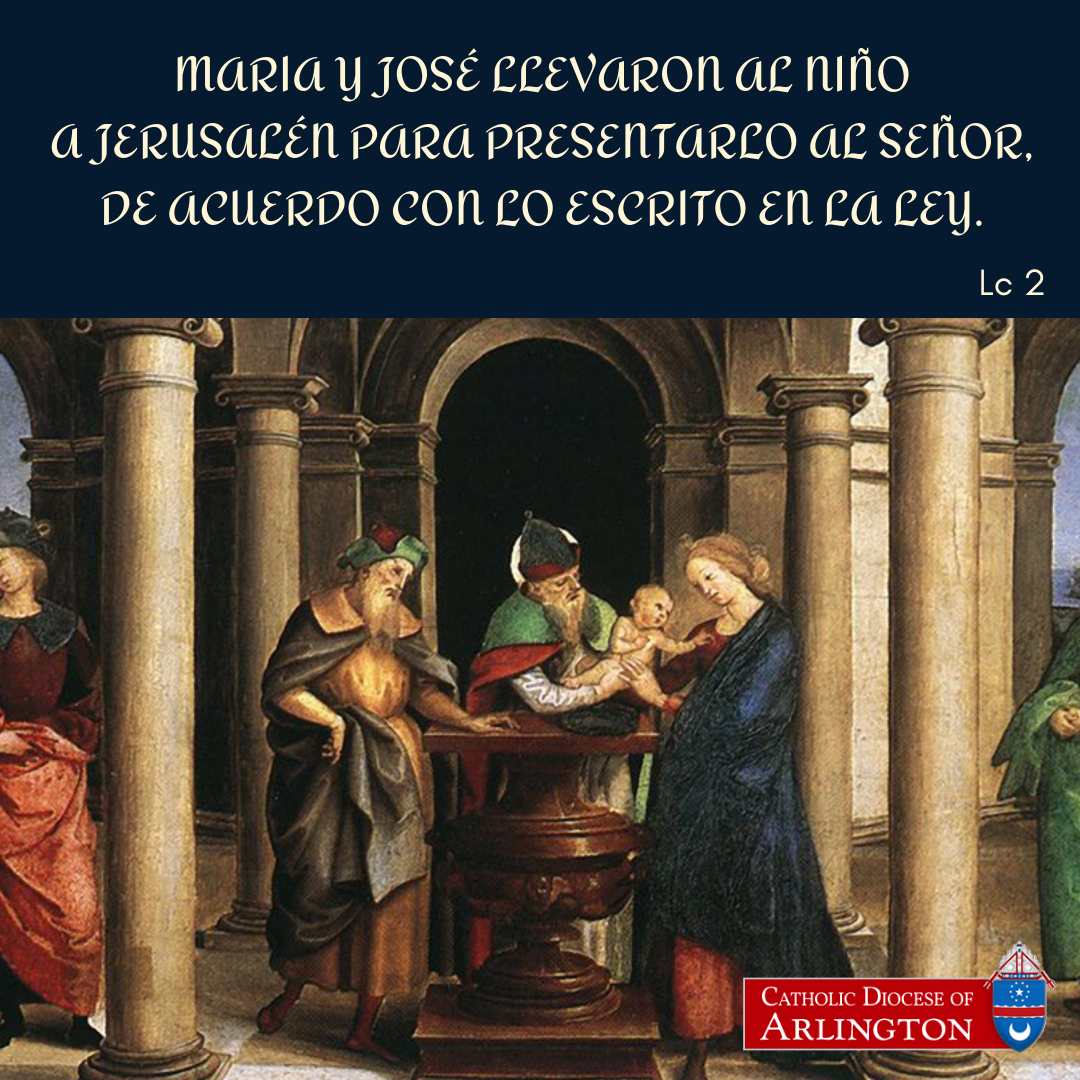
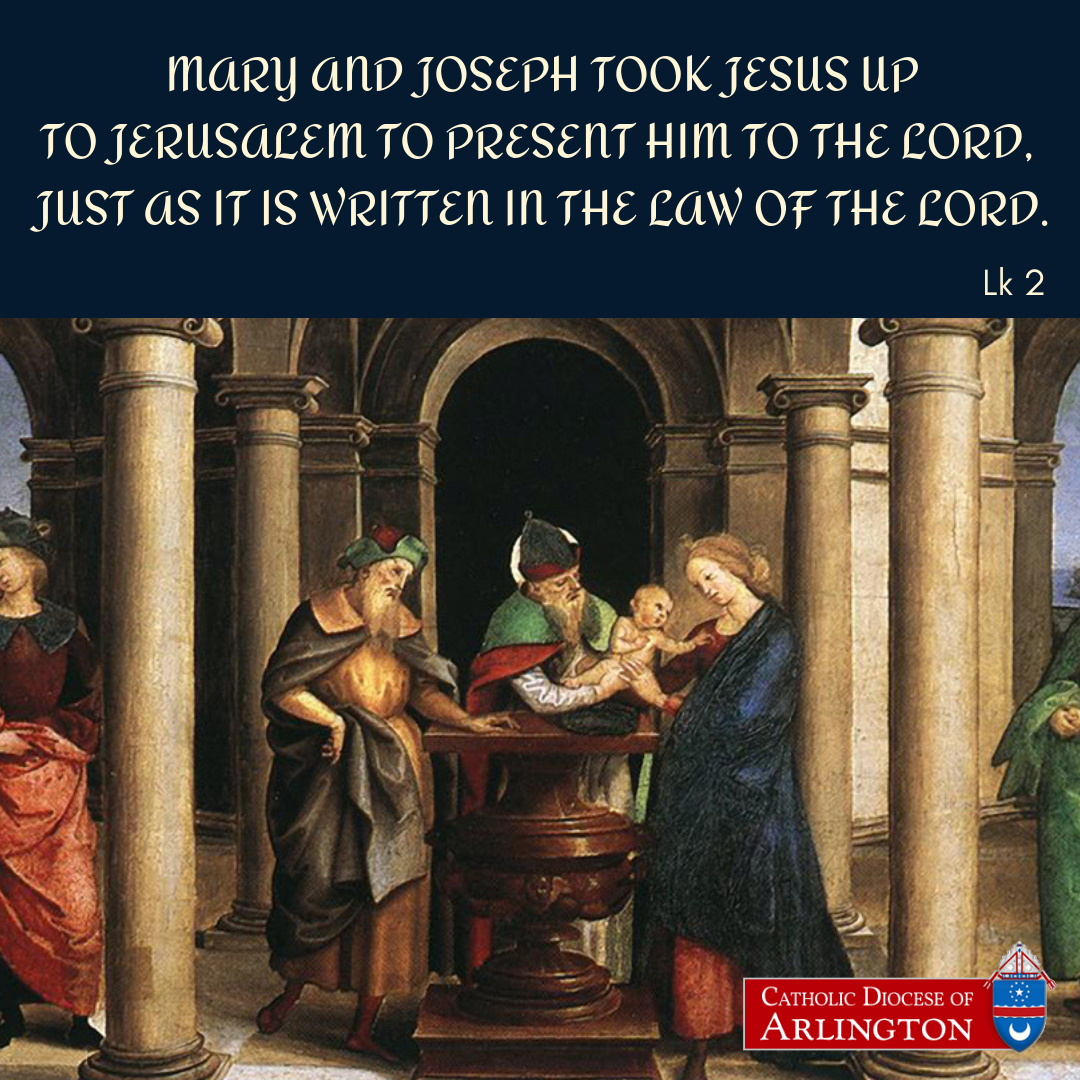
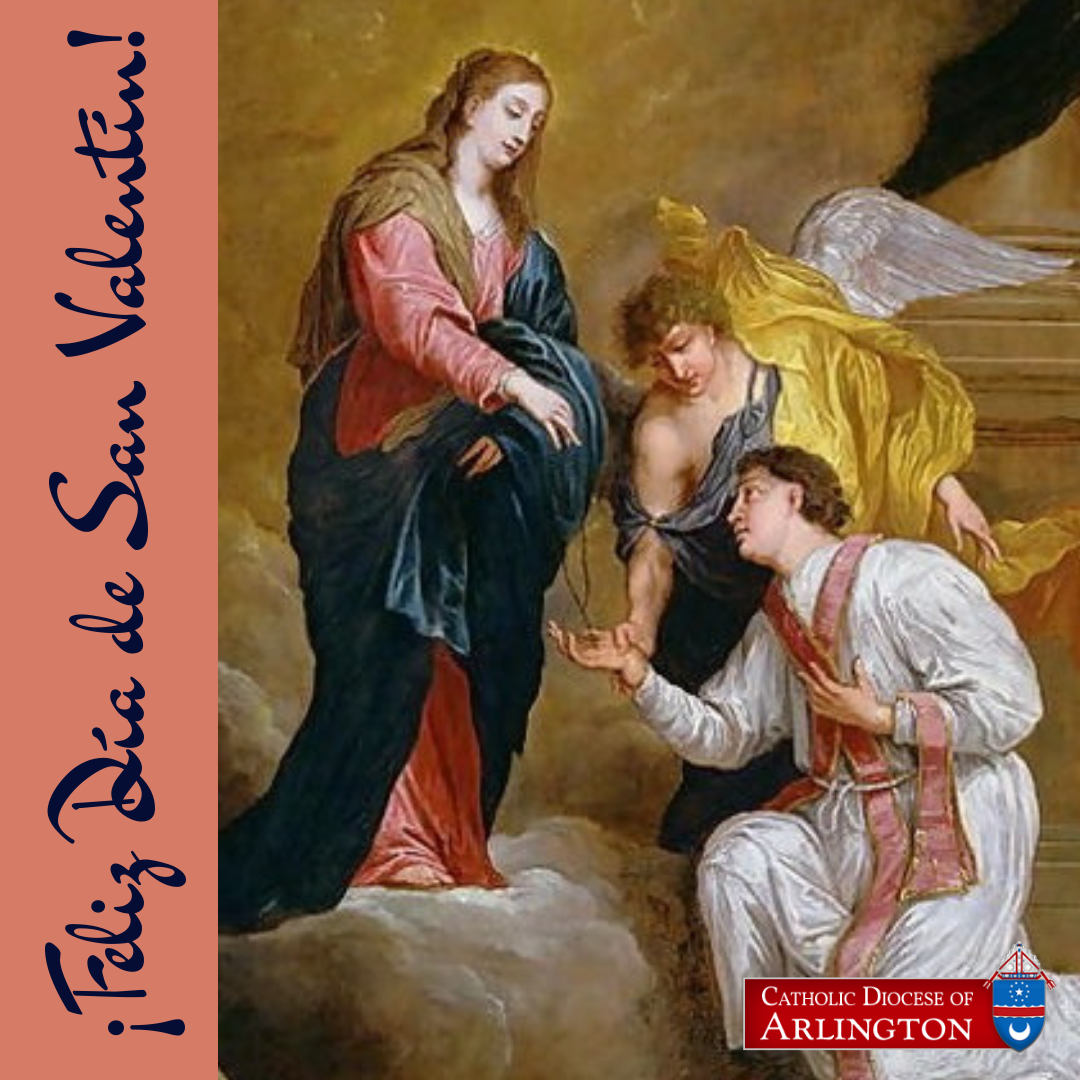
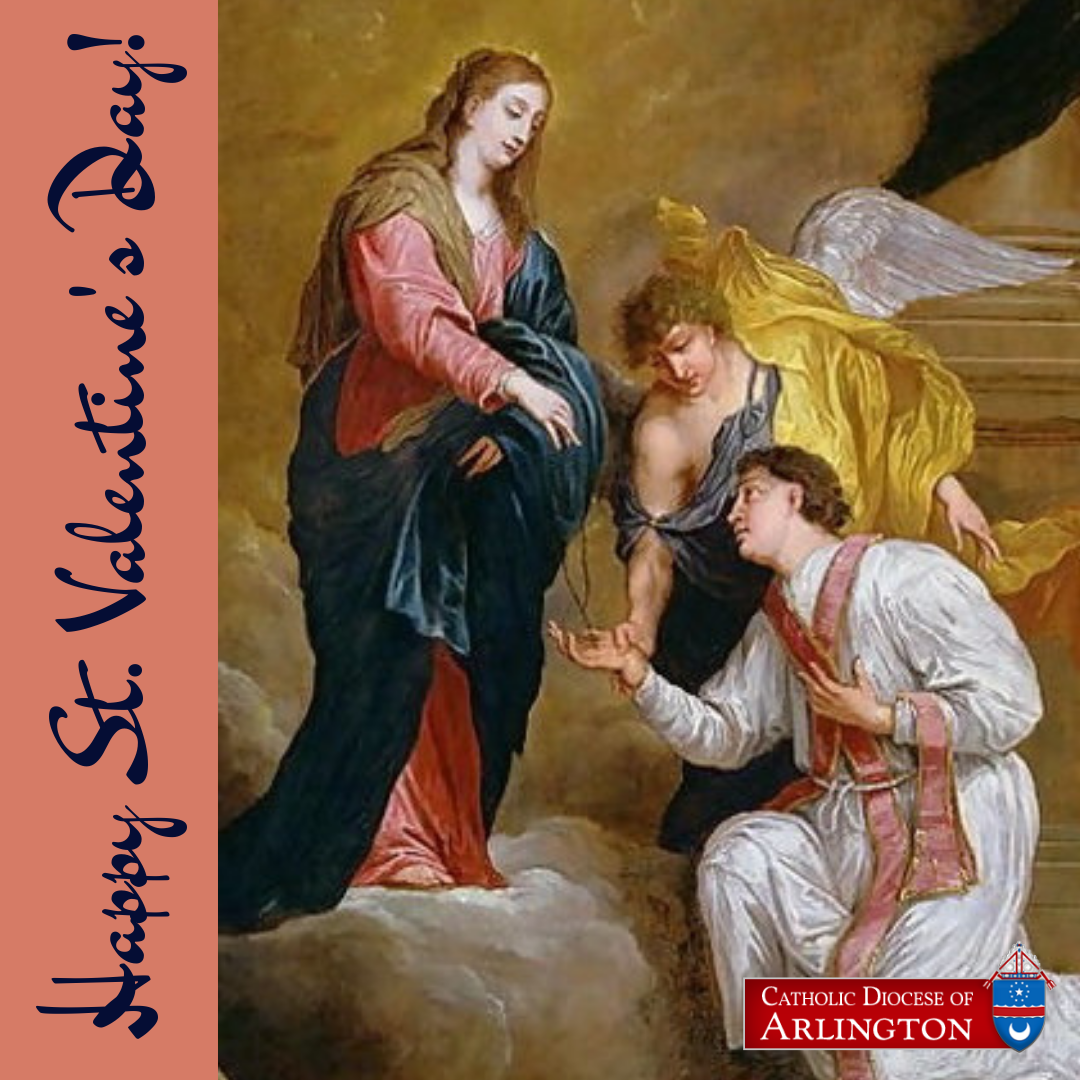
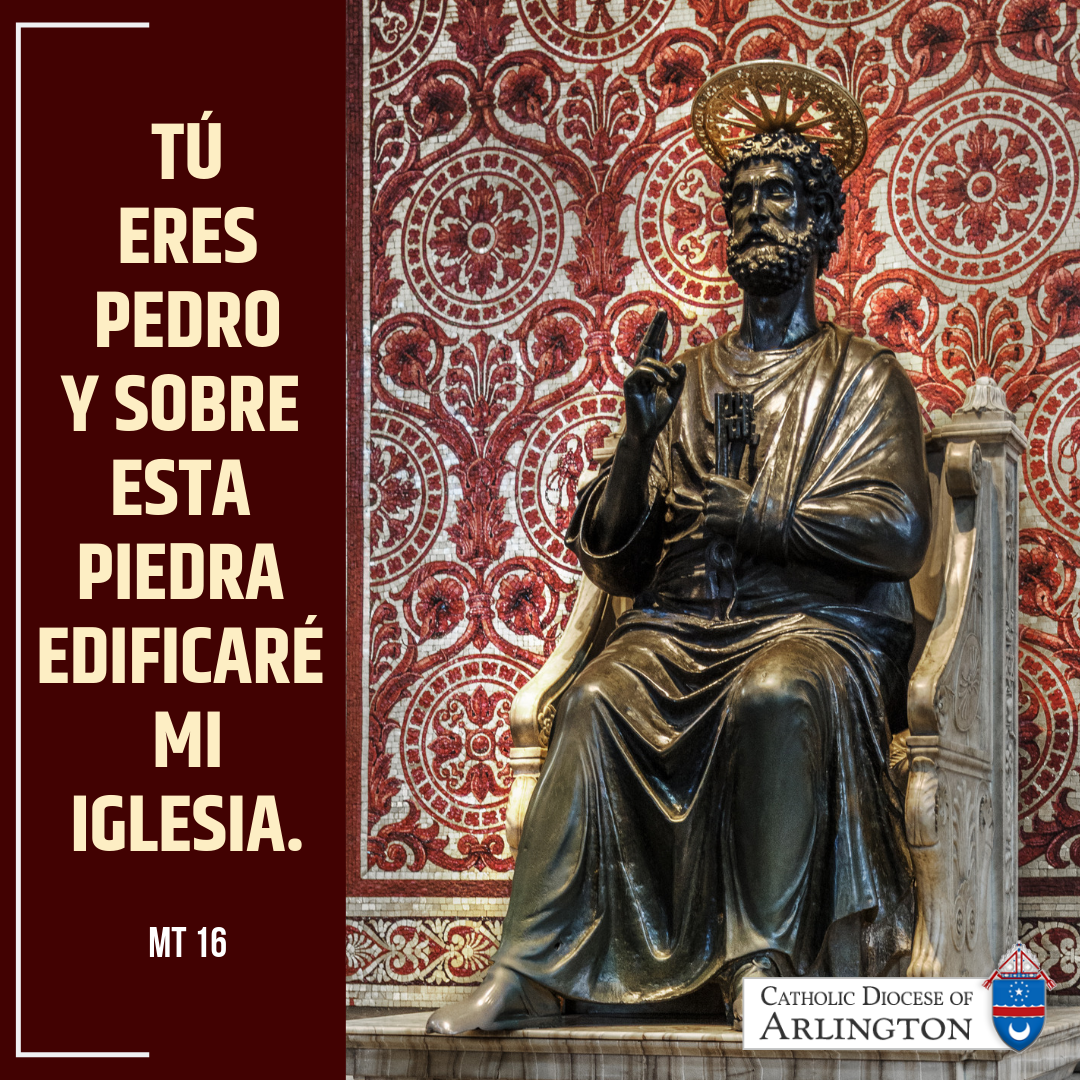
Here are the images I received from the Arlington Diocese. These are the images Father Bashita would like me to put into the last box on the My Parish section.
Thanks.
Donna
Violet LaVille
Veronica,
The spacing between the image header in Seton Crafter’s page for example is different than the spacing in SEAS Running Club. Both are two columns. They also differ with the single columns.
Violet LaVille
Database Manager & Financial Assistant
St. Elizabeth Ann Seton Catholic Church
12807 Valleywood Drive
Lake Ridge, VA 22192
Tel: 703-494-4008 ext. 133
Fax: 703-494-1995
The spacing between the image header in Seton Crafter’s page for example is different than the spacing in SEAS Running Club. Both are two columns. They also differ with the single columns.
Violet LaVille
Database Manager & Financial Assistant
St. Elizabeth Ann Seton Catholic Church
12807 Valleywood Drive
Lake Ridge, VA 22192
Tel: 703-494-4008 ext. 133
Fax: 703-494-1995
Veronica Alvarado
Violet,
I had the developer take a look at that and it is because on the Seton Crafters page (although single columns have the same banner to text spacing) technically begins with an image first, while the Running page begins with a Heading 3 text.
As we've discussed, all headings have their own before spacing, but this image that you put on the Seton Crafter's page is not a heading and therefore does not have the same spacing.
NOW, it may look as though the image is to the right of the text, but in the code, the image is actually above the Heading 3 text (see image of HTML text for Seton Crafters below)
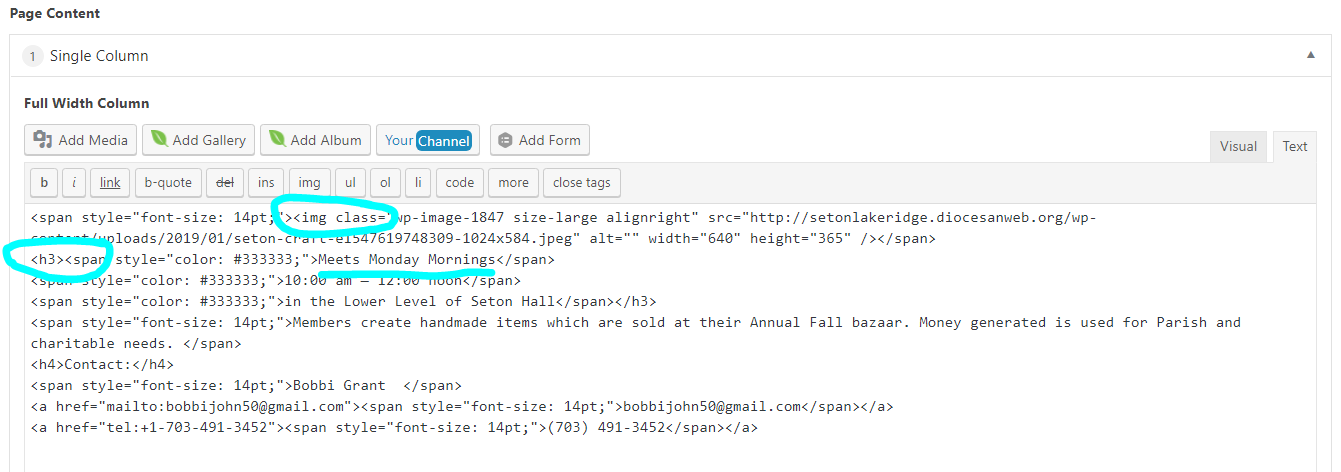
I know this can sound confusing, so if you need me to talk you through it, let me know. I have a training from 2-4 but may have time to talk to you afterwards and before I leave for the day.
Thank you,
Veronica Alvarado
Web Department, Diocesan
877-923-0777
877-923-0777
Violet LaVille
Okay. Let’s talk after your meeting. I’ll wait for your call.
Thanks,
Violet LaVille
Database Manager & Financial Assistant
St. Elizabeth Ann Seton Catholic Church
12807 Valleywood Drive
Lake Ridge, VA 22192
Tel: 703-494-4008 ext. 133
Fax: 703-494-1995
Thanks,
Violet LaVille
Database Manager & Financial Assistant
St. Elizabeth Ann Seton Catholic Church
12807 Valleywood Drive
Lake Ridge, VA 22192
Tel: 703-494-4008 ext. 133
Fax: 703-494-1995
Violet LaVille
Veronica,
We forgot to go over the spacing earlier today. I’ll have to remember next time we speak.
Here is the list of ‘Author’ users:
Betty Maher (Coordinator of Human Concerns & Outreach) – b.maher@seas1.org<mailto:b.maher@seas1.org> – user name: bmaher
Kathy Lord ( Director of Youth Ministry & HS RE) – Kathy.lord@seas1.org<mailto:Kathy.lord@seas1.org> – user name: klord
Katlyn Lawler ( Director of Religious Education) – k.lawler@seas1.org<mailto:k.lawler@seas1.org> – user name klawler
Kris Fischer ( Director of Evangelization & Adult Education) – kfischer@seas1.org<mailto:kfischer@seas1.org> – user name: kfischer --- please note there is no period in her email address
Nicole Velazquez ( Director of Liturgy & Music) – n.velazquez@seas1.org<mailto:n.velazquez@seas1.org> – user name:nvelazquez
Thank you,
Violet LaVille
Database Manager & Financial Assistant
St. Elizabeth Ann Seton Catholic Church
12807 Valleywood Drive
Lake Ridge, VA 22192
Tel: 703-494-4008 ext. 133
Fax: 703-494-1995
We forgot to go over the spacing earlier today. I’ll have to remember next time we speak.
Here is the list of ‘Author’ users:
Betty Maher (Coordinator of Human Concerns & Outreach) – b.maher@seas1.org<mailto:b.maher@seas1.org> – user name: bmaher
Kathy Lord ( Director of Youth Ministry & HS RE) – Kathy.lord@seas1.org<mailto:Kathy.lord@seas1.org> – user name: klord
Katlyn Lawler ( Director of Religious Education) – k.lawler@seas1.org<mailto:k.lawler@seas1.org> – user name klawler
Kris Fischer ( Director of Evangelization & Adult Education) – kfischer@seas1.org<mailto:kfischer@seas1.org> – user name: kfischer --- please note there is no period in her email address
Nicole Velazquez ( Director of Liturgy & Music) – n.velazquez@seas1.org<mailto:n.velazquez@seas1.org> – user name:nvelazquez
Thank you,
Violet LaVille
Database Manager & Financial Assistant
St. Elizabeth Ann Seton Catholic Church
12807 Valleywood Drive
Lake Ridge, VA 22192
Tel: 703-494-4008 ext. 133
Fax: 703-494-1995
Veronica Alvarado
Users created!
Veronica Alvarado
Web Department, Diocesan
877-923-0777
877-923-0777
Violet LaVille
Thank you!
Violet LaVille
Database Manager & Financial Assistant
St. Elizabeth Ann Seton Catholic Church
12807 Valleywood Drive
Lake Ridge, VA 22192
Tel: 703-494-4008 ext. 133
Fax: 703-494-1995
Violet LaVille
Database Manager & Financial Assistant
St. Elizabeth Ann Seton Catholic Church
12807 Valleywood Drive
Lake Ridge, VA 22192
Tel: 703-494-4008 ext. 133
Fax: 703-494-1995
Patrick Suess
Violet,
After Mass today, I downloaded the files on Donna's computer. She was going to put them on the shared drive for you -- as a backup.
Patrick
After Mass today, I downloaded the files on Donna's computer. She was going to put them on the shared drive for you -- as a backup.
Patrick
Donna Engborg
I have added a new News and Events Post: Trivia Night.
1. I can't figure out how to put the photo to the right and text to the left. (Violet is that the layout you prefer?) At the moment the image is on top with text below. All centered.
2. What size is the image suppose to be? As you will see my image is cutting off on the right and left. I am not understanding how to make and image fit in an allotted image box? Will it automatically resize to fit?
Thanks for any help either of you can offer me.
Donna Engborg
Communications Manager
St. Elizabeth Ann Seton Catholic Church
703.494.4008
d.engborg@seas1.org
1. I can't figure out how to put the photo to the right and text to the left. (Violet is that the layout you prefer?) At the moment the image is on top with text below. All centered.
2. What size is the image suppose to be? As you will see my image is cutting off on the right and left. I am not understanding how to make and image fit in an allotted image box? Will it automatically resize to fit?
Thanks for any help either of you can offer me.
Donna Engborg
Communications Manager
St. Elizabeth Ann Seton Catholic Church
703.494.4008
d.engborg@seas1.org
Donna Engborg
Hi
Okay I found a pancake image that worked. It was 2048x1365.
So I played with my Trivia post. I created the image to be 800x800. And it seems to have worked.
Donna
Okay I found a pancake image that worked. It was 2048x1365.
So I played with my Trivia post. I created the image to be 800x800. And it seems to have worked.
Donna
Veronica Alvarado
- Events on News & Events are styled to look the same as the homepage, but with the image above the title.
http://setonlakeridge.diocesanweb.org/news-and-events/
We are working on the individual posts so that the featured image will always be to the left of the post content. So it will automatically be similar to the image below, as long as you set a featured image and put in content.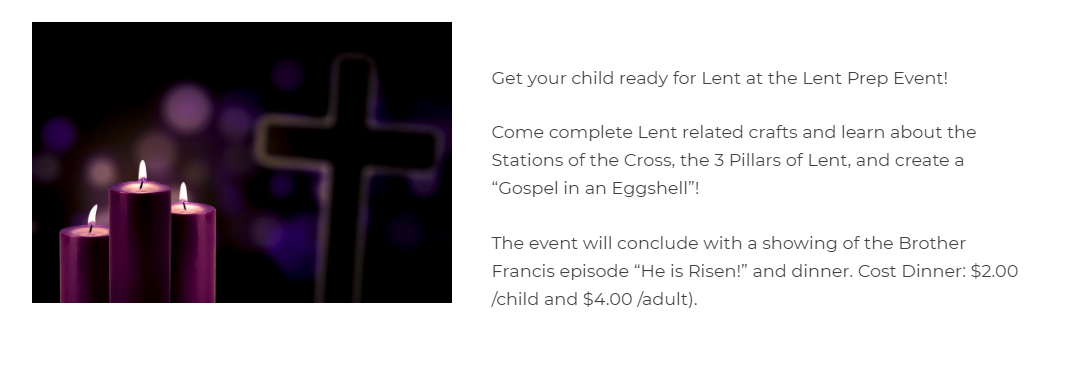
- The image size for the News & Events page is 600x400 (ratio 3:2). These images will resize depending on screen size, but will maintain their ratio.
I hope this helps you out, Donna!
Veronica Alvarado
Web Department, Diocesan
877-923-0777
877-923-0777
Donna Engborg
Veronica,
Perfect! Thank you for the update. I thought Violet told me that the image was to the left and I couldn’t get it there! 😊 Now I understand it is “under construction”.
New questions:
I have entered 3 new News and Events and they are all marked for Spotlights.
1. Is there a way to rearrange those Spotlights? For example, the one on the right I want to move to the middle.
Violet and I also discussed putting up a Spotlight that will be there long term (Violet, for example the Vocations Crucifix Program).
How can we make sure that Spotlight stays in the same spot?
1. Violet and I discussed breaking our New and Events page into 2 parts. A. Parish Event and B. Diocesan & Community Events.
I have added the titles to that page.
Now I need to be able to post separately, which I think is a code. Which I also think means breaking our News and Events into two. So I can choose which section the post goes into.
So how do I add to that menu post (News and Events, Spotlights, Job Post, etc.)?
Hope those questions are clear. Call if not. Thanks.
Donna
Perfect! Thank you for the update. I thought Violet told me that the image was to the left and I couldn’t get it there! 😊 Now I understand it is “under construction”.
New questions:
I have entered 3 new News and Events and they are all marked for Spotlights.
1. Is there a way to rearrange those Spotlights? For example, the one on the right I want to move to the middle.
Violet and I also discussed putting up a Spotlight that will be there long term (Violet, for example the Vocations Crucifix Program).
How can we make sure that Spotlight stays in the same spot?
1. Violet and I discussed breaking our New and Events page into 2 parts. A. Parish Event and B. Diocesan & Community Events.
I have added the titles to that page.
Now I need to be able to post separately, which I think is a code. Which I also think means breaking our News and Events into two. So I can choose which section the post goes into.
So how do I add to that menu post (News and Events, Spotlights, Job Post, etc.)?
Hope those questions are clear. Call if not. Thanks.
Donna
Veronica Alvarado
Donna,
No problem! I'll be sure to let you know once that is complete.
- To rearrange the Spotlight posts, you would have to change the Published On date, as they are set to display with most recent Published post to display as #1. That said, I am not sure if there is a way to ensure that a single Spotlight posts stays in the same spot, unless it is always #3 and the other old posts are removed (set to draft or deleted via Post Expirator, maybe?)
- I can break the News & Events page into 2 sections. TO do this, I will rename News & Events to Parish Events and then create a post category or DIocesan & Community Events
I will put the correct codes in for them to display. Then it is simply a matter of adding events. - Just as a reminder, instead of bolding and capitalizing your text, there are headings that you can use to make your text emphasized and larger.
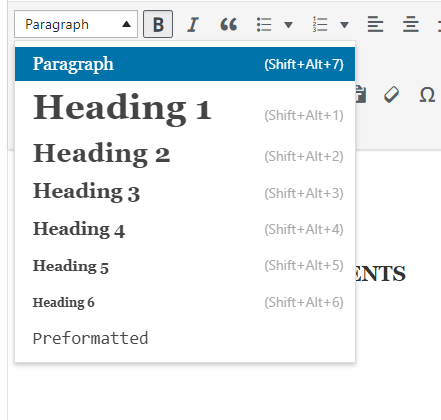
Thank you,
Veronica Alvarado
Web Deparment, Diocesan
877-923-0777
877-923-0777
Donna Engborg
Perfect! For News and Events. 😊
I will play with the Spotlights more as we go.
I posted all 3 today. They appear in the order I posted. So I will play with start times.
Thanks.
I will play with the Spotlights more as we go.
I posted all 3 today. They appear in the order I posted. So I will play with start times.
Thanks.
Donna Engborg
Hi Veronica,
We noticed some of the changes we talked about are being made...
Spotlight: Bold looks good,
But need more space between the sections. Please.
News & Events: Nice! Pictures line up.
But can you make the event titles blue again (not current gray).
Looks like you have them Justified... unjustify titles.
There is a ... hanging out there on each event. Please remove.
Thanks.
Donna Engborg
Communications Manager
St. Elizabeth Ann Seton Catholic Church
703.494.4008
d.engborg@seas1.org
We noticed some of the changes we talked about are being made...
Spotlight: Bold looks good,
But need more space between the sections. Please.
News & Events: Nice! Pictures line up.
But can you make the event titles blue again (not current gray).
Looks like you have them Justified... unjustify titles.
There is a ... hanging out there on each event. Please remove.
Thanks.
Donna Engborg
Communications Manager
St. Elizabeth Ann Seton Catholic Church
703.494.4008
d.engborg@seas1.org
Veronica Alvarado
Good morning Donna,
Spotlight
This is currently as close as the posts will get to eachother. How much more space are we thinking? Something to keep in mind is how the spacing will effect the width of each post.
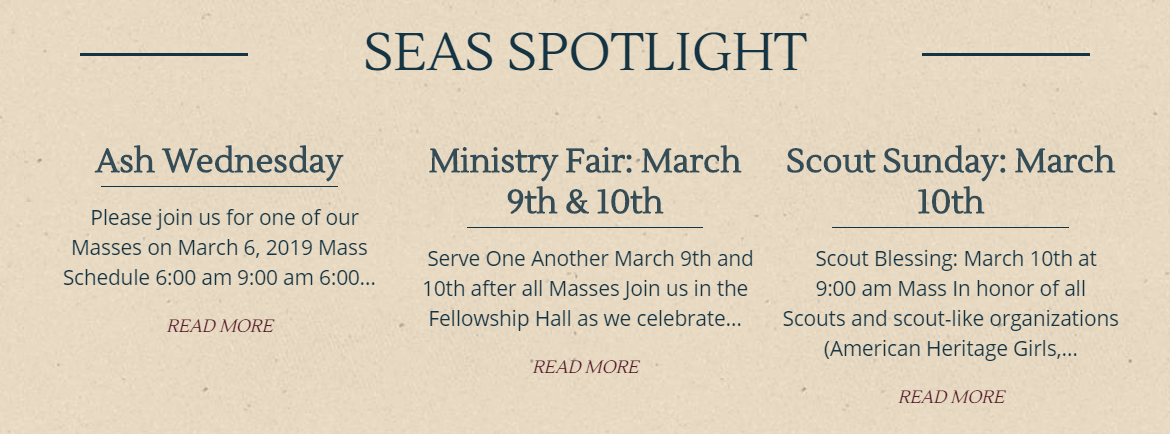
News & Events
In one of our meetings, she asked that the titles be left justified. Would you like us to center them instead?
We can make the post titles blue again if you'd like or is there another color from your theme you'd like us to use instead?
As for the "..." we added this, as the posts are set to be exactly 4 lines tall (to ensure they are all the same). So on a tablet sized screen, this is what you see:
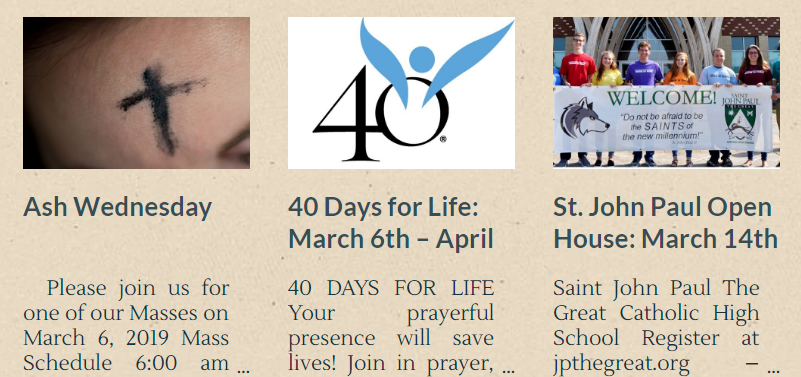
On a wider screen, this is what you would see:
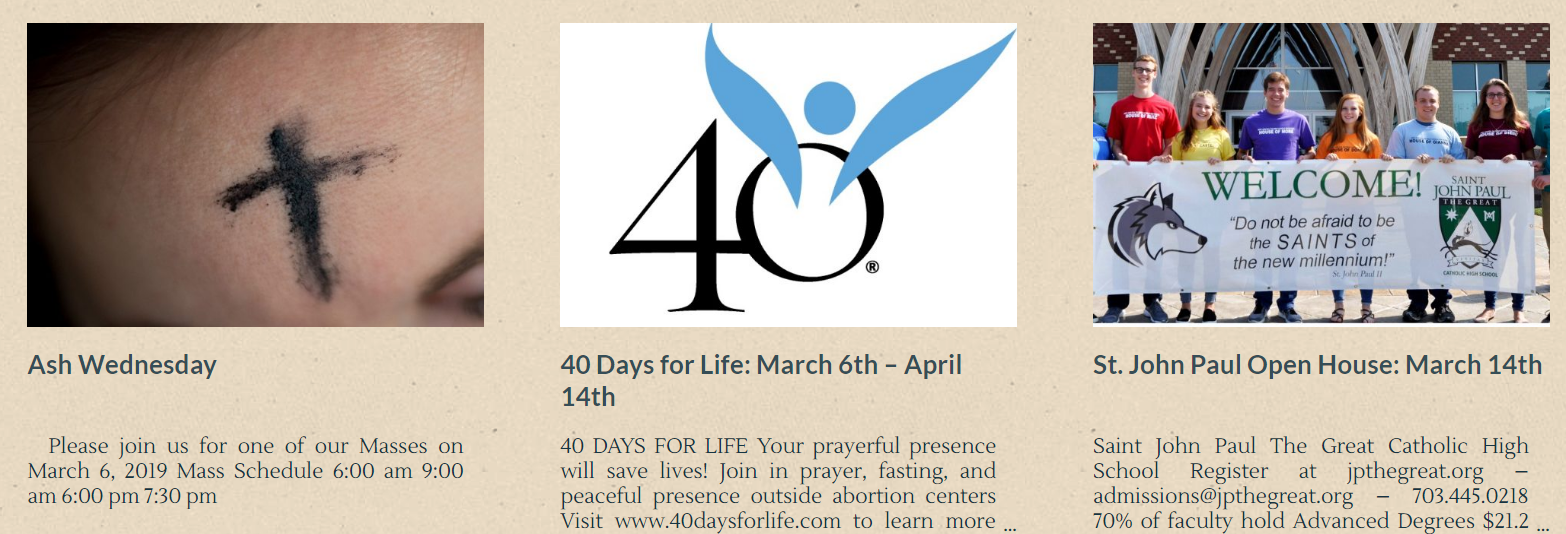
The ellipses make it clear that there is more content and the reader must click on the post to continue reading. I know we had discussed not adding Continue Reading, but I cannot recall the reasoning behind it.
Thank you,
Veronica Alvarado
Web Deparment, Diocesan
877-923-0777
877-923-0777
Donna Engborg
Hi Veronica,
Here is a snap shot of Spotlight and the Sacraments Page.
Note the spacing. Can you move the Left Spotlight over to the left some and the Right Spotlight over to the right. ?
Violet, any other thoughts to this?
Thanks.
Donna
[cid:image002.png@01D4D011.55109AC0]
[cid:image003.png@01D4D011.55109AC0]
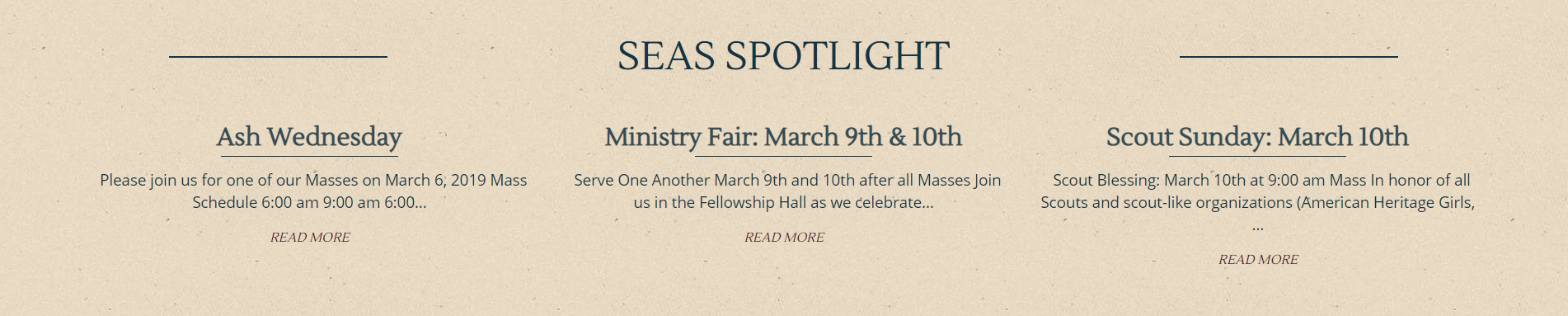
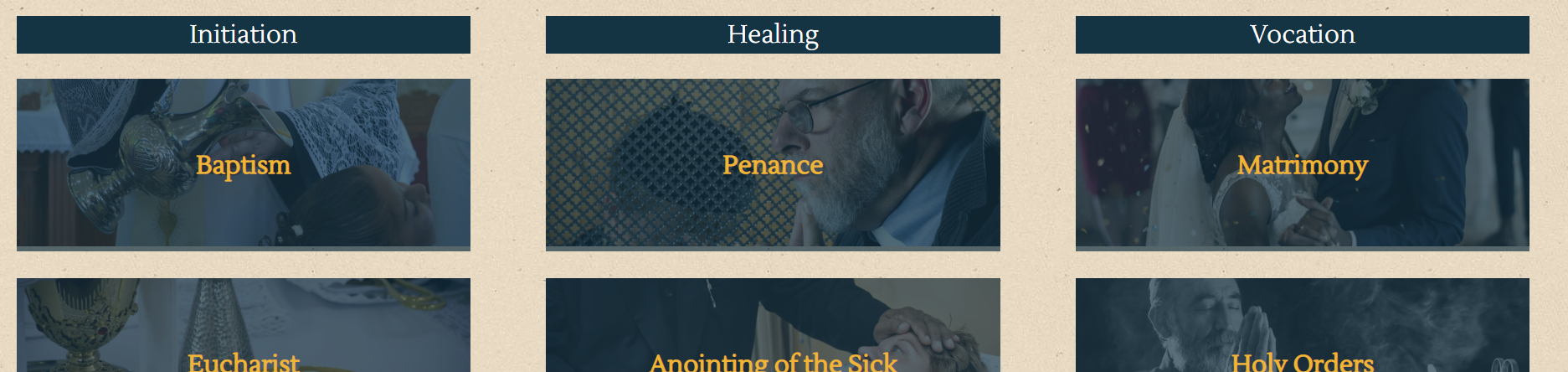
Here is a snap shot of Spotlight and the Sacraments Page.
Note the spacing. Can you move the Left Spotlight over to the left some and the Right Spotlight over to the right. ?
Violet, any other thoughts to this?
Thanks.
Donna
[cid:image002.png@01D4D011.55109AC0]
[cid:image003.png@01D4D011.55109AC0]
Veronica Alvarado
Hi Donna,
Below, I have images of both the wider SEAS Spotlight and the current one. Let me know what you think within the next hour or so, so that the developer has time to make the change.
Wider SEAS Spotlight:
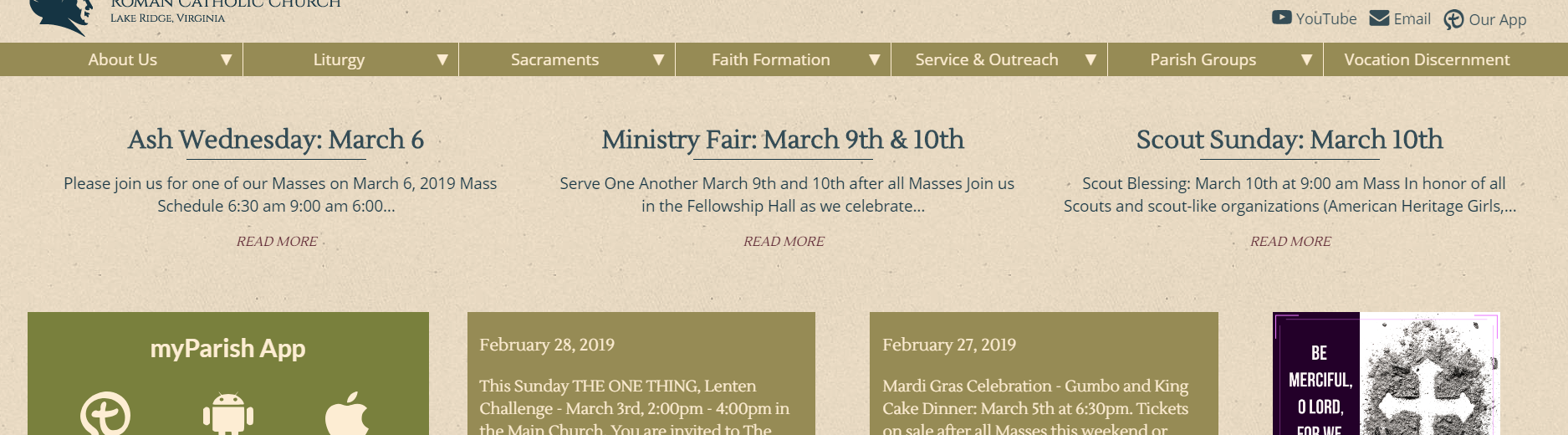
Current SEAS Spotlight:
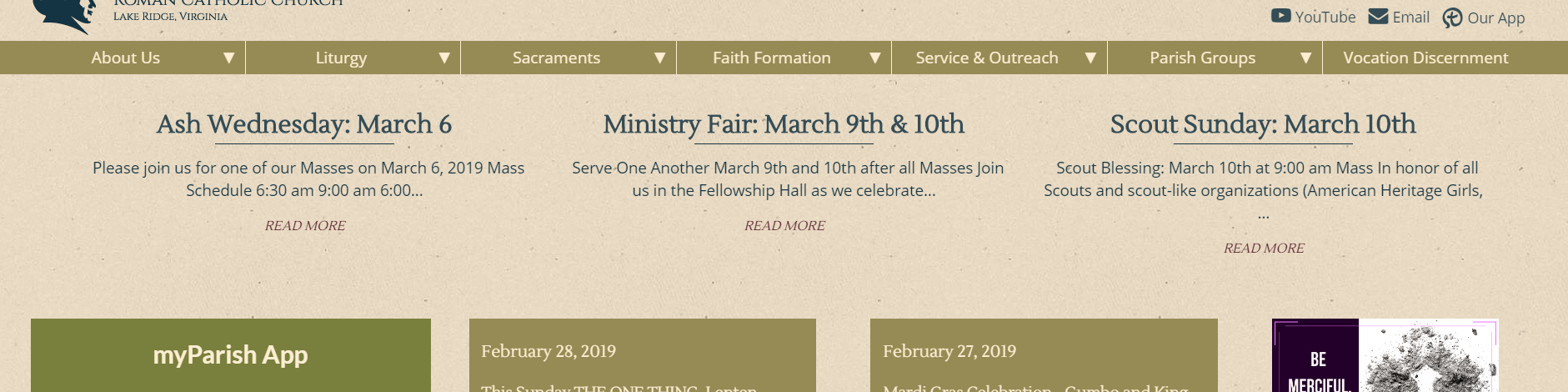
Also, did you have any questions about the News & Events or did we want to leave them as is for now?
Thank you,
Veronica Alvarado
Web Deparment, Diocesan
877-923-0777
877-923-0777
Violet LaVille
Veronica,
Thanks for all the updates.
SPOTLIGHTS – right now the sentences run together. Can we fix this?
NEWS & EVENTS - on the news & events page ONLY, can we make the post titles under the images centered? However, make the CONTENT text left align and NOT ‘justify’.
Also, after further discussion, the color of the post titles is fine the way it is. No need to change.
We discussed doing a read more instead of the dots to be consistent with spotlights.
Violet LaVille
Database Manager & Financial Assistant
St. Elizabeth Ann Seton Catholic Church
12807 Valleywood Drive
Lake Ridge, VA 22192
Tel: 703-494-4008 ext. 133
Fax: 703-494-1995
Thanks for all the updates.
SPOTLIGHTS – right now the sentences run together. Can we fix this?
NEWS & EVENTS - on the news & events page ONLY, can we make the post titles under the images centered? However, make the CONTENT text left align and NOT ‘justify’.
Also, after further discussion, the color of the post titles is fine the way it is. No need to change.
We discussed doing a read more instead of the dots to be consistent with spotlights.
Violet LaVille
Database Manager & Financial Assistant
St. Elizabeth Ann Seton Catholic Church
12807 Valleywood Drive
Lake Ridge, VA 22192
Tel: 703-494-4008 ext. 133
Fax: 703-494-1995
Veronica Alvarado
Violet,
Seas Spotlight
Right now, the SEAS Spotlights and all other posts lists are showing an excerpt. If we have the SEAS Spotlights show the full post, then this is what we get:
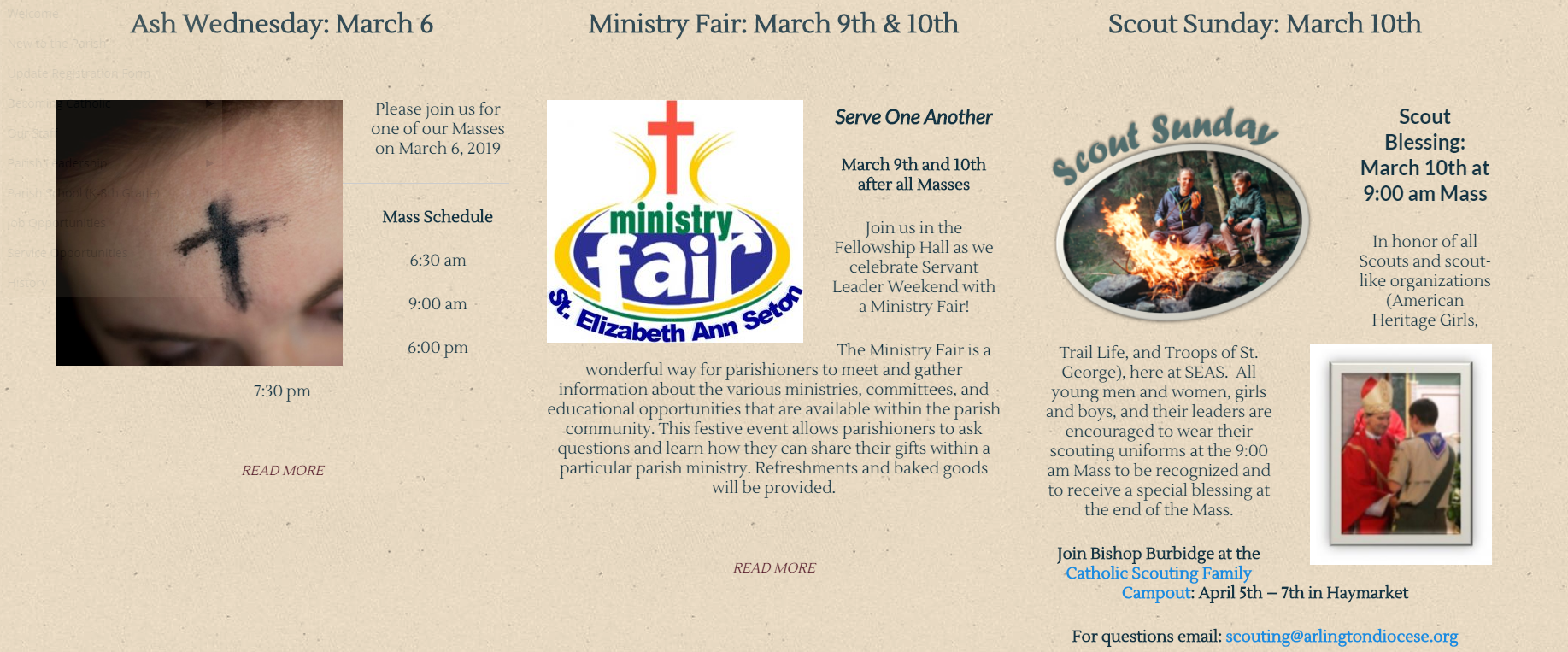
Something that IS an option is to create an excerpt for each of your posts:
- Edit a post.
- Click Screen Options.
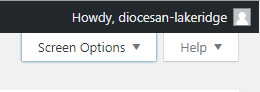
- Check Excerpt.
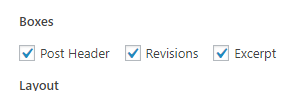
- Close Screen Options.
- Scroll down and find the Excerpt box.
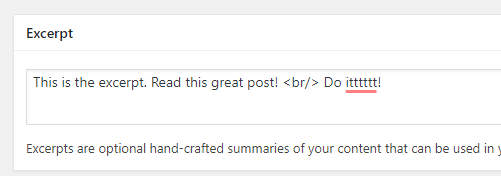
- Type in your excerpt that you wish to display as the post's excerpt.
NOTE: This box uses html and will respect <br/> to add a line break.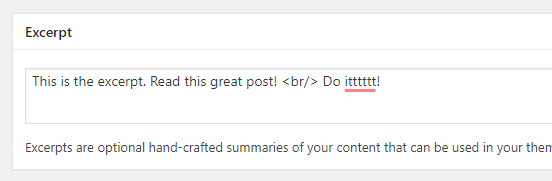
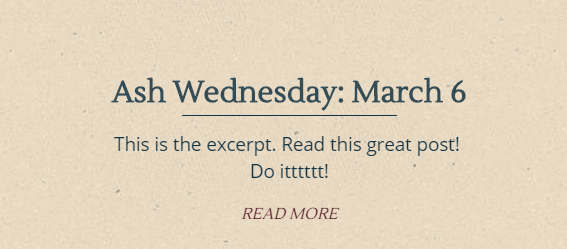
- Click the blue Update button to save your changes.
Footer Links
My first questions is: Are we changing the footer contact, social medai & quicklink font size? If so, then I am confused since in your message, all you said was "yes they are different sizes" and did not explain what you items wanted to change to what font size, or if you even wanted to.
Right now, the footer links and header secondary menu are different sizes. Do you want to change the footer links? If so, what size are you thinking? In the mockup, the footer social media matched the header, and the footer contact & quick links matched the site's paragraph font. Currently, the footer contact & quicklinks DO match the site's paragraph font, so what exactly are we wanting to match the footer information to?
Other Items
I have added the following items to our to-do list:
My first questions is: Are we changing the footer contact, social medai & quicklink font size? If so, then I am confused since in your message, all you said was "yes they are different sizes" and did not explain what you items wanted to change to what font size, or if you even wanted to.
Right now, the footer links and header secondary menu are different sizes. Do you want to change the footer links? If so, what size are you thinking? In the mockup, the footer social media matched the header, and the footer contact & quick links matched the site's paragraph font. Currently, the footer contact & quicklinks DO match the site's paragraph font, so what exactly are we wanting to match the footer information to?
Other Items
I have added the following items to our to-do list:
- News & Events page - post titles centered
- News & Events page - content left aligned NOT justified
- News & Events page - remove dots and add Read More consistent with SEAS Spotlight.
Also, we figured out why the is not working and my lack of knowledge is partially to blame. A non-breaking space is not what you are needing; You need a line break. Thus, you should be using the <br/> tag instead of
I have to leave right at 4:00 pm, but wanted to send this out to you to clarify everything. The developer will be working on the items on our to-do list until they are complete. Since you plan on launching Wednesday, I will have the developer work on your site and these items on Monday so there will be no need to push the launch. However, please let me know if you are free Monday morning to discuss everything in detail (1-2 hrs).
Thank you,
I have to leave right at 4:00 pm, but wanted to send this out to you to clarify everything. The developer will be working on the items on our to-do list until they are complete. Since you plan on launching Wednesday, I will have the developer work on your site and these items on Monday so there will be no need to push the launch. However, please let me know if you are free Monday morning to discuss everything in detail (1-2 hrs).
Thank you,
Veronica Alvarado
Web Department, Diocesan
877-923-0777
877-923-0777
Violet LaVille
Veronica,
Thank you for the excerpt option. This works PERFECTLY for the spotlights.
Are you still available this morning? Would love to go over some items with you in addition to the forms.
Thanks,
Violet LaVille
Database Manager & Financial Assistant
St. Elizabeth Ann Seton Catholic Church
12807 Valleywood Drive
Lake Ridge, VA 22192
Tel: 703-494-4008 ext. 133
Fax: 703-494-1995
Thank you for the excerpt option. This works PERFECTLY for the spotlights.
Are you still available this morning? Would love to go over some items with you in addition to the forms.
Thanks,
Violet LaVille
Database Manager & Financial Assistant
St. Elizabeth Ann Seton Catholic Church
12807 Valleywood Drive
Lake Ridge, VA 22192
Tel: 703-494-4008 ext. 133
Fax: 703-494-1995
Veronica Alvarado
I have a meeting from 11-12:30, but should be available afterwards. What time are you thinking? That way, I can make sure that I am at my desk and don't schedule anything for then.
Thank you,
Thank you,
Veronica Alvarado
Web Department, Diocesan
877-923-0777
877-923-0777
Violet LaVille
I have a staff meeting at 1:30pm and the meeting usually runs till 3:30.
Are you available at 3:30pm?
Violet LaVille
Database Manager & Financial Assistant
St. Elizabeth Ann Seton Catholic Church
12807 Valleywood Drive
Lake Ridge, VA 22192
Tel: 703-494-4008 ext. 133
Fax: 703-494-1995
Are you available at 3:30pm?
Violet LaVille
Database Manager & Financial Assistant
St. Elizabeth Ann Seton Catholic Church
12807 Valleywood Drive
Lake Ridge, VA 22192
Tel: 703-494-4008 ext. 133
Fax: 703-494-1995
Veronica Alvarado
Yes, I will put you on my calendar for 3:30 pm.
Thanks, Violet.
Thanks, Violet.
Veronica Alvarado
Web Department, Diocesan
877-923-0777
877-923-0777
Violet LaVille
Sounds great. Thank you!
Violet LaVille
Database Manager & Financial Assistant
St. Elizabeth Ann Seton Catholic Church
12807 Valleywood Drive
Lake Ridge, VA 22192
Tel: 703-494-4008 ext. 133
Fax: 703-494-1995
Violet LaVille
Database Manager & Financial Assistant
St. Elizabeth Ann Seton Catholic Church
12807 Valleywood Drive
Lake Ridge, VA 22192
Tel: 703-494-4008 ext. 133
Fax: 703-494-1995
Veronica Alvarado
Of course.
I'll wait to hear from you at 3:30 then!
I'll wait to hear from you at 3:30 then!
Veronica Alvarado
Web Department, Diocesan
877-923-0777
877-923-0777
Donna Engborg
Dear Veronica,
Good Morning. Just following up on the conversation we all had regarding publishing the posts.
Right now, when I create a New Post, it "lands" as the FIRST post on our News and Events section.
Most of the Event Posts will always be at a later date, therefore, we prefer it to "land" as the LAST post.
At this time, to make that happen, we have to change the publish date to a prior date. For example: Today, March 13, for me to add a Post to the Bottom, I have to make the Publish date read as February 24th or older (the date of the "first" post show). This is very cumbersome.
Have you come up with any other solutions for us to make this work more efficiently?
Second to this...
We found that when we "schedule" an event to become a Spotlight, it will disappear from the Parish Events Page until it is published as a Spotlight.
We would prefer that to work separately from each other. Let me know if that is clear, or call me. Thank you.
Donna Engborg
Communications Manager
St. Elizabeth Ann Seton Catholic Church
703.494.4008
d.engborg@seas1.org
Good Morning. Just following up on the conversation we all had regarding publishing the posts.
Right now, when I create a New Post, it "lands" as the FIRST post on our News and Events section.
Most of the Event Posts will always be at a later date, therefore, we prefer it to "land" as the LAST post.
At this time, to make that happen, we have to change the publish date to a prior date. For example: Today, March 13, for me to add a Post to the Bottom, I have to make the Publish date read as February 24th or older (the date of the "first" post show). This is very cumbersome.
Have you come up with any other solutions for us to make this work more efficiently?
Second to this...
We found that when we "schedule" an event to become a Spotlight, it will disappear from the Parish Events Page until it is published as a Spotlight.
We would prefer that to work separately from each other. Let me know if that is clear, or call me. Thank you.
Donna Engborg
Communications Manager
St. Elizabeth Ann Seton Catholic Church
703.494.4008
d.engborg@seas1.org
Veronica Alvarado
Hi Donna,
The only thing that I could think of was having the News and Events category always display in reverse date order (free fix), but again, if the most recently published should be #2, then you'd like to change the date. However, from your message, it sounded like this was rare.
There is a plugin that we can install and work with to see if it allows you to reorder the posts as you'd expect. However, since you have already launched, the plugin is a flat-rate of $35, which includes install, setup, testing and training.
In this case, we can give you 48 hours to see if the plugin works for you. If it does not do what you want it to do, we will remove it and not charge you for the plugin.
As far as scheduling the event to become a SEAS Spotlight, am I correct in assuming that you are doing this via the Post Expirator?
Let me know and I will go from there.
Thank you,
Veronica Alvarado
Web Department, Diocesan
877-923-0777
877-923-0777