











Thursday Launch
Good afternoon Violet,
I just wanted to double-check in with you and make sure that we are still set to launch your new website on Thursday, Sept 9, between the hours of 9:30 am - 2:00 pm EST.
If so, please click the "Approve" button. If not, please let us know and we will reschedule your launch date.
Thanks and God bless,
Arthur Richardson
Diocesan Publications
Web Project Manager
877-923-0777
Arthur Richardson
Diocesan Publications
Web Project Manager
877-923-0777
 Arthur Richardson
Hello Violet!
Tomorrow is the big day! If you are ready for us to launch, please click the approval button or if you are having a hard time finding it, just say that you give your approval to launch tomorrow. Thanks!
God bless,
Arthur Richardson
Diocesan Publications
Web Project Manager
877-923-0777
Tomorrow is the big day! If you are ready for us to launch, please click the approval button or if you are having a hard time finding it, just say that you give your approval to launch tomorrow. Thanks!
God bless,
Arthur Richardson
Diocesan Publications
Web Project Manager
877-923-0777
 Violet LaVille (All Communications)
Good morning Arthur,
Fr. B will look at the test site and send the approval.
Many Thanks,
Violet
Fr. B will look at the test site and send the approval.
Many Thanks,
Violet
Violet said YES and added:
Looks incredible! We love it. Thank you so very much Arthur and Ryan!
Violet LaVille (All Communications)
Arthur,
Fr. B has approved the test site. Can you please give us possible dates for training?
Thank you,
Violet
Fr. B has approved the test site. Can you please give us possible dates for training?
Thank you,
Violet
 Ryan Ross
Violet,
Sorry for the delay. I got sidetracked fixing the issue on the Home page even before moving things. I'm happy to report that I have resolved the slider issue, and I've moved over changes from the development site.
At this point, you can go in and edit Quick Links (please be sure to use 5), and any other changes you may need. I've already copied the footer over, and I'll be sweeping through for other odds & ends.
Sorry for the delay. I got sidetracked fixing the issue on the Home page even before moving things. I'm happy to report that I have resolved the slider issue, and I've moved over changes from the development site.
At this point, you can go in and edit Quick Links (please be sure to use 5), and any other changes you may need. I've already copied the footer over, and I'll be sweeping through for other odds & ends.
Ryan Ross
I've polished up the obvious things and I feel good with the transition to the revised theme.
I went ahead and added some Quick Links just so there wasn't an empty space in that spot.
I believe I've covered all the bases, but with this many moving parts it's easy to overlook something or find something new, so if you see anything out of place please let us know and we'll address it.
I went ahead and added some Quick Links just so there wasn't an empty space in that spot.
I believe I've covered all the bases, but with this many moving parts it's easy to overlook something or find something new, so if you see anything out of place please let us know and we'll address it.
Arthur Richardson
Hello Violet,
I will touch base with our content person to set up a training with you next week. He was out of the office today so I could not set something up. We will reach out early next week with some possible dates and times.
Thanks and God bless,
Arthur Richardson
Diocesan Publications
Web Project Manager
877-923-0777
I will touch base with our content person to set up a training with you next week. He was out of the office today so I could not set something up. We will reach out early next week with some possible dates and times.
Thanks and God bless,
Arthur Richardson
Diocesan Publications
Web Project Manager
877-923-0777
Violet LaVille (All Communications)
Thanks Arthur!
Violet LaVille (All Communications)
Good morning Ryan!
Thank you! I will take a look at the site this week and let you know if I see anything.
Appreciate it very much,
Violet
Thank you! I will take a look at the site this week and let you know if I see anything.
Appreciate it very much,
Violet
Violet LaVille (All Communications)
Thank you Ryan!
Violet LaVille (All Communications)
Good Morning Arthur,
We are closing the church building this Wednesday due to a transformer installation. This would be a great time to use the Alert Feature on the home page. How do I access this?
Thank you,
Violet
We are closing the church building this Wednesday due to a transformer installation. This would be a great time to use the Alert Feature on the home page. How do I access this?
Thank you,
Violet
Violet LaVille (All Communications)
Ryan,
I want to apologize in advance for all the emails you may get from me in the coming days.
Our staff is updating their page content and I noticed that the default in the old word press ‘page content’ is still LATO and it should be Georgia. We will continue to us the old word press page content area until we have the training for the Gutenberg word press.
In the meantime, can you please fix this.
Thanks for your understanding.
Violet
I want to apologize in advance for all the emails you may get from me in the coming days.
Our staff is updating their page content and I noticed that the default in the old word press ‘page content’ is still LATO and it should be Georgia. We will continue to us the old word press page content area until we have the training for the Gutenberg word press.
In the meantime, can you please fix this.
Thanks for your understanding.
Violet
Violet LaVille (All Communications)
Ryan,
The news and events button on the home page should be linked to this new events page. Is this something we do on our end?
[cid:image001.png@01D7A88B.57FCBA20]
Thanks,
Violet
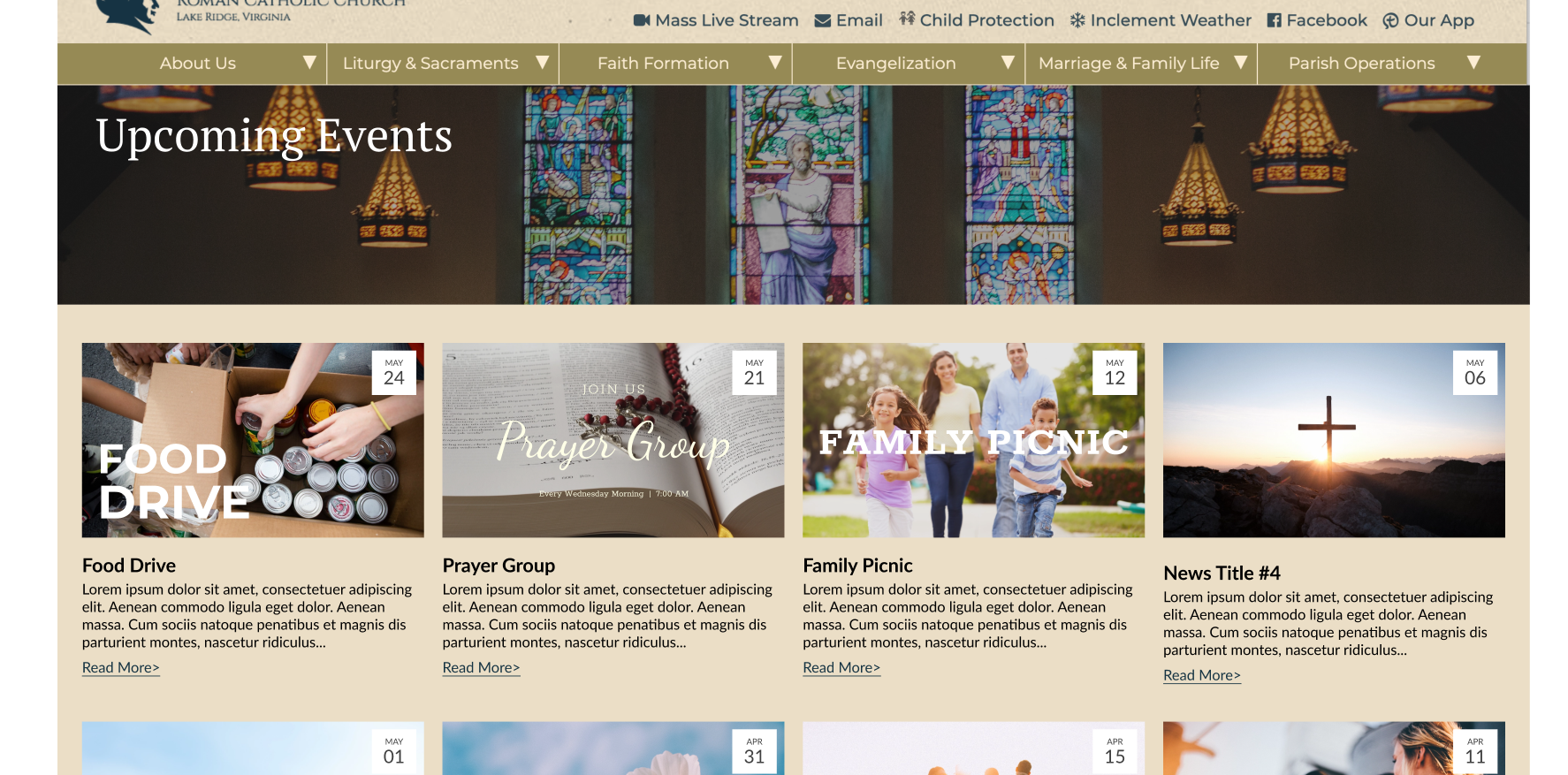
The news and events button on the home page should be linked to this new events page. Is this something we do on our end?
[cid:image001.png@01D7A88B.57FCBA20]
Thanks,
Violet
Ryan Ross
Violet,
The page/category for which you link the News & Events button on the home page is up to you. Previously, it went to a landing page of several categories. I had already updated the links on that page, and left the link on the News & Events button alone.
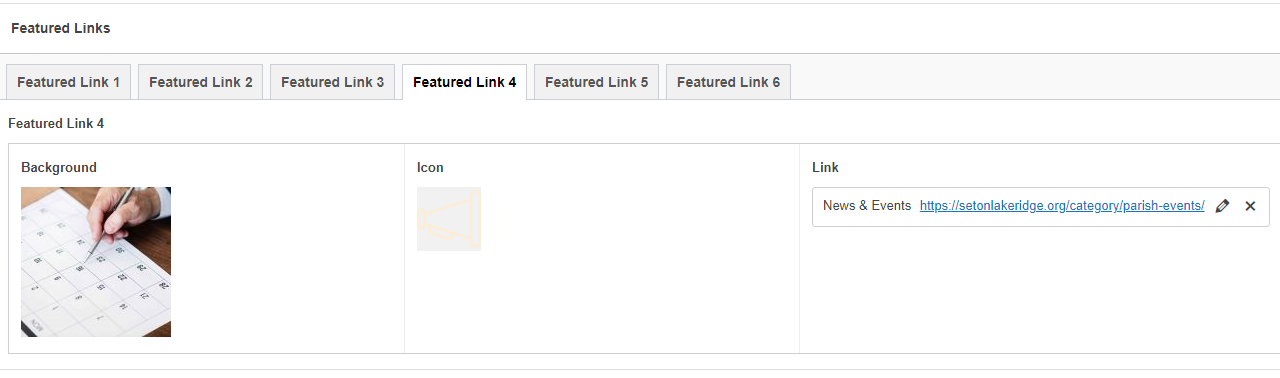
I got a separate message about this same thing from Donna, so I went ahead and updated the link for News & Events to be the Parish Events category: Parish Events – Saint Elizabeth Ann Seton (setonlakeridge.org)
You can edit this in the Featured Links section of the Home page.
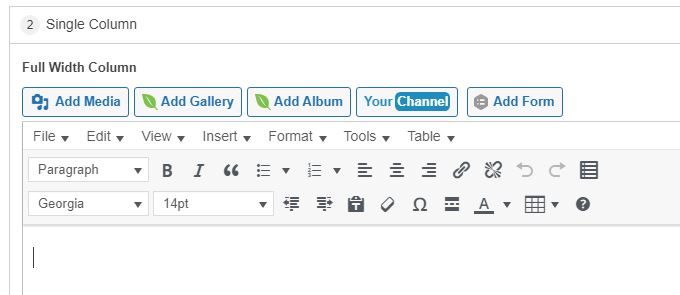
As for the default being Georgia and 14pt, it is, for both Classic Block and legacy page builder versions. What won't happen is pre-existing content will not reflect the new defaults. This goes against the very nature of what you have asked for, the ability to customize text as you desire. So, if the text is already set to Lato and 18pt (or any other combination), it will be honored and not overwritten by the theme, and the editor will show the selected styles accordingly.
If you create a new section, you'll see that the default is indeed Georgia and 14pt.
The page/category for which you link the News & Events button on the home page is up to you. Previously, it went to a landing page of several categories. I had already updated the links on that page, and left the link on the News & Events button alone.
I got a separate message about this same thing from Donna, so I went ahead and updated the link for News & Events to be the Parish Events category: Parish Events – Saint Elizabeth Ann Seton (setonlakeridge.org)
You can edit this in the Featured Links section of the Home page.
As for the default being Georgia and 14pt, it is, for both Classic Block and legacy page builder versions. What won't happen is pre-existing content will not reflect the new defaults. This goes against the very nature of what you have asked for, the ability to customize text as you desire. So, if the text is already set to Lato and 18pt (or any other combination), it will be honored and not overwritten by the theme, and the editor will show the selected styles accordingly.
If you create a new section, you'll see that the default is indeed Georgia and 14pt.
Violet LaVille (All Communications)
Ryan,
Thanks for the information below. With regards to the text font. Our font prior to the new updates was always Georgia 14. I don’t know how it got set to Lato 18. I saw Lato 18 on the test site and asked about this before. But since it was only on the test site and not the live site I did not pay too much attention to this.
I don’t know why and who changed the default to Lato.
Violet
Thanks for the information below. With regards to the text font. Our font prior to the new updates was always Georgia 14. I don’t know how it got set to Lato 18. I saw Lato 18 on the test site and asked about this before. But since it was only on the test site and not the live site I did not pay too much attention to this.
I don’t know why and who changed the default to Lato.
Violet
Violet LaVille (All Communications)
Ryan,
Donna is talking about this.
[cid:image001.png@01D7A894.298D20E0]
I just checked mine and it seems she does not have SORT# 5758. Please see pic. How does she get access to this.
[cid:image002.png@01D7A894.298D20E0]
Thanks,
Violet
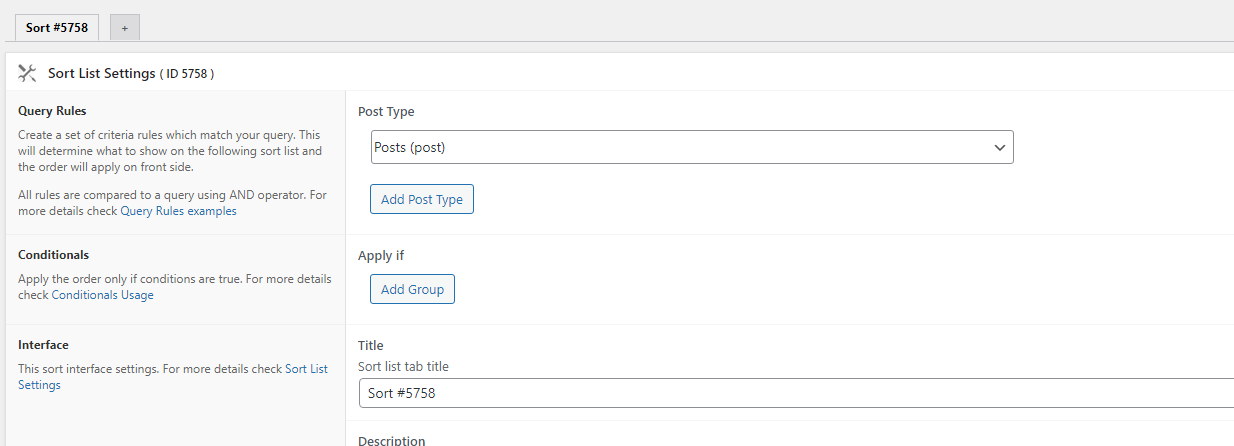
Donna is talking about this.
[cid:image001.png@01D7A894.298D20E0]
I just checked mine and it seems she does not have SORT# 5758. Please see pic. How does she get access to this.
[cid:image002.png@01D7A894.298D20E0]
Thanks,
Violet
Violet LaVille (All Communications)
Ryan,
Donna is talking about this.
[cid:image001.png@01D7A894.298D20E0]
I just checked mine and it seems she does not have SORT# 5758. Please see pic. How does she get access to this.
[cid:image002.png@01D7A894.298D20E0]
Thanks,
Violet
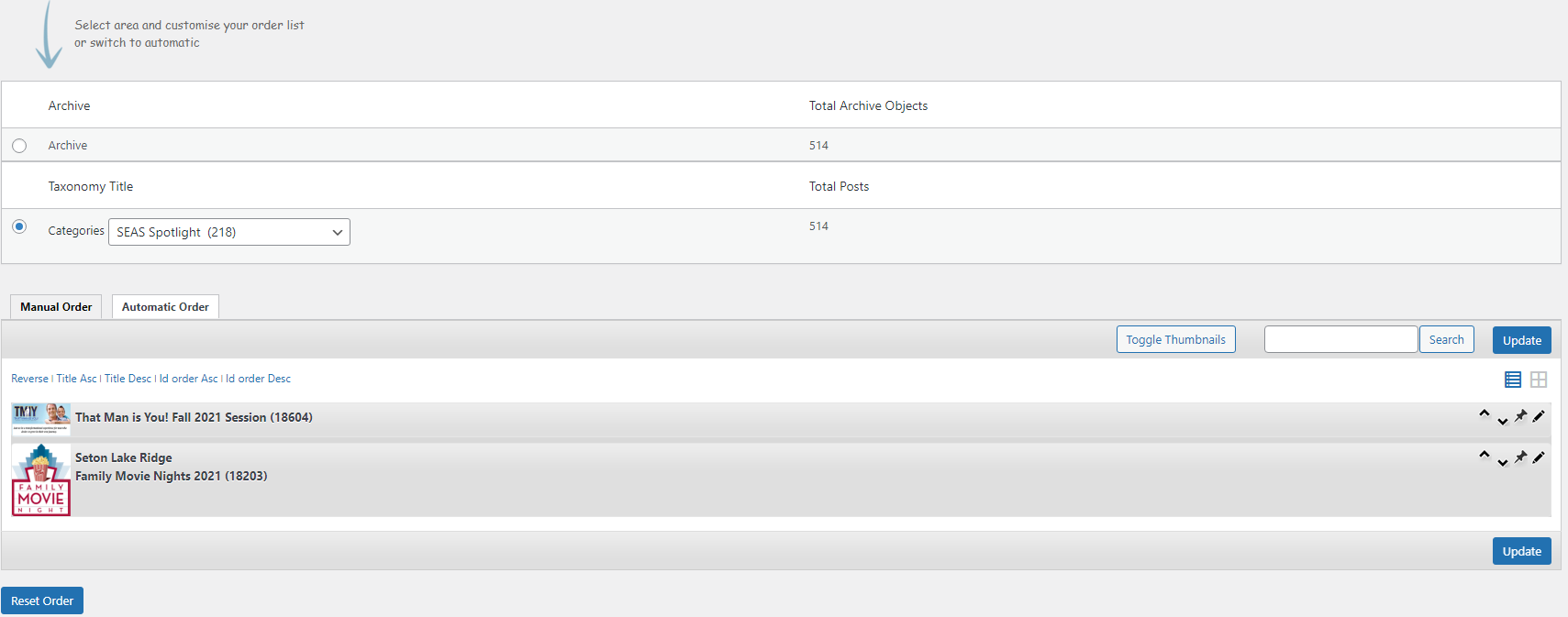
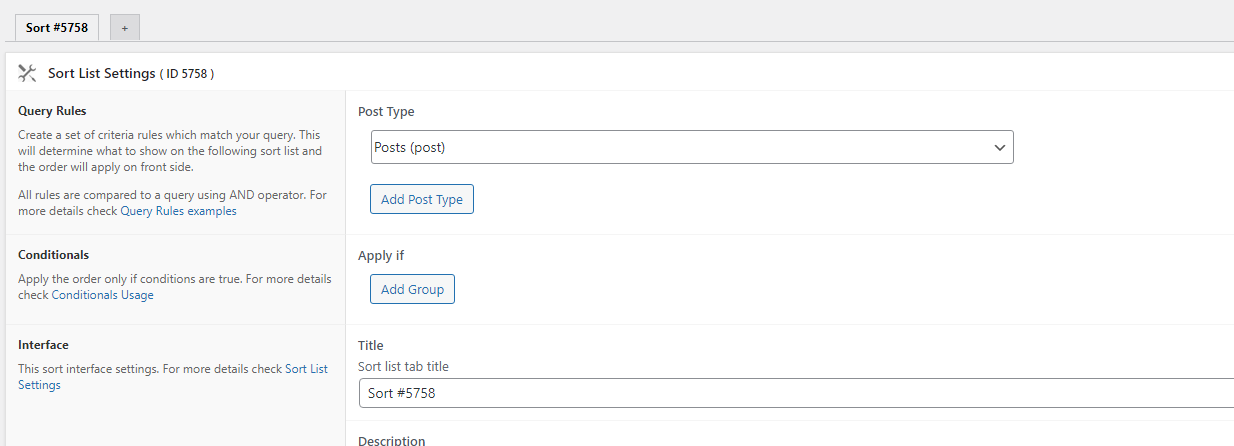
Donna is talking about this.
[cid:image001.png@01D7A894.298D20E0]
I just checked mine and it seems she does not have SORT# 5758. Please see pic. How does she get access to this.
[cid:image002.png@01D7A894.298D20E0]
Thanks,
Violet
Ryan Ross
Violet,
I've replied in the other thread to Donna, which you are also included on.
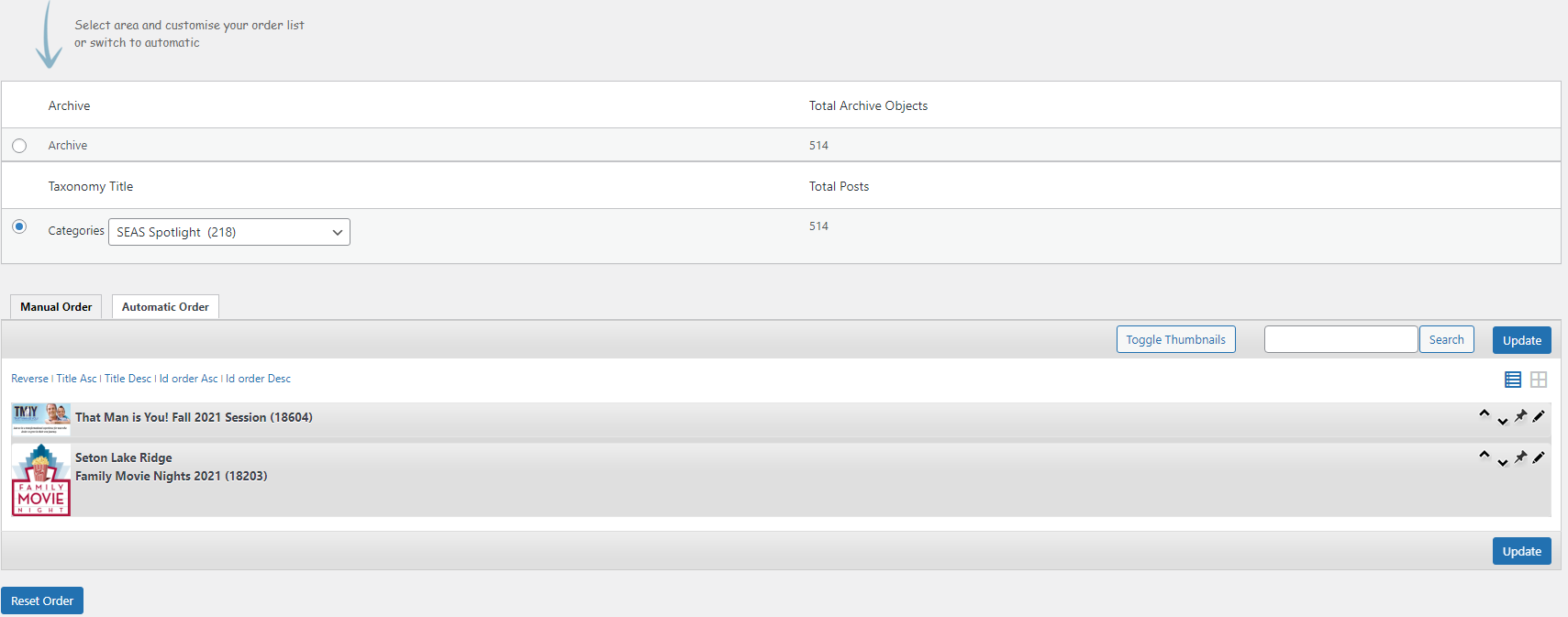
The re-ordering functionality has not changed. That said, when I first went to the Re-Order option, the category was set to SEAS Spotlight, just like it is in your screenshot. Changing this to "Parish Events" showed the current posts in Parish Events and allowed me to re-order them.
Make sure the Category matches the posts you want to re-order.
I've replied in the other thread to Donna, which you are also included on.
The re-ordering functionality has not changed. That said, when I first went to the Re-Order option, the category was set to SEAS Spotlight, just like it is in your screenshot. Changing this to "Parish Events" showed the current posts in Parish Events and allowed me to re-order them.
Make sure the Category matches the posts you want to re-order.
Violet LaVille (All Communications)
Ryan,
Can you help me with this?
Violet
Can you help me with this?
Violet
Ryan Ross
Violet,
Yes, but, I'm not sure what you are referring to? Do you need help with the Posts > Re-Order tool, or something else?
Yes, but, I'm not sure what you are referring to? Do you need help with the Posts > Re-Order tool, or something else?
Violet LaVille (All Communications)
Ryan,
Oops. I forwarded you an email I sent to Arthur. But I guess you couldn’t see it.
Anyways, we are closing the church building this Wednesday due to a transformer installation. This would be a great time to use the Alert Feature on the home page. How do I access this?
Thanks so much for the quick response.
Violet
Oops. I forwarded you an email I sent to Arthur. But I guess you couldn’t see it.
Anyways, we are closing the church building this Wednesday due to a transformer installation. This would be a great time to use the Alert Feature on the home page. How do I access this?
Thanks so much for the quick response.
Violet
Ryan Ross
I've installed the alert plugin, so you can now access the Alert functionality under "Alert Settings".
Emergency Alert Settings
Emergency Alert Settings
Violet LaVille (All Communications)
Thank you Ryan! You’re the best!
Appreciate it.
Violet
Appreciate it.
Violet
Violet LaVille (All Communications)
Ryan,
I just tested it out; but how do I disable it?
Violet
I just tested it out; but how do I disable it?
Violet
Violet LaVille (All Communications)
Ryan,
Also, for the alert, it was supposed to allow for links and images in the content of the pop up. I don’t see any edit tool that allows us to do this.
Violet
Also, for the alert, it was supposed to allow for links and images in the content of the pop up. I don’t see any edit tool that allows us to do this.
Violet
Violet LaVille (All Communications)
Ryan,
Found another Item to fix. In Gutenberg editor, the paragraph font is Georgia; but when you select heading 1, 2, 3, etc. 2, etc they default to Lato.
Should be Georgia.
Thanks,
Violet
Found another Item to fix. In Gutenberg editor, the paragraph font is Georgia; but when you select heading 1, 2, 3, etc. 2, etc they default to Lato.
Should be Georgia.
Thanks,
Violet
Ryan Ross
You can disable it by deleting content. As long as there's no title, text, or image the alert will not show.
As far as Image, Text, and Link, all of the options are there just like they were in the dev site, so I'm not quite sure what you mean by links and images in the content. Your test has an Image.
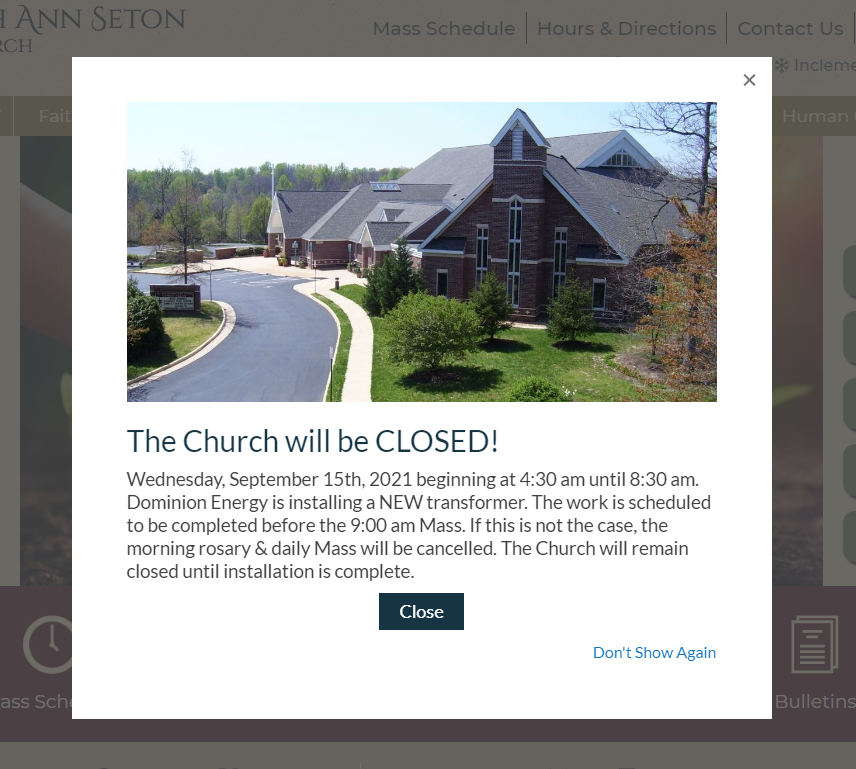
When I check this on the backend, the link option is there, just not being used. Are you not seeing the Link option?
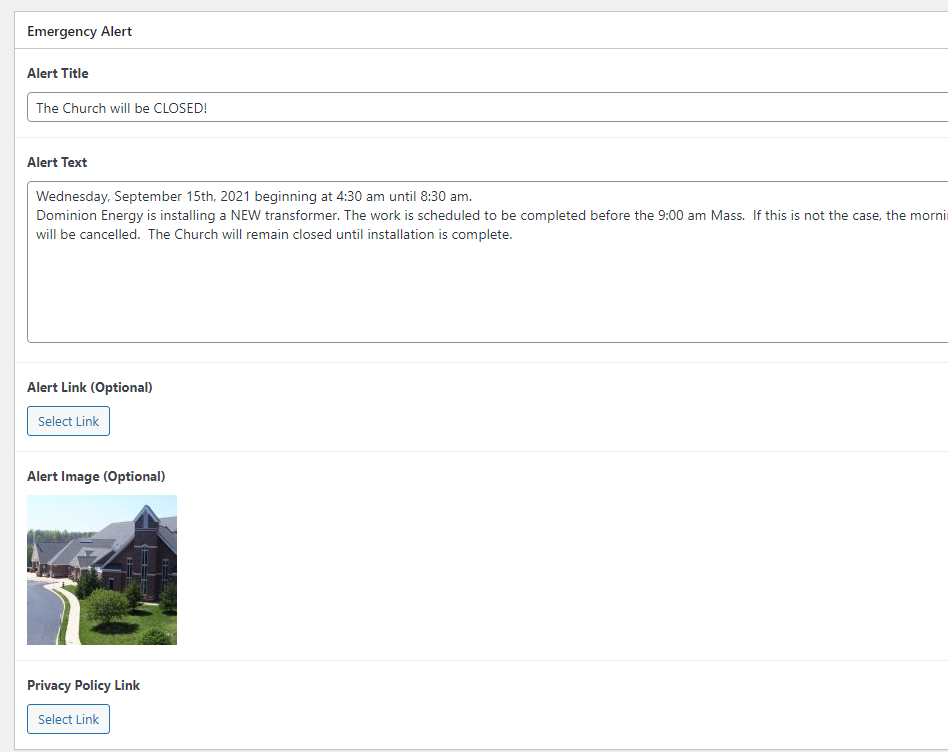
As far as Image, Text, and Link, all of the options are there just like they were in the dev site, so I'm not quite sure what you mean by links and images in the content. Your test has an Image.
When I check this on the backend, the link option is there, just not being used. Are you not seeing the Link option?
Violet LaVille (All Communications)
Ryan,
Whew. So glad Holy Spirit has their alert enabled. We requested our design/functionality to be the same as their alert. Here is their link
https://holyspiritchurch.us/
At one point their alert also had links within their content. And we wanted to be able to insert media. Such as an image, etc. in the content. The picture that I created on our test page is an image header.
When we spoke with Veronica about the alert, we referenced this site. When Danae created the design, we saw the design; but did not see the functionality capability till today.
[cid:image001.png@01D7A8C6.4E39C9C0]
Blessings,
Violet
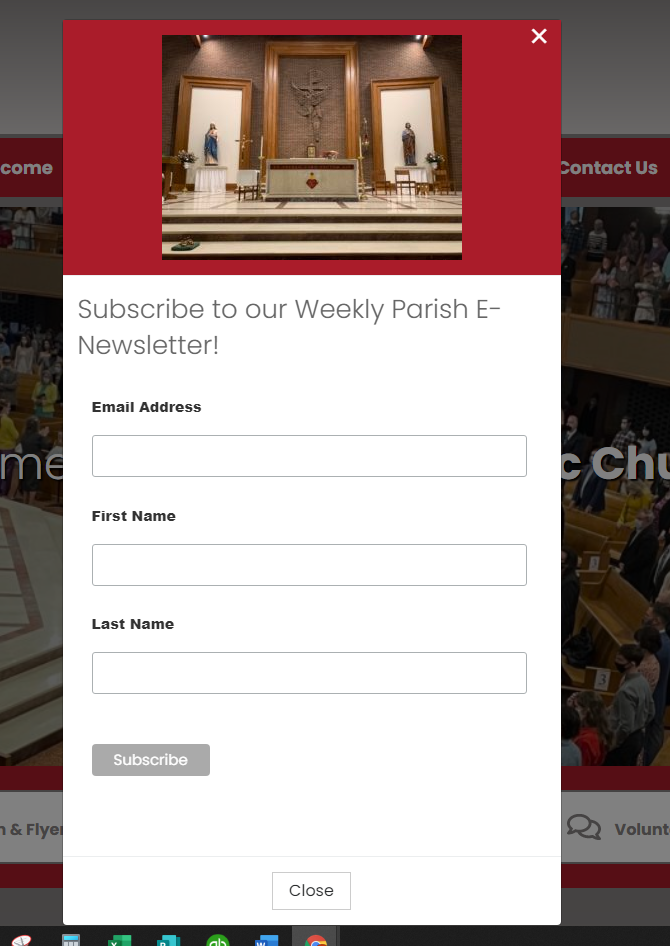
Whew. So glad Holy Spirit has their alert enabled. We requested our design/functionality to be the same as their alert. Here is their link
https://holyspiritchurch.us/
At one point their alert also had links within their content. And we wanted to be able to insert media. Such as an image, etc. in the content. The picture that I created on our test page is an image header.
When we spoke with Veronica about the alert, we referenced this site. When Danae created the design, we saw the design; but did not see the functionality capability till today.
[cid:image001.png@01D7A8C6.4E39C9C0]
Blessings,
Violet
Ryan Ross
Violet,
Alert
We can alter the functionality of the alert, but this is the first I'm hearing that it should be different than what's been on the dev site for a few months now. Did you not test the alert on the dev site? When I review the mockup for this, I see consistency with what was designed and what was delivered.
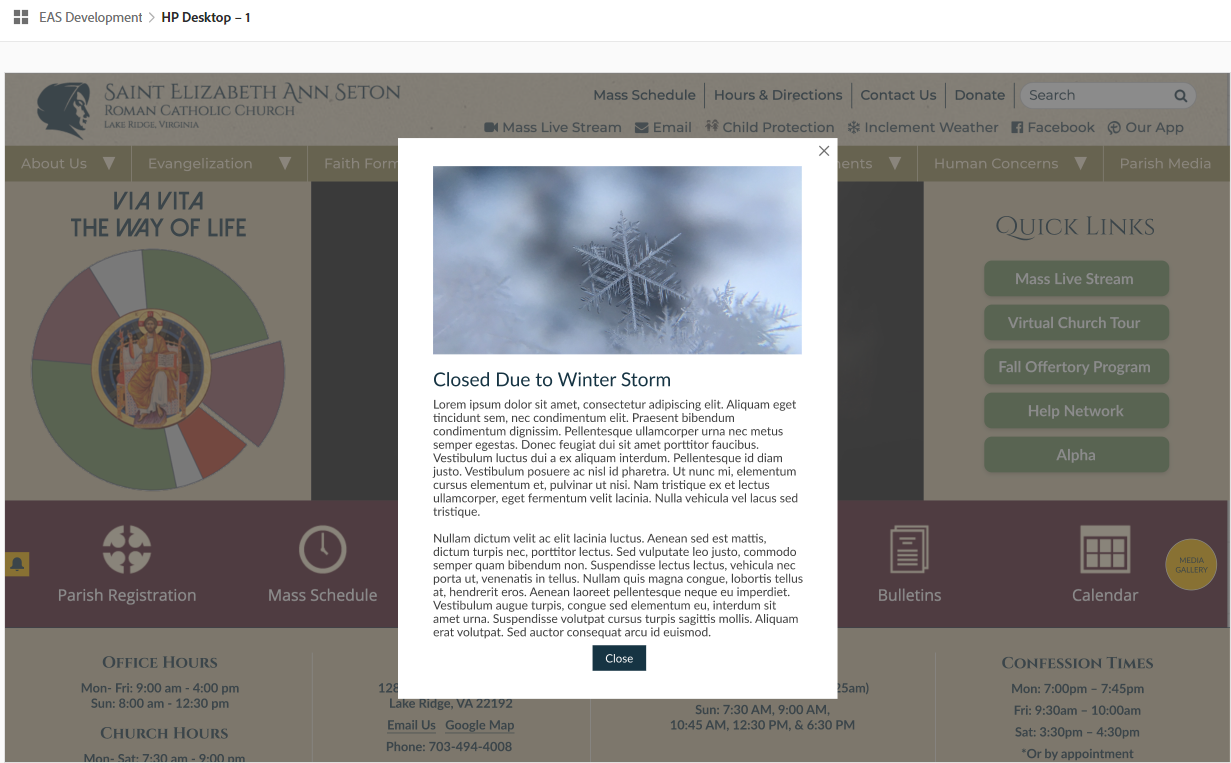
I'll need to consult with Arthur on this, as there seems to be some missing information, and either miscommunication or misunderstanding on what was meant by "links and images in the content of the alert".
Headings
I'm not quite sure where this fell through the cracks, or if it was ever brought up to begin with. I honestly couldn't find any reference or request to changing the headings from Lato to Georgia. I searched all of Basecamp. It's possible I missed it, and if so just let me know where that request was made.
As it stands the dev site currently features all headings as Lato, which would be consistent with the backend Gutenberg editor. Here's a few pages that show Lato being used for headings: Pastoral Council – Saint Elizabeth Ann Seton (diocesanweb.org), Search Results for “leaders” – Saint Elizabeth Ann Seton (diocesanweb.org), Via Vita – Saint Elizabeth Ann Seton (diocesanweb.org)
You can understand my confusion when you say it should be Georgia, but the dev site has Lato for headings font.
Alert
We can alter the functionality of the alert, but this is the first I'm hearing that it should be different than what's been on the dev site for a few months now. Did you not test the alert on the dev site? When I review the mockup for this, I see consistency with what was designed and what was delivered.
I'll need to consult with Arthur on this, as there seems to be some missing information, and either miscommunication or misunderstanding on what was meant by "links and images in the content of the alert".
Headings
I'm not quite sure where this fell through the cracks, or if it was ever brought up to begin with. I honestly couldn't find any reference or request to changing the headings from Lato to Georgia. I searched all of Basecamp. It's possible I missed it, and if so just let me know where that request was made.
As it stands the dev site currently features all headings as Lato, which would be consistent with the backend Gutenberg editor. Here's a few pages that show Lato being used for headings: Pastoral Council – Saint Elizabeth Ann Seton (diocesanweb.org), Search Results for “leaders” – Saint Elizabeth Ann Seton (diocesanweb.org), Via Vita – Saint Elizabeth Ann Seton (diocesanweb.org)
You can understand my confusion when you say it should be Georgia, but the dev site has Lato for headings font.
Violet LaVille (All Communications)
Ryan,
I did not test the alert in the test site; because I thought it was more for design purposes. I did not know we can test it out or how to test it out. Otherwise, I would have. And brought the functionality capabilities to Arthur’s attention. This is the first time I actually used the alert plugin after you shared the link.
Yes, the mock up shows the design; but when we discussed the design with Danae we also mentioned all the other functionality as well. We spoke about this with Veronica, Kyle (first developer), Danae and Arthur. It’s also on the initial contract from Veronica; which is to “Allow for links and images in the content of the popup”.
I’m sorry you are only hearing this now from me.
If you need more clarification, please let me know and we can discuss this; preferably over the phone as going back and forth over email can sometimes be confusing.
Thanks,
Violet
I did not test the alert in the test site; because I thought it was more for design purposes. I did not know we can test it out or how to test it out. Otherwise, I would have. And brought the functionality capabilities to Arthur’s attention. This is the first time I actually used the alert plugin after you shared the link.
Yes, the mock up shows the design; but when we discussed the design with Danae we also mentioned all the other functionality as well. We spoke about this with Veronica, Kyle (first developer), Danae and Arthur. It’s also on the initial contract from Veronica; which is to “Allow for links and images in the content of the popup”.
I’m sorry you are only hearing this now from me.
If you need more clarification, please let me know and we can discuss this; preferably over the phone as going back and forth over email can sometimes be confusing.
Thanks,
Violet
Violet LaVille (All Communications)
Ryan,
FYI – I took a pic. Some things have evolved from this when we were doing the design with Danae. For example, the placement, color, and size of the alert icon, etc. We also decided to have the icon displayed when there is an alert.
[cid:image001.png@01D7A8CD.E28BE520]
Hope this helps.
Violet
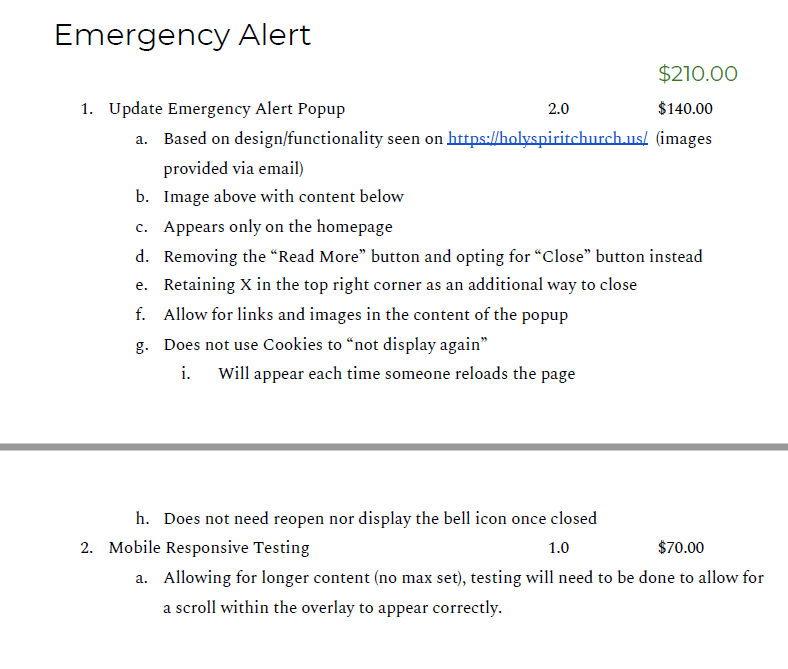
FYI – I took a pic. Some things have evolved from this when we were doing the design with Danae. For example, the placement, color, and size of the alert icon, etc. We also decided to have the icon displayed when there is an alert.
[cid:image001.png@01D7A8CD.E28BE520]
Hope this helps.
Violet
Ryan Ross
Violet,
I've completed the changes to the Alert, as well as updated Headings to Georgia. I classified the latter as a new request since I couldn't identify a previous request to have the headings changed.
Alert now supports WYSIWYG content where you can add images and links within the content.
Headings have been converted to default to Georgia, and will reflect accordingly on the site anywhere they were not explicitly set to something else. The Classic editor and Gutenberg also reflect this adjustment.
I've completed the changes to the Alert, as well as updated Headings to Georgia. I classified the latter as a new request since I couldn't identify a previous request to have the headings changed.
Alert now supports WYSIWYG content where you can add images and links within the content.
Headings have been converted to default to Georgia, and will reflect accordingly on the site anywhere they were not explicitly set to something else. The Classic editor and Gutenberg also reflect this adjustment.
Violet LaVille (All Communications)
Good Morning Ryan!
Thank you for updating the alert settings. I appreciate it. I also appreciate you for taking care of the default fonts so quickly. I’m not sure what happened either. Prior to all the updates, our old site had Georgia. But the new test site had Lato. Again, the only thing we wanted with regards to the font was change the default size from 12 to 14. So glad I don’t have to go back and fix all the headers.
I will be going through all the pages in the next few days and let you know if I come across anything else.
Many Thanks,
Violet
Thank you for updating the alert settings. I appreciate it. I also appreciate you for taking care of the default fonts so quickly. I’m not sure what happened either. Prior to all the updates, our old site had Georgia. But the new test site had Lato. Again, the only thing we wanted with regards to the font was change the default size from 12 to 14. So glad I don’t have to go back and fix all the headers.
I will be going through all the pages in the next few days and let you know if I come across anything else.
Many Thanks,
Violet
Violet LaVille (All Communications)
Good Morning Ryan,
The alert icon is displaying but there is no alert message enabled. Can you please take a look at this?
Thank you!
Blessings,
Violet LaVille
Database Manager & Financial Assistant
Available Hours: Mon 8:00 am - 6:00 pm,
Wed & Thurs 8:00 am - 6:00 pm
(OFF Tues & Fri)
St. Elizabeth Ann Seton Catholic Church
12807 Valleywood Drive
Lake Ridge, VA 22192
Tel: 703-494-4008 ext. 133
Fax: 703-494-1995
www.setonlakeridge.org
The alert icon is displaying but there is no alert message enabled. Can you please take a look at this?
Thank you!
Blessings,
Violet LaVille
Database Manager & Financial Assistant
Available Hours: Mon 8:00 am - 6:00 pm,
Wed & Thurs 8:00 am - 6:00 pm
(OFF Tues & Fri)
St. Elizabeth Ann Seton Catholic Church
12807 Valleywood Drive
Lake Ridge, VA 22192
Tel: 703-494-4008 ext. 133
Fax: 703-494-1995
www.setonlakeridge.org
Violet LaVille (All Communications)
Good Morning Ryan,
The alert icon is displaying but there is no alert message enabled. Can you please take a look at this?
Thank you!
Blessings,
Violet LaVille
Database Manager & Financial Assistant
Available Hours: Mon 8:00 am - 6:00 pm,
Wed & Thurs 8:00 am - 6:00 pm
(OFF Tues & Fri)
St. Elizabeth Ann Seton Catholic Church
12807 Valleywood Drive
Lake Ridge, VA 22192
Tel: 703-494-4008 ext. 133
Fax: 703-494-1995
www.setonlakeridge.org
The alert icon is displaying but there is no alert message enabled. Can you please take a look at this?
Thank you!
Blessings,
Violet LaVille
Database Manager & Financial Assistant
Available Hours: Mon 8:00 am - 6:00 pm,
Wed & Thurs 8:00 am - 6:00 pm
(OFF Tues & Fri)
St. Elizabeth Ann Seton Catholic Church
12807 Valleywood Drive
Lake Ridge, VA 22192
Tel: 703-494-4008 ext. 133
Fax: 703-494-1995
www.setonlakeridge.org
Ryan Ross
Hi Violet,
Unfortunately, I could not replicate the problem. I do not see the alert icon when viewing the site. I checked the alert settings and they are empty, which suggests the site is behaving properly.
If you still see the icon, can you try a hard refresh (CTRL-F5) ?
Unfortunately, I could not replicate the problem. I do not see the alert icon when viewing the site. I checked the alert settings and they are empty, which suggests the site is behaving properly.
If you still see the icon, can you try a hard refresh (CTRL-F5) ?
Violet LaVille (All Communications)
Ryan,
Thanks for checking. I did a hard refresh and I also cleared my cache. It’s still displaying on my monitor; but I just checked on donna’s and it’s not displaying on hers.
Not sure why that is.
[cid:image001.png@01D7B385.B66C92B0]
Violet
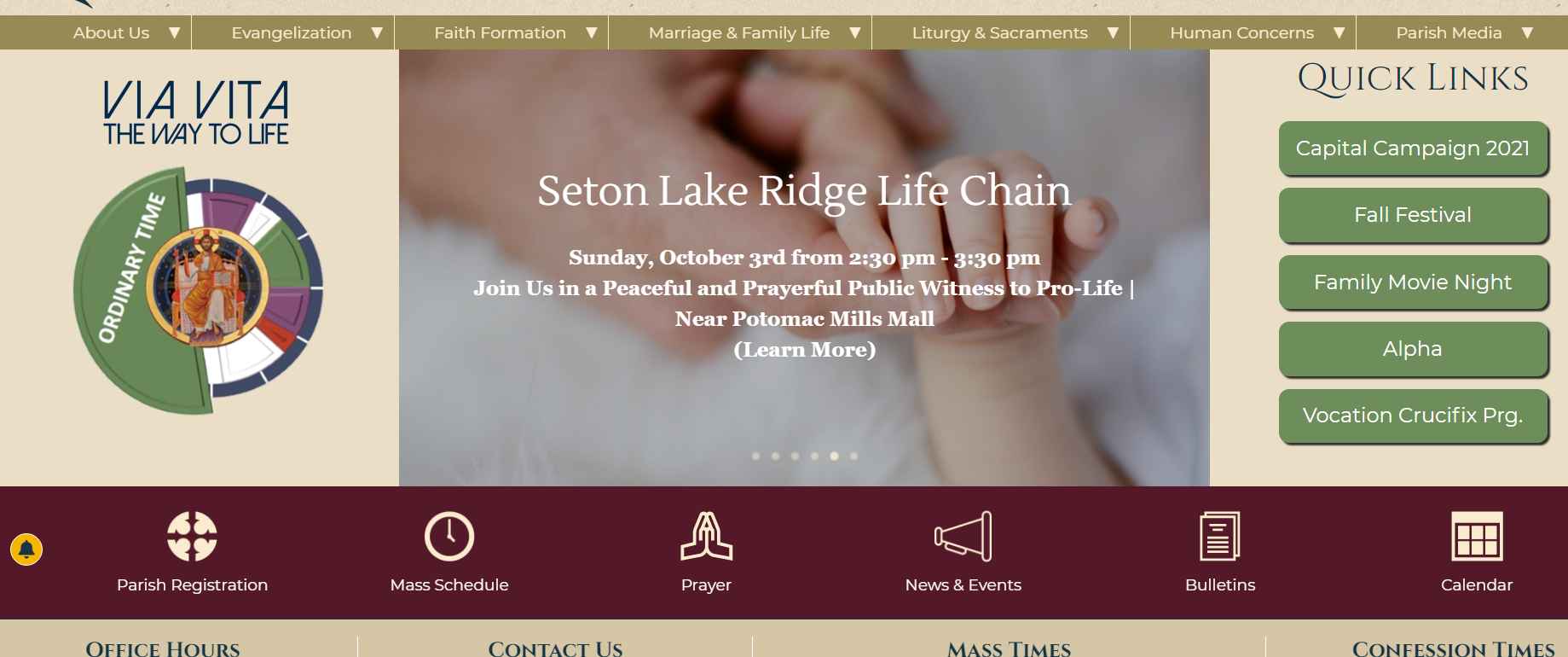
Thanks for checking. I did a hard refresh and I also cleared my cache. It’s still displaying on my monitor; but I just checked on donna’s and it’s not displaying on hers.
Not sure why that is.
[cid:image001.png@01D7B385.B66C92B0]
Violet
Violet LaVille (All Communications)
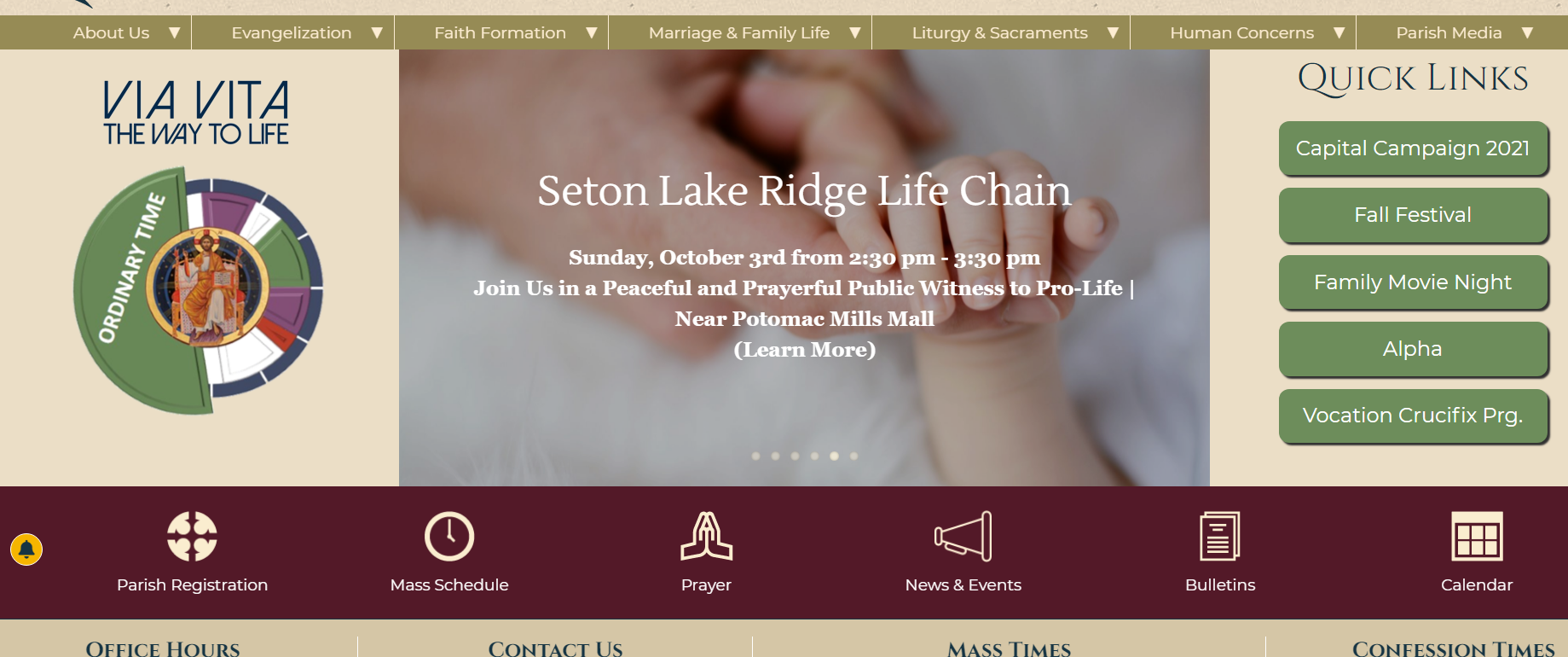
Okay. So when I click on it, it disappears. But when I go back in and do a hard refresh, the icon displays again.
Violet LaVille (All Communications)
Good morning Ryan,
This is my first attempt at using the gutenberg editor. I noticed that the spacing between blocks are a bit wide. Please see pic below. I viewed it in html to see If I could delete any extra line spacing; but did not see any.
Here is the link to that page https://setonlakeridge.org/capital-campaign-2021/
[https://setonlakeridge.org/wp-content/uploads/2021/04/under-construction-image.jpg]<https://setonlakeridge.org/capital-campaign-2021/>
Capital Campaign 2021 – Saint Elizabeth Ann Seton<https://setonlakeridge.org/capital-campaign-2021/>
Frequently Asked Questions (FAQ) All questions about this Capital Campaign will be answered here. Please email (you can click the link below) with any questions or comments you might have.
setonlakeridge.org
[cid:69d425d7-c49a-4147-933a-83cc0c2e77be]
Thanks for all your help.
Violet

This is my first attempt at using the gutenberg editor. I noticed that the spacing between blocks are a bit wide. Please see pic below. I viewed it in html to see If I could delete any extra line spacing; but did not see any.
Here is the link to that page https://setonlakeridge.org/capital-campaign-2021/
[https://setonlakeridge.org/wp-content/uploads/2021/04/under-construction-image.jpg]<https://setonlakeridge.org/capital-campaign-2021/>
Capital Campaign 2021 – Saint Elizabeth Ann Seton<https://setonlakeridge.org/capital-campaign-2021/>
Frequently Asked Questions (FAQ) All questions about this Capital Campaign will be answered here. Please email (you can click the link below) with any questions or comments you might have.
setonlakeridge.org
[cid:69d425d7-c49a-4147-933a-83cc0c2e77be]
Thanks for all your help.
Violet
Violet LaVille (All Communications)
Good morning Ryan,
This is my first attempt at using the gutenberg editor. I noticed that the spacing between blocks are a bit wide. Please see pic below. I viewed it in html to see If I could delete any extra line spacing; but did not see any.
Here is the link to that page https://setonlakeridge.org/capital-campaign-2021/
[https://setonlakeridge.org/wp-content/uploads/2021/04/under-construction-image.jpg]<https://setonlakeridge.org/capital-campaign-2021/>
Capital Campaign 2021 – Saint Elizabeth Ann Seton<https://setonlakeridge.org/capital-campaign-2021/>
Frequently Asked Questions (FAQ) All questions about this Capital Campaign will be answered here. Please email (you can click the link below) with any questions or comments you might have.
setonlakeridge.org
[cid:69d425d7-c49a-4147-933a-83cc0c2e77be]
Thanks for all your help.
Violet

This is my first attempt at using the gutenberg editor. I noticed that the spacing between blocks are a bit wide. Please see pic below. I viewed it in html to see If I could delete any extra line spacing; but did not see any.
Here is the link to that page https://setonlakeridge.org/capital-campaign-2021/
[https://setonlakeridge.org/wp-content/uploads/2021/04/under-construction-image.jpg]<https://setonlakeridge.org/capital-campaign-2021/>
Capital Campaign 2021 – Saint Elizabeth Ann Seton<https://setonlakeridge.org/capital-campaign-2021/>
Frequently Asked Questions (FAQ) All questions about this Capital Campaign will be answered here. Please email (you can click the link below) with any questions or comments you might have.
setonlakeridge.org
[cid:69d425d7-c49a-4147-933a-83cc0c2e77be]
Thanks for all your help.
Violet
Violet LaVille (All Communications)
Hello Ryan,
The preview button doesn't seem to be working. I updated the silver foxes page and wanted to preview the page before publishing it and this is what I got.
Apparently, in order for me to view the changes, I need to publish then view in a new tab.
Violet
[cid:a1a92f6d-218c-4855-98dc-9159a52444d9]
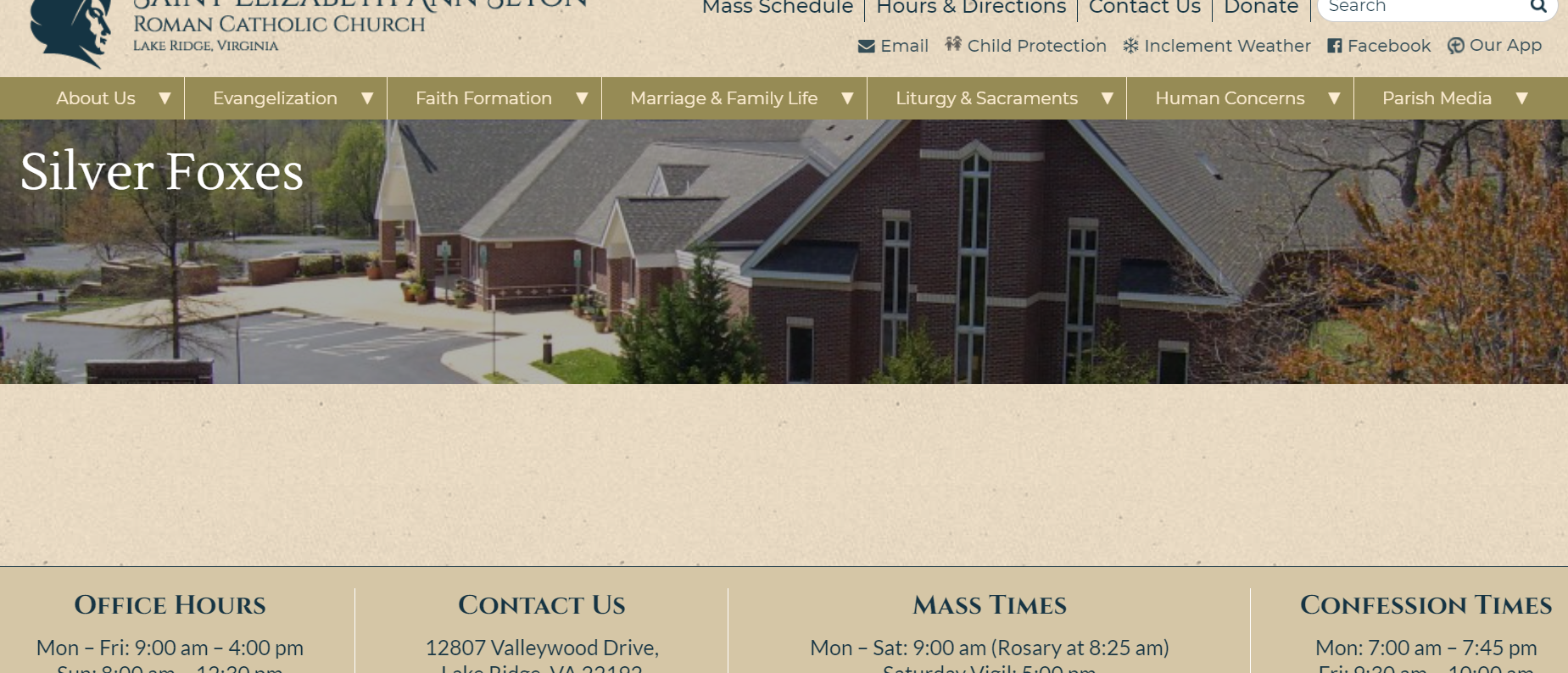
The preview button doesn't seem to be working. I updated the silver foxes page and wanted to preview the page before publishing it and this is what I got.
Apparently, in order for me to view the changes, I need to publish then view in a new tab.
Violet
[cid:a1a92f6d-218c-4855-98dc-9159a52444d9]
Violet LaVille (All Communications)
Hello Ryan,
Do you know of any online horizontal fundraising thermometers that you can recommend for our site?
We have an upcoming capital campaign and we would love to have this feature on our website.
Here's an example of what I found.
[cid:ac95a46c-92ba-47f2-9b23-ad127fb9985e]
Thanks,
Violet

Do you know of any online horizontal fundraising thermometers that you can recommend for our site?
We have an upcoming capital campaign and we would love to have this feature on our website.
Here's an example of what I found.
[cid:ac95a46c-92ba-47f2-9b23-ad127fb9985e]
Thanks,
Violet
Ryan Ross
Hi Violet,
Capital Campaign - There are a number of things built in affecting spacing. Namely, paragraph and columns blocks have margins beneath them, and Headings have margins above and beneath. You won't be able to detect margins from the source code itself.
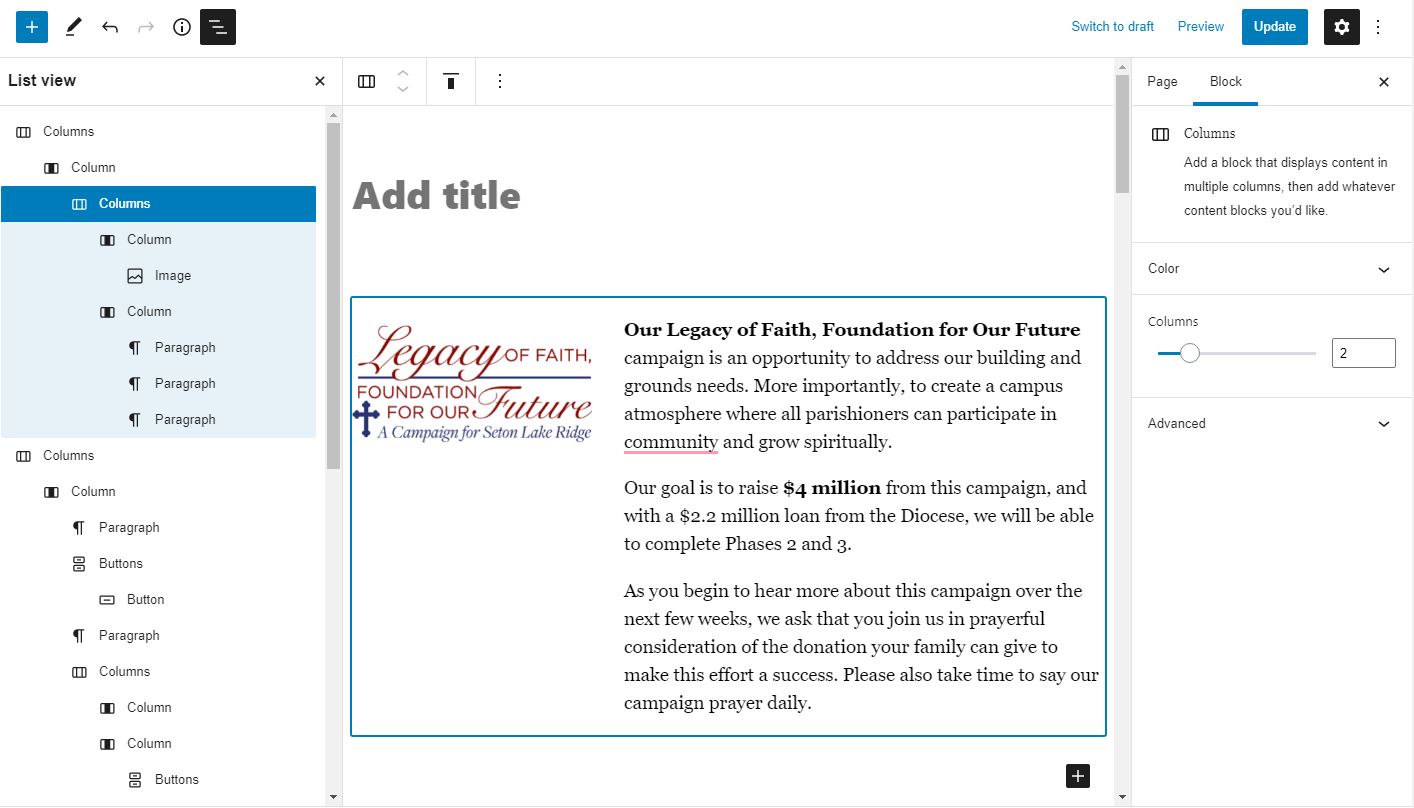
To further complicate the issue, you had an empty paragraph block at the bottom of the top columns, as well as had a columns block inside a columns block. Appearance-wise it works, but each columns block has a margin-bottom.
I've deleted the empty paragraph block and surgically removed the outer columns block. It's the best you're doing to get with the chosen blocks arrangement.
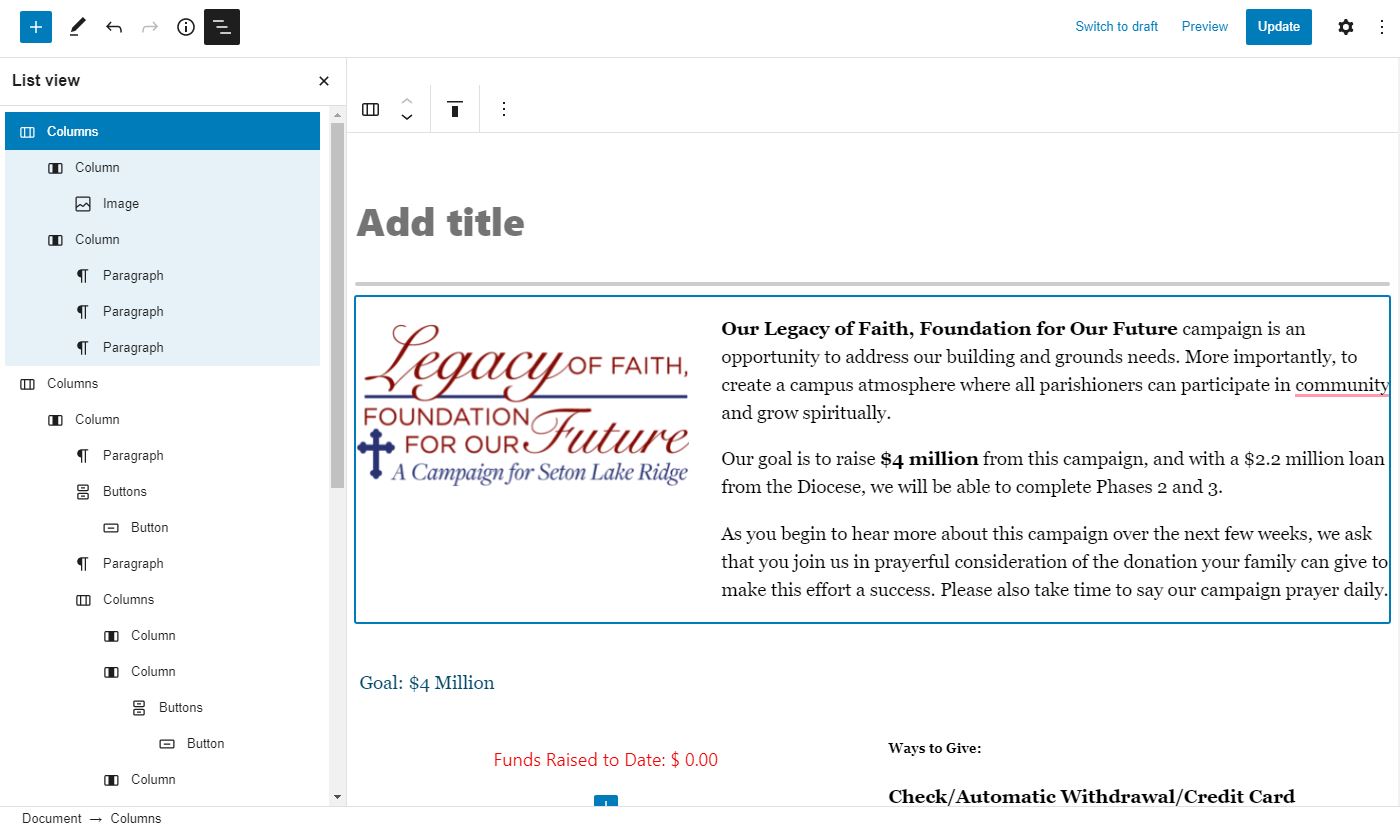
You can toggle "List view" (the three staggered dashes icon) and will show you the structure of your blocks. Hovering them will also highlight them. Rather handy for flushing out unwanted blocks.
Capital Campaign - There are a number of things built in affecting spacing. Namely, paragraph and columns blocks have margins beneath them, and Headings have margins above and beneath. You won't be able to detect margins from the source code itself.
To further complicate the issue, you had an empty paragraph block at the bottom of the top columns, as well as had a columns block inside a columns block. Appearance-wise it works, but each columns block has a margin-bottom.
I've deleted the empty paragraph block and surgically removed the outer columns block. It's the best you're doing to get with the chosen blocks arrangement.
You can toggle "List view" (the three staggered dashes icon) and will show you the structure of your blocks. Hovering them will also highlight them. Rather handy for flushing out unwanted blocks.
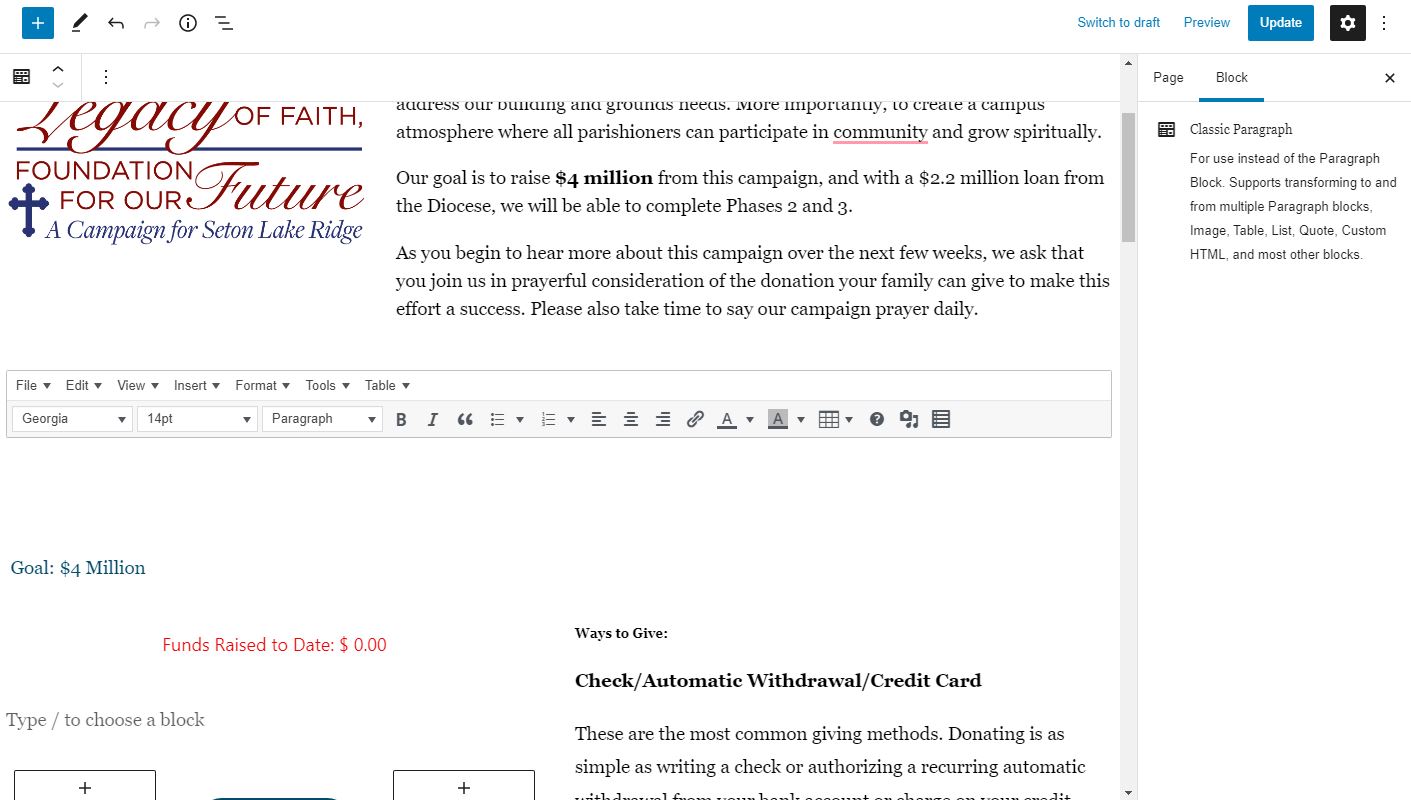
Previews - This is a known issue with Advanced Custom Fields, and fortunately we recently found a workaround to make Wordpress previews handle the custom fields correctly. We've applied the fix so previews should work as expected
Progress Bar - I personally haven't had the need to build such a progress bar so I don't have much experience to work with on this one. They aren't all that complicated but does require some coordination whether that be handled by theme or block.
There are probably some existing solutions and/or blocks that we may be able to install. You may consider google searches like "Fundraiser progress bar wordpress" or "gutenberg progress bar block" and see if there's anything out there. Worst case, I could build a custom block to handle this in a semi-automated way. Meaning you'd need to periodically update the statistics in the block manually as it wouldn't be linked to the actual campaign. Something like that would take a half-hour to an hour of development time.
Violet LaVille (All Communications)
Hello Ryan,
Thanks for the information. And the list function you showed is very helpful. I remember discussing the whole margins with you for our site. In the old wordpress you were able to adjust the margins/padding etc. Is that true with the Gutenberg editor. Thus can you adjust the margins between blocks? i.e above and below.
We learned the media with text block today and so I am using that instead of the columns. But the margin between the picture and the text is quite substantial. Can we make it similar with the rest please?
[cid:image001.png@01D7B52E.001F66E0]
I will do some more research on the fundraising like you suggested.
Thank you again,
Violet
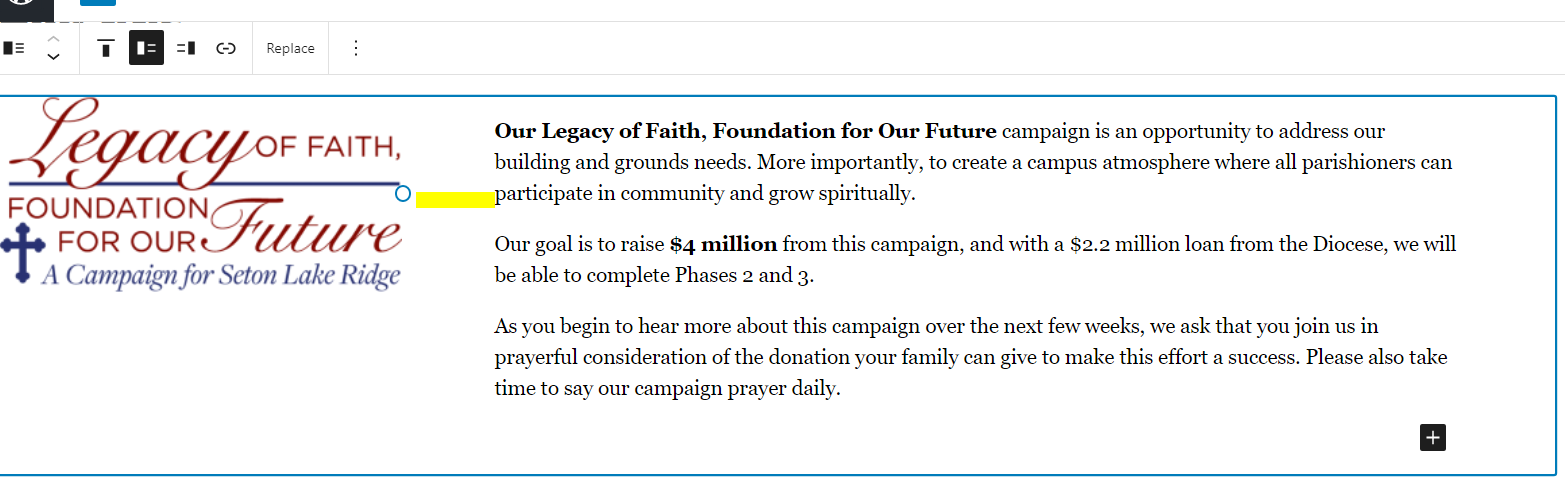
Thanks for the information. And the list function you showed is very helpful. I remember discussing the whole margins with you for our site. In the old wordpress you were able to adjust the margins/padding etc. Is that true with the Gutenberg editor. Thus can you adjust the margins between blocks? i.e above and below.
We learned the media with text block today and so I am using that instead of the columns. But the margin between the picture and the text is quite substantial. Can we make it similar with the rest please?
[cid:image001.png@01D7B52E.001F66E0]
I will do some more research on the fundraising like you suggested.
Thank you again,
Violet
Violet LaVille (All Communications)
Ryan,
The outer left and right margins need to be 2.5 %. The left side looks fine. But the Right margin for blocks also need to be adjusted. Please see pic.
[cid:image001.png@01D7B531.D57CCD70]
Blessings,
Violet LaVille
Database Manager & Financial Assistant
Available Hours: Mon 8:00 am - 6:00 pm,
Wed & Thurs 8:00 am - 6:00 pm
(OFF Tues & Fri)
St. Elizabeth Ann Seton Catholic Church
12807 Valleywood Drive
Lake Ridge, VA 22192
Tel: 703-494-4008 ext. 133
Fax: 703-494-1995
www.setonlakeridge.org
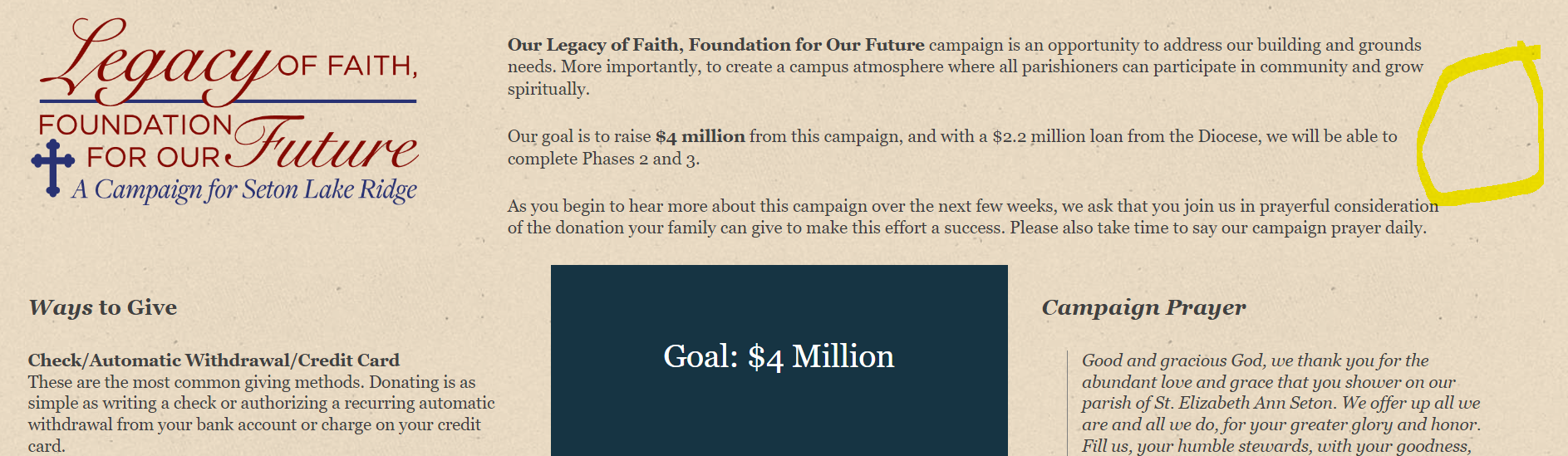
The outer left and right margins need to be 2.5 %. The left side looks fine. But the Right margin for blocks also need to be adjusted. Please see pic.
[cid:image001.png@01D7B531.D57CCD70]
Blessings,
Violet LaVille
Database Manager & Financial Assistant
Available Hours: Mon 8:00 am - 6:00 pm,
Wed & Thurs 8:00 am - 6:00 pm
(OFF Tues & Fri)
St. Elizabeth Ann Seton Catholic Church
12807 Valleywood Drive
Lake Ridge, VA 22192
Tel: 703-494-4008 ext. 133
Fax: 703-494-1995
www.setonlakeridge.org
Ryan Ross
Violet,
The Media with Text combo block apparently had a built in 8% left and right margin on the content portion. That's why you were seeing so much space between the image and content, and even more noticable next to the edge on the right.
I've adjusted it so that the margin on left is 2.5% and on the right is 0 so the content container will go flush to the edge of the site's 2.5% margin.
The Media with Text combo block apparently had a built in 8% left and right margin on the content portion. That's why you were seeing so much space between the image and content, and even more noticable next to the edge on the right.
I've adjusted it so that the margin on left is 2.5% and on the right is 0 so the content container will go flush to the edge of the site's 2.5% margin.
Violet LaVille (All Communications)
Thanks Ryan!
Can you also please fix the right margin on the content portion for columns?
Much appreciated,
Violet
Can you also please fix the right margin on the content portion for columns?
Much appreciated,
Violet
Ryan Ross
Violet,
I sure can. However, I looked and didn't see any obvious issues with columns and margins. In this screenshot, I'm highlighting the third column on the capital campaign page. The blue is the container for the column and you can see it goes flush to the edge of where the page margin of 2.5% is.
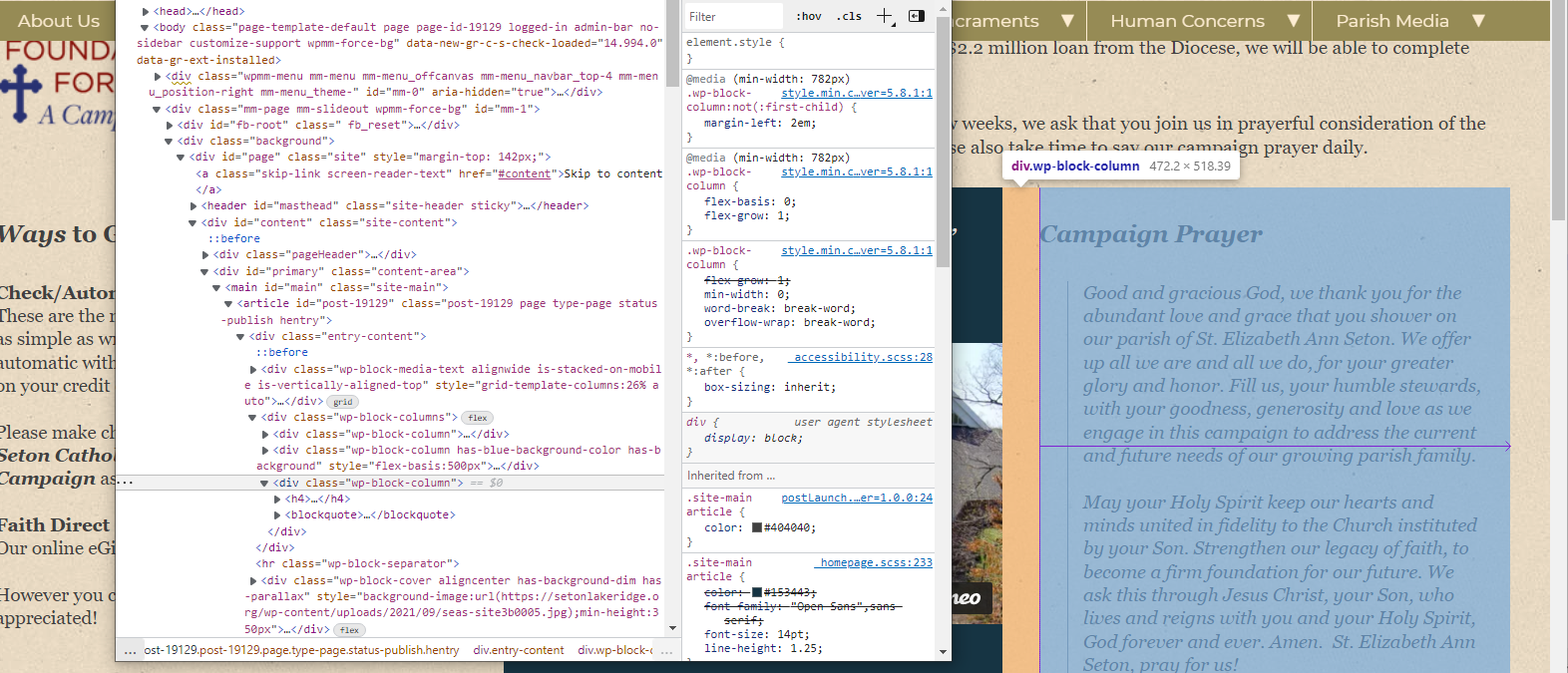
I sure can. However, I looked and didn't see any obvious issues with columns and margins. In this screenshot, I'm highlighting the third column on the capital campaign page. The blue is the container for the column and you can see it goes flush to the edge of where the page margin of 2.5% is.
Violet LaVille (All Communications)
Ryan,
Does the container itself have it’s own built in margin for the right side? Just curious.
Thanks for looking into this.
Violet
Does the container itself have it’s own built in margin for the right side? Just curious.
Thanks for looking into this.
Violet
Ryan Ross
Violet,
No, the Columns container does not have any padding or margin. It goes edge to edge.
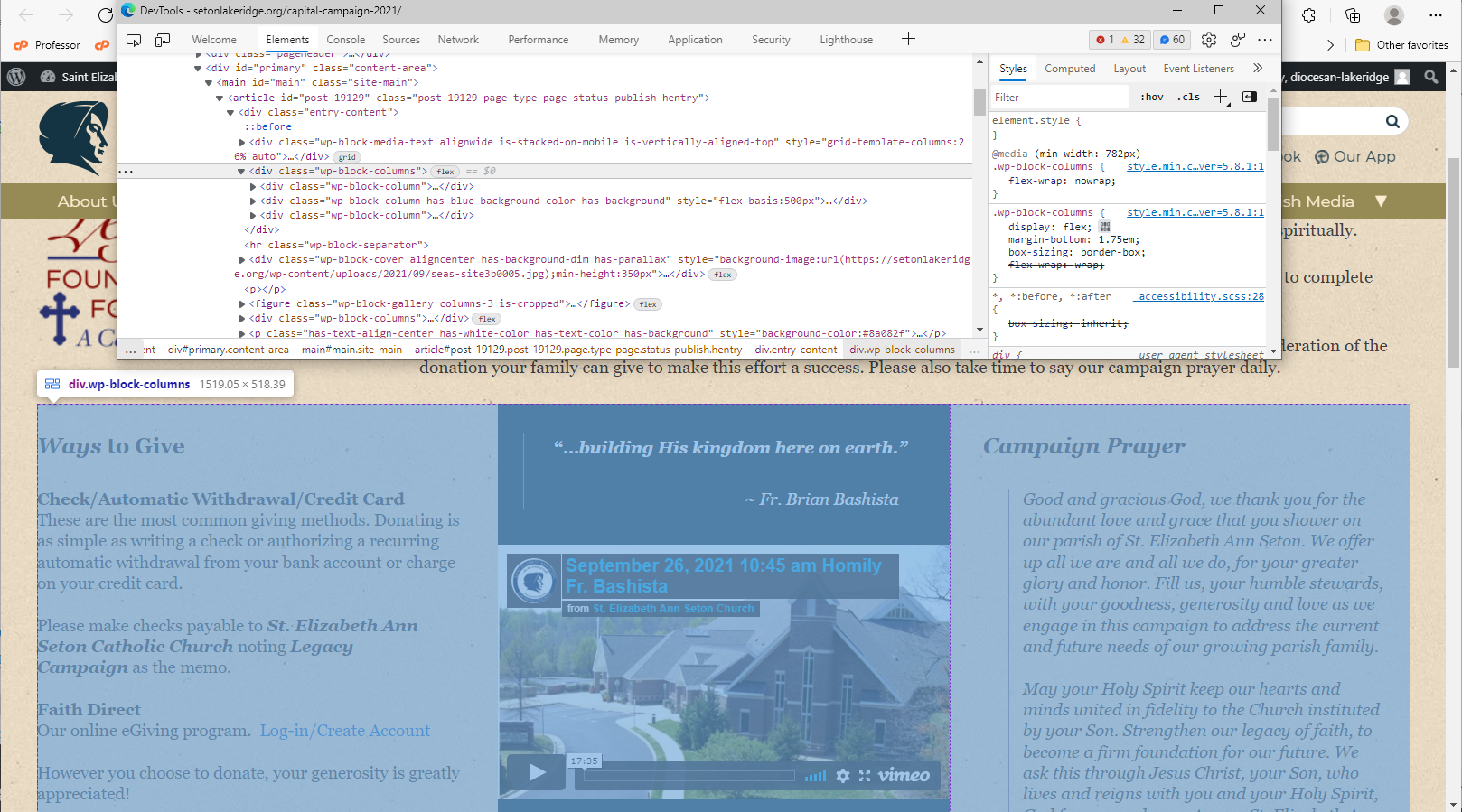
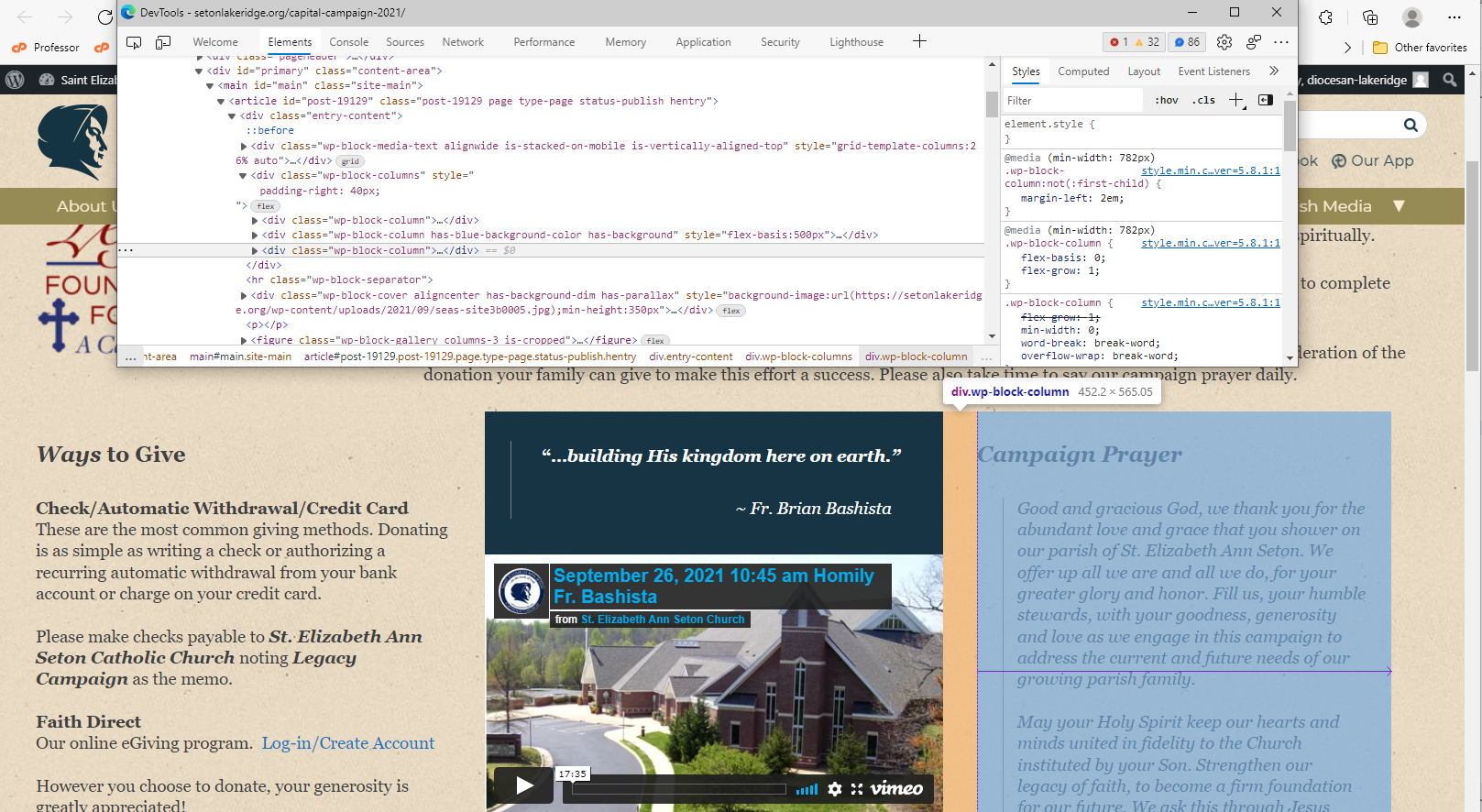
If there was padding, and I highlighted the third column, it would look like this:
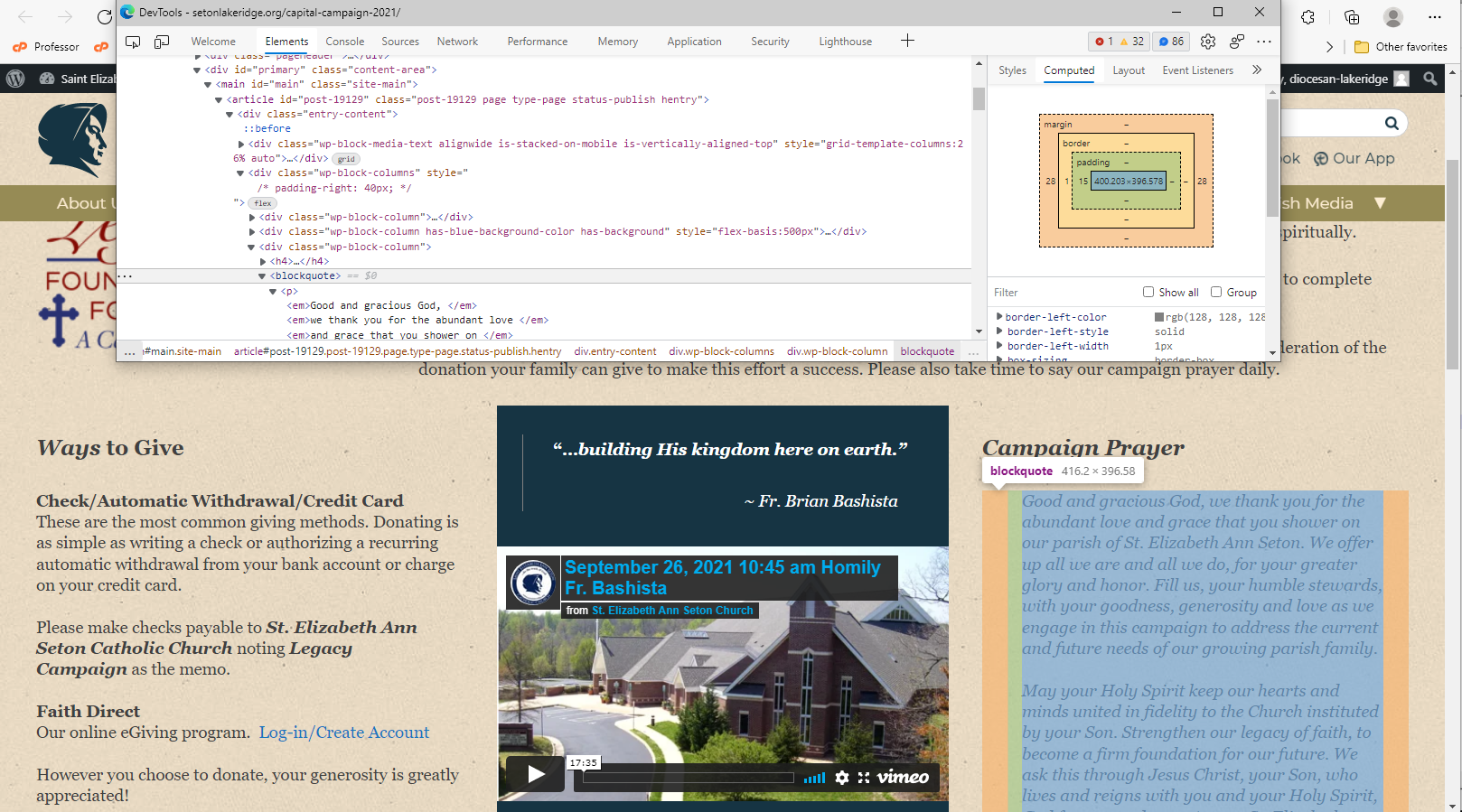
Digging a little further, I see that there is a Blockquote inside that third column, which does have padding and margin on it. That's probably what you are seeing. A blockquote may not be best for that spot. Consider a paragraph instead.
No, the Columns container does not have any padding or margin. It goes edge to edge.
If there was padding, and I highlighted the third column, it would look like this:
Digging a little further, I see that there is a Blockquote inside that third column, which does have padding and margin on it. That's probably what you are seeing. A blockquote may not be best for that spot. Consider a paragraph instead.
Violet LaVille (All Communications)
Ryan,
Thank you for looking into this and illustrating it so nicely.
Have good evening.
Violet
Thank you for looking into this and illustrating it so nicely.
Have good evening.
Violet
Violet LaVille (All Communications)
Good Morning Ryan,
Went into our site this morning and noticed that our contact information section of the home page is missing.
[cid:image001.png@01D7B5D4.E509FC10]
Below is a sample pic from the design mockup of the section that is missing.
[cid:image002.png@01D7B5D4.E509FC10]
Thanks for your kind assistance.
Blessings,
Violet LaVille
Database Manager & Financial Assistant
Available Hours: Mon 8:00 am - 6:00 pm,
Wed & Thurs 8:00 am - 6:00 pm
(OFF Tues & Fri)
St. Elizabeth Ann Seton Catholic Church
12807 Valleywood Drive
Lake Ridge, VA 22192
Tel: 703-494-4008 ext. 133
Fax: 703-494-1995
www.setonlakeridge.org
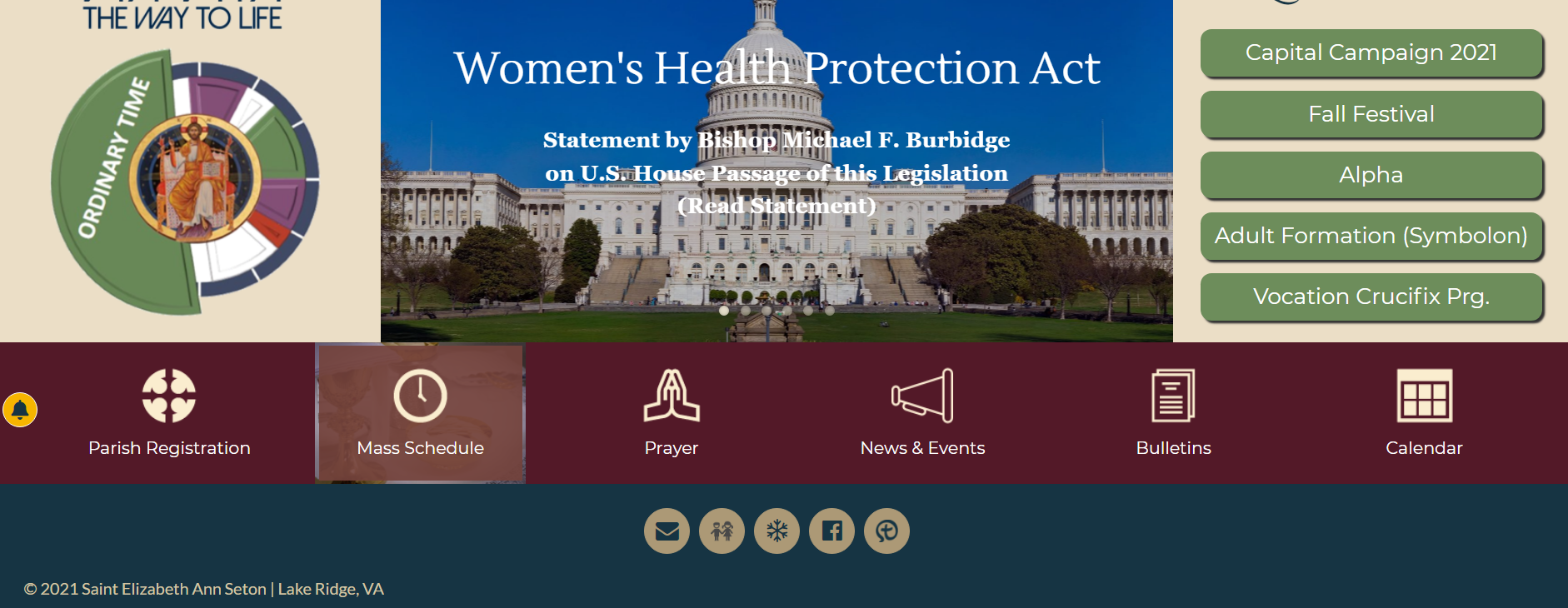
Went into our site this morning and noticed that our contact information section of the home page is missing.
[cid:image001.png@01D7B5D4.E509FC10]
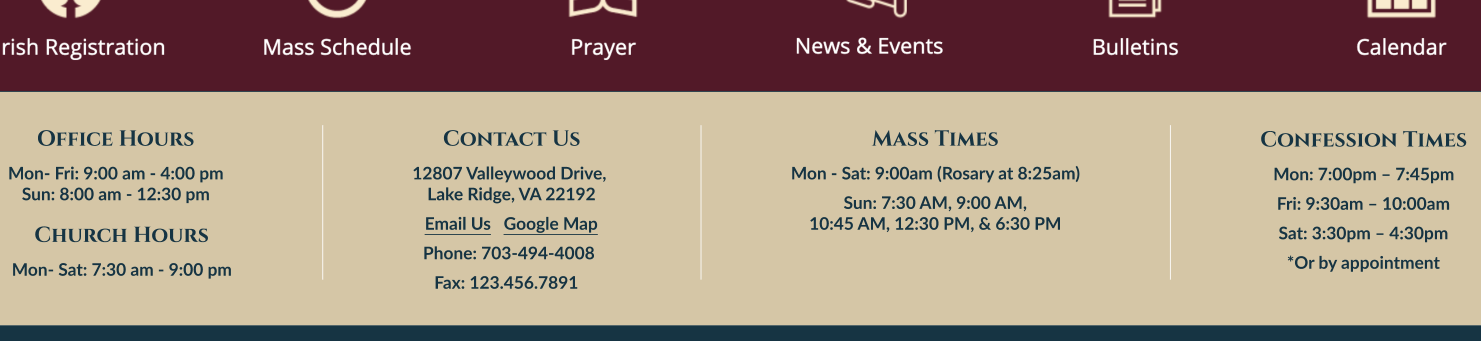
Below is a sample pic from the design mockup of the section that is missing.
[cid:image002.png@01D7B5D4.E509FC10]
Thanks for your kind assistance.
Blessings,
Violet LaVille
Database Manager & Financial Assistant
Available Hours: Mon 8:00 am - 6:00 pm,
Wed & Thurs 8:00 am - 6:00 pm
(OFF Tues & Fri)
St. Elizabeth Ann Seton Catholic Church
12807 Valleywood Drive
Lake Ridge, VA 22192
Tel: 703-494-4008 ext. 133
Fax: 703-494-1995
www.setonlakeridge.org
Violet LaVille (All Communications)
Good Morning Ryan,
Went into our site this morning and noticed that our contact information section of the home page is missing.
[cid:image001.png@01D7B5D4.E509FC10]
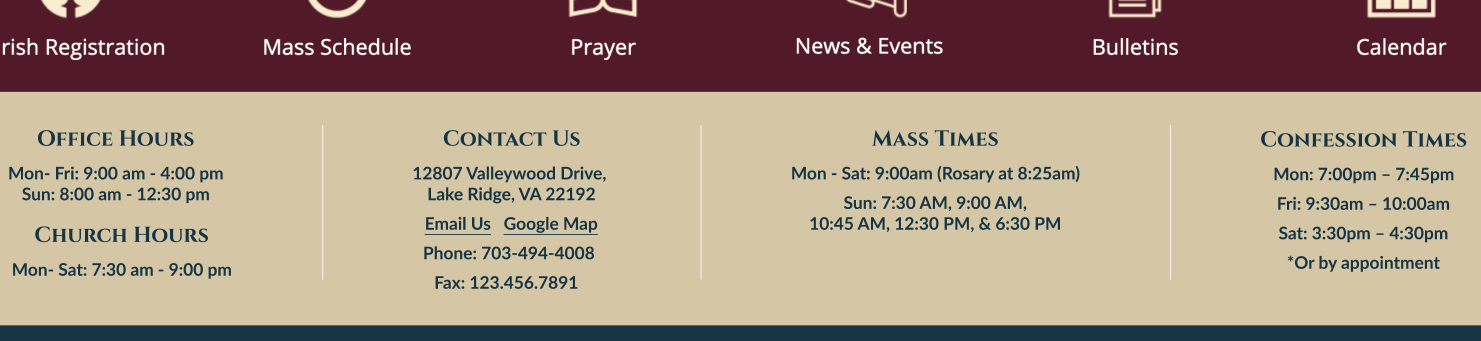
Below is a sample pic from the design mockup of the section that is missing.
[cid:image002.png@01D7B5D4.E509FC10]
Thanks for your kind assistance.
Blessings,
Violet LaVille
Database Manager & Financial Assistant
Available Hours: Mon 8:00 am - 6:00 pm,
Wed & Thurs 8:00 am - 6:00 pm
(OFF Tues & Fri)
St. Elizabeth Ann Seton Catholic Church
12807 Valleywood Drive
Lake Ridge, VA 22192
Tel: 703-494-4008 ext. 133
Fax: 703-494-1995
www.setonlakeridge.org
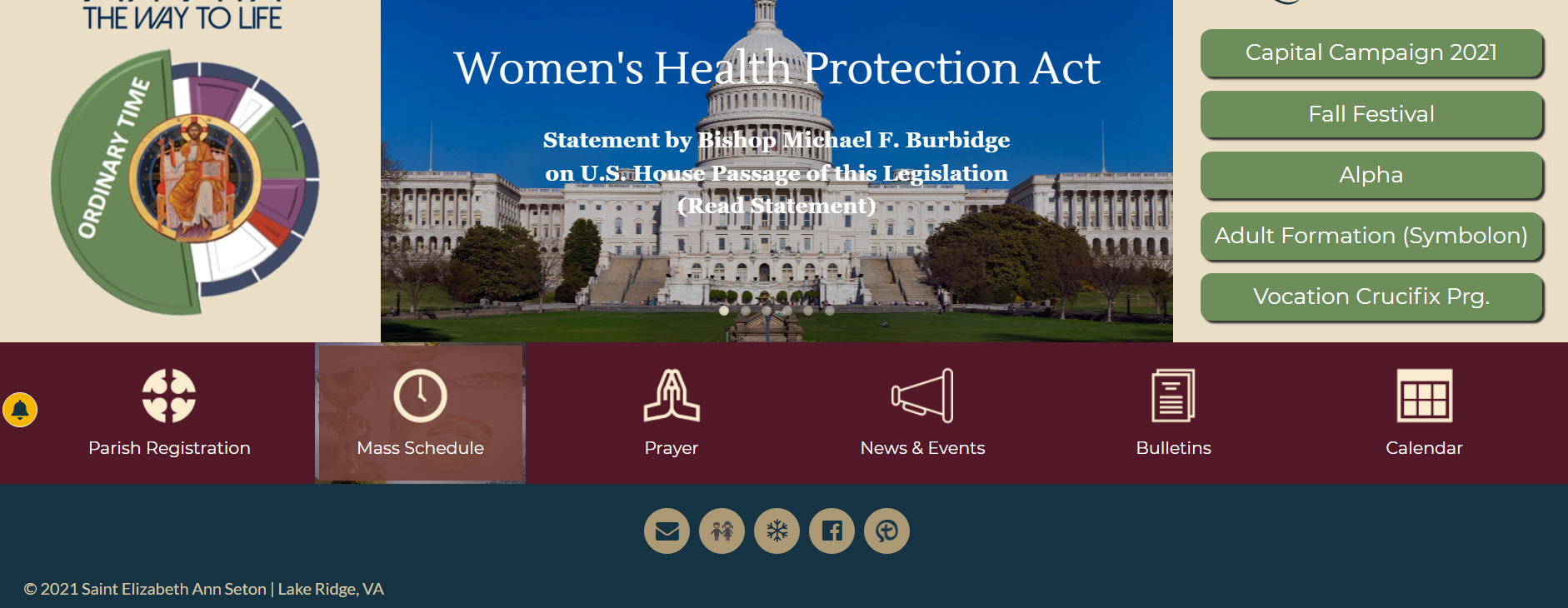
Went into our site this morning and noticed that our contact information section of the home page is missing.
[cid:image001.png@01D7B5D4.E509FC10]
Below is a sample pic from the design mockup of the section that is missing.
[cid:image002.png@01D7B5D4.E509FC10]
Thanks for your kind assistance.
Blessings,
Violet LaVille
Database Manager & Financial Assistant
Available Hours: Mon 8:00 am - 6:00 pm,
Wed & Thurs 8:00 am - 6:00 pm
(OFF Tues & Fri)
St. Elizabeth Ann Seton Catholic Church
12807 Valleywood Drive
Lake Ridge, VA 22192
Tel: 703-494-4008 ext. 133
Fax: 703-494-1995
www.setonlakeridge.org
Ryan Ross
Good morning Violet,
The Contact Information section of the Footer has been fixed. It was an issue with the addition we made the other day to fix the Preview issue. The preview fix was a little too aggressive so we adjusted it so that it wouldn't interfere with the non-preview calculations.
The Contact Information section of the Footer has been fixed. It was an issue with the addition we made the other day to fix the Preview issue. The preview fix was a little too aggressive so we adjusted it so that it wouldn't interfere with the non-preview calculations.
Violet LaVille (All Communications)
Thanks Ryan!
Violet LaVille (All Communications)
Good morning Ryan,
I hope you day is going well. Just a couple of items that I wanted to follow up on.
1. In news and events, the pictures with links should have that raise and grow effect. Likewise, when we attach a link to a picture in other pages, the pictures should also have a raise and grow effect (as discussed when we were going over the design of the via vita landing page). We decided then that any pictures with links will have a similar effect.
1. The new calendar feature. When I enable the calendar, its set to display on the bottom of the page (please see pic). We would like to be able to add the calendar on the right/left/center or within the content of the page. Please reference the following link https://setonshrine.org/the-fearlessness-of-st.agnes-and-mother-seton/. As you will see, the calendar is displayed within the content. Will it be similar to the old wordpress where we add the calendar code to the content?
Thank you,
Violet
[cid:image001.png@01D7B912.3AB131C0]
[cid:image002.png@01D7B913.077ED9F0]
Blessings,
Violet LaVille
Database Manager & Financial Assistant
Available Hours: Mon 8:00 am - 6:00 pm,
Wed & Thurs 8:00 am - 6:00 pm
(OFF Tues & Fri)
St. Elizabeth Ann Seton Catholic Church
12807 Valleywood Drive
Lake Ridge, VA 22192
Tel: 703-494-4008 ext. 133
Fax: 703-494-1995
www.setonlakeridge.org
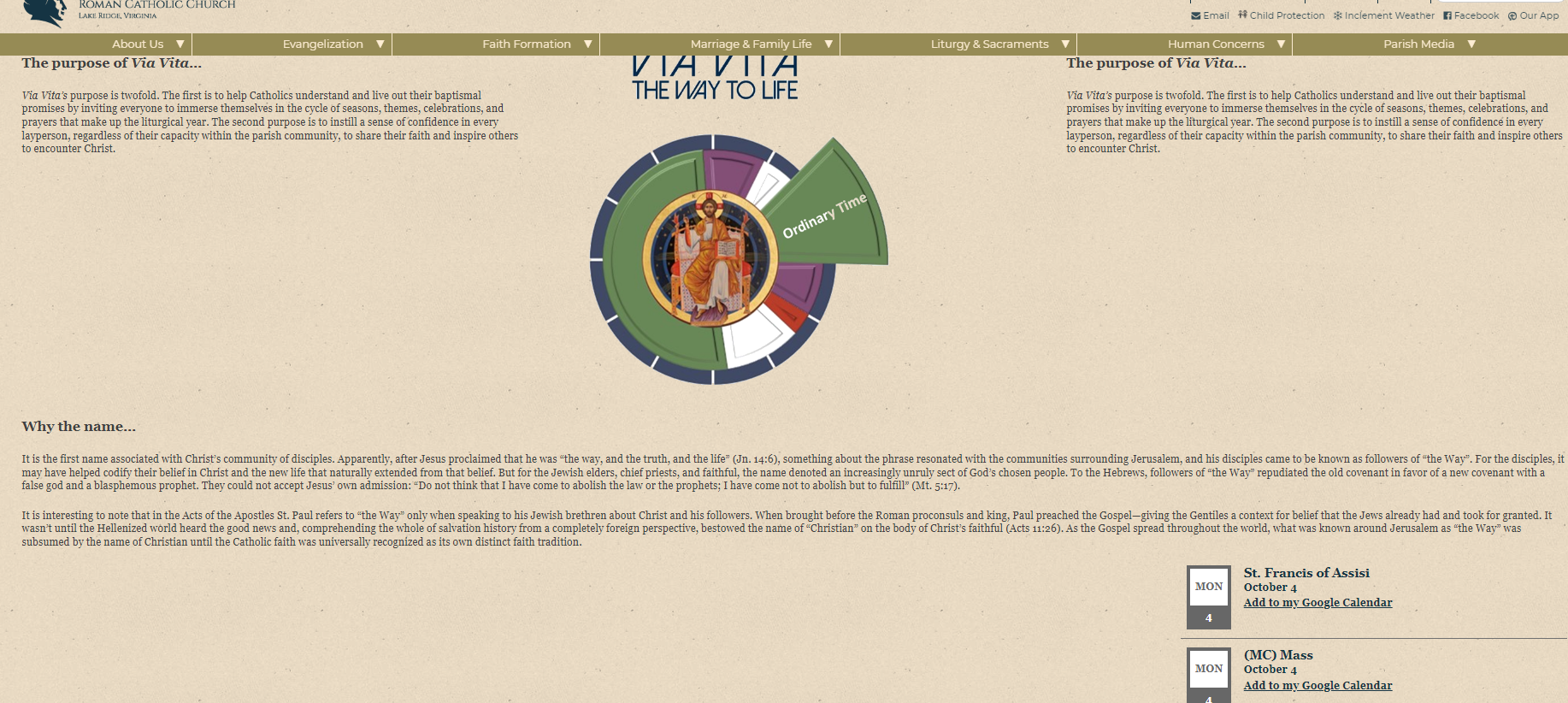
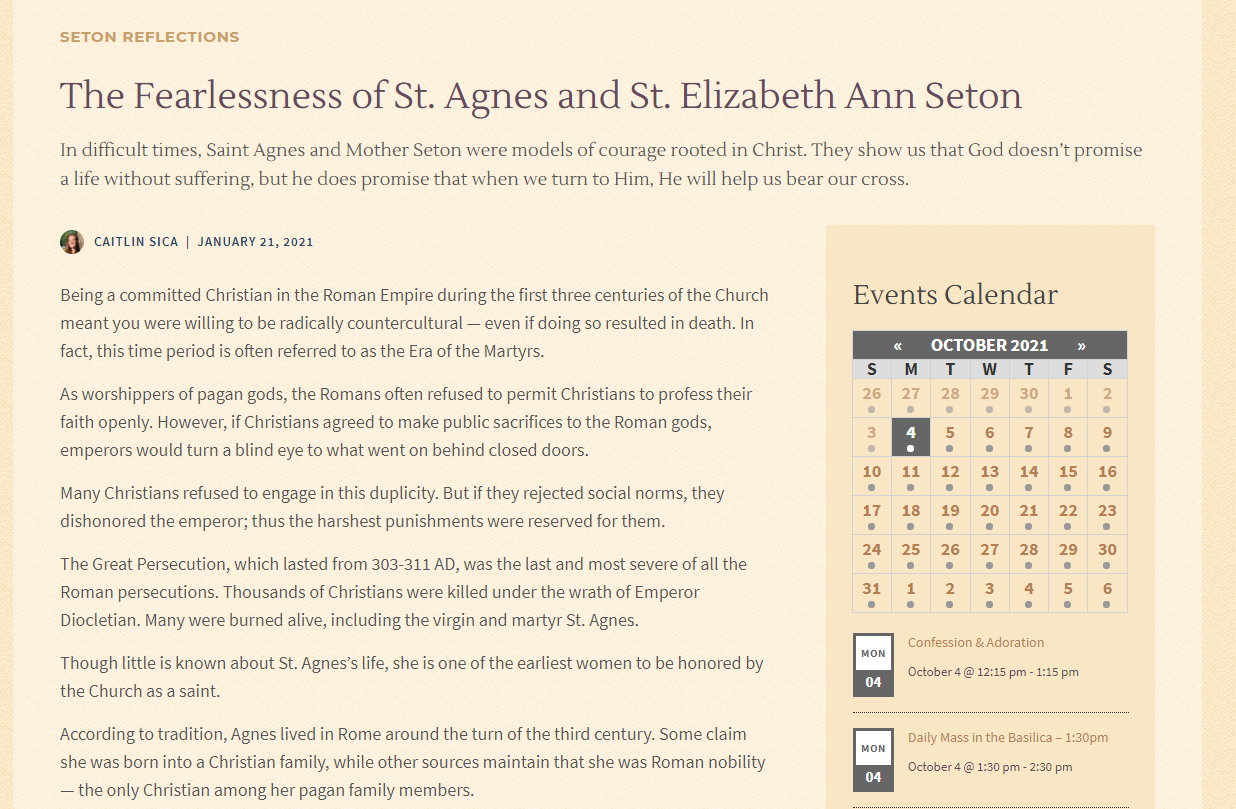
I hope you day is going well. Just a couple of items that I wanted to follow up on.
1. In news and events, the pictures with links should have that raise and grow effect. Likewise, when we attach a link to a picture in other pages, the pictures should also have a raise and grow effect (as discussed when we were going over the design of the via vita landing page). We decided then that any pictures with links will have a similar effect.
1. The new calendar feature. When I enable the calendar, its set to display on the bottom of the page (please see pic). We would like to be able to add the calendar on the right/left/center or within the content of the page. Please reference the following link https://setonshrine.org/the-fearlessness-of-st.agnes-and-mother-seton/. As you will see, the calendar is displayed within the content. Will it be similar to the old wordpress where we add the calendar code to the content?
Thank you,
Violet
[cid:image001.png@01D7B912.3AB131C0]
[cid:image002.png@01D7B913.077ED9F0]
Blessings,
Violet LaVille
Database Manager & Financial Assistant
Available Hours: Mon 8:00 am - 6:00 pm,
Wed & Thurs 8:00 am - 6:00 pm
(OFF Tues & Fri)
St. Elizabeth Ann Seton Catholic Church
12807 Valleywood Drive
Lake Ridge, VA 22192
Tel: 703-494-4008 ext. 133
Fax: 703-494-1995
www.setonlakeridge.org
Violet LaVille (All Communications)
Hello Ryan,
Thanks for joining us at training today. So, I'm working on the calendar. I enabled the calendar to our capital campaign page and it displays the old format. Plus, the calendar side bar takes up the entire page. Can we have it so the side bar does not take up the entire page?
Thank you,
Violet
[cid:image001.png@01D7BACD.099A7B20]
Blessings,
Violet LaVille
Database Manager & Financial Assistant
Available Hours: Mon 8:00 am - 6:00 pm,
Wed & Thurs 8:00 am - 6:00 pm
(OFF Tues & Fri)
St. Elizabeth Ann Seton Catholic Church
12807 Valleywood Drive
Lake Ridge, VA 22192
Tel: 703-494-4008 ext. 133
Fax: 703-494-1995
www.setonlakeridge.org
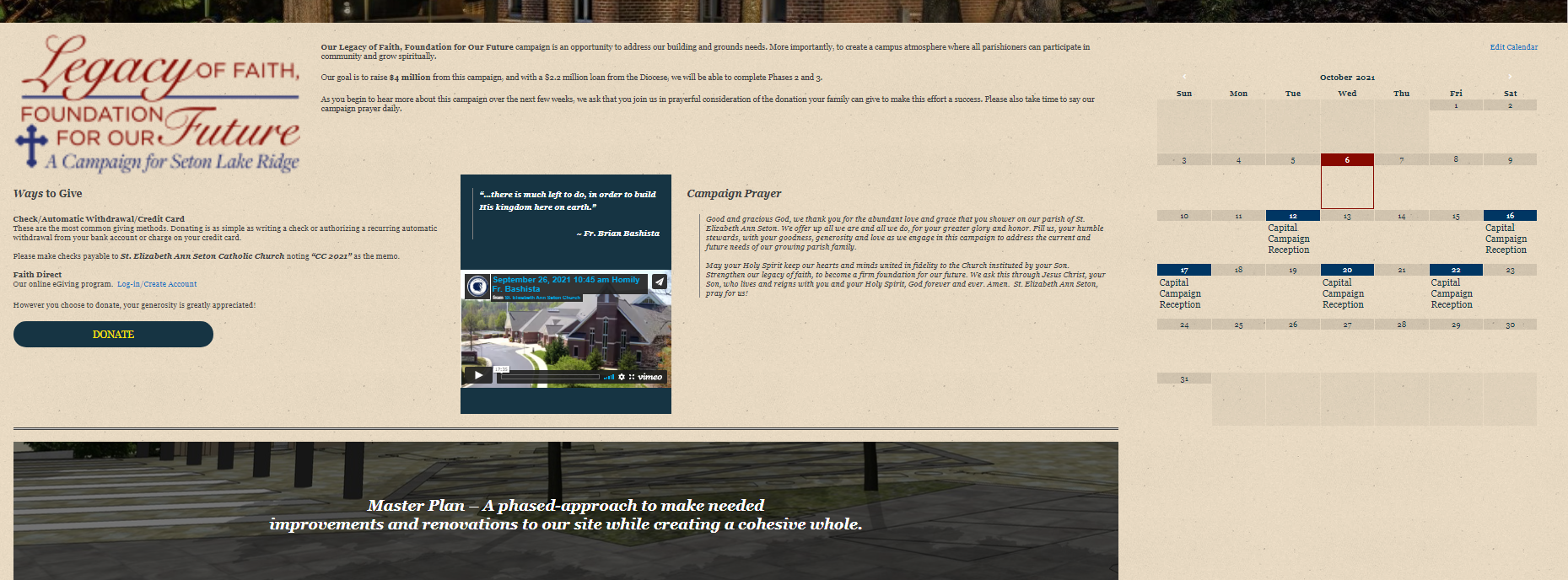
Thanks for joining us at training today. So, I'm working on the calendar. I enabled the calendar to our capital campaign page and it displays the old format. Plus, the calendar side bar takes up the entire page. Can we have it so the side bar does not take up the entire page?
Thank you,
Violet
[cid:image001.png@01D7BACD.099A7B20]
Blessings,
Violet LaVille
Database Manager & Financial Assistant
Available Hours: Mon 8:00 am - 6:00 pm,
Wed & Thurs 8:00 am - 6:00 pm
(OFF Tues & Fri)
St. Elizabeth Ann Seton Catholic Church
12807 Valleywood Drive
Lake Ridge, VA 22192
Tel: 703-494-4008 ext. 133
Fax: 703-494-1995
www.setonlakeridge.org
Ryan Ross
Violet,
The calendars are a bit tricky but the things you need to know are that we built it so that it would go in a sidebar, not just anywhere. I don't know if there was a miscommunication somewhere down the line, all I can tell you is I was asked to make it a sidebar feature and styled like the mockup. In order to accomplish the look of that calendar, we had to make separate calendars. These are titled with (sidebar) to distinguish their styles.
Now, the special calendar sidebar showing up after the content was an oversight on our part, as we failed to account for the now two types of content. The former page builder content, and now the gutenberg content. Each of these are distinctively different in their preparation. So, to accommodate this we had to create a "location" for the calendar to know which sidebar content it actually is, upper gutenberg or lower original. I've already fixed this on the Via Vita page yesterday.
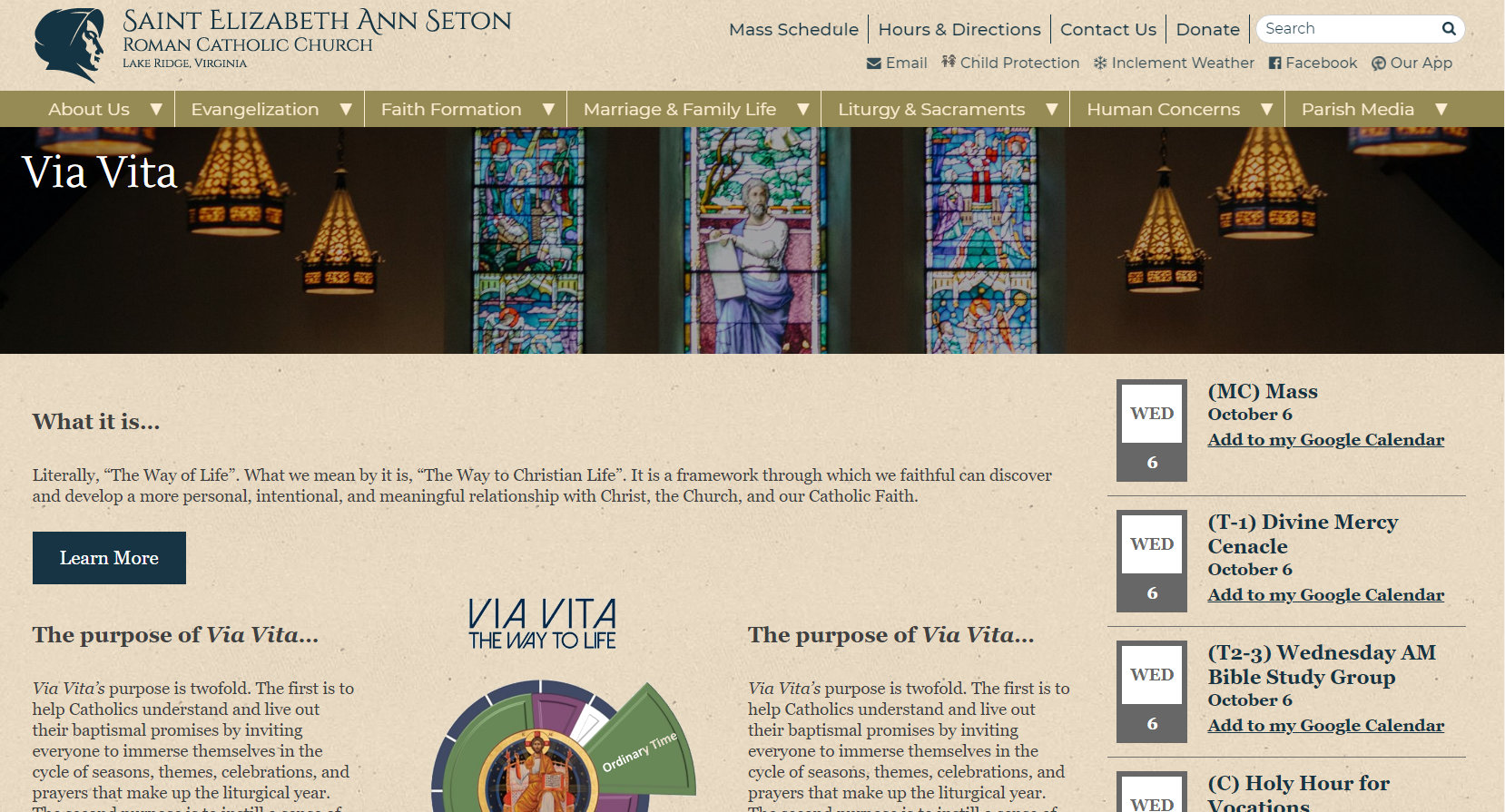
Moving forward, you could use shortcodes to show calendars within the content if you'd like. That would certainly work, you just have to manage your own location for it. The Capital Campaign page does not have a calendar on it, so I didn't edit anything on that page.
The calendars are a bit tricky but the things you need to know are that we built it so that it would go in a sidebar, not just anywhere. I don't know if there was a miscommunication somewhere down the line, all I can tell you is I was asked to make it a sidebar feature and styled like the mockup. In order to accomplish the look of that calendar, we had to make separate calendars. These are titled with (sidebar) to distinguish their styles.
Now, the special calendar sidebar showing up after the content was an oversight on our part, as we failed to account for the now two types of content. The former page builder content, and now the gutenberg content. Each of these are distinctively different in their preparation. So, to accommodate this we had to create a "location" for the calendar to know which sidebar content it actually is, upper gutenberg or lower original. I've already fixed this on the Via Vita page yesterday.
Moving forward, you could use shortcodes to show calendars within the content if you'd like. That would certainly work, you just have to manage your own location for it. The Capital Campaign page does not have a calendar on it, so I didn't edit anything on that page.
Violet LaVille (All Communications)
Hello Ryan,
Thanks for the quick response. Especially since Fr. B want the calendar up on the capital campaign page. I removed it because it didn’t look right.
Yes, I believe there is miscommunication. The mock up was to just show us what the new calendar style/format would look like. We did not want it to be hard coded to a specific area. Which is why when I spoke to Veronica and Danae, I referenced the seton shrine link as a sample of the style.
How can I use the new style calendar within a content? Where do I get the code? Also, did you see my email about the Gutenberg image pro? How do we access this plugin?
Appreciate all your help.
Thanks,
Violet
Thanks for the quick response. Especially since Fr. B want the calendar up on the capital campaign page. I removed it because it didn’t look right.
Yes, I believe there is miscommunication. The mock up was to just show us what the new calendar style/format would look like. We did not want it to be hard coded to a specific area. Which is why when I spoke to Veronica and Danae, I referenced the seton shrine link as a sample of the style.
How can I use the new style calendar within a content? Where do I get the code? Also, did you see my email about the Gutenberg image pro? How do we access this plugin?
Appreciate all your help.
Thanks,
Violet
Ryan Ross
Violet,
I'm a little surprised the calendar functionality didn't come up during testing on the dev site. I've gone ahead and converted the calendar sidebar functionality to a Gutenberg block. The block is named "Calendar (List)". In the block itself you'll choose the calendars which have been prepared for list styling (those denoted with (sidebar)).
Now you'll be able to use the calendar list view anywhere within Gutenberg.
As for Gutenberg image pro, no I did not see that. I looked back through this thread and didn't see it or recall hearing about it in development.
I'm a little surprised the calendar functionality didn't come up during testing on the dev site. I've gone ahead and converted the calendar sidebar functionality to a Gutenberg block. The block is named "Calendar (List)". In the block itself you'll choose the calendars which have been prepared for list styling (those denoted with (sidebar)).
Now you'll be able to use the calendar list view anywhere within Gutenberg.
As for Gutenberg image pro, no I did not see that. I looked back through this thread and didn't see it or recall hearing about it in development.
Violet LaVille (All Communications)
Ryan,
You’re the best. Thanks for resolving this. We discussed all the features of the calendar with Veronica and Kyle. Both took notes as there were many times they would offer up options and suggest functions/features we would not know to consider. Veronica assured us she would pass all her notes to the next person. I believe I’ve also discussed it with Arthur and Danae. So when Danae designed it, I thought all was good. On the dev site, we saw the calendar and it looked fine. But we were never ‘trained’ on how to use anything new. We only saw how things would look like.
Regarding the Gutenberg image slider pro. This was something Veronica had suggested and so we opted to include this in the contract. The features she described would meet some of the needs we want. I cut and pasted a pic of the contract. Again, it wasn’t discussed in much detail, if any, on the dev site because we were waiting to be trained on it.
[cid:image002.png@01D7C05C.C92F8D60]
Many Thanks,
Violet
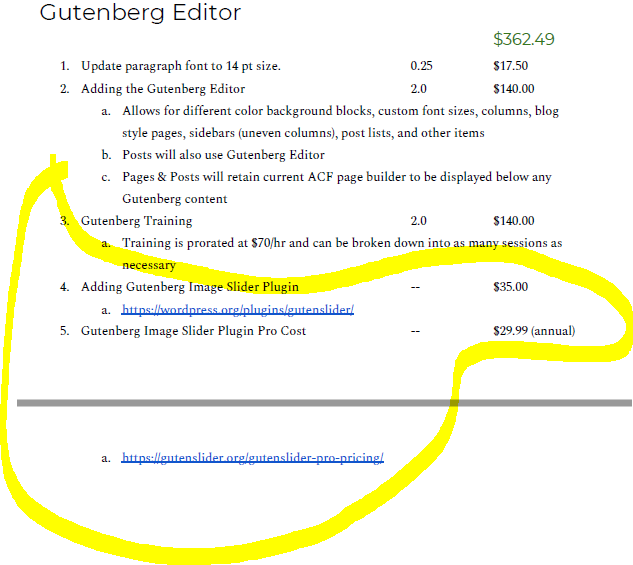
You’re the best. Thanks for resolving this. We discussed all the features of the calendar with Veronica and Kyle. Both took notes as there were many times they would offer up options and suggest functions/features we would not know to consider. Veronica assured us she would pass all her notes to the next person. I believe I’ve also discussed it with Arthur and Danae. So when Danae designed it, I thought all was good. On the dev site, we saw the calendar and it looked fine. But we were never ‘trained’ on how to use anything new. We only saw how things would look like.
Regarding the Gutenberg image slider pro. This was something Veronica had suggested and so we opted to include this in the contract. The features she described would meet some of the needs we want. I cut and pasted a pic of the contract. Again, it wasn’t discussed in much detail, if any, on the dev site because we were waiting to be trained on it.
[cid:image002.png@01D7C05C.C92F8D60]
Many Thanks,
Violet
Arthur Richardson
Good morning Violet,
We will download and install the plugin for you. It will still cost what we agreed to. There is no development or content time associated with this plugin, however. It will be up to you and your team to utilize it on your website.
Thanks and God bless,
Arthur Richardson
Diocesan Publications
Web Project Manager
877-923-0777
We will download and install the plugin for you. It will still cost what we agreed to. There is no development or content time associated with this plugin, however. It will be up to you and your team to utilize it on your website.
Thanks and God bless,
Arthur Richardson
Diocesan Publications
Web Project Manager
877-923-0777
Violet LaVille (All Communications)
Good Morning Arthur,
Like with any new plug in. We’ll there be training on how to use it?
Also, on the front end, there will be no visual changes to the slider, correct?
Thanks,
Violet
Like with any new plug in. We’ll there be training on how to use it?
Also, on the front end, there will be no visual changes to the slider, correct?
Thanks,
Violet
Violet LaVille (All Communications)
Hello Ryan,
We added links to photos on our capital campaign page. I like the fact that it has the raise and grow effect. Can you please, make the effect more subtle? When you hover over the pictures, it overlaps to the next pictures.
Here is the link for the page.
https://setonlakeridge.org/capital-campaign-2021/?preview_id=19129&preview_nonce=4195338354&preview=true
Thanks!
Blessings,
Violet LaVille
Database Manager & Financial Assistant
Available Hours: Mon 8:00 am - 6:00 pm,
Wed & Thurs 8:00 am - 6:00 pm
(OFF Tues & Fri)
St. Elizabeth Ann Seton Catholic Church
12807 Valleywood Drive
Lake Ridge, VA 22192
Tel: 703-494-4008 ext. 133
Fax: 703-494-1995
www.setonlakeridge.org
We added links to photos on our capital campaign page. I like the fact that it has the raise and grow effect. Can you please, make the effect more subtle? When you hover over the pictures, it overlaps to the next pictures.
Here is the link for the page.
https://setonlakeridge.org/capital-campaign-2021/?preview_id=19129&preview_nonce=4195338354&preview=true
Thanks!
Blessings,
Violet LaVille
Database Manager & Financial Assistant
Available Hours: Mon 8:00 am - 6:00 pm,
Wed & Thurs 8:00 am - 6:00 pm
(OFF Tues & Fri)
St. Elizabeth Ann Seton Catholic Church
12807 Valleywood Drive
Lake Ridge, VA 22192
Tel: 703-494-4008 ext. 133
Fax: 703-494-1995
www.setonlakeridge.org
Ryan Ross
Violet,
I've purchased a license, installed, and activated the Gutenslider Pro plugin as documented in the agreement.
I'll defer to Arthur on included training or not, but you can get a head start either way by visiting their documentation on how to use it: https://gutenslider.org/gutenslider-tutorial-how-to-add-sliders-to-your-wordpress-website/
When you ask "Also, on the front end, there will be no visual changes to the slider, correct?" we assume you are referring to the Home page hero slider. I can confirm that the presence of the plugin itself will not cause any visual changes to the home page hero section. The two elments are mutually exclusive. The gutenslider plugin will be used for content only, wherever you want to create sliders, using the Gutenslider Pro block. The hero slider on the home page will remain the same in both presentation and administration.
I've purchased a license, installed, and activated the Gutenslider Pro plugin as documented in the agreement.
I'll defer to Arthur on included training or not, but you can get a head start either way by visiting their documentation on how to use it: https://gutenslider.org/gutenslider-tutorial-how-to-add-sliders-to-your-wordpress-website/
When you ask "Also, on the front end, there will be no visual changes to the slider, correct?" we assume you are referring to the Home page hero slider. I can confirm that the presence of the plugin itself will not cause any visual changes to the home page hero section. The two elments are mutually exclusive. The gutenslider plugin will be used for content only, wherever you want to create sliders, using the Gutenslider Pro block. The hero slider on the home page will remain the same in both presentation and administration.
Ryan Ross
Violet,
Seems we were writing messages at the same time.
In any case, I've reduced the scale for linked images on hover and is now much more subtle.
Seems we were writing messages at the same time.
In any case, I've reduced the scale for linked images on hover and is now much more subtle.
Violet LaVille (All Communications)
Thank you Ryan!
Arthur Richardson
Good afternoon,
I hope you are all doing well!
We will not be able to train you on this plugin because you are our first client using it so we would have to learn it then teach you and we are past the two hours of Gutenburg training.
There are some videos on Youtube that show how to make it work. I can list a few for you below to get you started. I just looked up on Youtube, 'How to use Getenslider Pro' and these links came up. I think the first one has a guy narrating what he's doing as he shows how to use it.
I hope you are all doing well!
We will not be able to train you on this plugin because you are our first client using it so we would have to learn it then teach you and we are past the two hours of Gutenburg training.
There are some videos on Youtube that show how to make it work. I can list a few for you below to get you started. I just looked up on Youtube, 'How to use Getenslider Pro' and these links came up. I think the first one has a guy narrating what he's doing as he shows how to use it.
- https://www.youtube.com/watch?v=So_kJvrELjQ
- https://www.youtube.com/watch?v=iuZg4RTcZQ4
- https://www.youtube.com/watch?v=2eqY_mZIZ6w
I hope that helps!
Thanks and God bless,
Arthur Richardson
Diocesan Publications
Web Project Manager
877-923-0777
Thanks and God bless,
Arthur Richardson
Diocesan Publications
Web Project Manager
877-923-0777
Violet LaVille (All Communications)
Hello Arthur,
Thank you for the youtube suggestions below. They were very helpful. My understanding, however, is that when we purchase a new plugin, the training to use the plugin is included and free.
Also, one of the reason we wanted the plugin is because it was supposed to allow us to control the home page slider. We would then be able to control the transition time, the duration of the slides, etc. How do we do this for the home page? And where can I find it on the home page?
Thank you again!
Violet
Thank you for the youtube suggestions below. They were very helpful. My understanding, however, is that when we purchase a new plugin, the training to use the plugin is included and free.
Also, one of the reason we wanted the plugin is because it was supposed to allow us to control the home page slider. We would then be able to control the transition time, the duration of the slides, etc. How do we do this for the home page? And where can I find it on the home page?
Thank you again!
Violet
Violet LaVille (All Communications)
Hello Ryan,
Thanks for taking care of this. It seems to still bump into each other just a tad bit. Can you please decrease the grow effect a little bit more.
Also, we noticed that when viewing our site on a smaller laptop, the text on the donate button below moves to the second line. Can you fix this?
Appreciate it,
Violet
[cid:image001.png@01D7C44C.EF0093B0]
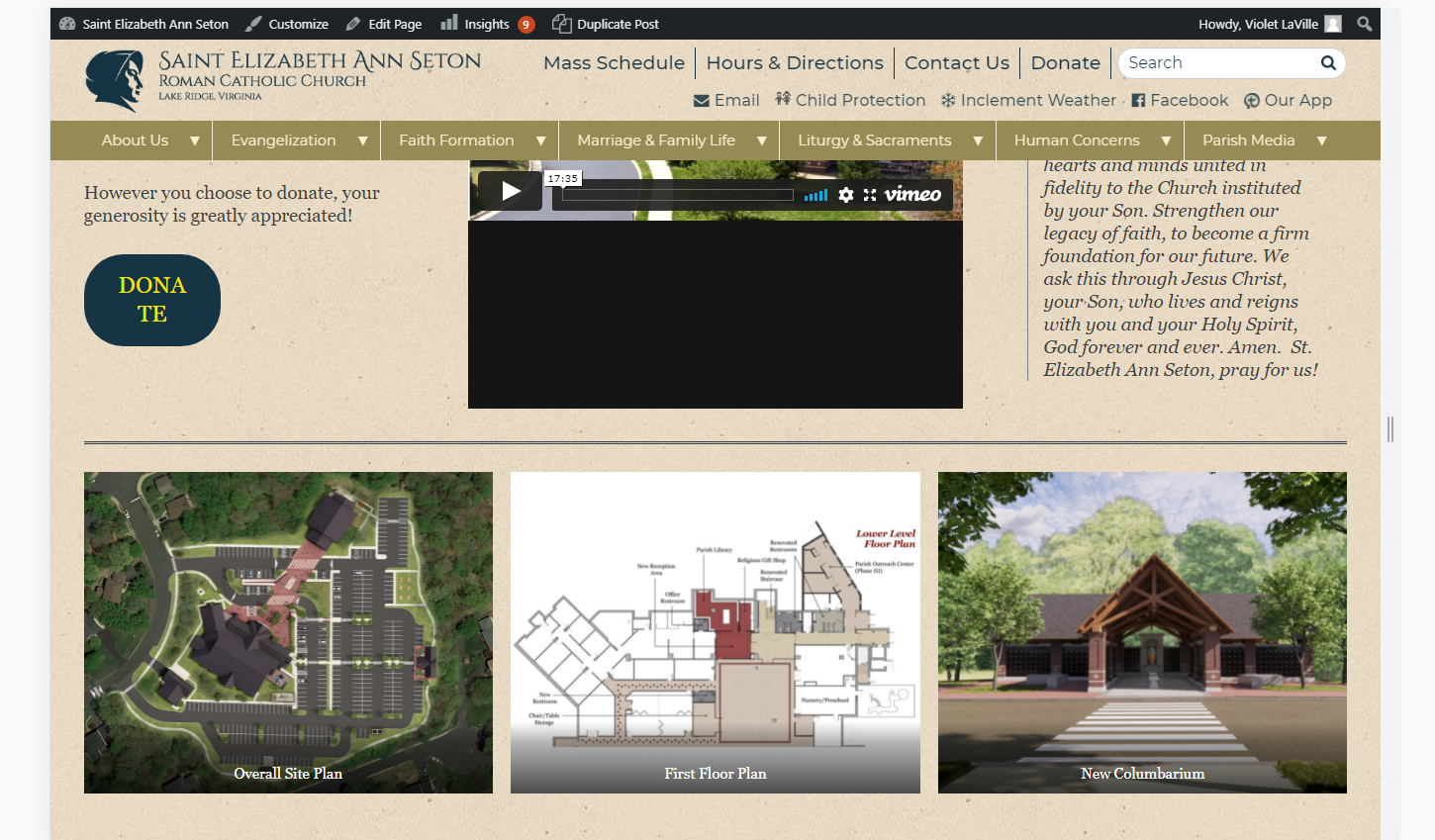
Thanks for taking care of this. It seems to still bump into each other just a tad bit. Can you please decrease the grow effect a little bit more.
Also, we noticed that when viewing our site on a smaller laptop, the text on the donate button below moves to the second line. Can you fix this?
Appreciate it,
Violet
[cid:image001.png@01D7C44C.EF0093B0]
Violet LaVille (All Communications)
Ryan,
Thanks for installing this. I was asking Arthur and maybe you can help with this; but part of the reason we purchased this is because it would allow us to control the transition time and duration of the slider on the home page? How do we do that?
Also, thank you for providing the tutorial link. It was very helpful; as were the youtube videos that Arthur sent. I did not see how to control the time/duration. Plus, are there tutorials that you know of for the pro features below?
[cid:image001.png@01D7C44E.38F89F70]
Thank you,
Violet
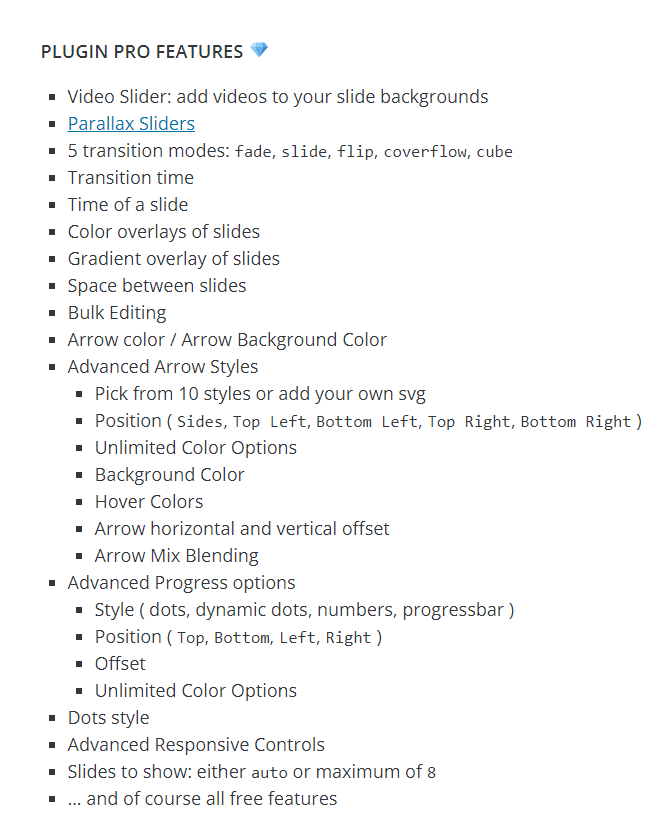
Thanks for installing this. I was asking Arthur and maybe you can help with this; but part of the reason we purchased this is because it would allow us to control the transition time and duration of the slider on the home page? How do we do that?
Also, thank you for providing the tutorial link. It was very helpful; as were the youtube videos that Arthur sent. I did not see how to control the time/duration. Plus, are there tutorials that you know of for the pro features below?
[cid:image001.png@01D7C44E.38F89F70]
Thank you,
Violet
Arthur Richardson
Hello Violet,
I'm sorry for the late response.
No, there is no free training with the plugin. I'm glad the youtube videos helped though! As for the homepage's slider - Ryan and I discussed implementing Gutenslider on the homepage and we will have to do some testing before we can say if it's possible or even effective. The other option is to use the same slider on the homepage and make it so you have access to determine the slide speed.
Let us know what you would like to do!
Thanks and God bless,
Arthur Richardson
Diocesan Publications
Web Project Manager
877-923-0777
I'm sorry for the late response.
No, there is no free training with the plugin. I'm glad the youtube videos helped though! As for the homepage's slider - Ryan and I discussed implementing Gutenslider on the homepage and we will have to do some testing before we can say if it's possible or even effective. The other option is to use the same slider on the homepage and make it so you have access to determine the slide speed.
Let us know what you would like to do!
Thanks and God bless,
Arthur Richardson
Diocesan Publications
Web Project Manager
877-923-0777
Ryan Ross
Hi Violet,
I'm following up on the Gutenslider Homepage request. Gutenslider is a Gutenberg Block, which is synonymous with "content". Generally speaking, I wouldn't endorse using a block component for specific content purposes in a hybrid sort of manner which this would be. The focal point of Gutenberg editor is to keep the content in one spot, and theme/Wordpress as the shell.
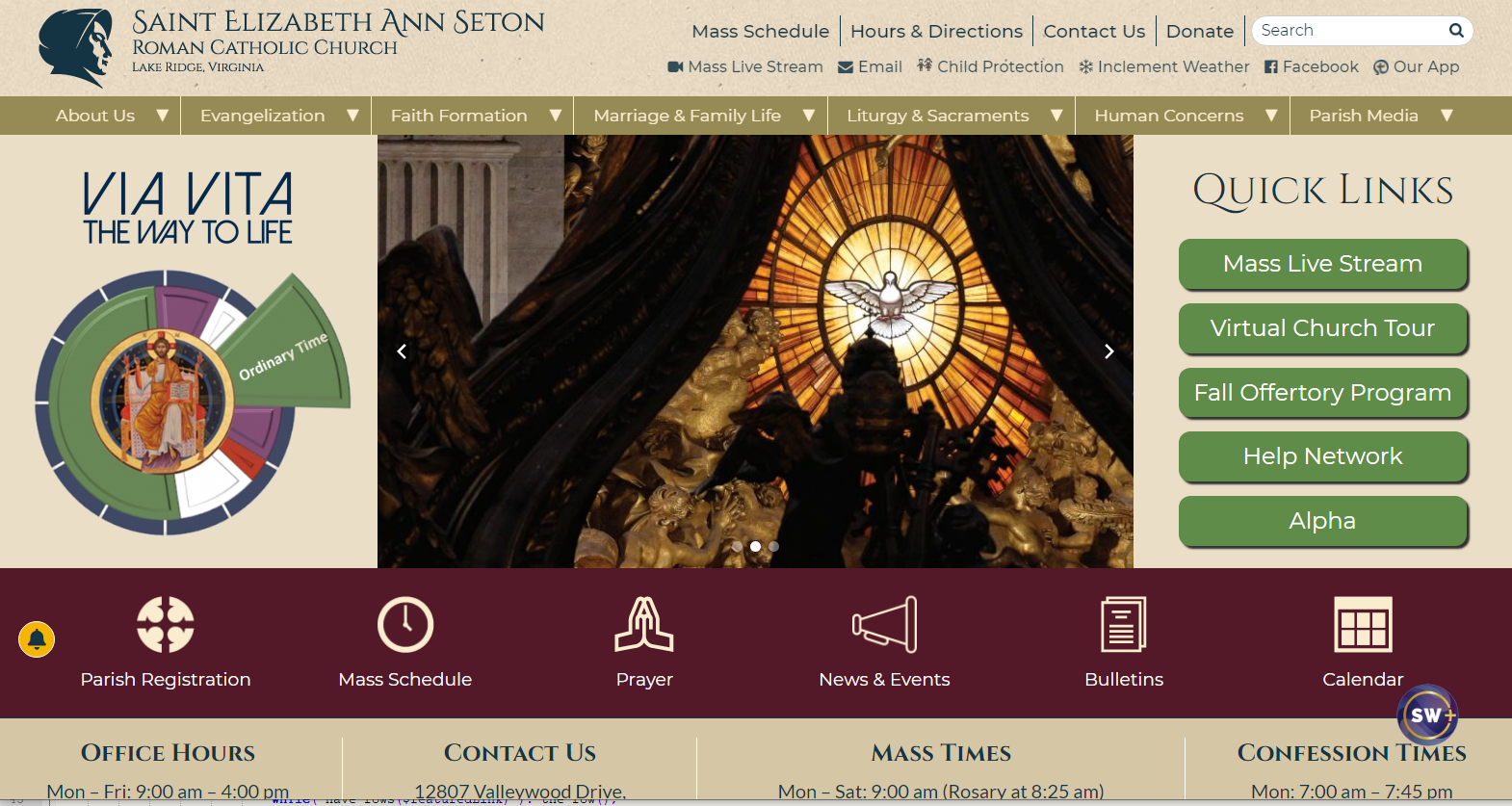
That said, in this particular case where the entirety of the Home Page is outside the "content", we could then use the content section of the Home Page to house the Gutenslider. It works just fine, but the caveat is that whoever is editing the Home page cannot use any other blocks or content in that area. We'd also need to add a toggle to dictate which we are using, Content+Gutenslider or Custom Slider (what you have already).
I'm following up on the Gutenslider Homepage request. Gutenslider is a Gutenberg Block, which is synonymous with "content". Generally speaking, I wouldn't endorse using a block component for specific content purposes in a hybrid sort of manner which this would be. The focal point of Gutenberg editor is to keep the content in one spot, and theme/Wordpress as the shell.
That said, in this particular case where the entirety of the Home Page is outside the "content", we could then use the content section of the Home Page to house the Gutenslider. It works just fine, but the caveat is that whoever is editing the Home page cannot use any other blocks or content in that area. We'd also need to add a toggle to dictate which we are using, Content+Gutenslider or Custom Slider (what you have already).
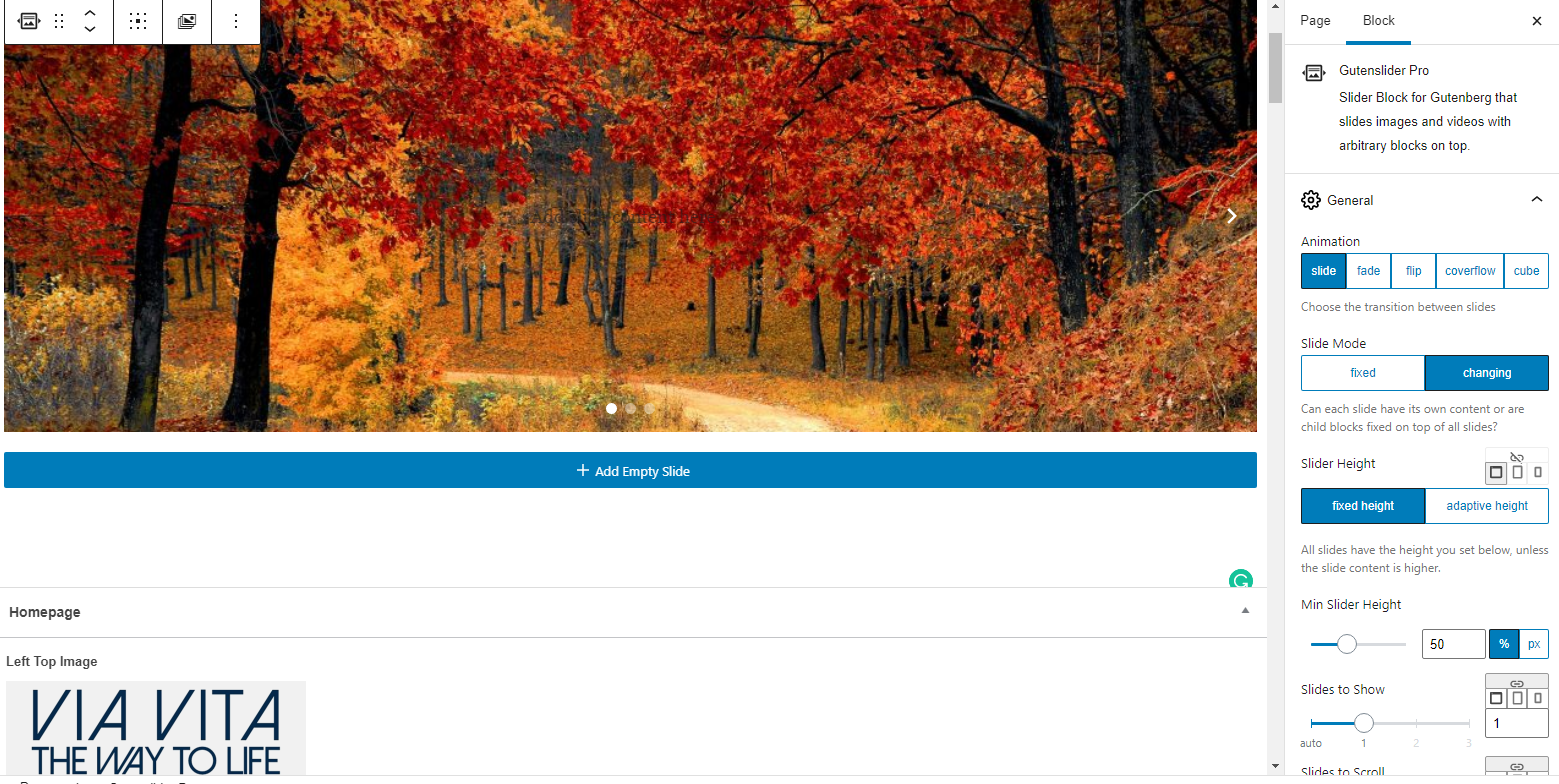
Conclusion: Not ideal, but it will work.
Let us know if you want to go this route.
Let us know if you want to go this route.
Violet LaVille (All Communications)
Hello Ryan,
Appreciate the email and information. I will have to defer to Mary on this. One of the things Fr. B asked in the past is if we could control our sliders on the homepage. Veronica had mentioned this was doable with the Gutenberg slider pro which is why we got it, but it’s like you said, not ideal. So we’ll need to discuss and get back to you.
Also, were you able to take a look at the buttons block? When viewed on a smaller laptop the text on the button wraps to the next line.
Much appreciated.
Violet
Appreciate the email and information. I will have to defer to Mary on this. One of the things Fr. B asked in the past is if we could control our sliders on the homepage. Veronica had mentioned this was doable with the Gutenberg slider pro which is why we got it, but it’s like you said, not ideal. So we’ll need to discuss and get back to you.
Also, were you able to take a look at the buttons block? When viewed on a smaller laptop the text on the button wraps to the next line.
Much appreciated.
Violet
Violet LaVille (All Communications)
Hello Arthur,
I just heard from Ryan. We’ll keep you posted.
Thanks,
Violet
I just heard from Ryan. We’ll keep you posted.
Thanks,
Violet
Violet LaVille (All Communications)
Hello Ryan,
I just tried the Gutenberg slider pro on our capital campaign page. When viewed on a mobile device, it get's cut off.
Here is the link to the page. https://setonlakeridge.org/capital-campaign-2021/
Can you take a look please?
Blessings,
Violet LaVille
Database Manager & Financial Assistant
Available Hours: Mon 8:00 am - 6:00 pm,
Wed & Thurs 8:00 am - 6:00 pm
(OFF Tues & Fri)
St. Elizabeth Ann Seton Catholic Church
12807 Valleywood Drive
Lake Ridge, VA 22192
Tel: 703-494-4008 ext. 133
Fax: 703-494-1995
www.setonlakeridge.org
I just tried the Gutenberg slider pro on our capital campaign page. When viewed on a mobile device, it get's cut off.
Here is the link to the page. https://setonlakeridge.org/capital-campaign-2021/
Can you take a look please?
Blessings,
Violet LaVille
Database Manager & Financial Assistant
Available Hours: Mon 8:00 am - 6:00 pm,
Wed & Thurs 8:00 am - 6:00 pm
(OFF Tues & Fri)
St. Elizabeth Ann Seton Catholic Church
12807 Valleywood Drive
Lake Ridge, VA 22192
Tel: 703-494-4008 ext. 133
Fax: 703-494-1995
www.setonlakeridge.org
Ryan Ross
Violet,
This one was a little tricky because I didn't find any great documentation on how this works. I was able to figure it out by troubleshooting what was there and determined that the slider was switching to fixed height at table/mobile sizes. Once I established it was the slider itself doing it, I located where those settings are defined in the block.
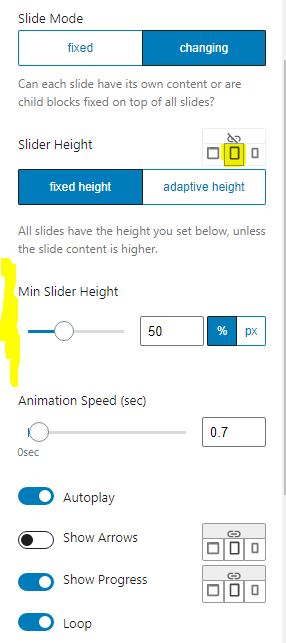
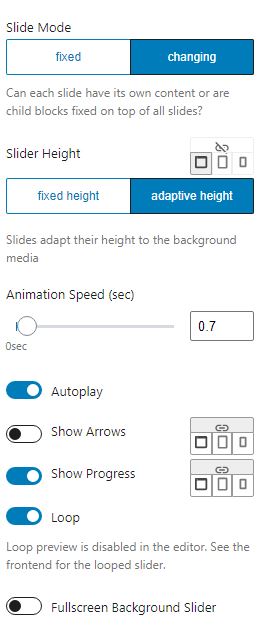
Basically, you can control the height style for Desktop, Tablet, and Mobile sizes. There are tiny tab icons for these sizes respectively. Previously, desktop was set to Adaptive, while, tablet and mobile were set to fixed. When the height is fixed, width is variable, and images are set to "cover", the result will be the image filling the space and cutting off as you observed.
I've set tablet and mobile to be adaptive height, and now the slider maintains image aspect ratio to fit and no longer cut off portions of the slides.
Here's what those settings look like in the block editor:
This one was a little tricky because I didn't find any great documentation on how this works. I was able to figure it out by troubleshooting what was there and determined that the slider was switching to fixed height at table/mobile sizes. Once I established it was the slider itself doing it, I located where those settings are defined in the block.
Basically, you can control the height style for Desktop, Tablet, and Mobile sizes. There are tiny tab icons for these sizes respectively. Previously, desktop was set to Adaptive, while, tablet and mobile were set to fixed. When the height is fixed, width is variable, and images are set to "cover", the result will be the image filling the space and cutting off as you observed.
I've set tablet and mobile to be adaptive height, and now the slider maintains image aspect ratio to fit and no longer cut off portions of the slides.
Here's what those settings look like in the block editor:
 Violet LaVille (All Communications)
Good morning Ryan,
Sorry for the late response. I was away last week.
Thanks for taking a look at this and fixing it.
Much appreciated,
Violet
Sorry for the late response. I was away last week.
Thanks for taking a look at this and fixing it.
Much appreciated,
Violet
Violet LaVille (All Communications)
Hello Ryan,
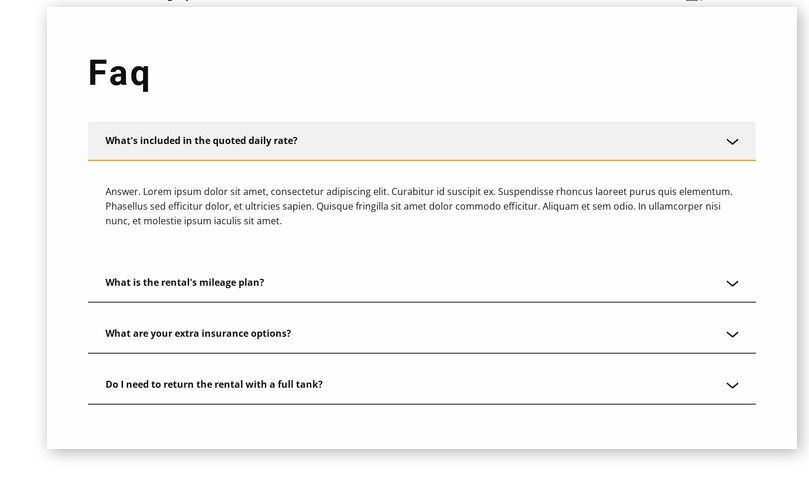
I hope all is well with you. With our new Gutenberg editor, do we have the ability to create an FAQ page like the pic below? If not, what do we need to create such a block on a page?
[cid:image001.png@01D7DFBD.6B383E20]
Thanks for your kind assistance.
Blessings,
Violet LaVille
Database Manager & Financial Assistant
Available Hours: Mon 8:00 am - 6:00 pm,
Wed & Thurs 8:00 am - 6:00 pm
(OFF Tues & Fri)
St. Elizabeth Ann Seton Catholic Church
12807 Valleywood Drive
Lake Ridge, VA 22192
Tel: 703-494-4008 ext. 133
Fax: 703-494-1995
www.setonlakeridge.org
I hope all is well with you. With our new Gutenberg editor, do we have the ability to create an FAQ page like the pic below? If not, what do we need to create such a block on a page?
[cid:image001.png@01D7DFBD.6B383E20]
Thanks for your kind assistance.
Blessings,
Violet LaVille
Database Manager & Financial Assistant
Available Hours: Mon 8:00 am - 6:00 pm,
Wed & Thurs 8:00 am - 6:00 pm
(OFF Tues & Fri)
St. Elizabeth Ann Seton Catholic Church
12807 Valleywood Drive
Lake Ridge, VA 22192
Tel: 703-494-4008 ext. 133
Fax: 703-494-1995
www.setonlakeridge.org
Violet LaVille (All Communications)
Hello Ryan,
I hope all is well with you. With our new Gutenberg editor, do we have the ability to create an FAQ page like the pic below? If not, what do we need to create such a block on a page?
[cid:image001.png@01D7DFBD.6B383E20]
Thanks for your kind assistance.
Blessings,
Violet LaVille
Database Manager & Financial Assistant
Available Hours: Mon 8:00 am - 6:00 pm,
Wed & Thurs 8:00 am - 6:00 pm
(OFF Tues & Fri)
St. Elizabeth Ann Seton Catholic Church
12807 Valleywood Drive
Lake Ridge, VA 22192
Tel: 703-494-4008 ext. 133
Fax: 703-494-1995
www.setonlakeridge.org
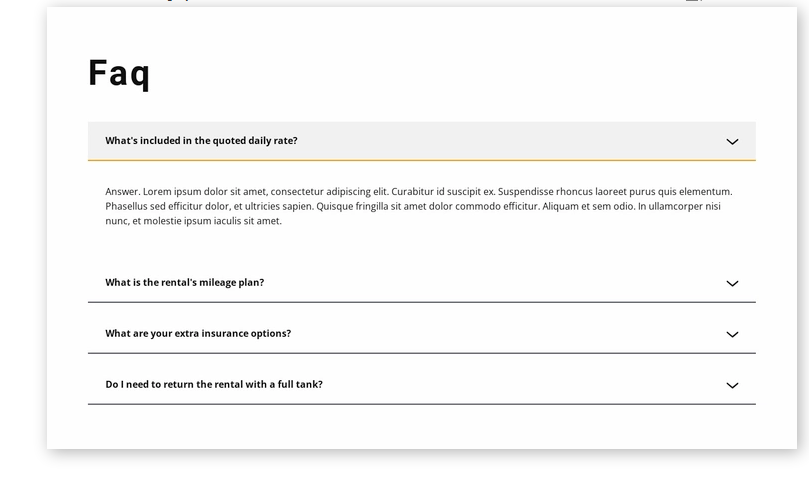
I hope all is well with you. With our new Gutenberg editor, do we have the ability to create an FAQ page like the pic below? If not, what do we need to create such a block on a page?
[cid:image001.png@01D7DFBD.6B383E20]
Thanks for your kind assistance.
Blessings,
Violet LaVille
Database Manager & Financial Assistant
Available Hours: Mon 8:00 am - 6:00 pm,
Wed & Thurs 8:00 am - 6:00 pm
(OFF Tues & Fri)
St. Elizabeth Ann Seton Catholic Church
12807 Valleywood Drive
Lake Ridge, VA 22192
Tel: 703-494-4008 ext. 133
Fax: 703-494-1995
www.setonlakeridge.org
Ryan Ross
Gutenberg does not come standard with an Accordion block. An accordion block is the label we like to use for these types of functionality that allow content to expand/collapse as shown in your example.
The most simple route to adding an Accordion type block to your toolset would be to install additional block styles via plugin. A couple of examples include Stackable and Gutentor. This would afford you not only Accordion blocks but others as well.
I should point out that we are not experts with third-party blocks like this. We would be happy to install something like this for you but we would not be providing full training on all the ins and outs of using these blocks. These are free plugins, so there would be no charge.
The most simple route to adding an Accordion type block to your toolset would be to install additional block styles via plugin. A couple of examples include Stackable and Gutentor. This would afford you not only Accordion blocks but others as well.
I should point out that we are not experts with third-party blocks like this. We would be happy to install something like this for you but we would not be providing full training on all the ins and outs of using these blocks. These are free plugins, so there would be no charge.
Violet LaVille (All Communications)
Good Morning Ryan,
Thank you for looking into this. I looked at both stackable and Gutentor and is it possible to install them both? I’d like to try them both and see which would work best and how user friendly it would be for the staff.
If it isn’t too much trouble to install them soon, that would be great.
Thank you again and I hope you and your family have a blessed Thanksgiving holiday.
Violet
Thank you for looking into this. I looked at both stackable and Gutentor and is it possible to install them both? I’d like to try them both and see which would work best and how user friendly it would be for the staff.
If it isn’t too much trouble to install them soon, that would be great.
Thank you again and I hope you and your family have a blessed Thanksgiving holiday.
Violet
Ryan Ross
Violet,
I have installed both Stackable and Gutendor for you to explore. The orange icon blocks are your Gutendor blocks and the pinkish/purple blocks are from Stackable.
I have installed both Stackable and Gutendor for you to explore. The orange icon blocks are your Gutendor blocks and the pinkish/purple blocks are from Stackable.
Violet LaVille (All Communications)
Thank you very much Ryan! I appreciate it.
Blessings,
Violet
Blessings,
Violet
Violet LaVille (All Communications)
Good Morning Ryan,
One of our staff saw this template library box and she clicked on it. Then the below message popped up. When I went in and did the same, I clicked on maybe later. Not sure if the plugin is free or not.
However, when I went back in to click on the it again. It gave us access to a bunch of templates which is wonderful.
Can we use the template library going forward? It will be very helpful for the entire staff.
Thank you,
Violet
[cid:image001.png@01D7E768.1E6E2930]
[cid:image002.png@01D7E768.1E6E2930]
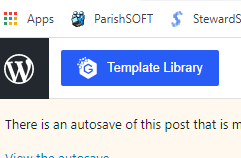
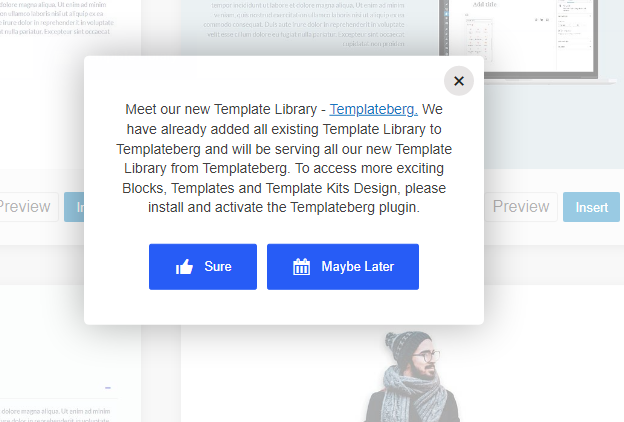
One of our staff saw this template library box and she clicked on it. Then the below message popped up. When I went in and did the same, I clicked on maybe later. Not sure if the plugin is free or not.
However, when I went back in to click on the it again. It gave us access to a bunch of templates which is wonderful.
Can we use the template library going forward? It will be very helpful for the entire staff.
Thank you,
Violet
[cid:image001.png@01D7E768.1E6E2930]
[cid:image002.png@01D7E768.1E6E2930]
Violet LaVille (All Communications)
Hello Ryan,
Merry Christmas! I hope all is well with you and your family. Sorry for the late response.
Regarding the Gutenslider for the Homepage, like you said, it’s not ideal; thus we would like to table this for now.
Much Appreciated,
Violet
Merry Christmas! I hope all is well with you and your family. Sorry for the late response.
Regarding the Gutenslider for the Homepage, like you said, it’s not ideal; thus we would like to table this for now.
Much Appreciated,
Violet