












Website Launched
Hello, all -
Congratulations, your new website is now live and visible to the world!
I'm still not seeing the live site. Why is that?
The industry standard for launch changes to propagate is 0-72 hours. However, it's been my experience that you can usually see these changes within 2 hours. You will know it was successful when visiting https://catholicfoundation.org/ brings up the site seen here: https://catholicfoundation.diocesanweb.org/
If you can see the website on a computer or mobile device not using your parish's internet, it may be that your parish's internal server needs to be reset or may have the IP address of your previous host manually set up. If this is the case, you will have to talk to your IT person, as this is not something Diocesan can help with.
New Login Page
Although you will now go to https://catholicfoundation.org/stpetersburg to log in, your login credentials are still the same.
Statistics
Since your website is now live, we have also added the ability to track your website's statistics.
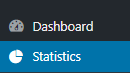
Feel free to view the statistics by clicking Statistics. This will give you access to see what devices are being used, how people are finding your website and your top pages/link.
Support Moving Forward
As you may have noticed, on your WordPress Dashboard, there is a Diocesan Web Support box with links to help articles that we have written especially for our websites, complete with step-by-step instructions and images. This should help with most of the questions that you may have.
You do also have another 2 weeks from your launch date to call and ask us any questions for free. After those 2 weeks, the paid support will go into effect. Paid support is $70/hr (prorated) and is billed monthly to the parish with each support items (date, amount of time, notes) itemized out.
If you have any issues or questions in the future, please email us at webdepartment@diocesan.com or call us at 877-923-0777.
Canceling Previous Website Host
Launching your website DOES NOT cancel your previous web hosting service. Diocesan does, however, suggest that you do not cancel your previous web hosting service until at least 2 business days after your new website launches.
NOTE: Some website hosting companies may package website hosting and domain hosting/renewal together. If this is true for you, you may want to consider transferring your domain over to Diocesan. You may begin this process by emailing us at webdepartment@diocesan.com or calling 877-923-0777.
Other Resources
Just in case we didn’t mention it in the training, here are some resources for free, stock images to use throughout your website:
- Unsplash
http://unsplash.com - Pexels
http://pexels.com - Cathopic
https://www.cathopic.com/
Please let me know if you have any questions and, again, congratulations!
Mary
Support/Web Department
877-923-0777
 Michelle N. Mesiano
Good morning,
I noticed 2 issues with the mobile version of our site -
1. The breadcrumbs are covered by the header
2. Top Menus linked incorrectly - shows up correctly on the browser version
* Request Information should link here (https://catholicfoundation.org/request-more-information/). Mobile version links here (https://www.dosp.org/priestsonly/).
* Staff Login should link here (https://catholicfoundation.org/wp-login.php?itsec-hb-token=stpetersburg&loggedout=true&wp_lang=en_US). Mobile version links here (https://www.dosp.org/deaconsonly/).
Thank you,
[cid:image001.png@01D616F0.D6BFE270]
I noticed 2 issues with the mobile version of our site -
1. The breadcrumbs are covered by the header
2. Top Menus linked incorrectly - shows up correctly on the browser version
* Request Information should link here (https://catholicfoundation.org/request-more-information/). Mobile version links here (https://www.dosp.org/priestsonly/).
* Staff Login should link here (https://catholicfoundation.org/wp-login.php?itsec-hb-token=stpetersburg&loggedout=true&wp_lang=en_US). Mobile version links here (https://www.dosp.org/deaconsonly/).
Thank you,
[cid:image001.png@01D616F0.D6BFE270]
 Mary Goeldel
Good morning, Michelle-
Are you using Safari as your browser when you are seeing the issue with the breadcrumbs overlapping?
Thank you,
Mary
Are you using Safari as your browser when you are seeing the issue with the breadcrumbs overlapping?
Thank you,
Mary
Michelle N. Mesiano
Mary -
I am only referring to the mobile version of this site and I am using Safari on my iPhone.
Also, should the changes made on the backend of the site reflect on both the browser and mobile version?
Thanks,
[cid:image001.png@01D61703.182A89B0]
I am only referring to the mobile version of this site and I am using Safari on my iPhone.
Also, should the changes made on the backend of the site reflect on both the browser and mobile version?
Thanks,
[cid:image001.png@01D61703.182A89B0]
Mary Goeldel
Michelle,
Technically, there is only one site, so, for the most part, there is only a need to make an update once. The exception might be a menu setup that has two parts, one for the site on larger monitors and a separate setup for a mobile menu, but that's not as common. For most pages and posts, you only make a change in one spot and it reflects on all devices.
What is different on mobile devices is the use of a "media query" that will tell something to display a little differently on smaller or larger screens - an example of that might be a page with 3 columns - the columns will display normally side-by-side on a desktop monitor (just throwing out numbers as an example) from 1200px to 1900 px, but on a tablet that might be 700-1200px wide we'd have the third column drop and display beneath the other two, and then on smaller devices like a cellphone, we might tell it to display just one column at a time and fill the full width with each column...that's all done in the code and it's usually the last thing we do before launching a site.
So if you are noticing something that doesn't look quite right on a mobile phone or a medium-sized monitor, it's helpful to send a screenshot (we ask that you use our webdepartment@diocesan.com email after launch because eventually this Basecamp project will be archived) and what type of device/browser you are using and we'll have a developer take a look and fix the issue.
Long explanation, I'm sorry! It's fairly complicated when it comes to making sites mobile responsive and having them appear nice on all the potential screen sizes that are now available. So it can be an on-going process as we start using a new site on all sorts of different devices... so if you see an issue, don't hesitate to email us at the webdepartment@ email and we'll take a look!
Thank you,
Mary
Support/Web Department
877-923-0777
Technically, there is only one site, so, for the most part, there is only a need to make an update once. The exception might be a menu setup that has two parts, one for the site on larger monitors and a separate setup for a mobile menu, but that's not as common. For most pages and posts, you only make a change in one spot and it reflects on all devices.
What is different on mobile devices is the use of a "media query" that will tell something to display a little differently on smaller or larger screens - an example of that might be a page with 3 columns - the columns will display normally side-by-side on a desktop monitor (just throwing out numbers as an example) from 1200px to 1900 px, but on a tablet that might be 700-1200px wide we'd have the third column drop and display beneath the other two, and then on smaller devices like a cellphone, we might tell it to display just one column at a time and fill the full width with each column...that's all done in the code and it's usually the last thing we do before launching a site.
So if you are noticing something that doesn't look quite right on a mobile phone or a medium-sized monitor, it's helpful to send a screenshot (we ask that you use our webdepartment@diocesan.com email after launch because eventually this Basecamp project will be archived) and what type of device/browser you are using and we'll have a developer take a look and fix the issue.
Long explanation, I'm sorry! It's fairly complicated when it comes to making sites mobile responsive and having them appear nice on all the potential screen sizes that are now available. So it can be an on-going process as we start using a new site on all sorts of different devices... so if you see an issue, don't hesitate to email us at the webdepartment@ email and we'll take a look!
Thank you,
Mary
Support/Web Department
877-923-0777