












Adding The Office Template
Good afternoon Meegan,
You have let us know that you would like to add the Office Template from DOSP for the Quick Links functionality alone. Since this is a change from the original design, I have met with the developer and put together an estimated quote for you to approve.
The update is as follows:
- Bring in the page template functionality to add the button text and links
- Edit the code to pull in and display those links
- Style the Page to match DOSP Quick Link buttons
The cost is as follows:
Estimated Hours: 0.75
Rate: $70/hr (prorated)
Rate: $70/hr (prorated)
Estimated Cost: $52.50
If you approve of this cost, please click the "Yes" button below and we will add this item to our to-do list today.
Thank you,
Cody Armock
Web Content Specialist, Web Department
877-923-0777
 Michelle N. Mesiano
Veronica and Cody -
We do not see the collapsible menu on the left side when editing pages - is this a new WordPress feature? Please see the screen grab attached.
Thank you
[cid:image001.png@01D617F0.46A7CBC0]
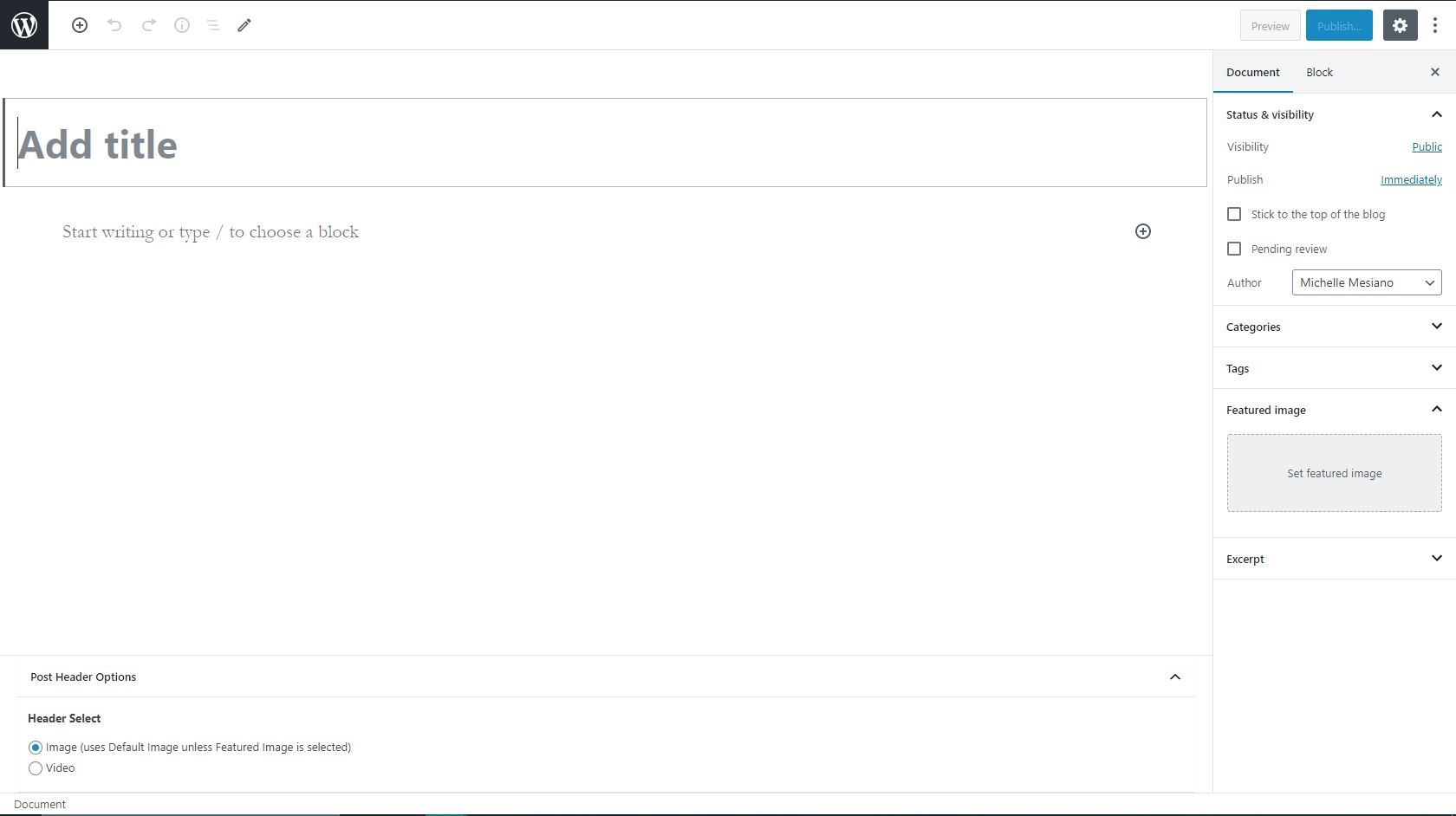
We do not see the collapsible menu on the left side when editing pages - is this a new WordPress feature? Please see the screen grab attached.
Thank you
[cid:image001.png@01D617F0.46A7CBC0]
Michelle N. Mesiano
Veronica and Cody -
We do not see the collapsible menu on the left side when editing pages - is this a new WordPress feature? Please see the screen grab attached.
Thank you
[cid:image001.png@01D617F0.46A7CBC0]
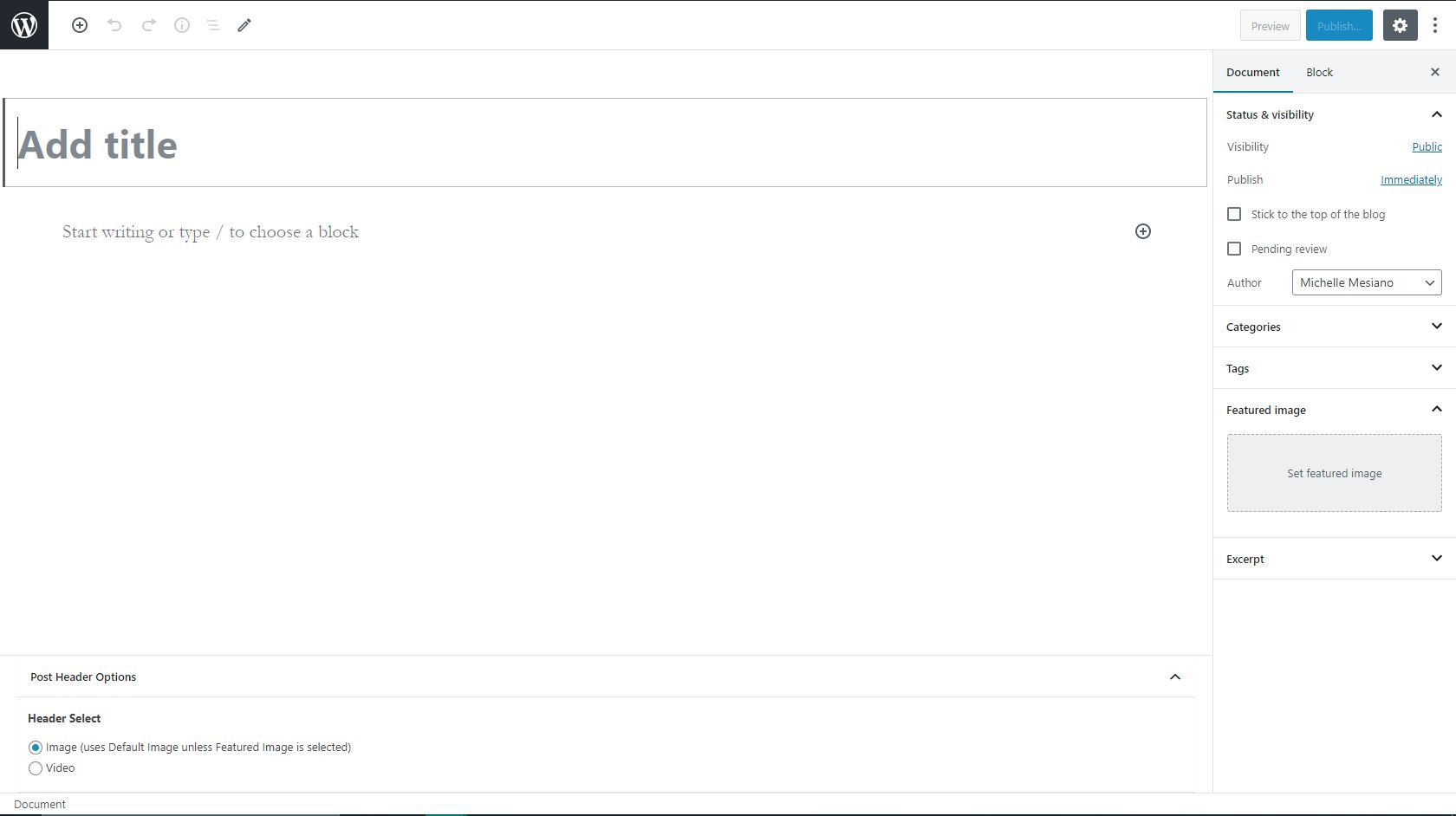
We do not see the collapsible menu on the left side when editing pages - is this a new WordPress feature? Please see the screen grab attached.
Thank you
[cid:image001.png@01D617F0.46A7CBC0]
 Cody Armock
Hello Michelle,
That is something that comes along with the new version of WordPress. I don't particularly care for it, but you can return to the regular view by clicking the three vertical dots next to the Gear Icon in the top-right and click on Fullscreen Mode to bring back the normal view again.
Let me know if you have any questions!
Thank you,
Cody Armock
That is something that comes along with the new version of WordPress. I don't particularly care for it, but you can return to the regular view by clicking the three vertical dots next to the Gear Icon in the top-right and click on Fullscreen Mode to bring back the normal view again.
Let me know if you have any questions!
Thank you,
Cody Armock
Web Department, Diocesan
877-923-0777