













Project Update
Good afternoon everyone,
I hope you have been having a great week!
As we progress with your new website, we would like to give you an update on how the progress is going this week. Here are the three main stages of how your website is progressing.
- Design is 100% complete
- Development is 100% complete
- Content Migration is 100% complete
In order to continue forward with your project, we need from you:
- Schedule 2nd Training Session
If you have any questions please feel free to reach out at any time.
Thank you!
- Alan Snodgrass
Web Consultant
 Laura Clark
Hi Alan,
Is Tuesday, June 21 at 12:00pm ok? If so, please send all three of us an evite.
Thanks and have a great day.
Blessings,
Laura Clark
Administrative Coordinator
St. Cecelia Catholic Church
820 Jasmine Way
Clearwater, FL 33756
727-447-3494 Ext 111
adminasst@stceceliachurch.org
Is Tuesday, June 21 at 12:00pm ok? If so, please send all three of us an evite.
Thanks and have a great day.
Blessings,
Laura Clark
Administrative Coordinator
St. Cecelia Catholic Church
820 Jasmine Way
Clearwater, FL 33756
727-447-3494 Ext 111
adminasst@stceceliachurch.org
 Ryan Hoch
Laura,
There is a lot of important information in this email, please read it in its entirety.
I added this to the calendar. See you on June 21st at Noon (Eastern Time) for the recorded QA Session. Here is the meeting login info:
Diocesan is inviting you to a scheduled Zoom meeting.
Join Zoom Meeting
https://us02web.zoom.us/j/88030611351
Meeting ID: 880 3061 1351
One tap mobile
+13017158592,,88030611351# US (Washington DC)
Please have the following info available for that meeting:
Here is a video to help you understand what we need from you: How to Get Domain Information
There is a lot of important information in this email, please read it in its entirety.
I added this to the calendar. See you on June 21st at Noon (Eastern Time) for the recorded QA Session. Here is the meeting login info:
Diocesan is inviting you to a scheduled Zoom meeting.
Join Zoom Meeting
https://us02web.zoom.us/j/88030611351
Meeting ID: 880 3061 1351
One tap mobile
+13017158592,,88030611351# US (Washington DC)
Please have the following info available for that meeting:
Here is a video to help you understand what we need from you: How to Get Domain Information
If you are not sure what company is hosting your domain, please use this website to help find that information: https://who.is/
Looks like Godaddy is hosting currently we need the below info to proceed with a launch.
Looks like Godaddy is hosting currently we need the below info to proceed with a launch.
We will need from you:
- Username
- Password
- Pin if there is one
- Turn off 2-Step verification if it is turned on
Thanks!
Ryan Hoch
Ryan Hoch
Web Content and Support Lead
Diocesan.com
1 (800) 994-9817
Laura Clark
Deacon Wil emailed that he did not receive an inv ite.
Please send invites to:
office@stceceliachurch.org<mailto:office@stceceliachurch.org>
lpolyak@stceceliachurch.org<mailto:lylepolyak@stceceliachurch.org>
Thanks
Please send invites to:
office@stceceliachurch.org<mailto:office@stceceliachurch.org>
lpolyak@stceceliachurch.org<mailto:lylepolyak@stceceliachurch.org>
Thanks
Ryan Hoch
is it lylepolyak@stceceliachurch.org or lpolyak@stceceliachurch.org? You sent both. And Dcn Wil contact info was already correct. Im not sure why he didn't receive it you could forward the invite to him but here it is again. Please check spam folders or trash.
All,
There is a lot of important information in this email, please read it in its entirety.
I added this to the calendar. See you on June 21st at Noon (Eastern Time) for the recorded QA Session. Here is the meeting login info:
Diocesan is inviting you to a scheduled Zoom meeting.
Join Zoom Meeting
https://us02web.zoom.us/j/88030611351
Meeting ID: 880 3061 1351
One tap mobile
+13017158592,,88030611351# US (Washington DC)
Please have the following info available for that meeting:
Here is a video to help you understand what we need from you: How to Get Domain Information
All,
There is a lot of important information in this email, please read it in its entirety.
I added this to the calendar. See you on June 21st at Noon (Eastern Time) for the recorded QA Session. Here is the meeting login info:
Diocesan is inviting you to a scheduled Zoom meeting.
Join Zoom Meeting
https://us02web.zoom.us/j/88030611351
Meeting ID: 880 3061 1351
One tap mobile
+13017158592,,88030611351# US (Washington DC)
Please have the following info available for that meeting:
Here is a video to help you understand what we need from you: How to Get Domain Information
If you are not sure what company is hosting your domain, please use this website to help find that information: https://who.is/
Looks like Godaddy is hosting currently we need the below info to proceed with a launch.
Looks like Godaddy is hosting currently we need the below info to proceed with a launch.
We will need from you:
- Username
- Password
- Pin if there is one
- Turn off 2-Step verification if it is turned on
Thanks!
Ryan Hoch
Ryan Hoch
Web Content and Support Lead
Diocesan.com
1 (800) 994-9817
Laura Clark
It is lpolyak@stceceliachurch.org<mailto:lpolyak@stceceliachurch.org>, I forwarded it to Deacon and Lyle, thank you.

Ryan Hoch
yep, thats what we have on file. So Lyle and Dcn Wil both their info was correct in our system. Thank you
Ryan Hoch
Ryan Hoch
Web Content and Support Lead
Diocesan.com
1 (800) 994-9817
 Lyle Polyak
A few questions based on observations so far.
1. On Fr. Bob’s Blog, https://stceceliachurch.diocesanweb.org/category/fr-bobs-blog/, I believe that the image pictured here feeds from an associated image from the week’s bulletin? The current image is a low res cropped sample of the week’s bulletin cover. Can we opt to replace that image or will it feed from the bulletin? Similarly on https://stceceliachurch.diocesanweb.org/fr-bobs-blog/ash-wednesday-and-lent/, the page with his blog entry, the banner is a resizing of the same image. I just feel that this set up is a little unsightly.
[cid:image001.png@01D8A332.B921EC10]
[cid:image002.png@01D8A332.B921EC10]
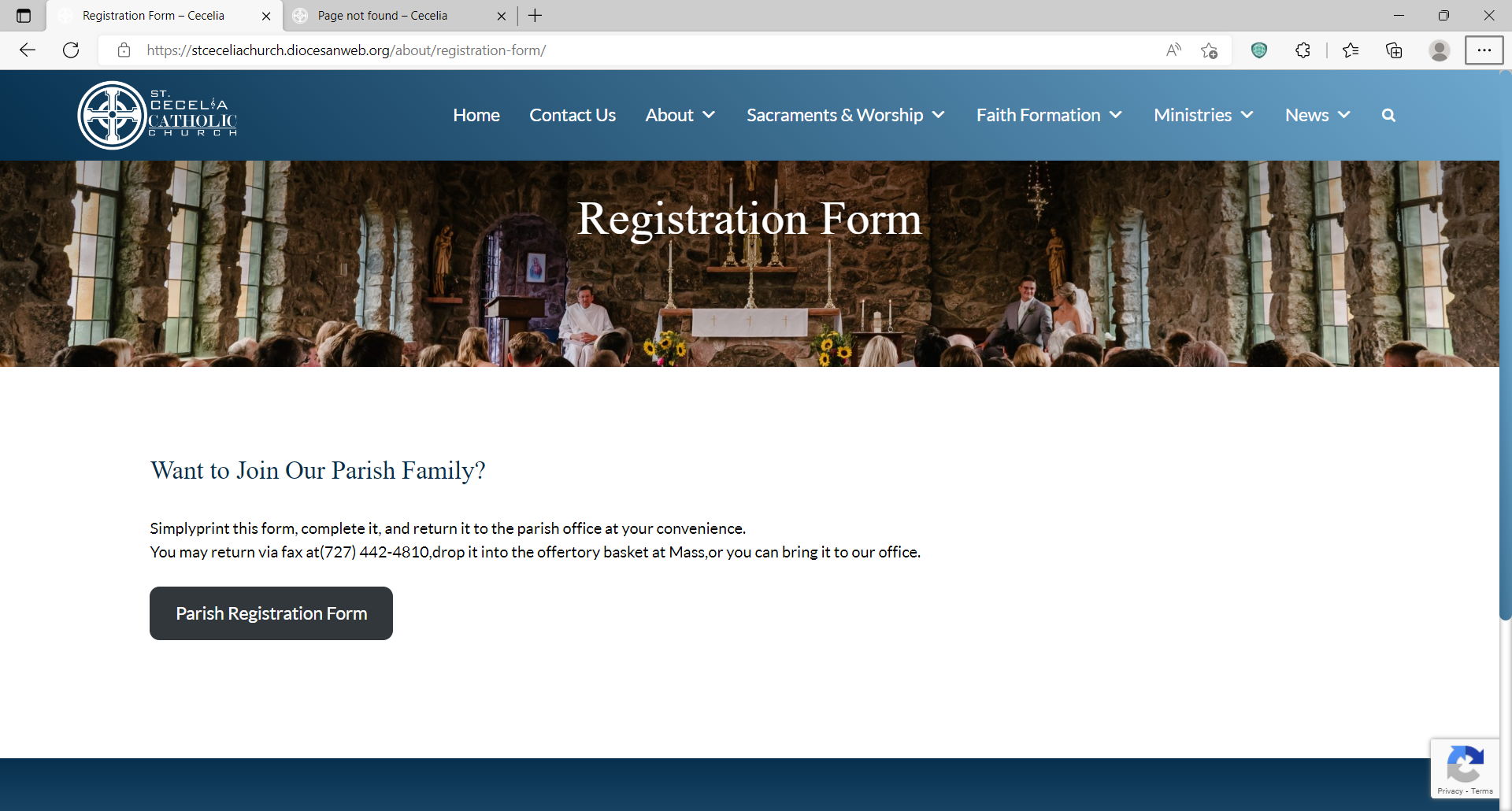
1. A Block editor glitch is encountered on the registration form page (and a few other pages actually…). The editor shows me appropriate spacing between words in the text, but the web page views like this after updating.
[cid:image003.png@01D8A333.6DEF2B80]
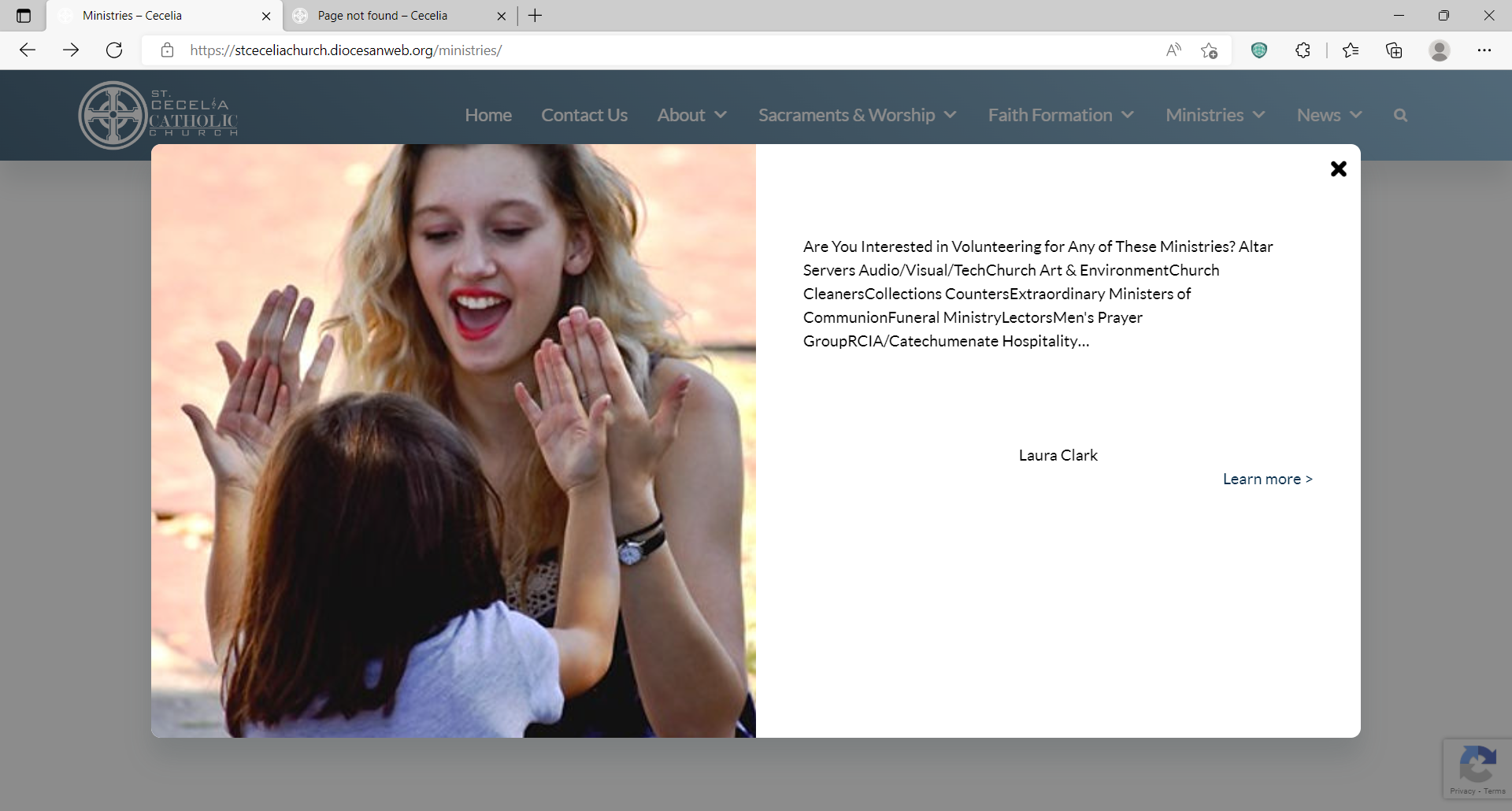
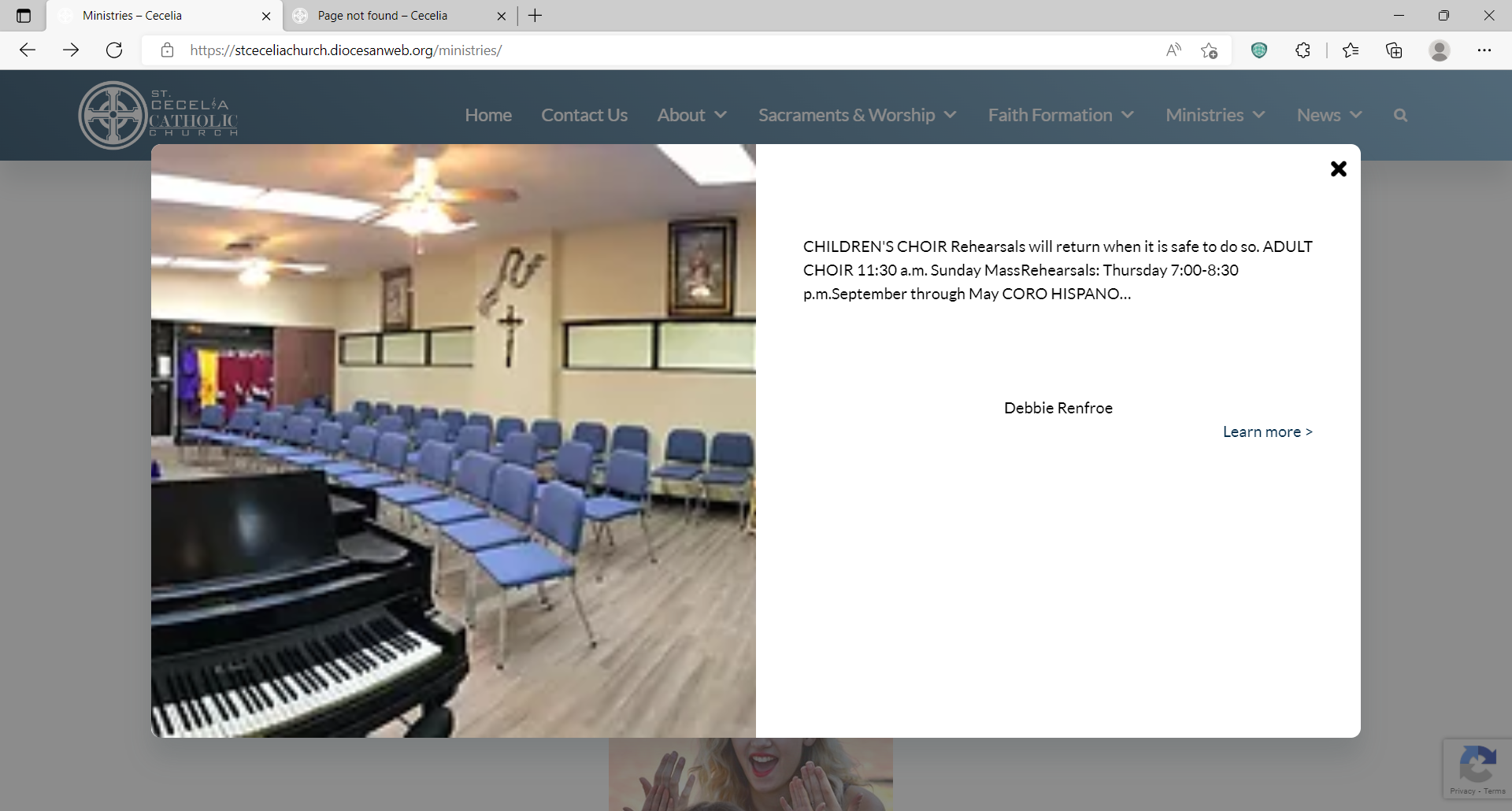
1. Also check text and spacing on these pop-ups for “Interested in Volunteering” and “Music Ministry” under Ministries. Again it looks fine on the editor but the spacing is wonky on the published web page.
[cid:image005.png@01D8A334.36174070]
[cid:image004.png@01D8A334.7B98D4B0]
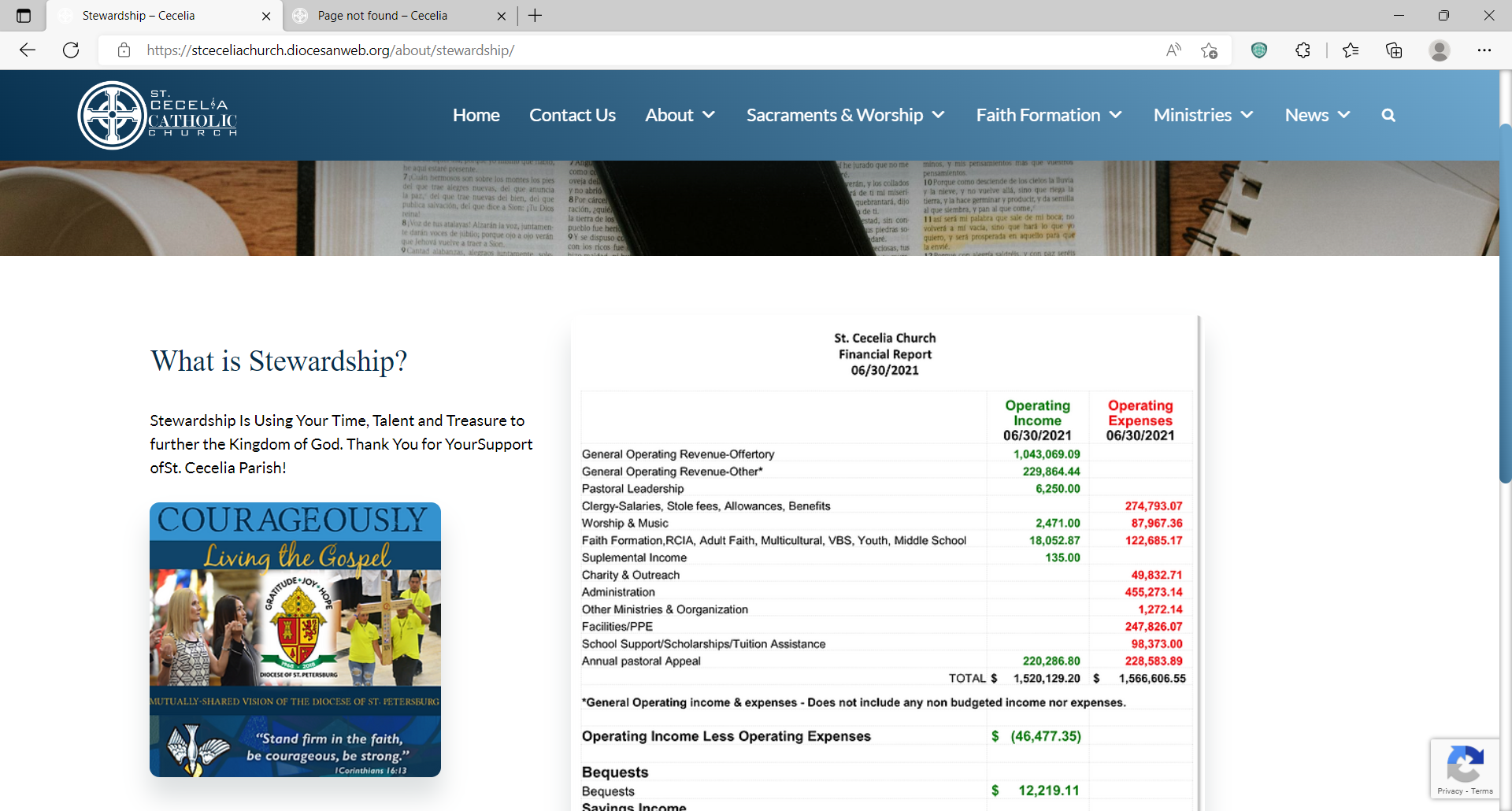
1. Also check spacing on the Stewardship page, https://stceceliachurch.diocesanweb.org/about/stewardship/, it looks fine on the editor but the text looks wonky to the left (Under “What is Stewardship?”)
[cid:image006.png@01D8A336.F1496470]
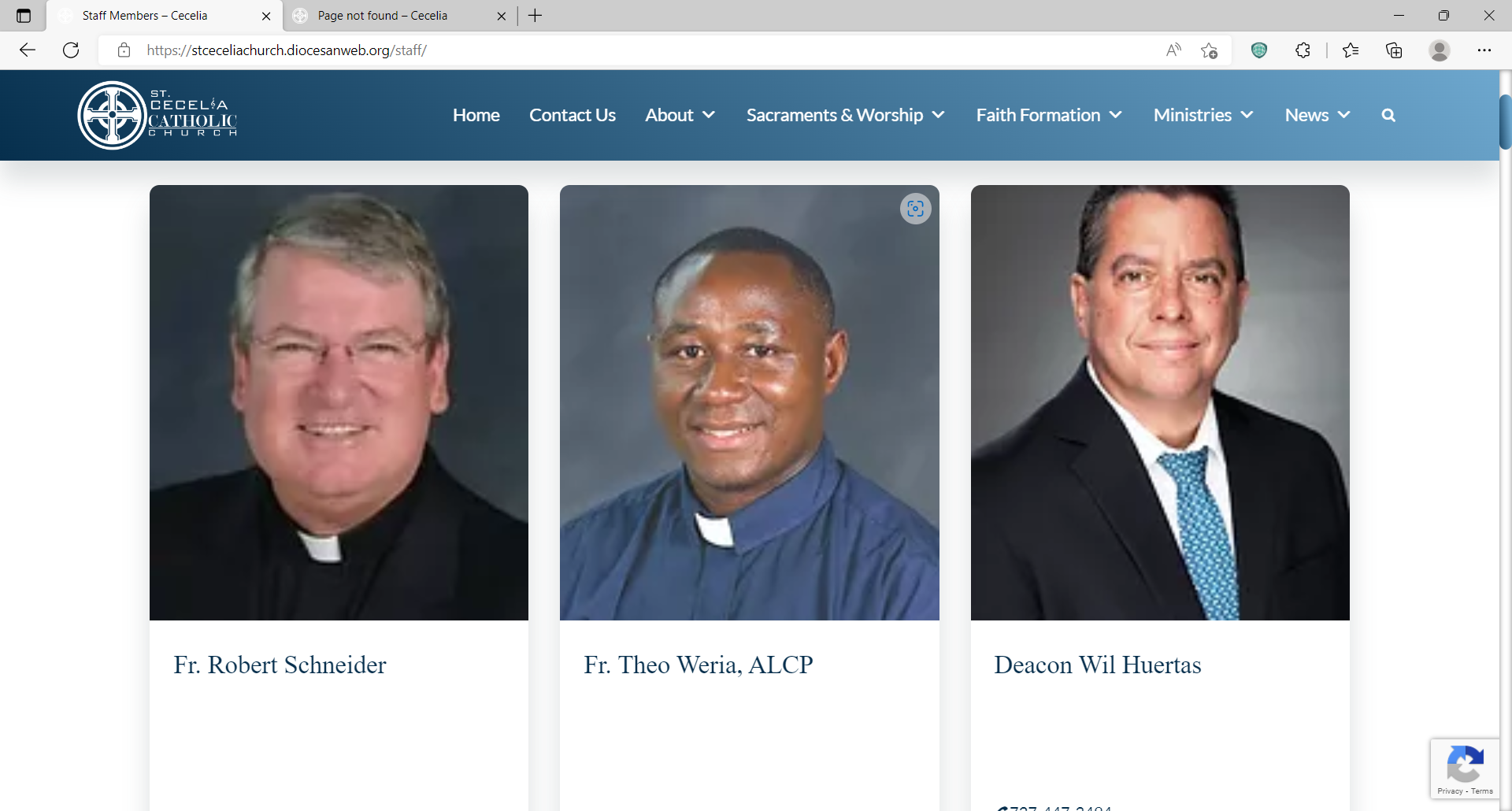
1. Staff and Clergy’s job titles, below their names, appear in white text, can we make it a different color?
[cid:image007.png@01D8A336.F1496470]
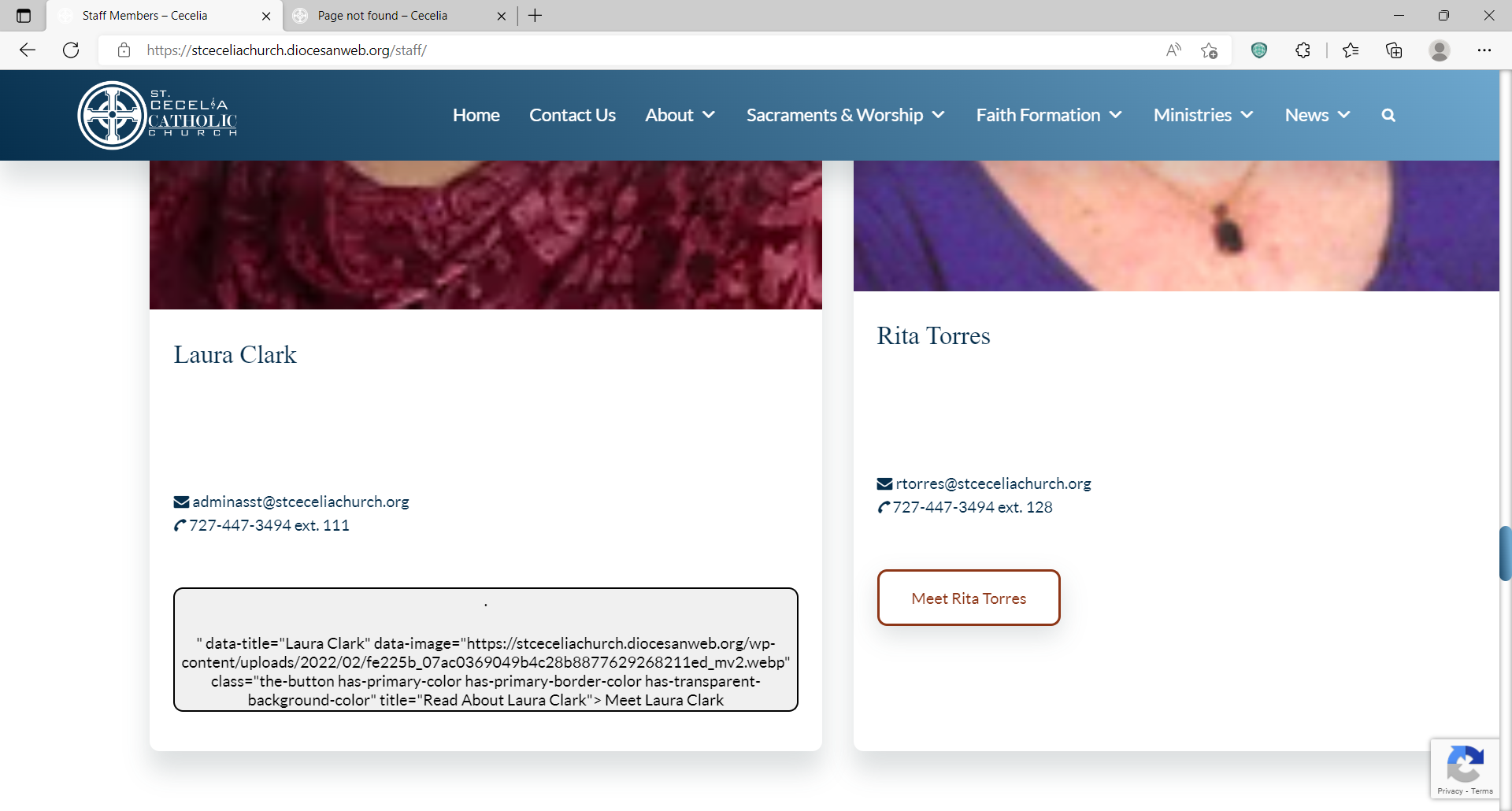
1. These strange gray web-code boxes appear where buttons should be beneath some staff members. (… and I don’t see “Yours truly” listed under the staff members. 😊 )
[cid:image008.png@01D8A337.306DCA60]
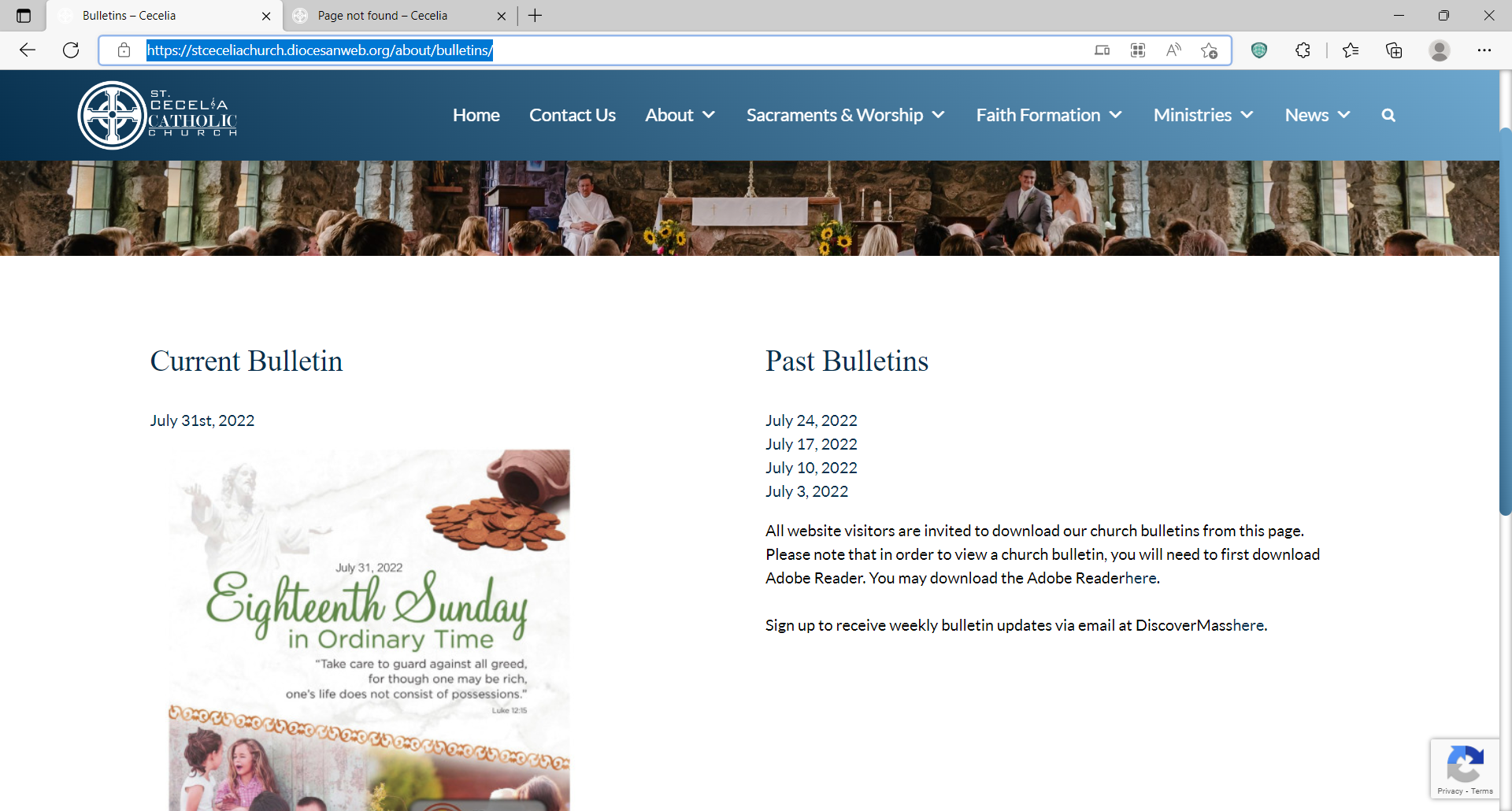
1. There is no link to download Adobe Reader or Sign up for Discover Mass on the Bulletin’s web page (https://stceceliachurch.diocesanweb.org/about/bulletins/) though the links are referenced in the texts to the right (Under Past Bulletins).
[cid:image009.png@01D8A337.E44D0050]
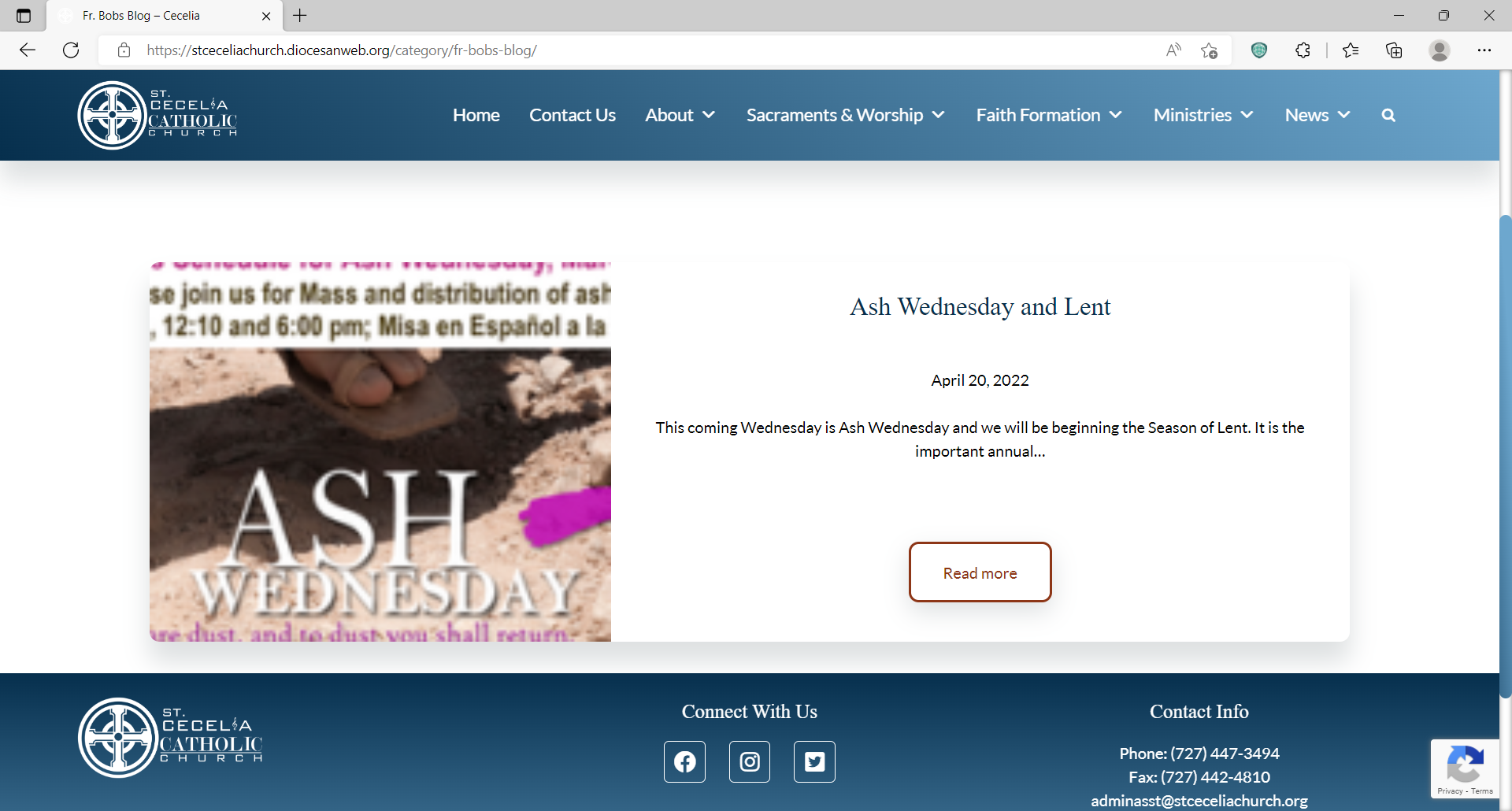
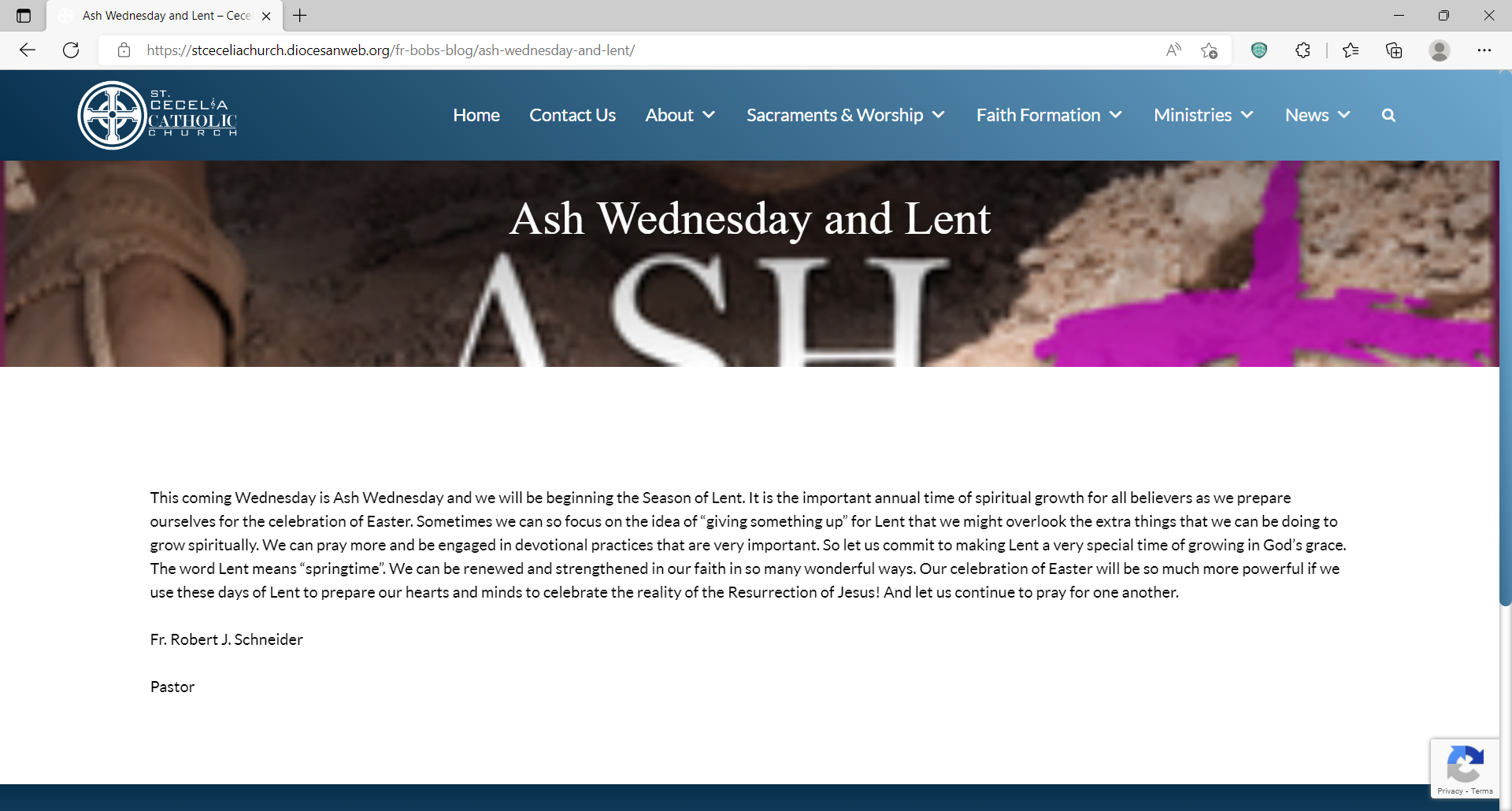
1. On Fr. Bob’s Blog, https://stceceliachurch.diocesanweb.org/category/fr-bobs-blog/, I believe that the image pictured here feeds from an associated image from the week’s bulletin? The current image is a low res cropped sample of the week’s bulletin cover. Can we opt to replace that image or will it feed from the bulletin? Similarly on https://stceceliachurch.diocesanweb.org/fr-bobs-blog/ash-wednesday-and-lent/, the page with his blog entry, the banner is a resizing of the same image. I just feel that this set up is a little unsightly.
[cid:image001.png@01D8A332.B921EC10]
[cid:image002.png@01D8A332.B921EC10]
1. A Block editor glitch is encountered on the registration form page (and a few other pages actually…). The editor shows me appropriate spacing between words in the text, but the web page views like this after updating.
[cid:image003.png@01D8A333.6DEF2B80]
1. Also check text and spacing on these pop-ups for “Interested in Volunteering” and “Music Ministry” under Ministries. Again it looks fine on the editor but the spacing is wonky on the published web page.
[cid:image005.png@01D8A334.36174070]
[cid:image004.png@01D8A334.7B98D4B0]
1. Also check spacing on the Stewardship page, https://stceceliachurch.diocesanweb.org/about/stewardship/, it looks fine on the editor but the text looks wonky to the left (Under “What is Stewardship?”)
[cid:image006.png@01D8A336.F1496470]
1. Staff and Clergy’s job titles, below their names, appear in white text, can we make it a different color?
[cid:image007.png@01D8A336.F1496470]
1. These strange gray web-code boxes appear where buttons should be beneath some staff members. (… and I don’t see “Yours truly” listed under the staff members. 😊 )
[cid:image008.png@01D8A337.306DCA60]
1. There is no link to download Adobe Reader or Sign up for Discover Mass on the Bulletin’s web page (https://stceceliachurch.diocesanweb.org/about/bulletins/) though the links are referenced in the texts to the right (Under Past Bulletins).
[cid:image009.png@01D8A337.E44D0050]