











Development Link & Training
Good morning Everyone,
We have reached the point in development at which we share a link to the development site with you.
Training Sessions
The first training session typically takes ~2 hours and is done remotely via a screen share program. We will send over the meeting link and phone number in a later email.
During the training sessions, we go over:
- How to edit the homepage content
- How to edit the footer
- How to edit the menu
- How to create/edit inner pages
- How to create/edit posts
- How to create/edit image galleries
- How to create/edit online forms
Since this can be a lot, we break the training down into two sessions:
Session 1: Editing the site basics
Session 2: Editing the additional site features & answering follow-up questions
This is completely up to your learning pace and how much you feel comfortable covering at once.
Development Site Link
Something to keep in mind is that the site is not quite completed yet, with the largest thing being mobile responsiveness. That said, it is best to look at the development site on a desktop computer, rather than a laptop or smaller screen. Mobile development/responsiveness is something that the developer completes after the training so that he can update any changes along with the original development!
Other than that, if you see anything that alarms you (design or functionality), please let me know and we can address your concerns.
Development Site URLs:
Landing: https://blessedsacramenttoledo.diocesanweb.org/
Church: https://blessedsacramenttoledo.diocesanweb.org/church/
School: https://blessedsacramenttoledo.diocesanweb.org/school/
Landing: https://blessedsacramenttoledo.diocesanweb.org/
Church: https://blessedsacramenttoledo.diocesanweb.org/church/
School: https://blessedsacramenttoledo.diocesanweb.org/school/
Please let us know what dates and times work best for the training or if you have any other questions,
Cody Armock
Web Content Specialist, Web Department
877-923-0777
 Cody Armock
Good morning Everyone,
Sorry that it has taken me a while to follow up, but I wanted to see if you wanted to schedule a training for the sites soon.
Training Sessions
The first training session typically takes ~2 hours and is done remotely via a screen share program. We will send over the meeting link and phone number in a later email.
During the training sessions, we go over:
- How to edit the homepage content
- How to edit the footer
- How to edit the menu
- How to create/edit inner pages
- How to create/edit posts
- How to create/edit image galleries
- How to create/edit online forms
Since this can be a lot, we break the training down into two sessions:
Session 1: Editing the site basics
Session 2: Editing the additional site features & answering follow-up questions
This is completely up to your learning pace and how much you feel comfortable covering at once.
Development Site Link
Something to keep in mind is that the site is not quite completed yet, with the largest thing being mobile responsiveness. That said, it is best to look at the development site on a desktop computer, rather than a laptop or smaller screen. Mobile development/responsiveness is something that the developer completes after the training so that he can update any changes along with the original development!
Other than that, if you see anything that alarms you (design or functionality), please let me know and we can address your concerns.
Development Site URLs:
Landing: https://blessedsacramenttoledo.diocesanweb.org/
Church: https://blessedsacramenttoledo.diocesanweb.org/church/
School: https://blessedsacramenttoledo.diocesanweb.org/school/
Landing: https://blessedsacramenttoledo.diocesanweb.org/
Church: https://blessedsacramenttoledo.diocesanweb.org/church/
School: https://blessedsacramenttoledo.diocesanweb.org/school/
Please let us know what dates and times work best for the training or if you have any other questions,
Cody Armock
Web Content Specialist, Web Department
877-923-0777
Cody Armock
Good morning Everyone,
Training Sessions
The first training session typically takes ~2 hours and is done remotely via a screen share program. We will send over the meeting link and phone number in a later email.
During the training sessions, we go over:
- How to edit the homepage content
- How to edit the footer
- How to edit the menu
- How to create/edit inner pages
- How to create/edit posts
- How to create/edit image galleries
- How to create/edit online forms
Since this can be a lot, we break the training down into two sessions:
Session 1: Editing the site basics
Session 2: Editing the additional site features & answering follow-up questions
This is completely up to your learning pace and how much you feel comfortable covering at once.
Development Site Link
Something to keep in mind is that the site is not quite completed yet, with the largest thing being mobile responsiveness. That said, it is best to look at the development site on a desktop computer, rather than a laptop or smaller screen. Mobile development/responsiveness is something that the developer completes after the training so that he can update any changes along with the original development!
Other than that, if you see anything that alarms you (design or functionality), please let me know and we can address your concerns.
Development Site URLs:
Landing: https://blessedsacramenttoledo.diocesanweb.org/
Church: https://blessedsacramenttoledo.diocesanweb.org/church/
School: https://blessedsacramenttoledo.diocesanweb.org/school/
Landing: https://blessedsacramenttoledo.diocesanweb.org/
Church: https://blessedsacramenttoledo.diocesanweb.org/church/
School: https://blessedsacramenttoledo.diocesanweb.org/school/
Please let us know what dates and times work best for the training or if you have any other questions,
Cody Armock
Web Content Specialist, Web Department
877-923-0777
Cody Armock
Internal Note: Arthur, if they don't respond by the end of the week. You may want to give them a call.
Cody
Cody
 Fr Mike Geiger
Cody:
Across the entire template of the website for both the parish and school, can you please make the image of the tower larger? It looks a bit too small. Also, the gray-scale default color used on some of the pages is dull - can we go with another color? Finally, could you try to use the image attached to this email as the image on the parish splash page and throughout the parish defaut pages - basically, wherever the ocean image appears. Thanks!
I know we are going to have the option and get trained on changing some of this on our own, but I wanted to see if we could get this done prior to training.
Thanks!
Father Mike
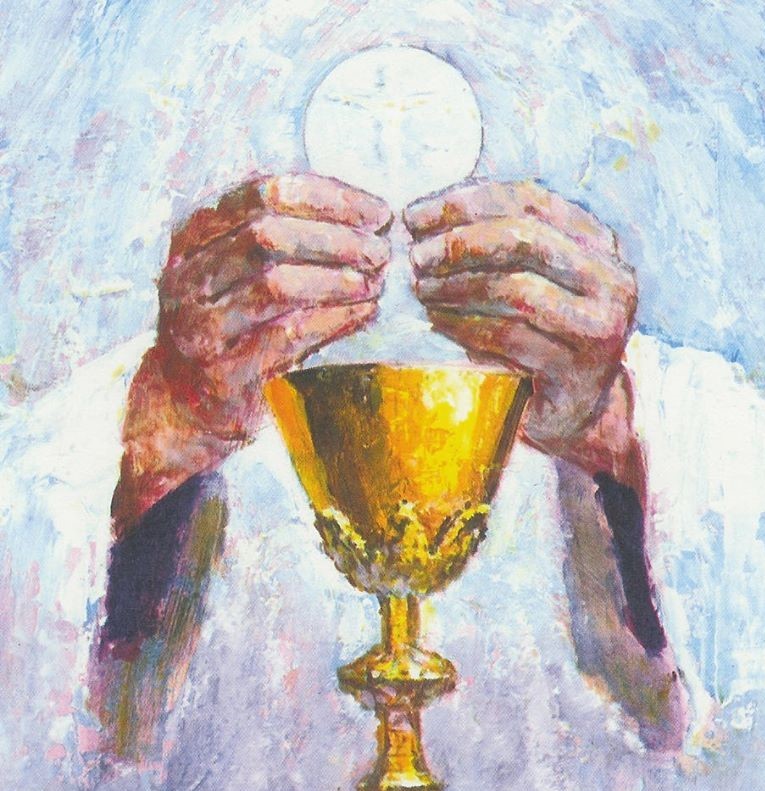
Across the entire template of the website for both the parish and school, can you please make the image of the tower larger? It looks a bit too small. Also, the gray-scale default color used on some of the pages is dull - can we go with another color? Finally, could you try to use the image attached to this email as the image on the parish splash page and throughout the parish defaut pages - basically, wherever the ocean image appears. Thanks!
I know we are going to have the option and get trained on changing some of this on our own, but I wanted to see if we could get this done prior to training.
Thanks!
Father Mike
Cody Armock
Hello Fr. Mike,
The image you sent is too small in terms of dimensions and is the wrong aspect ratio (nearly a 1:1 or a square) to fit into the Homepage Image.
As for the grayscale color, can you take a screenshot of where it is used, so that I have more clarification as to what we need to fix?
I made the logo a bit bigger to fill up the header more, so the tower should be a bit bigger. You may need to do a hard refresh to see the new changes. (Instructions Here)
Let me know when you would like to schedule the first training!
Cody Armock
The image you sent is too small in terms of dimensions and is the wrong aspect ratio (nearly a 1:1 or a square) to fit into the Homepage Image.
As for the grayscale color, can you take a screenshot of where it is used, so that I have more clarification as to what we need to fix?
I made the logo a bit bigger to fill up the header more, so the tower should be a bit bigger. You may need to do a hard refresh to see the new changes. (Instructions Here)
Let me know when you would like to schedule the first training!
Cody Armock
Web Department, Diocesan
877-923-0777
 Heather Koziarski
Good morning Cody,
We would like to schedule training for the last week of July.
Thank you!
We would like to schedule training for the last week of July.
Thank you!
Cody Armock
Hello Heather,
Thanks for letting me know! I will reach out closer to then to set it up with you!
Cody Armock
Thanks for letting me know! I will reach out closer to then to set it up with you!
Cody Armock
Web Department, Diocesan
877-923-0777
Cody Armock
Good Morning Fr. Mike & Heather,
Back in June, you said you would like to schedule the training for the last week of July, when would you like to schedule the training next week. I am pretty free most days after 9:30 am.
Let me know some days and times that work best for you and I will do my best to accomodate!
Thank you,
Cody Armock
Back in June, you said you would like to schedule the training for the last week of July, when would you like to schedule the training next week. I am pretty free most days after 9:30 am.
Let me know some days and times that work best for you and I will do my best to accomodate!
Thank you,
Cody Armock
Web Department, Diocesan
877-923-0777
Heather Koziarski
Good morning Cody,
Would we be able to schedule the training for August 3rd at 10am?
Thank you,
Heather
Heather Koziarski
Business Manager
Most Blessed Sacrament Parish
2240 Castlewood Drive
Toledo, OH 43613
(419) 472-2288-Telephone
(419) 472-0493-Fax
hkoziarski@mbsptoledo.org (mailto:hkoziarski@mbsptoledo.org)
Would we be able to schedule the training for August 3rd at 10am?
Thank you,
Heather
Heather Koziarski
Business Manager
Most Blessed Sacrament Parish
2240 Castlewood Drive
Toledo, OH 43613
(419) 472-2288-Telephone
(419) 472-0493-Fax
hkoziarski@mbsptoledo.org (mailto:hkoziarski@mbsptoledo.org)
Fr Mike Geiger
Wonderful thanks!
FMG
FMG
Cody Armock
Hello Heather & Fr. Mike,
Unfortunately, August 3rd at 10 am is already booked. I could do Monday, Wednesday or Thursday at that time though or Monday - Thursday in the afternoon.
Sorry about that!
Cody Armock
Unfortunately, August 3rd at 10 am is already booked. I could do Monday, Wednesday or Thursday at that time though or Monday - Thursday in the afternoon.
Sorry about that!
Cody Armock
Web Department, Diocesan
877-923-0777
Heather Koziarski
Hi Cody,
Is there a way that the training can be recorded? We have a few scheduling conflicts so having the training available for those who are unable to attend would be helpful. I'll look into scheduling one of these other times as well.
Thank you!
Heather Koziarski
Is there a way that the training can be recorded? We have a few scheduling conflicts so having the training available for those who are unable to attend would be helpful. I'll look into scheduling one of these other times as well.
Thank you!
Heather Koziarski
Cody Armock
Hello Heather,
Yeah, we will record the training and it will be available for download through Google Drive.
Let me know what time works for you!
Cody Armock
Yeah, we will record the training and it will be available for download through Google Drive.
Let me know what time works for you!
Cody Armock
Web Department, Diocesan
877-923-0777
Heather Koziarski
Hi Cody,
How about Thursday at 10?
Thank you!
How about Thursday at 10?
Thank you!
Cody Armock
Hello Heather,
Sorry, I was out of the office yesterday!
Unfortunately, that time on Thursday was booked already and I must not have noticed it. So sorry for that confusion.
I could still do tomorrow at that time or anytime Tomorrow or Thursday in the afternoon.
Cody Armock
Sorry, I was out of the office yesterday!
Unfortunately, that time on Thursday was booked already and I must not have noticed it. So sorry for that confusion.
I could still do tomorrow at that time or anytime Tomorrow or Thursday in the afternoon.
Cody Armock
Web Department, Diocesan
877-923-0777
Heather Koziarski
Hi Cody,
Those times no longer work for us. Is there anything the following week?
Thanks!
Those times no longer work for us. Is there anything the following week?
Thanks!
Cody Armock
Good Afternoon Heather,
Next week, I am available Monday, Wednesday, Thursday, and Friday in the mornings after 10 am, and Monday - Thursday in the afternoon till 4pm (latest we start would be 2pm).
Let me know if any of those work!
Cody Armock
Next week, I am available Monday, Wednesday, Thursday, and Friday in the mornings after 10 am, and Monday - Thursday in the afternoon till 4pm (latest we start would be 2pm).
Let me know if any of those work!
Cody Armock
Web Department, Diocesan
877-923-0777
Heather Koziarski
HI Cody,
Would we be able to schedule Friday August 13th at 11am?
Thank you,
Would we be able to schedule Friday August 13th at 11am?
Thank you,
Cody Armock
Hello Heather,
That will work!
Here is the meeting information for then:
Diocesan is inviting you to a scheduled Zoom meeting.
Topic: First Training | Blessed Sacrament (Toledo, OH)
Time: Aug 13, 2021 11:00 AM Eastern Time (US and Canada)
Join Zoom Meeting
https://us02web.zoom.us/j/82207549720
Meeting ID: 822 0754 9720
Cody Armock
That will work!
Here is the meeting information for then:
Diocesan is inviting you to a scheduled Zoom meeting.
Topic: First Training | Blessed Sacrament (Toledo, OH)
Time: Aug 13, 2021 11:00 AM Eastern Time (US and Canada)
Join Zoom Meeting
https://us02web.zoom.us/j/82207549720
Meeting ID: 822 0754 9720
Cody Armock
Web Department, Diocesan
877-923-0777
Heather Koziarski
Fantastic! I will pass this information along.
Cody Armock
Good Afternoon Everyone,
I wanted to follow up after the first training and see when you would like to schedule the second training. I also wanted to touch base about the calendar for the school site. It is best if we use a Google Calendar, but we have ported Outlook Calendars to Google and pulled it in that way, but it is not ideal.
Here are instructions on how to make your Calendar public and how to get the Calendar ID, which is what we need to put it on the website.
Make your Google Calendar public:
- In the Google Calendar interface, locate the "My calendars" area on the left.
- Hover over the calendar you need and click the vertical three dots.
- A menu will appear. Click "Settings and Sharing".
- Under "Access Permissions" check "Make this calendar public".
- Make sure "See all event details" is selected from the dropdown.
Obtain your Google Calendar's ID:
- In the Google Calendar interface, locate the "My calendars" area on the left.
- Hover over the calendar you need and click the vertical three dots.
- A menu will appear. Click "Settings and Sharing".
- In the "Integrate calendar" section of the screen (near the bottom), you will see your Calendar ID. It will look something like "abcd1234@group.calendar.google.com" or abcd@gmail.com.
Let me know what the Calendar ID and we will add it to the website.
Also, let me know when you would like to schedule the second training!
Thank you,
Cody Armock
Web Content Specialist
Web Department, Diocesan
877-923-0777
Heather Koziarski
Hi Cody,
I've completed these instructions for the school calendar.
The Calendar ID is:
https://calendar.google.com/calendar/embed?src=blessedsacramenttoledo.com_4l4op7lhkv5rtfi06j4d2a58fk%40group.calendar.google.com&ctz=America%2FNew_York
Please let me know if this works!
I've completed these instructions for the school calendar.
The Calendar ID is:
https://calendar.google.com/calendar/embed?src=blessedsacramenttoledo.com_4l4op7lhkv5rtfi06j4d2a58fk%40group.calendar.google.com&ctz=America%2FNew_York
Please let me know if this works!
Cody Armock
Hello Heather,
I forgot to mention this on Friday, but I have replaced the calendar and it should be working on the site now!
Cody Armock
Web Department, Diocesan
877-923-0777
I forgot to mention this on Friday, but I have replaced the calendar and it should be working on the site now!
Cody Armock
Web Department, Diocesan
877-923-0777
Cody Armock
Hello Heather & Fr. Mike,
I wanted to reach out to you both about scheduling the second training. I was wondering what time next week would work for the second training to go over Gravity Forms & Envira Gallery and also, any questions that you may have from editing the site. I am open Monday - Thursday after 10am next week, right now, for the training.
Let me know when works for you!
Cody Armock
Web Department, Diocesan
877-923-0777
I wanted to reach out to you both about scheduling the second training. I was wondering what time next week would work for the second training to go over Gravity Forms & Envira Gallery and also, any questions that you may have from editing the site. I am open Monday - Thursday after 10am next week, right now, for the training.
Let me know when works for you!
Cody Armock
Web Department, Diocesan
877-923-0777
 Arthur Richardson
Good morning,
I hope you both are doing well!
Cody still has some time available this week for your 2nd Training Session. Please let him know when you are able to schedule your training!
Thanks and God bless,
Arthur Richardson
Diocesan Publications
Web Project Manager
877-923-0777
I hope you both are doing well!
Cody still has some time available this week for your 2nd Training Session. Please let him know when you are able to schedule your training!
Thanks and God bless,
Arthur Richardson
Diocesan Publications
Web Project Manager
877-923-0777